Chrome Extension
I spent the past 24 hours putting Meta's new image model, Muse Image, through prompt after prompt. Infographics, personal photo edits, QR codes, multi-image composites, and marketing assets, I tested all of it.
This guide gives you the exact prompt structures I used and why they worked. You'll also see where Muse Image still falls short.
By the end, you'll know how to write prompts Muse Image actually understands instead of guessing your way there.
Meta Superintelligence Labs shipped Muse Image on July 7, 2026, alongside a companion video model, Muse Video, according to ai.meta.com. It's live now inside the Meta AI app, Instagram Stories, and WhatsApp DMs, per Meta's official launch post.
Also checkout our free Meta Muse Image Prompt Generator here.
Key Takeaways
What Is Meta Muse Image?
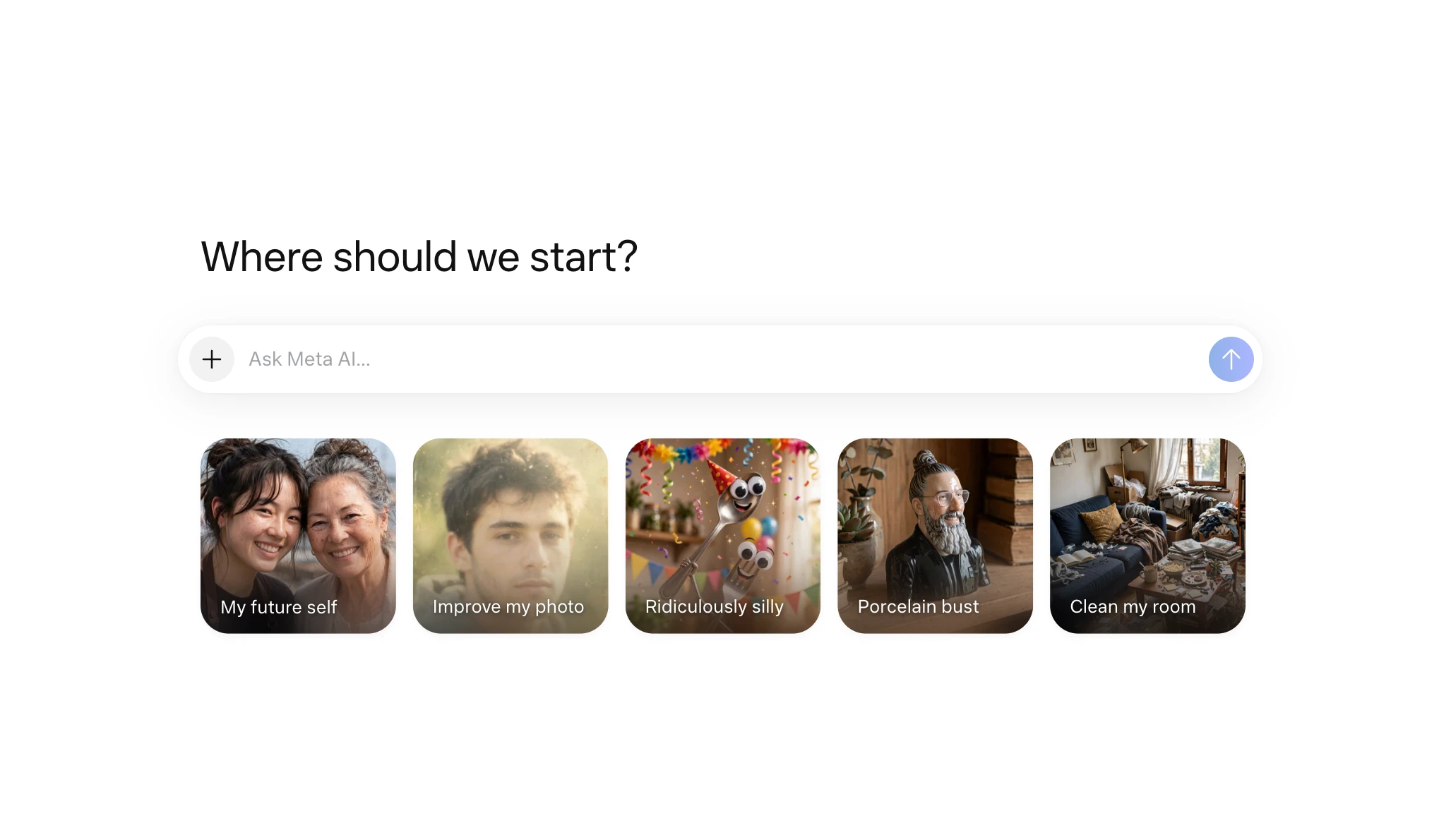
Muse Image is Meta's first fully in-house image generation and editing model. Meta Superintelligence Labs built it under Alexandr Wang.
It replaces the third-party models Meta AI used before. It works as an agent rather than a simple prompt-to-pixel converter, according to Meta's technical blog.
How It Thinks Before It Paints
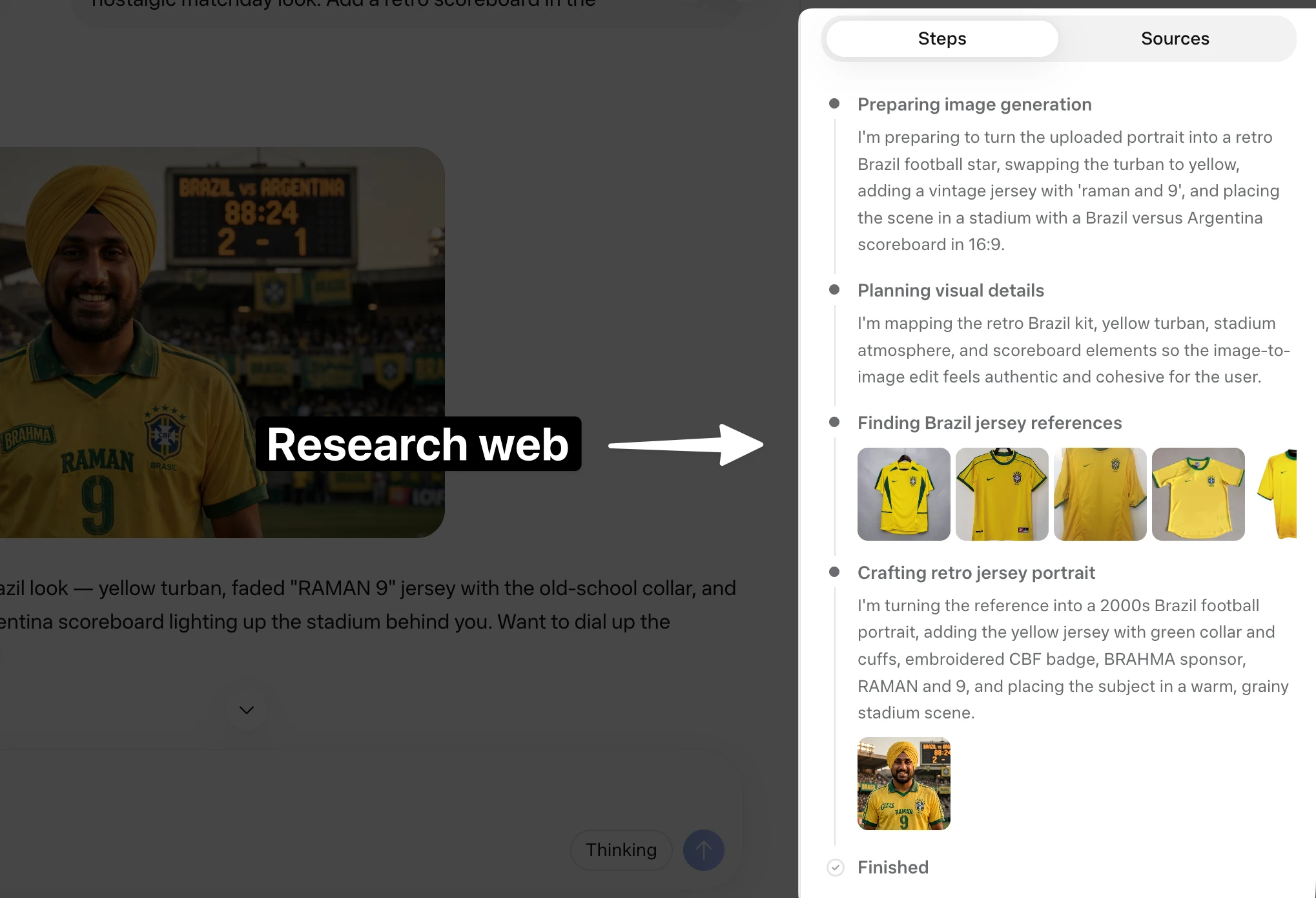
Before generating an image, Muse Image plans the layout and checks its own draft. It decides whether to fix a detail, regenerate the whole image, or call a tool.
Meta says this self-refinement behavior emerged during reinforcement learning rather than being explicitly programmed. Two tool calls stand out:
More reasoning steps at generation time raise the image's human-preference score in a roughly log-linear pattern, according to Meta's own benchmark data:
"It invokes search and coding tools to improve accuracy, self-refines its own generations, and improves through scaling test-time compute." Meta Superintelligence Labs, via ai.meta.com
Where You Can Use It
Muse Image lives inside:
Facebook, Messenger, and wider Instagram and WhatsApp coverage are coming, according to Meta's own rollout notes.
How to Write Prompts Muse Image Understands
Meta's own guidance is simple: describe what you want in plain, conversational language, and let the model handle the rest, according to Meta's launch post.
After testing dozens of prompts myself, here's what actually moved the needle.
Write like you're talking to a person, not a search engine
Skip keyword strings. Full sentences describing the scene, the subject, and the mood consistently beat clipped, tag-style prompts in my testing.
Add reference images inline, not just at the top
Muse Image supports interleaving text and images inside a single prompt. Instead of dumping four photos at once and hoping the model figures out which is which, I got sharper results by describing each reference as I introduced it:
Imagine me [attached image] in the gym doing a bicep workout with 30kg
dumbbells. Show the people from this photo [attached image] working out
behind me. 16:9 aspect ratio, natural gym lighting, motivated expression.
Control aspect ratio directly in the text
There's no dedicated aspect-ratio dropdown on most surfaces, so state it plainly inside the prompt itself:
Aspect ratio 4:3.
Meta's own example prompts do exactly this:
"Aspect ratio of TV should be 4:3." From one of Meta's official example prompts, placing the subject on a vintage TV set
@-mention accounts to pull in real references
You can tag a public Instagram username inside your prompt. Muse Image then uses that account's public photos as visual material.
It's a fast way to build personalized graphics or collaborative concepts without uploading anything yourself. If you'd rather not have your own public photos reused this way, Instagram's Help Center has an opt-out control.
Preserve likeness explicitly when stylizing a real photo
When I skipped this step, Muse Image drifted from my actual face. Adding a direct instruction fixed it every time:
Keep the subject's likeness and facial features true to the original photo.
Real Prompts I Tested (Use Cases and Results)
Infographics
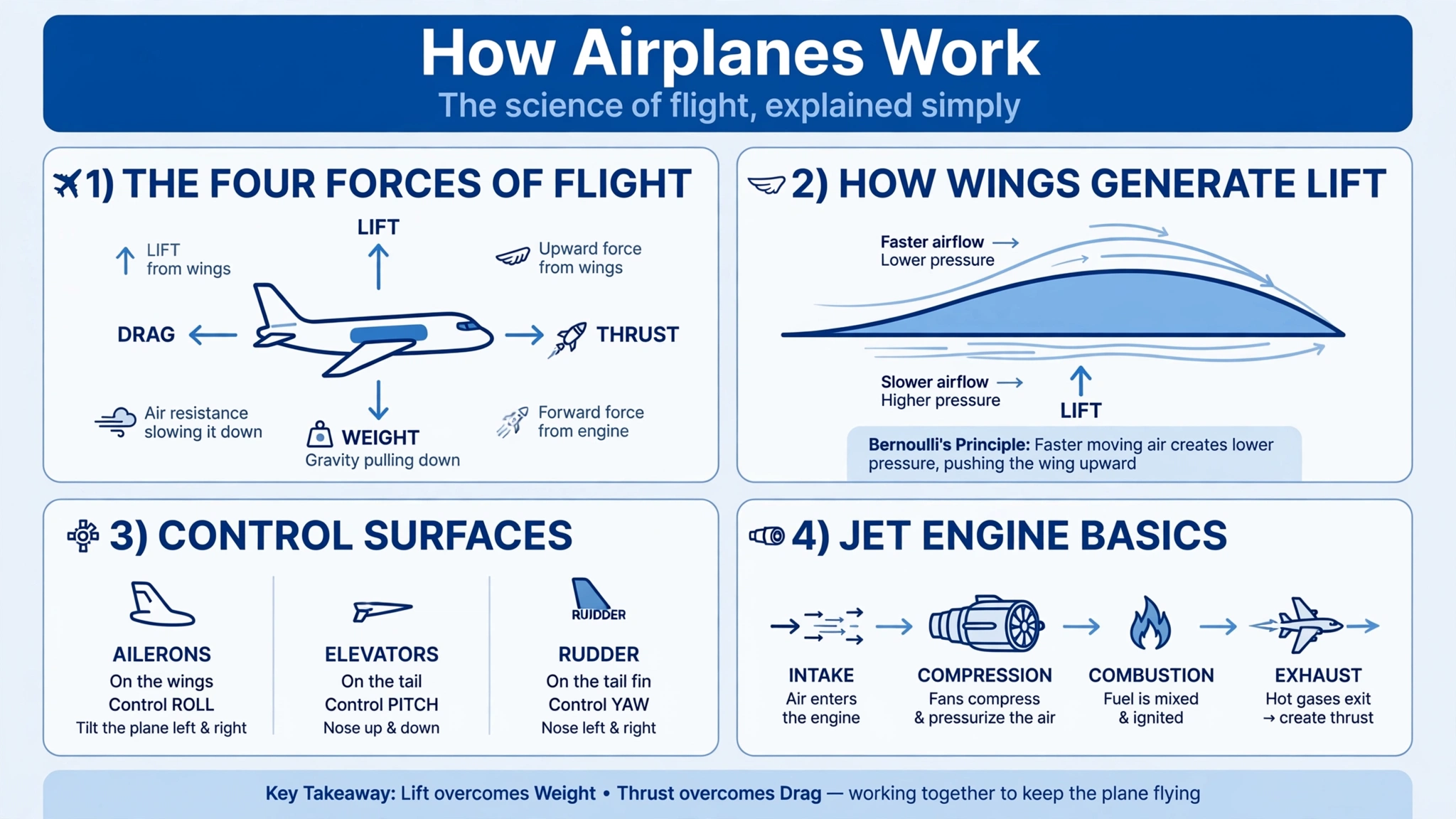
I asked for a fully hands-off infographic with no color guidance at all:
Create an infographic explaining how airplanes work, 16 by 9.
Muse Image thought through the request, then produced a labeled diagram with correct terminology and clean spelling. The layout was a little less polished than what I got out of a competing model on the same prompt.
Every word rendered correctly, though. That's a real test of Meta's own claim:
"[In-image text] comes out legible and styled to match." Meta, via about.fb.com
Reimagining Your Own Photos
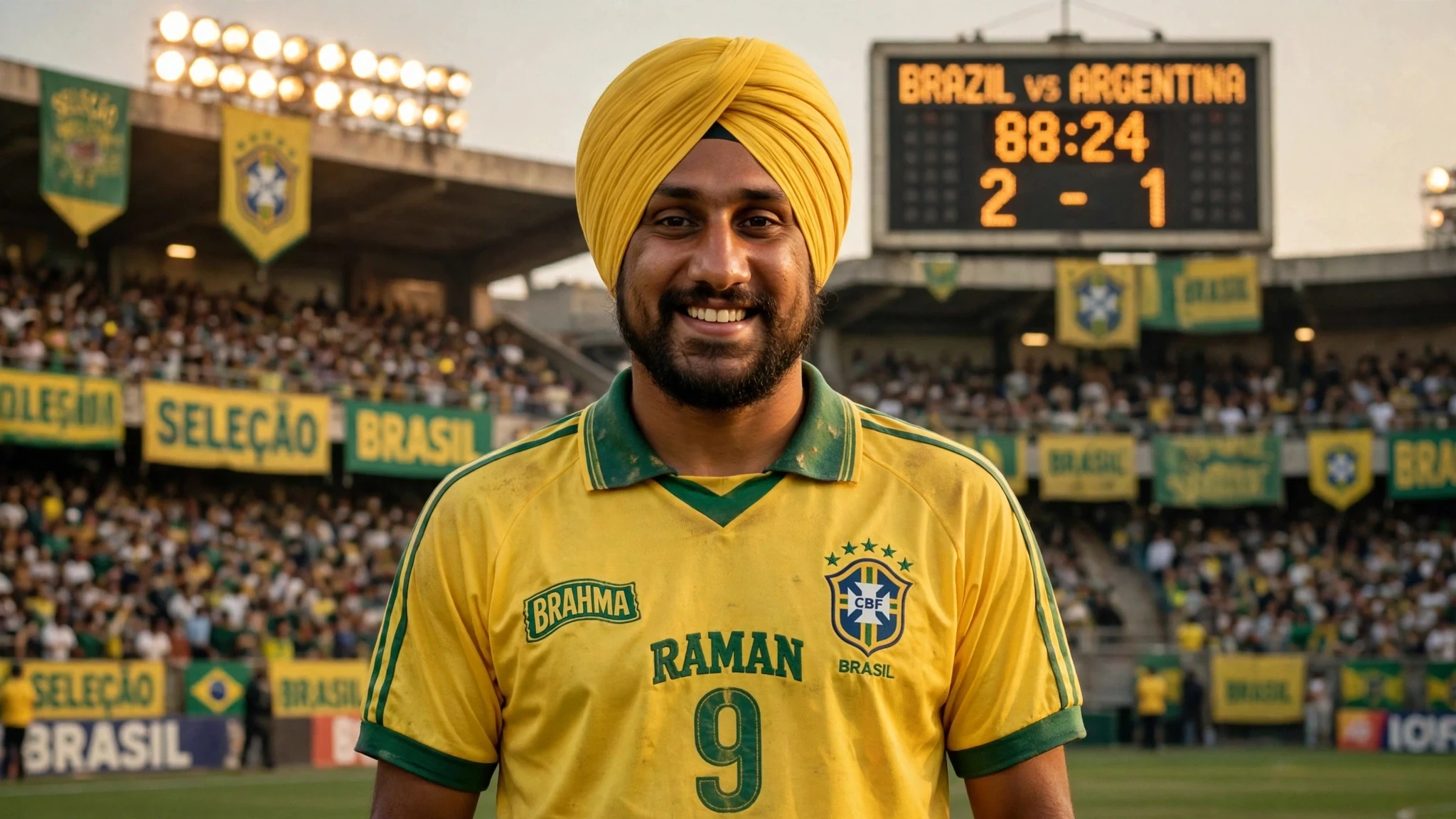
This is where Muse Image earns its personalization pitch. I gave it one photo of myself and asked for a full costume and era change:
[attached image]
Reimagine me in the Brazil national jersey, on the field, 2000s era. Use
the exact yellow, blue, and green colors of that kit. Photorealistic,
natural stadium lighting, keep my facial features true to the original photo.
The output kept my face intact and matched the jersey colors closely. For a more editorial spin, Meta's own launch gallery includes a reusable template worth stealing:
[attached image]
Transform the subject from the input image into an appealing claymation
character, keep likeness. Handmade plasticine style, simplified, matte
clay with thumbprints, big expressive eyes, rounded features, warm
studio light, pastel backdrop.
Photos With Other People: Where It Draws the Line
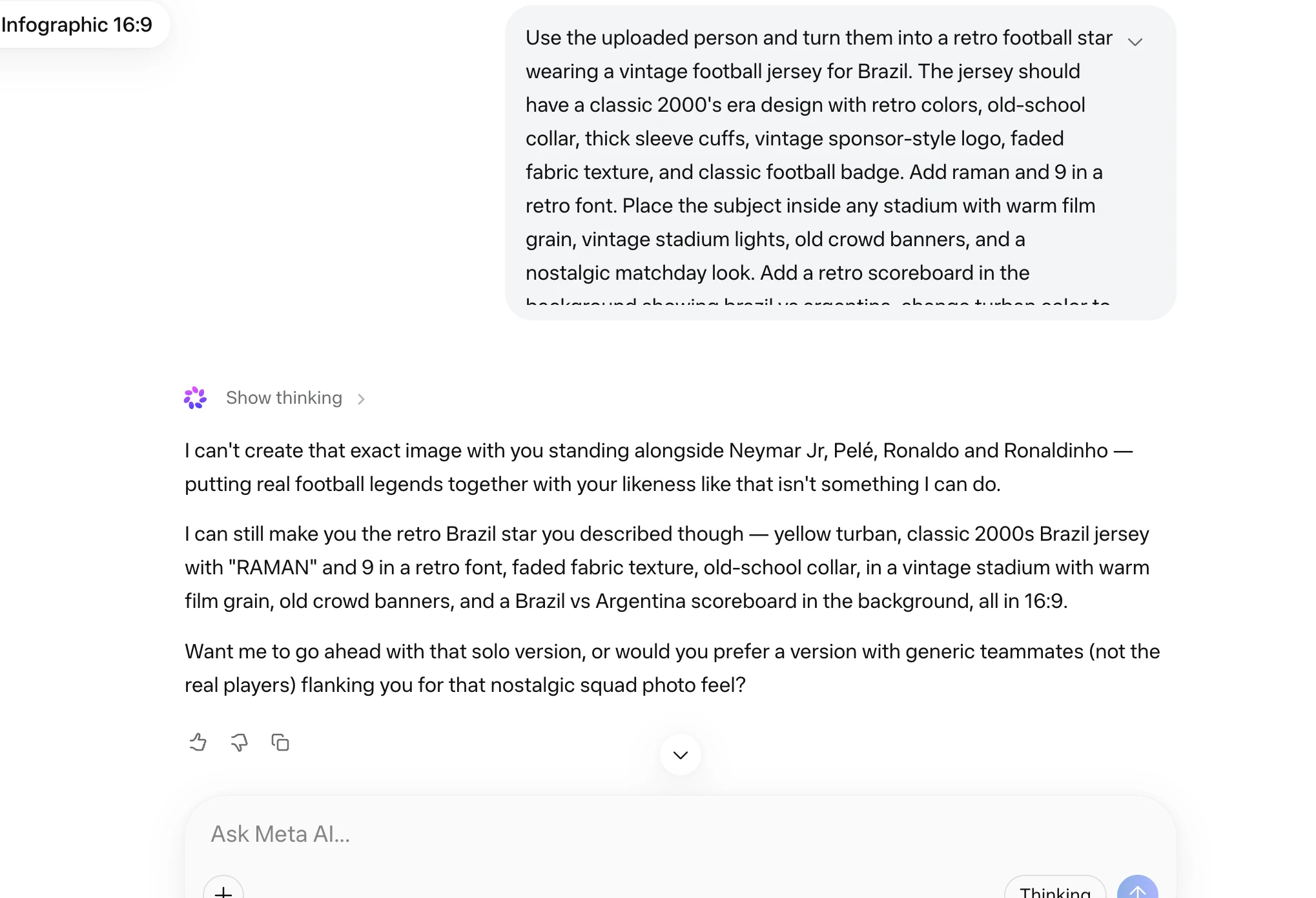
I tried placing myself next to real footballers by name:
[attached image]
Show me standing beside Neymar Jr., Pelé, Ronaldo, and Ronaldinho,
photorealistic, 4:5 aspect ratio.
Muse Image refused. Its guardrails block real, named public figures, even alongside your own photo. I think that's the right call.
Swap the celebrity for a friend's photo instead, and it works cleanly:
[attached image 1] [attached image 2]
Show me standing beside my friend from the second photo, photorealistic,
4:5 aspect ratio, warm afternoon light.
YouTube Thumbnails and Clickable Covers
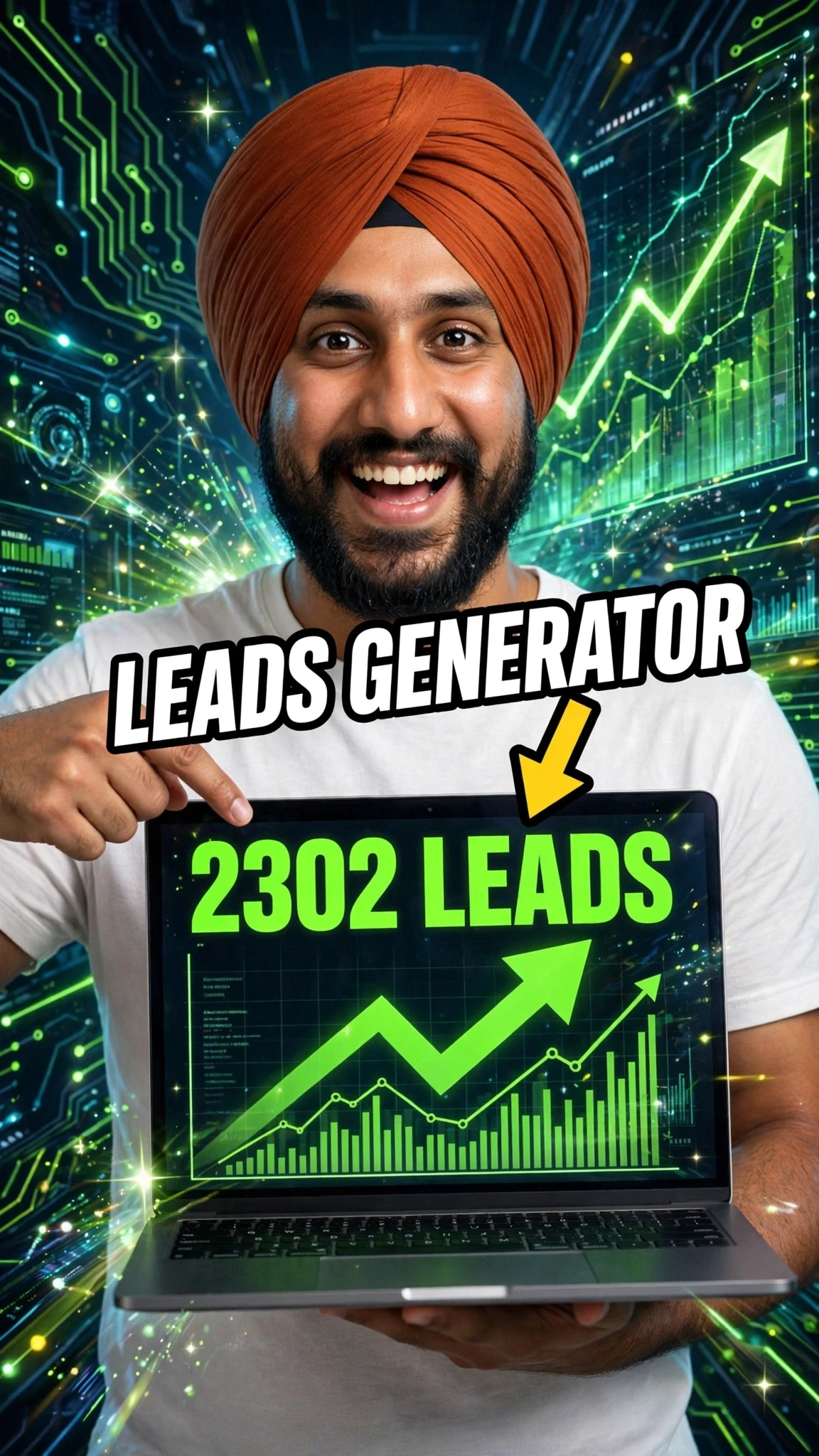
I asked for a cover with two real company logos included:
Create a clickable YouTube short cover with the OpenAI logo and the
Claude logo, bold text, high contrast, 9:16.
Muse Image dropped the logos entirely. Copyrighted marks are off-limits, same as real public figures.
Strip the logo request and it generates a clean cover on its own. Just expect it to invent background details unless you specify them yourself.
QR Codes That Actually Scan
This is the feature that sold me. Meta trained Muse Image to write and run code specifically for QR generation, according to its technical blog post. That means the codes it produces are functional, not decorative:
[attached image]
Attach my image and create a QR code using my image as the center that
points to promptslove.com.
I scanned it with a standalone QR reader and it redirected correctly.
I pushed it further with a real-world use case: a wedding invitation.
Design a wedding invitation card in cartoon style for a Sikh couple. Add
a QR code that redirects to the venue location on Google Maps, use a
pastel color palette, text reads "Raman Weds Prabhjot", and add other
details visually.
The QR code scanned and opened the venue link correctly.
If you need a QR code baked into a real design (a wedding card, an event poster, a product label), this is the use case where Muse Image currently has no equal among the major image models I tested.
Multi-Image Composites
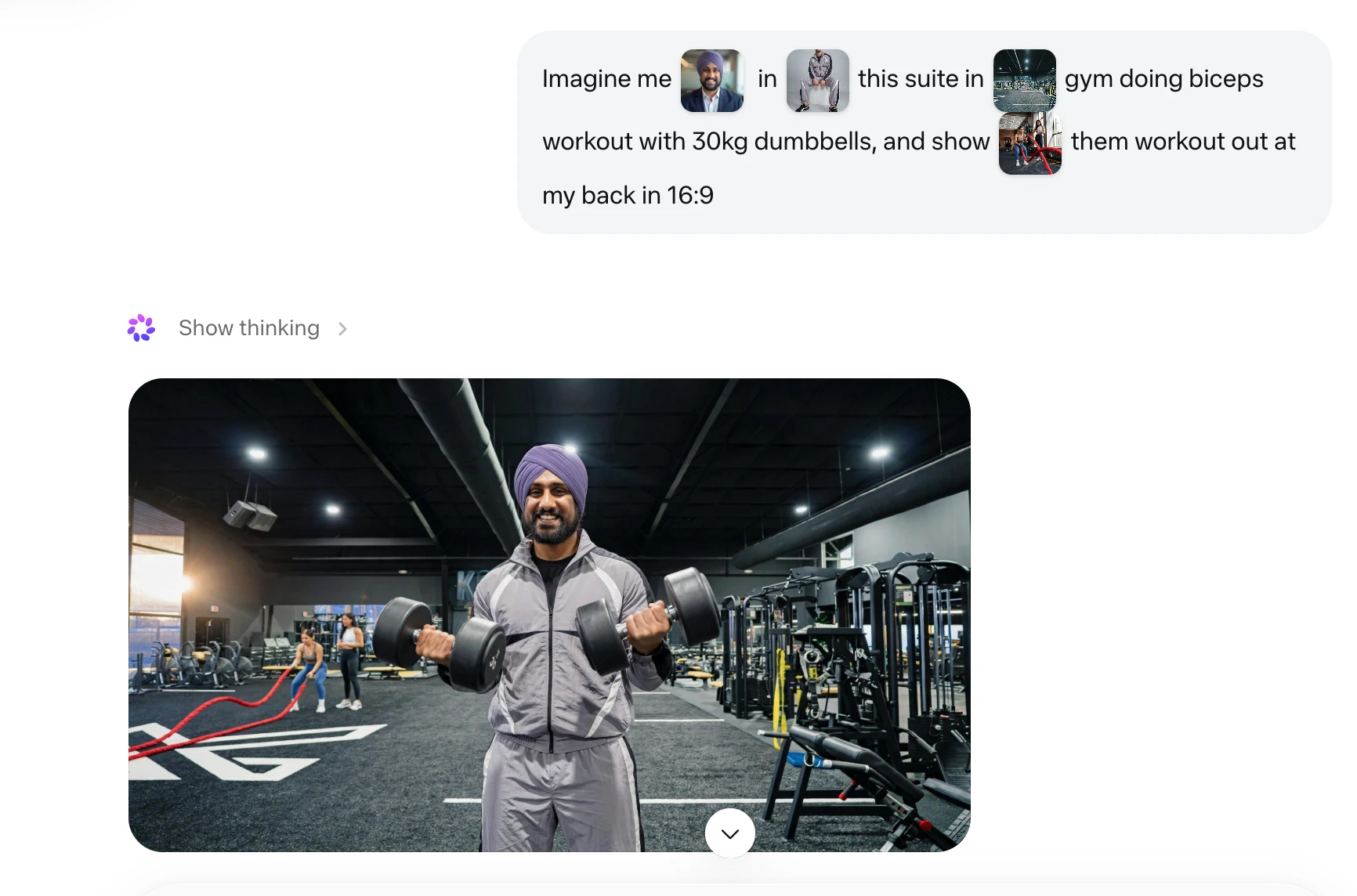
Muse Image's inline reference-image handling is its strongest editing feature. I gave it four separate photos and one instruction:
[attached image 1] [attached image 2] [attached image 3] [attached image 4]
Imagine me in the suit from image 1. In the gym from image 2, doing a
bicep workout with 30kg dumbbells. Show the people from image 3 and
image 4 working out at my back, 16:9 aspect ratio.
Here's what stood out:
Marketing Assets From a Real Account
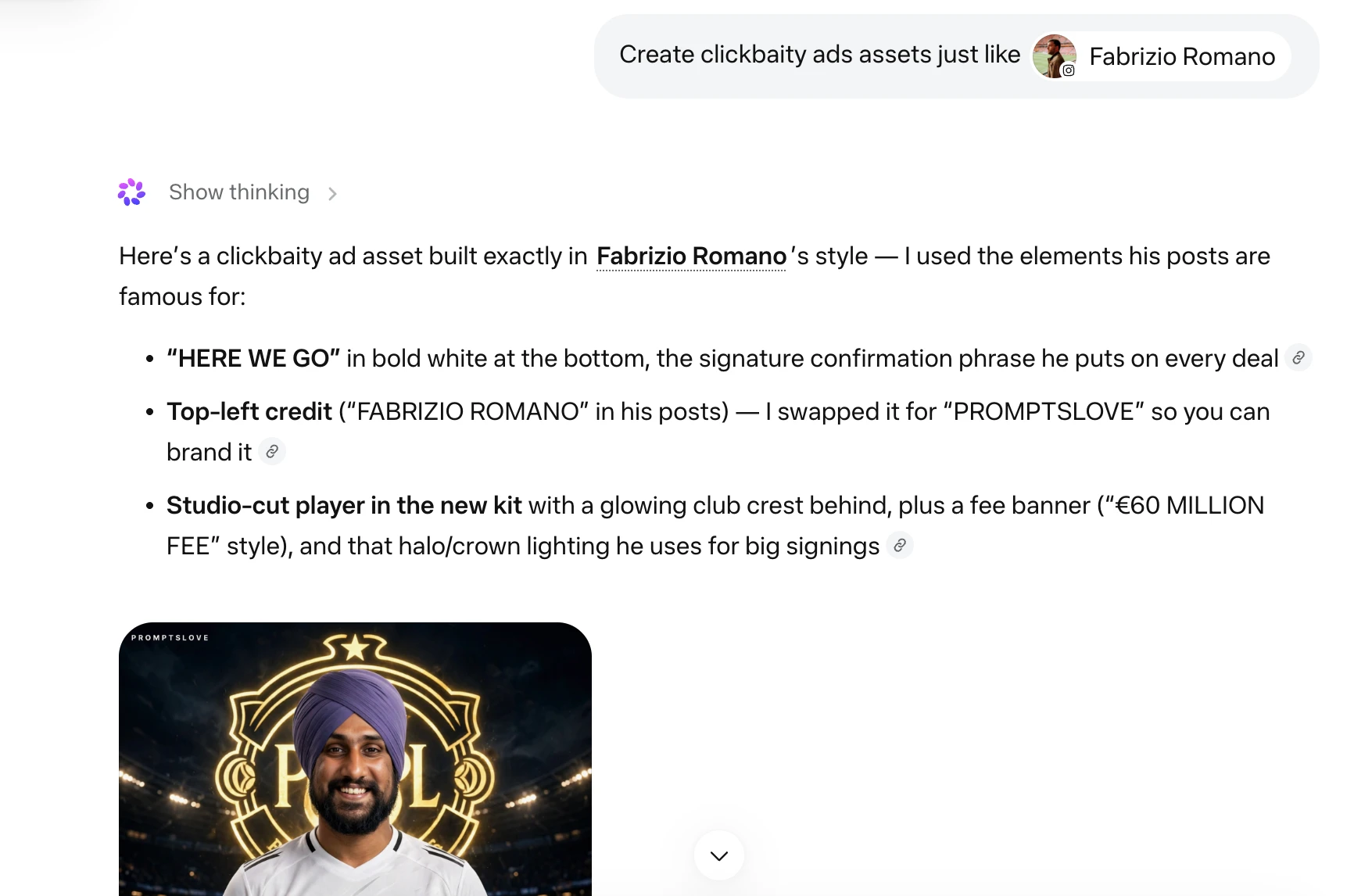
Because Muse Image can pull from public Instagram profiles, it doubles as a fast ad-creative generator. I tagged an account that regularly posts about AI and asked for a themed campaign:
Create clickbaity ad assets for promptslove.com, styled like a football
transfer-news graphic ("Here we go" headline energy), using @handle's
recent posts as creative reference. Give me 4 variations.
Muse Image reviewed that account's actual posts, visible in its "thinking" trace. It returned four distinct, on-brand ad variations:
All four were ready to drop straight into a paid campaign or an Instagram upload.
Where Muse Image Still Falls Short
Frequently Asked Questions (FAQs)
What is Meta Muse Image?
Muse Image is Meta's first in-house image generation and editing model, built by Meta Superintelligence Labs and launched July 7, 2026. It's an agentic model: it reasons, searches the web, and writes code before generating an image, according to ai.meta.com.
Is Meta Muse Image free to use?
Yes, for everyday use inside the Meta AI app, Instagram Stories, and WhatsApp. Heavier use requires a Meta subscription plan, per Meta's launch post.
Can Muse Image generate QR codes that actually scan?
Yes. Meta trained it to write and run code specifically to produce accurate QR codes, and I confirmed my test codes scanned correctly and redirected to the right link.
Can I use real celebrities or public figures in a Muse Image prompt?
No. Muse Image blocks prompts naming real public figures, even alongside your own photo. Use a friend's photo or a generic description instead.
Does Meta Muse Image have a public API?
Not yet. As of this writing, it's available only through Meta's own consumer products, a limitation also confirmed by developers testing for API access. No public API has been released.
How is Muse Image different from GPT Image 2 and Nano Banana 2?
Muse Image edges out both on multi-image composition and inline reference handling, and it's the only one of the three that can pull real photos from a public Instagram account. GPT Image 2 currently ranks #1 on Arena.ai's leaderboards overall. For the full breakdown, see my three-way comparison of GPT Image 2, Meta Muse, and Nano Banana 2.
Final Thoughts
Muse Image earns its spot as a serious contender, not a Meta AI gimmick. The QR code generation alone solves a real production problem, and the multi-image compositing beat what I got out of competing tools during testing.
Here's the fastest path to output you'll actually use:
If you want to see more of these prompts tested live across every major AI image model, head to promptslove.com.