Chrome Extension
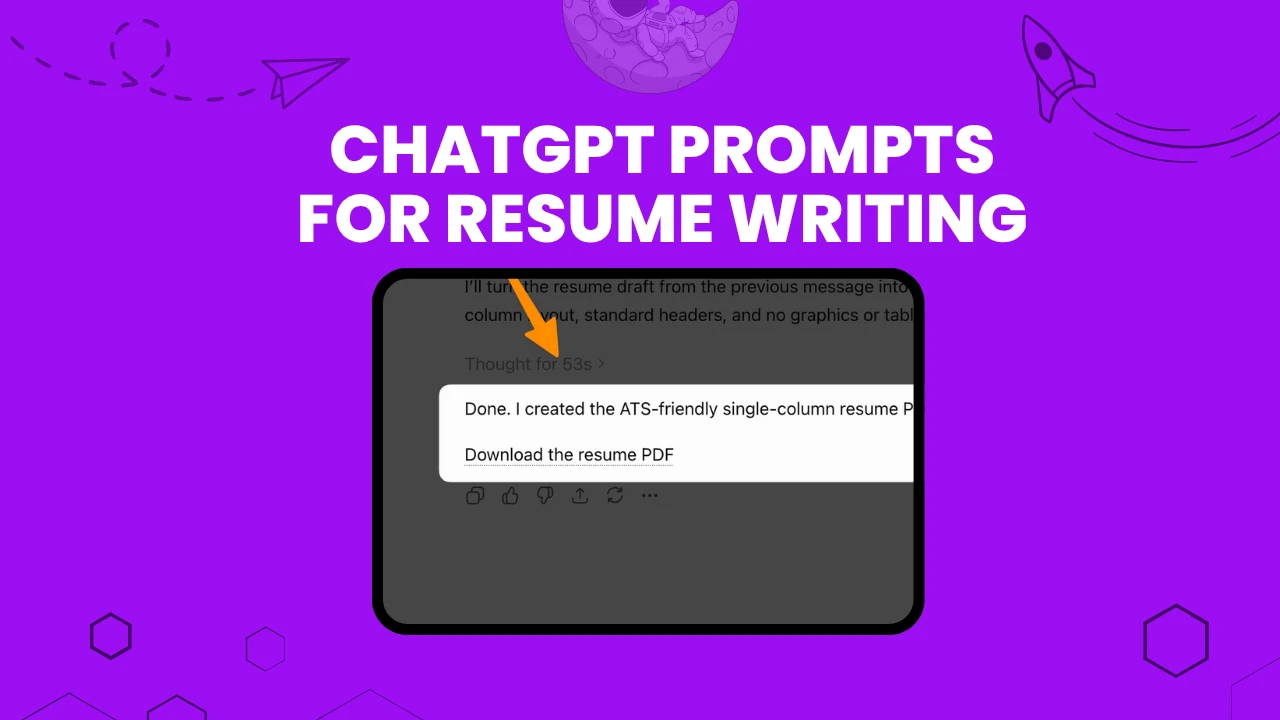
Typing "write me a resume" into ChatGPT gets you a generic document that sounds like every other generic document. Recruiters notice. One 2025 TopResume survey of 600 US hiring managers found that 33.5% can spot an AI-generated resume in under 20 seconds, and 19.6% say they would reject a candidate outright for submitting one.
That's not an argument against using ChatGPT. It's an argument against using it badly.
The job seekers getting interviews aren't typing lazy one-liners. They're feeding ChatGPT specific context, building resumes section by section, and running their draft through targeted prompts that fix exactly what's weak: vague bullets, missing keywords, a summary that could describe anyone.
This guide hands you that exact system: over 100 ready-to-use prompts in code format, a full walkthrough of building a resume inside the ChatGPT app (including where Canvas fits in 2026), and use cases for nearly every career situation you can think of, from a first internship to a C-suite rewrite.
Also checkout our Free ChatGPT Prompt Generator here.
Every prompt below is formatted in a code block so you can copy it in one click, drop in your own details inside the brackets, and paste it straight into ChatGPT. This update adds two things readers keep asking for: prompts that get ChatGPT to hand you a real, downloadable PDF file instead of just chat text, and a master prompt covering the exact resume format Applicant Tracking Systems and hiring companies actually accept. Every fact below now links to its original source.
Key Takeaways
How ChatGPT Resume Prompts Actually Work (Read This Before You Copy Anything)
Every career site publishing "50 ChatGPT resume prompts" skips the part that actually matters: why some prompts work and others produce mush. Six patterns show up across every credible source we found, from MIT Sloan's career office to Jobscan's own testing.
Specificity beats vagueness, always. "Write me a resume" produces a generic template. "Write a professional summary for a marketing manager with 6 years of experience in B2B SaaS, targeting Director-level roles at mid-size companies" produces something you can actually use. The difference is entirely in what you feed the model.
Build it in pieces, not one mega-prompt. Ask for a summary. Then ask for experience bullets. Then skills. Then run an ATS check. Career coaches at Enhancv and Teal both found that asking ChatGPT to generate an entire resume in a single shot produces shallower, more generic output than a section-by-section conversation.
Expect to iterate. The first output is a draft, not a final answer. "Make this more concise," "add stronger metrics," or "rewrite this with a more senior tone" are standard follow-ups, not signs you did something wrong.
Never let it invent facts. This is the rule every source repeats without exception. When you ask ChatGPT to "optimize" or customize a resume for a job posting, it should reorder your real experience and add metrics you can back up. It should never manufacture a skill, certification, or number you don't actually have.
Use ChatGPT as a drafting partner, not a ghostwriter. The universal framing across Indeed, Zety, The Muse, and every credible career resource: generate a first draft, then personalize it, verify it, and edit it in your own voice before you submit anything.
Paste the actual job description whenever you can. The single highest-value input across nearly every prompt category, tailoring, ATS checks, skills sections, and summaries, is the real job posting text, not a vague description of "a marketing role." Feed ChatGPT the real posting and it can match real keywords instead of guessing.
Building a Resume Inside the ChatGPT App: Step by Step (Including Canvas)
Here's where most guides get it wrong for 2026: they describe Canvas as if it's still the default way ChatGPT handles documents. It isn't anymore, and if you're following outdated instructions you might be confused when the button you're looking for isn't there.
What happened to Canvas
Canvas launched in October 2024 as a side-panel interface where ChatGPT and the user could co-edit a document together instead of scrolling through linear chat. It let you highlight a paragraph, ask for a rewrite, and watch the change happen in place. It supported version history, a "Show changes" diff view, and one-click export to PDF, Word (.docx), or Markdown.
As of OpenAI's May 28, 2026 update, Canvas no longer ships with the current default models, GPT-5.5 Instant and GPT-5.5 Thinking. Per OpenAI's own release notes: "Writing and coding functionality is now supported directly in chat responses through writing blocks and code blocks. Paid users can continue using canvas for a limited time through legacy models until those models are sunset." GPT-4.5 retires from the ChatGPT interface entirely on June 27, 2026; o3 follows on August 26, 2026.
In plain terms: if you're on a current default model, you'll build your resume using ChatGPT's newer "writing blocks" system. If you specifically want the classic Canvas experience, you'll need to select a legacy model while it's still available, and that window is closing.
Building a resume with writing blocks (the current default)
Turn this into a one-page resume with a professional summary, a skills section, and reverse-chronological experience bullets. Target the job description above and use my real experience only.
Building a resume with Canvas (if you're still on a legacy model)
Turn this into a one-page resume organized with a summary, skills, and reverse-chronological experience, matched to the job description above.
Compare this resume against the job description and rewrite the summary and top three bullets to match its keywords and priorities, using only my real experience.
One formatting limitation worth flagging either way: neither Canvas nor writing blocks will produce a visually "designed" resume with columns and custom graphics. Both are built for content and structure, not layout design. Treat ChatGPT as the writer, and a separate template or design tool as the formatter, if visual polish matters for your industry.
Quick: Use Chrome Extension To Generate ATS Friendly Resume
You can use our AI Prompt Helper Chrome Extension to generate prompt automatically on ChatGPT, Gemini and Claude.
Prompts to Get ChatGPT to Build You an Actual Downloadable PDF
Canvas and writing blocks are good for editing text, but neither one is a reliable one-click "export as PDF" button anymore.
There's no native Word or PDF export built into a standard ChatGPT chat window.
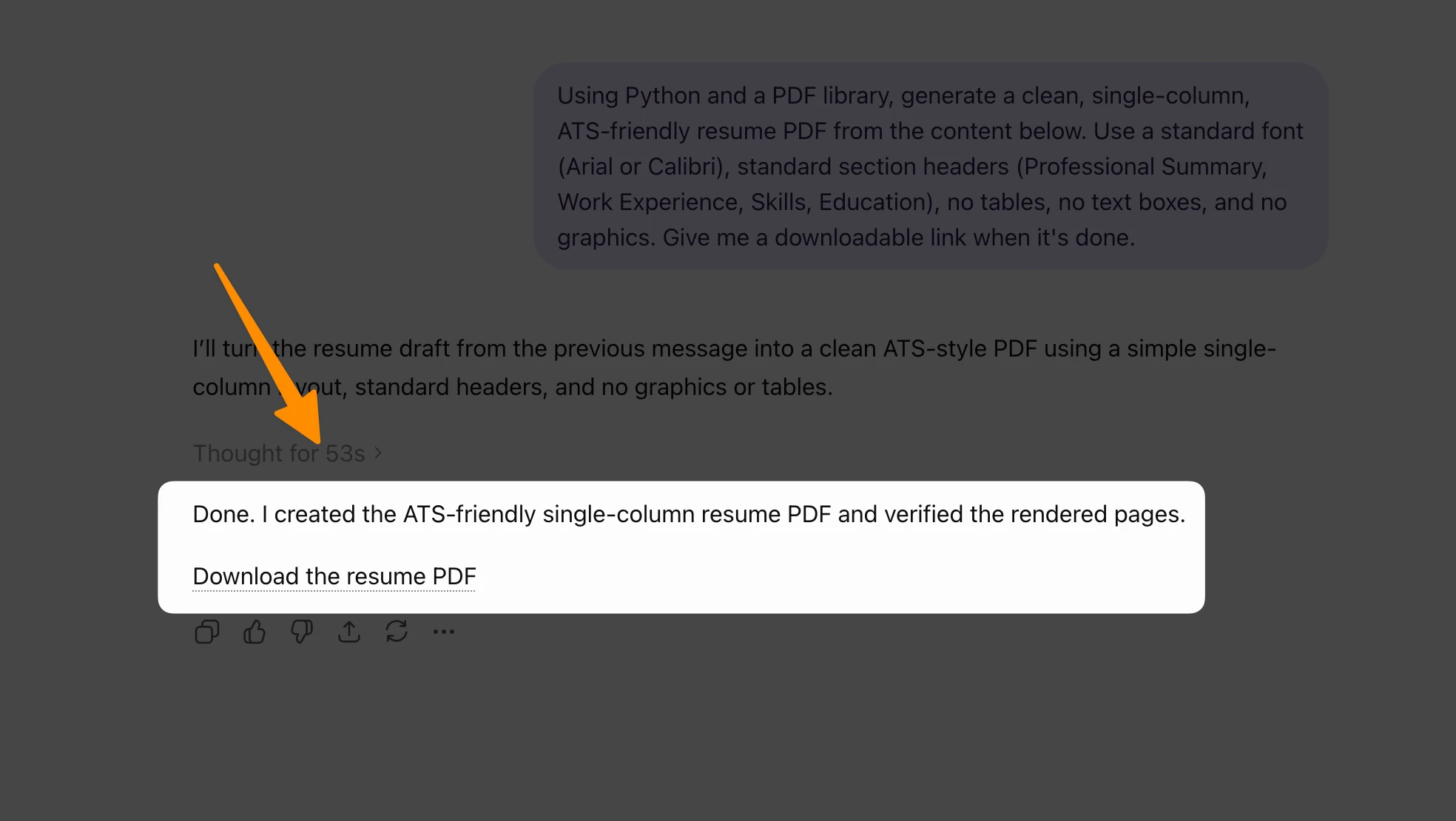
The one confirmed, official way to get ChatGPT to hand you a real, formatted PDF file is its built-in Data Analysis tool (also called Advanced Data Analysis or Code Interpreter), which writes and runs actual Python code inside the chat.
OpenAI's own Code Interpreter documentation confirms this tool can output files including PDFs, generated with libraries like reportlab, directly in the conversation as a clickable download link.
This works on the free tier with limited daily use, and with far more headroom on Plus and Pro. Here's how to trigger it.
Step by step
Using Python and a PDF library, generate a clean, single-column, ATS-friendly resume PDF from the content below. Use a standard font (Arial or Calibri), standard section headers (Professional Summary, Work Experience, Skills, Education), no tables, no text boxes, and no graphics. Give me a downloadable link when it's done.

[paste your finished resume content here]
Regenerate the PDF with tighter spacing between sections and make sure the whole resume fits on one page.
Now generate the same resume as a downloadable .docx file using python-docx, keeping the same content and formatting rules as before.
If Code Interpreter isn't triggering automatically, say so directly: "use your code interpreter / data analysis tool to write and run Python for this," which forces ChatGPT into the tool-use mode rather than just describing what it would do.
Master Prompt: The Resume Format Every ATS and Company Actually Accepts
Getting the content right doesn't help if the file itself confuses the software reading it. This is the part most "ChatGPT resume prompt" articles skip entirely, and it's arguably more important than any single bullet point.
PDF or Word? Both are safe now, with one caveat. Modern ATS platforms have largely solved the old "PDF breaks parsing" problem for clean, text-based files.
Greenhouse's own support documentation explicitly recommends uploading a PDF for best results. Jobscan's testing, on the other hand, still leans toward .docx as the safer default when a job posting doesn't specify a format, since some older or smaller-vendor ATS parse special characters more reliably in Word files.
The one format that genuinely fails everywhere: a scanned or image-based PDF. Lever's help documentation gives a simple test: if you can't highlight the text with your cursor, the file isn't parseable, and it needs to be rebuilt as a real text document, not a photo of one.
When in doubt, follow the job posting's own instructions, and if it doesn't specify, keep both a PDF and a .docx version ready to go.
Use this prompt to have ChatGPT format your resume so it survives parsing on any major ATS, including Workday, Greenhouse, Lever, iCIMS, and Taleo:
Format my resume so it's compatible with every major ATS (Workday, Greenhouse, Lever, iCIMS, Taleo). Follow these rules strictly:
- Single-column layout only, no tables, columns, or text boxes
- Standard section headers: Professional Summary, Work Experience, Skills, Education, Certifications
- Contact information (name, phone, email, location) in the body of the document, not in a header or footer
- No graphics, icons, headshots, charts, or logos
- Standard bullet points (simple circles or dashes), no custom symbols, checkmarks, or arrows
- A standard, widely-supported font: Arial, Calibri, or Georgia, sized 10-12pt
- No columns for dates, skills, or contact info, everything in a single reading order top to bottom
- File name in the format FirstName-LastName-Resume

Here is my resume content: [paste content]
A few formatting facts worth knowing, each confirmed by ATS vendors or independent testing rather than folklore:
The Master Prompt: Set This Up Once, Reuse It Everywhere
Career coaches who've tested this at scale (The Interview Guys among them) recommend giving ChatGPT a standing block of context before you start asking for specific sections. It saves you from re-explaining your background in every single prompt.
I am a [job title] with [X] years of experience in [industry]. My key skills include [list top 4-5 skills]. My biggest achievements are [list 2-3 major accomplishments with metrics]. I'm applying for [target role] positions at [type of company, e.g., mid-size SaaS companies]. Keep this context in mind for everything I ask you to write next.
Paste that once at the start of a conversation, then use the prompts below without repeating your background every time.
Prompts for Building a Resume From Scratch
I'm building a resume for a [job title] position. My previous roles were [Job Title 1], [Job Title 2], and [Job Title 3]. Ask me clarifying questions about my experience, one section at a time, starting with my most recent role.
Write a professional summary for a [job title] with [X] years of experience in [industry]. Key strengths: [list 2-3]. Target role: [target job title or company type]. Keep it under 4 sentences.
Here is my raw work history: [paste details]. Organize this into a reverse-chronological resume with a summary, skills section, and experience section. Use only the information I've given you, don't invent anything.
Prompts for Tailoring a Resume to a Job Description (and ATS Optimization)
Recruiter-screening software is part of nearly every hiring process now. Jobscan's 2025 Applicant Tracking System Usage Report found 97.8% of Fortune 500 companies use a detectable ATS, with Workday alone used by more than 39% of them. That doesn't mean the oft-repeated claim that "75% of resumes are auto-rejected by ATS before a human sees them" is true, that stat traces back to an unverified 2012 sales pitch from a company that went out of business the following year, and a 2025 Enhancv study that interviewed 25 recruiters across more than 10 ATS platforms found 92% don't actually configure auto-rejection rules based on resume content. ATS software mostly organizes and ranks; humans still make the final call. Keyword alignment still matters for getting ranked higher, though, which is where these prompts come in.
Here is a job description: [paste job description]. Here is my resume: [paste resume]. Identify keywords and skills in the job description that are missing from my resume, and suggest where I could naturally add them using my real experience, without fabricating anything.
You are an expert recruiter reviewing this resume for the attached job posting. Write a 3-4 line professional summary that matches the target role title, includes 2-3 key hard skills from the job description, and mentions 1-2 quantified outcomes using only data already in my resume. Use simple language for ATS parsing, no buzzwords.
Review my resume for ATS compatibility. Flag any elements that might confuse ATS software, such as tables, graphics, text boxes, or non-standard section headings, and suggest plain-text alternatives.
Read this job description carefully: [paste]. List the top 10 hard skills (tools, technologies, specific methods), the top 5 soft skills mentioned more than once, and which of these terms already appear in my resume versus which are missing.
Note on the word "tailoring": every credible source is explicit that customizing a resume to a job description means reordering bullets, adding real metrics, and matching the employer's language for work you've actually done, not inventing skills or experience you don't have.
Prompts for Turning Weak Bullets Into Achievement Statements
This is the single most commonly recommended "quick win" prompt across every source we researched, from LinkedIn career coaches to university career centers.
Transform this job responsibility into a quantified achievement: [paste responsibility]. Include metrics, percentages, or dollar amounts that demonstrate impact. Use the format: Accomplished [X], as measured by [Y], by doing [Z].
Using the STAR method (Situation, Task, Action, Result), turn this bullet point into a results-driven achievement: [paste bullet].
Rewrite this job responsibility using the CAR format (Challenge, Action, Result), keeping it to one line and starting with a strong action verb: [paste responsibility].
I need to quantify this achievement. Suggest realistic metrics and numbers I could use, based on this description: [describe your achievement in plain language].
25+ Use Cases: Prompts for Every Career Stage and Situation
Generic resume advice ignores that a recent graduate and a VP need completely different prompts. Here's the full breakdown by situation, pulled from career-coaching sources, university career centers, and OpenAI's own veteran program.
Entry-Level, No Experience, or Recent Graduate
When you have no work history, the job is to lean on education, internships, and potential instead of a track record.
Write a professional summary for a recent [degree type] graduate from [university] with a major in [field]. I completed internships at [Company 1] and [Company 2], where I [key accomplishment]. I also led [project, club, or volunteer activity]. I'm targeting entry-level [target role] positions. Focus on transferable skills and potential rather than years of experience.
Generate a resume for a recent college graduate with no formal work experience but relevant internships, coursework, and volunteer work in [field].
Career Change or Career Pivot
The core task here is skill translation: reframing experience from one field in the vocabulary of another.
I'm transitioning from [current role/industry] to [target role/industry]. Analyze the skills gap between my current background and the target role, then create a 6-month action plan covering essential skills to develop, ways to gain relevant experience through side projects or volunteer work, and how to reframe my existing experience as transferable assets.
Compare my resume [paste] to this job description [paste]. Identify which skills or keywords I'm missing, and suggest natural ways to work them in that blend authentic storytelling with ATS-friendly structure.
Employment Gaps (General)
I have a [duration] employment gap from [start date] to [end date]. Reason: [caregiving, education, health, travel, freelancing, layoff, etc.]. Write two things: a one-line resume entry for the gap period that frames it positively if appropriate, and a 2-sentence explanation that's honest, confident, and redirects focus to my qualifications. Don't over-explain or sound apologetic.
Sub-case: layoffs specifically
I was laid off from my role as [job title] at [company] on [date]. My biggest concerns right now are [list top concerns, e.g., finances, finding comparable work, explaining the gap]. Ask me 2-3 thoughtful questions to help me frame this on my resume and in interviews.
Sub-case: parental leave or caregiving break
Write a professional summary that addresses a [length] career gap between [year] and [year]. During this time I was [caregiving/managing health/pursuing education]. Before the gap I worked as a [previous role] in [industry]. I'm now targeting [target role] positions. Frame the gap positively without being defensive.
Sub-case: returning to work after a long break
I worked in [prior field] for [X] years before taking a [Y]-year career break. I'm ready to return and open to [role type A/B/C]. Help me write a resume summary that's honest about the break and reframes it as an asset.
Executive and C-Suite Resumes
Write a 3-4 sentence executive summary for a [C-suite/VP/Director] with [X] years of experience in [industry]. Include leadership scope ([team size] direct/indirect reports across [departments]), budget or P&L responsibility ([amount]), and 2 transformative achievements. Tone should be authoritative and strategic, not operational, this person shapes company direction, not just executes tasks.
You are a C-suite resume writer. Rewrite my resume to target senior leadership roles in [function]. Emphasize leadership, cost-saving initiatives, decision-making, and team scalability. Use short, impactful statements, not dense paragraphs, and focus on outcomes like revenue growth, cost reduction, and team development.
Tech and Software Engineering Resumes
I'm a [X]-years-experience software engineer applying for [role, e.g., backend engineer]. Here's a project I built: [describe project, stack, and outcome]. Write 2-3 resume bullets that highlight the technical stack ([languages, frameworks, tools]), the problem solved, and quantifiable impact. Also suggest how to reference my GitHub portfolio ([link]) in the resume.
Healthcare and Nursing Resumes
Improve my nursing resume. My experience: [years, settings, specialties]. Target role: [describe]. Include a professional summary, a clinical skills section prioritized by target role, experience bullets with quantified outcomes instead of just responsibilities, and prominent certifications.
Suggest ways to emphasize my expertise in [specific nursing specialization], reframing my responsibilities as measurable patient-care outcomes rather than task lists.
Creative Fields (Design, Writing, Marketing)
I'm a [graphic designer/copywriter/creative director] specializing in [niche]. Here are my notable projects: [list 2-3 with brief descriptions]. Write 5 resume bullets where each pairs a creative achievement with a business metric (engagement lift, conversion rate, client retention). Then suggest how to reference my portfolio in the resume.
Sales Resumes
As a [sales role], quantify this achievement using metrics hiring managers care about: quota attainment percentage, deal size, sales cycle length, pipeline value, client retention rate, or revenue growth. Here's what I did: [describe].
Resume for Remote Jobs
Here is a remote [role] job description: [paste]. Extract the top 20 skills and keywords. Score my resume bullets for keyword match and alignment, then suggest edits that keep my meaning but increase ATS relevance without keyword stuffing.
Federal and Government Resumes (USAJobs Format)
Federal resumes follow OPM/USAJobs conventions that are nothing like a private-sector resume, and ChatGPT doesn't automatically know current formatting rules, so you need to supply them.
Act as an expert federal resume writer familiar with OPM and USAJobs formatting conventions. I'm applying for [job announcement title and number]. Here are the required qualifications and keywords: [paste from posting]. Here's my background: [job history, education, citizenship status, clearance if applicable]. Write a federal resume that mirrors the announcement's keywords and includes detailed month/year employment dates, hours worked per week, and supervisor contact fields.
Freelancer and Contractor Resumes
I'm a freelance [role] who has worked with [X] clients over [Y] years, including [notable clients or projects]. Write a professional summary and 4-5 project-based bullets (rather than employer-based) that showcase my range and the value I bring. Include how to present concurrent contracts without the timeline looking chaotic.
International and Cross-Border Resume Formats
I'm applying for jobs in [country/region]. Convert my US-style resume [paste] into the format expected there. Address photo inclusion norms, personal-detail disclosure expectations (age, marital status, nationality), typical length, and British versus American English.
Military-to-Civilian Transition Resumes
Translating rank, MOS, and job codes into civilian language is enough of a distinct challenge that OpenAI built a dedicated free ChatGPT Plus program with 100 pre-built prompts specifically for transitioning servicemembers and veterans.
Act as a career coach. Here is my performance report for my time as a [military role/rank]. Help me create 5 resume bullets that translate this experience into terms a civilian hiring manager in [target industry, e.g., logistics or operations] would recognize.
Age-Proofing for Overqualification (40+/50+ Job Seekers)
Adjust my resume to address potential overqualification concerns for [target position]. Focus on relevant recent experience while demonstrating genuine interest in the role level. Downplay senior titles where appropriate without misrepresenting my background.
Internal Promotion or Title-Change Updates
The audience for this resume already knows your company context, so the framing is different: less "convince them who you are," more "prove you're ready for the next level."
Act as an internal recruiter at [company]. I'm applying for an internal promotion from [current role] to [target role]. Write a one-page resume that emphasizes my impact in my current role, demonstrates readiness for the new responsibilities, and uses internal context (team size, projects, tools) that a reviewer here would recognize.
Condensing a Two-Page Resume to One Page
My resume is currently two pages: [paste]. Help me condense it to one page by identifying redundant information, overly verbose descriptions, and less relevant experience that could be shortened or cut, while keeping my strongest accomplishments intact.
Internship-Specific Resumes
I'm a [year, e.g., junior] majoring in [field] applying for internships. I don't have internship experience yet, but I have coursework in [relevant classes], campus involvement in [clubs/organizations], and a personal project: [describe]. Write a one-page resume built around these, aimed at [target internship type].
Prompts for Cover Letters, LinkedIn, and Interview Prep
Once the resume is done, the same conversation can carry over into the rest of your application materials.
Cover letter:
Here is a job description: [paste]. Write a customized cover letter for this role using my experience below: [paste resume bullets]. Focus on the top skills mentioned in the posting and keep the tone professional and confident.
LinkedIn "About" section:
Analyze my LinkedIn profile and create a compelling About section that hooks from line one. Here's my current profile: [paste]. Identify my transformation story, the moment something changed for me professionally, and lead with that instead of my credentials. Stack proof with concrete numbers and results. End with a clear next step.
Interview prep from your resume:
Based on my resume [paste] and this job description [paste], identify 3-5 talking points where my experience directly aligns with what they need, and suggest how to frame each one in conversation.
Should You Actually Worry About AI Detection?
Yes and no. The data cuts both ways, and pretending otherwise does you a disservice.
On the cautionary side: TopResume's May 2025 survey of 600 US hiring managers found that 19.6%, about one in five, would reject a candidate outright for an AI-generated resume or cover letter, and 33.5% say they can spot one in under 20 seconds. Resume Genius's own hiring trends research found 53% of hiring managers say they dislike resumes that are obviously AI-generated.
On the permissive side, the same body of research shows nuance: TopResume found 52% of hiring managers consider AI use for proofreading and light drafting support acceptable, and only 14.5% believe AI shouldn't be used at any stage of a job application. Resume Genius found 65% of hiring managers are willing to hire candidates with the right skills even when their experience isn't a perfect match, suggesting most employers care more about substance than about how the document was produced.
The practical takeaway from every credible source: the problem isn't using ChatGPT, it's submitting raw, unedited AI output that reads like generic marketing copy. A direct prompt to fix that:
Rewrite this resume section to sound more natural and specific to me. Remove generic phrases, filler adjectives, and anything that could describe any candidate. Keep my actual facts and numbers, but make the voice sound like a real person wrote it.
Common Mistakes to Avoid
Submitting the first draft without editing it. Every source treats this as the cardinal sin. ChatGPT's first pass is a starting point, not a finished product.
Letting ChatGPT invent metrics. If you don't have the number, don't let the model guess one and present it as fact. Ask it to suggest realistic ranges you can then verify or adjust.
One giant prompt instead of a conversation. Asking for an entire resume in a single shot tends to produce shallower results than working through it section by section.
Ignoring the actual job posting. The highest-value input across nearly every prompt category is the real job description text. Don't skip pasting it in just because it feels tedious.
Forgetting to personalize the voice. Generic, safe language is exactly what triggers the "this sounds AI-written" reaction hiring managers describe in the surveys above. Specific stories and specific numbers read as human; vague competency-speak reads as automated.
Frequently Asked Questions
Can recruiters tell if my resume was written by ChatGPT?
Sometimes. TopResume's 2025 survey found 33.5% of hiring managers say they can spot an AI-generated resume in under 20 seconds, usually from generic phrasing, repeated buzzwords, and a lack of specific detail. A resume with real numbers, specific project names, and an edited, personal voice is much harder to flag than one submitted straight from ChatGPT with no changes.
Can ChatGPT actually give me a downloadable PDF file, not just text?
Yes. ChatGPT's built-in Data Analysis tool (also called Code Interpreter) can write and run real Python code inside the chat, using libraries that generate an actual PDF file and return it as a clickable download link. OpenAI's own API documentation confirms this file-generation capability, including PDFs. Neither Canvas nor the newer writing blocks system has a reliable native "export to PDF" button, so explicitly asking ChatGPT to "use Python to generate this as a downloadable PDF" is currently the most dependable way to get a real file rather than formatted chat text.
Should I submit my resume as a PDF or a Word document?
Both are generally safe with modern ATS software, with one important exception: a scanned or image-based PDF, which most parsers can't read at all. Greenhouse's own documentation recommends PDF for best results, while Jobscan's testing still leans toward .docx as the safer default when a job posting doesn't specify. Follow the posting's instructions when it gives one, and if it doesn't, keep both formats ready to send.
Is ChatGPT free to use for writing a resume?
Yes. The free tier of ChatGPT is sufficient for building and editing a resume through the standard chat interface. File upload and some advanced features are more consistently available on paid tiers, but copy-pasting your resume text and job description works on the free version.
How do I upload a resume to ChatGPT?
For the free tier, Paid tiers and certain interfaces support direct file uploads (PDF or Word documents), which ChatGPT can then read and edit.
Can ChatGPT write a cover letter too?
Yes, and it's one of the most common follow-up uses once your resume is done. Paste the job description and your finished resume bullets, and ask for a customized cover letter in the same conversation so the tone stays consistent across both documents.
What is ATS and how does ChatGPT help me pass it?
ATS stands for Applicant Tracking System, software used to organize, rank, and search resumes before a recruiter reviews them. Jobscan's 2025 report found 97.8% of Fortune 500 companies use a detectable ATS. ChatGPT helps by identifying keyword gaps between your resume and a job posting and by flagging formatting that confuses parsing software, like tables or text boxes. Use the master ATS-format prompt earlier in this guide to structure the whole document correctly from the start.
Should I use ChatGPT or a dedicated AI resume builder?
Most career sites that sell their own resume builder will naturally push you toward it, so take that advice with some skepticism. ChatGPT is genuinely capable of producing a full, well-structured, customized resume on its own for free. Dedicated builders add convenience features like pre-designed visual templates and one-click formatting, which matters more in design-conscious fields than in most others.
Is the "6-second resume scan" claim actually true?
It's a real, named study, not a fabrication, but it's thinner than it sounds. The Ladders ran the original eye-tracking research in 2012 with roughly 30 recruiters and updated it to 7.4 seconds in 2018. The sample size was small, the methodology wasn't independently peer-reviewed, and actual review times in the study ranged from 12 seconds to over 2 minutes. Treat it as a widely cited data point that illustrates a real pattern (recruiters skim fast), not a precise, universal number.
Does ChatGPT's Canvas feature still work for building resumes?
Partially, and its availability is shrinking. As of OpenAI's May 28, 2026 model release update, Canvas no longer ships with the current default models (GPT-5.5 Instant and GPT-5.5 Thinking). It remains usable through legacy models for a limited time before those are fully retired. OpenAI's newer "writing blocks" system now handles in-chat document editing on current models, with similar highlight-and-edit functionality built directly into the chat instead of a separate side panel. Full details on the original feature are in OpenAI's Canvas help article.
Final Thoughts
The gap between a ChatGPT resume that gets ignored and one that gets interviews has nothing to do with which AI model you use. It comes down to the input you give it, the format you export it in, and the editing you do afterward. Feed ChatGPT specific context, paste the actual job description, build the resume section by section, format it with the ATS master prompt, export it as a real PDF using Code Interpreter, and never let it publish a number you can't back up.
Start with the master context prompt near the top of this guide, work through the use case that matches your actual situation, run your draft through the ATS-format and authenticity prompts, then generate your final downloadable PDF before you submit anything. That's the whole system. Everything else is just filling in your own details.