Chrome Extension
A Halloween image can turn your portrait into a costume photo, give a product a seasonal setting, or bring a friendly monster story to life.
These 60 Halloween image prompts cover personal pictures, families, pets, branding, advertising, social media, horror, children’s activities and home decor.
Each idea includes a fillable prompt, a complete example and an image that shows the visual direction.
Choose the use case that fits your project, replace the brackets and keep the format suited to where you will share it.
Also checkout our GPT Image prompt generator here.
Key Takeaways
How to Use These Halloween Image Prompts
Start with the job the image needs to do. A costume portrait needs a clear face. A candle ad needs a readable product. A party invitation needs the event details to stand out. Choose the prompt that matches that job before changing the style.
Copy the fillable prompt and replace every bracketed field. For example, change [PALETTE] to plum, orange and cream, [BRAND] to your business name and [TITLE] to the exact headline you want. Remove the brackets after adding your values. The filled example shows how the completed prompt should read.
The names, brands, offers, addresses and event details in the examples are fictional. Replace them with your own confirmed details before publishing. The example images show a visual direction, and a new generation can produce a different pose, layout or decorative detail.
Use Your Photo as an Identity Reference
Upload a clear, well-lit portrait when the prompt uses your face. Tell the image model to preserve your facial features, apparent age, skin tone and any features you want to keep, such as your beard, glasses or headwear. Then describe the costume and setting separately.
For me, a personal Halloween portrait works best when the costume adds a story without hiding the person. A mask held beside your cheek keeps your face visible. Half-face makeup leaves more natural detail than a full transformation. If you want a group image, label each person’s reference rather than asking one photo to represent everyone.
A product photo has a different role. Use it to preserve the shape, label, material and color of the item. For an existing logo, keep the letterforms and spacing fixed and place Halloween decorations around the mark.
Choose the Right Image Shape
Pick the aspect ratio before generating so the image has room for the subject and any text. A wide banner needs a different composition from a tall Reel cover. Cropping a finished poster into another shape can remove the face, product or headline.
| Aspect ratio | Example size | Useful starting point |
|---|---|---|
| 1:1 | 1024 × 1024 | Profile images, square product tiles and podcast artwork. |
| 4:5 | 1024 × 1280 | Portrait feed posts, product ads and personal photos. |
| 2:3 | 1024 × 1536 | Tall Pins, art prints and poster concepts. |
| 3:2 | 1536 × 1024 | Lifestyle photography, lookbook images and decor scenes. |
| 16:9 | 1536 × 864 | Long-form video thumbnails, wide banners and horror scenes. |
| 9:16 | 864 × 1536 | Vertical video covers, Stories-style graphics and phone wallpapers. |
| 5:7 | 1000 × 1400 | Invitation artwork and greeting-card concepts. |
| 3:4 | 960 × 1280 | Activity sheets and coloring-page concepts. |
Pinterest recommends 2:3 for standard image ads, while YouTube recommends 16:9 for video thumbnails and 1:1 for podcast playlist artwork. These examples use those shapes where they fit the project. Check the destination’s current crop and upload requirements before publishing. Pinterest image specifications, YouTube thumbnail guidance.
For vertical social graphics, keep faces, products and main text near the center. Leave space at the top and bottom for interface elements, then preview the actual placement. A full-screen vertical cover and a profile-grid crop can show different parts of the same image.
Control the Mood and the Text
Name the level of Halloween mood you want. “Cozy pumpkin patch,” “friendly classroom monster” and “non-graphic horror scene” give clearer direction than “make it Halloween.” Add the light source, palette and main prop so the scene has a specific visual plan.
Put exact text in quotation marks and keep each line short. A headline, date and venue can work on an invitation; a full paragraph usually belongs in editable text added afterward. I prefer to keep final prices, contact details and long event rules outside the generated artwork so you can update them directly.
For print, check more than the aspect ratio. Confirm the final physical size, resolution, bleed, color settings and typography in your print layout. The invitation, packaging and book-cover prompts provide artwork concepts rather than complete production files.
Personal Halloween Photos
Make the costume fit your face and the setting fit the story. These portrait prompts range from a warm pumpkin-patch photograph to a theatrical monster look. Upload your own portrait when you want a personal result, then choose how much of the face the costume should cover.
1. Gothic Vampire Portrait
A vampire portrait suits a profile feature, costume reveal or October feed post. Velvet, candlelight and a restrained expression create the character while leaving your face easy to recognize. Keep the fangs small if you want the result to feel like a fashion photograph.
Format: 4:5 · 1024 × 1280 pixels. Best for: a photorealistic Halloween costume portrait. Reference: Upload your portrait.

Fillable prompt
Create a photorealistic Halloween costume portrait in a strict 4:5 canvas, 1024 x 1280 pixels. Place the adult subject inside [SETTING], wearing [COSTUME] and holding [PROP] at waist level. Show a chest-up three-quarter pose with the face turned toward the camera, eyes relaxed and two subtle costume fangs visible. Use [PALETTE], soft window light on the face and warm candle rim light behind the shoulders. Include carved wood and worn velvet textures, with the background falling softly out of focus. Keep the mood elegant and eerie, without blood or injury. Use [PORTRAIT] as the sole identity reference. Preserve the person’s recognizable face, apparent adult age, skin tone, [FEATURES TO KEEP]. Change the costume, setting and lighting while keeping those features recognizable. Add no text, logo or watermark. Keep important elements inside the frame.
Filled example
Create a photorealistic Halloween costume portrait in a strict 4:5 canvas, 1024 x 1280 pixels. Place the adult subject inside an old oak-paneled manor, wearing a black velvet coat with a burgundy waistcoat and holding a small antique brass key at waist level. Show a chest-up three-quarter pose with the face turned toward the camera, eyes relaxed and two subtle costume fangs visible. Use burgundy, charcoal and antique gold, soft window light on the face and warm candle rim light behind the shoulders. Include carved wood and worn velvet textures, with the background falling softly out of focus. Keep the mood elegant and eerie, without blood or injury. Use the uploaded adult portrait as the sole identity reference. Preserve the person’s recognizable face, apparent adult age, skin tone, beard and turban. Change the costume, setting and lighting while keeping those features recognizable. Add no text, logo or watermark. Keep important elements inside the frame.
Customize it: Replace the coat and background first. Keep the light on your eyes so the costume does not hide your identity.
2. Botanical Potion-Maker Portrait
A potion-maker portrait works for a costume photo without hiding the face behind a mask. Botanical ingredients, old glass and a clear hand gesture give the scene a story. You can shift the palette from moss green to violet while keeping the same composition.
Format: 4:5 · 1024 × 1280 pixels. Best for: a realistic Halloween portrait for a personal feed post. Reference: Upload your portrait.

Fillable prompt
Create a realistic Halloween portrait for a personal feed post in a strict 4:5 canvas, 1024 x 1280 pixels. Show an adult potion maker at [WORKSPACE], dressed in [COSTUME], gently holding one glass flask containing [POTION COLOR] liquid. Frame the subject from the waist up with both hands visible and fingers naturally wrapped around the flask. Surround the workspace with dried rosemary, closed old books and two amber bottles. Light the face with soft amber candlelight and a faint glow from the potion, keeping the skin natural. Use realistic glass reflections, linen fibers and gentle background haze. Keep the face unobstructed and avoid readable bottle labels. Use [PORTRAIT] as the sole identity reference. Preserve the person’s recognizable face, apparent adult age, skin tone, [FEATURES TO KEEP]. Change the costume, setting and lighting while keeping those features recognizable. Add no text, logo or watermark. Keep important elements inside the frame.
Filled example
Create a realistic Halloween portrait for a personal feed post in a strict 4:5 canvas, 1024 x 1280 pixels. Show an adult potion maker at a moonlit greenhouse workbench, dressed in a dark olive linen robe and copper brooch, gently holding one glass flask containing soft emerald liquid. Frame the subject from the waist up with both hands visible and fingers naturally wrapped around the flask. Surround the workspace with dried rosemary, closed old books and two amber bottles. Light the face with soft amber candlelight and a faint glow from the potion, keeping the skin natural. Use realistic glass reflections, linen fibers and gentle background haze. Keep the face unobstructed and avoid readable bottle labels. Use the uploaded adult portrait as the sole identity reference. Preserve the person’s recognizable face, apparent adult age, skin tone, beard and turban. Change the costume, setting and lighting while keeping those features recognizable. Add no text, logo or watermark. Keep important elements inside the frame.
Customize it: Name one flask and one action. Too many glowing objects can compete with your face.
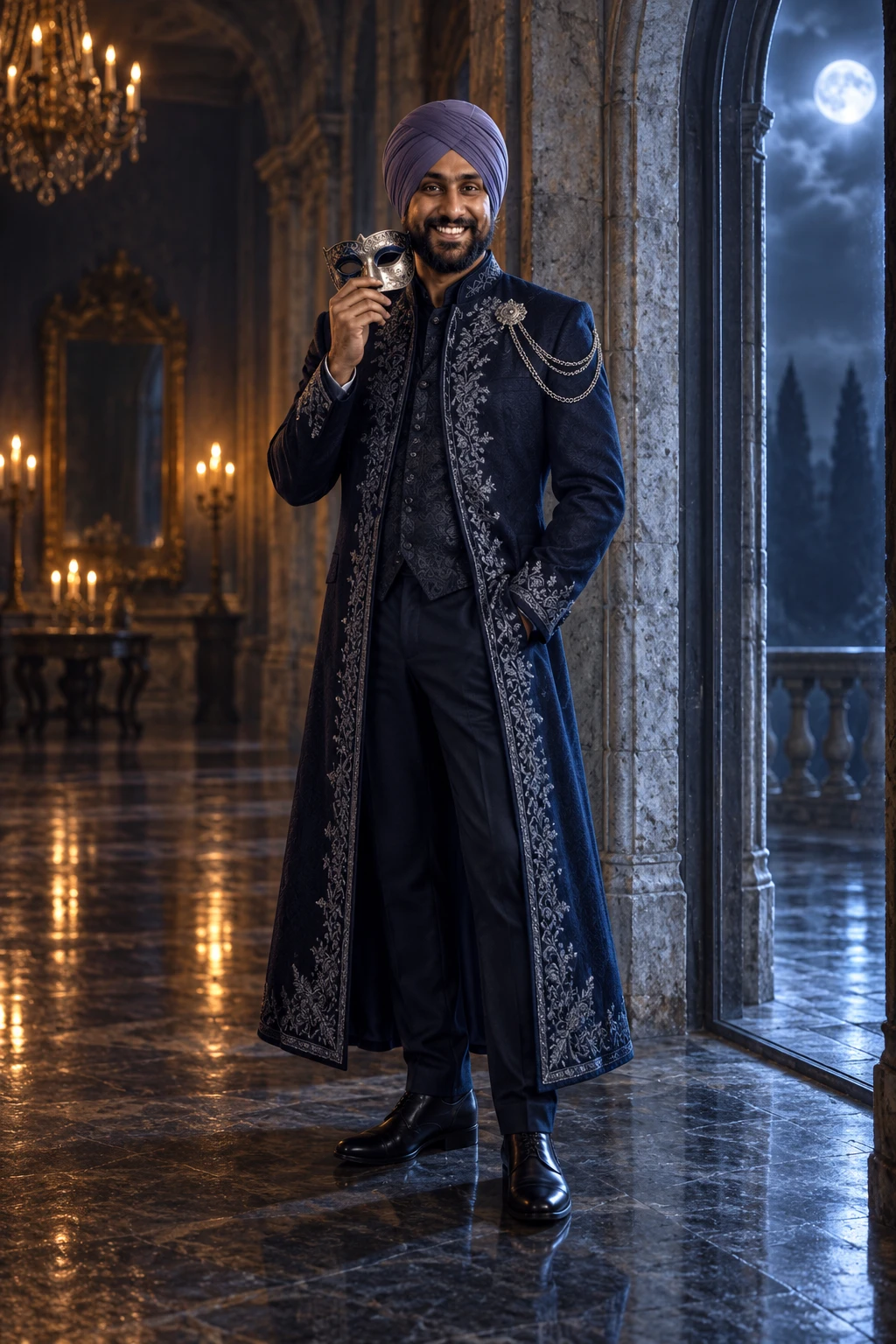
3. Haunted Masquerade Fashion Portrait
A masquerade image suits a full-length costume reveal or a tall Pinterest post. Holding the mask beside your face lets the outfit and expression share the attention. The taller frame also gives a cape, coat or gown room to fall naturally.
Format: 2:3 · 1024 × 1536 pixels. Best for: an editorial Halloween fashion portrait. Reference: Upload your portrait.
Fillable prompt
Create an editorial Halloween fashion portrait in a strict 2:3 canvas, 1024 x 1536 pixels. Photograph the adult subject at [VENUE], wearing [OUTFIT] with [ACCENT]. Show a full-length standing pose beside a tall arched doorway, holding an ornate half-mask beside the cheek rather than over the face. Keep the entire outfit and footwear visible. Use an editorial 50 mm camera perspective, soft cool moonlight from the doorway and a low warm light from the hall. Add worn stone, subtle floor reflections and realistic fabric weight. Use [PALETTE], balanced negative space above the head and a calm, confident expression. Use [PORTRAIT] as the sole identity reference. Preserve the person’s recognizable face, apparent adult age, skin tone, [FEATURES TO KEEP]. Change the costume, setting and lighting while keeping those features recognizable. Add no text, logo or watermark. Keep important elements inside the frame.
Filled example
Create an editorial Halloween fashion portrait in a strict 2:3 canvas, 1024 x 1536 pixels. Photograph the adult subject at a deserted ballroom, wearing a midnight-blue embroidered long coat with a silver shoulder clasp. Show a full-length standing pose beside a tall arched doorway, holding an ornate half-mask beside the cheek rather than over the face. Keep the entire outfit and footwear visible. Use an editorial 50 mm camera perspective, soft cool moonlight from the doorway and a low warm light from the hall. Add worn stone, subtle floor reflections and realistic fabric weight. Use midnight blue, silver and muted amber, balanced negative space above the head and a calm, confident expression. Use the uploaded adult portrait as the sole identity reference. Preserve the person’s recognizable face, apparent adult age, skin tone, beard and turban. Change the costume, setting and lighting while keeping those features recognizable. Add no text, logo or watermark. Keep important elements inside the frame.
Customize it: Keep the mask in the hand if facial consistency matters more than complete disguise.
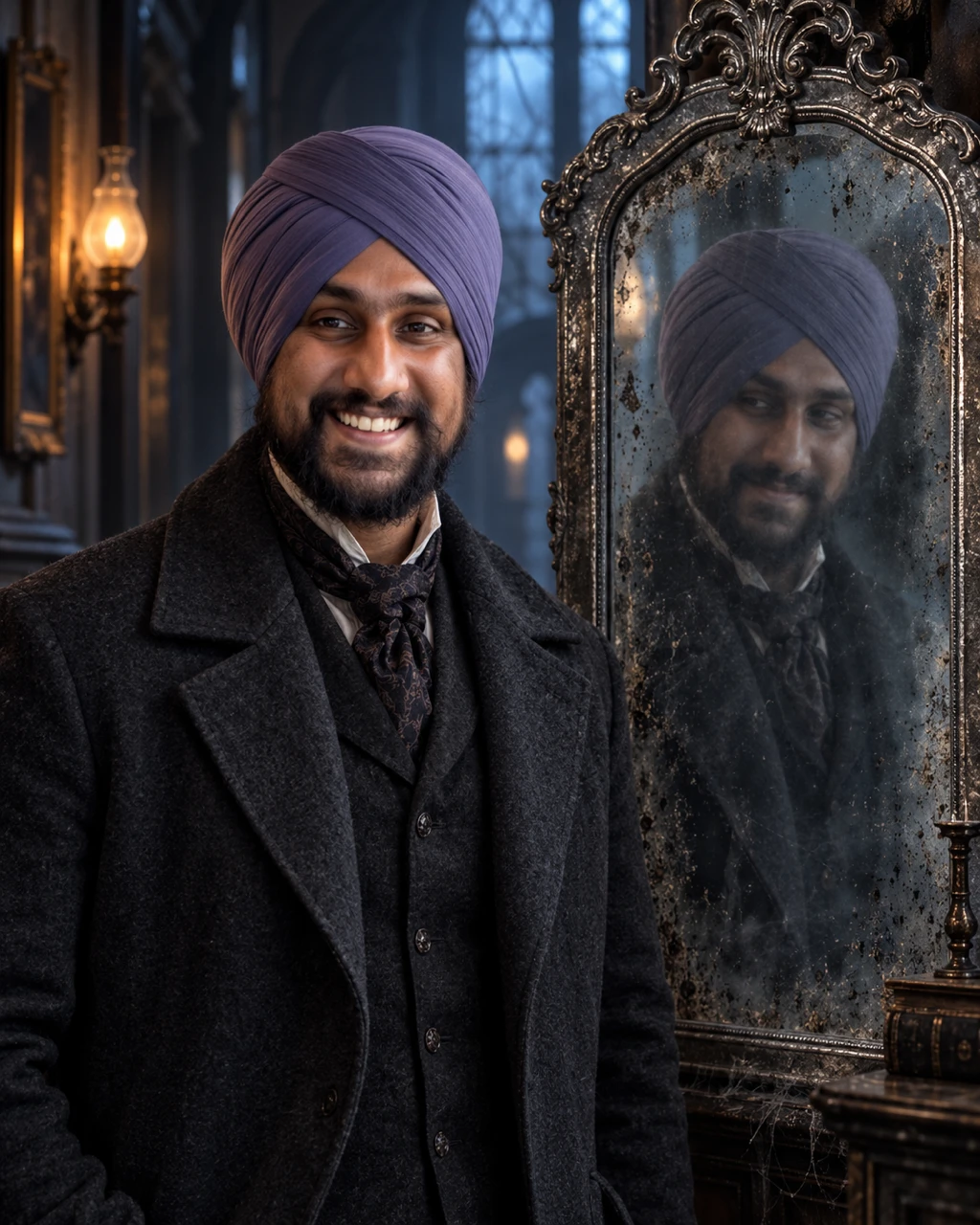
4. Ghost in the Mirror Self-Portrait
A mirror scene creates tension with one small difference between the subject and the reflection. It works for a personal horror post because the main face stays recognizable. Keep the effect subtle rather than adding several ghosts to the same image.
Format: 4:5 · 1024 × 1280 pixels. Best for: a supernatural Halloween portrait. Reference: Upload your portrait.
Fillable prompt
Create a supernatural Halloween portrait in a strict 4:5 canvas, 1024 x 1280 pixels. Place the adult subject beside [MIRROR TYPE] in [ROOM], wearing [OUTFIT]. Show a waist-up composition with the real subject facing the camera and the mirror visible beside the shoulder. The mirror contains the same person with a translucent, slightly delayed expression, clearly confined to the glass. Preserve correct mirror geometry and do not create a second physical person in the room. Use [LIGHTING], dusty glass, old wood and restrained film grain. Keep the real face sharp, the reflected effect softer, and the scene eerie without gore. Use [PORTRAIT] as the sole identity reference. Preserve the person’s recognizable face, apparent adult age, skin tone, [FEATURES TO KEEP]. Change the costume, setting and lighting while keeping those features recognizable. Add no text, logo or watermark. Keep important elements inside the frame.
Filled example
Create a supernatural Halloween portrait in a strict 4:5 canvas, 1024 x 1280 pixels. Place the adult subject beside a tall tarnished silver mirror in a quiet Victorian hallway, wearing a charcoal wool coat. Show a waist-up composition with the real subject facing the camera and the mirror visible beside the shoulder. The mirror contains the same person with a translucent, slightly delayed expression, clearly confined to the glass. Preserve correct mirror geometry and do not create a second physical person in the room. Use cool blue window light and one dim amber lamp, dusty glass, old wood and restrained film grain. Keep the real face sharp, the reflected effect softer, and the scene eerie without gore. Use the uploaded adult portrait as the sole identity reference. Preserve the person’s recognizable face, apparent adult age, skin tone, beard and turban. Change the costume, setting and lighting while keeping those features recognizable. Add no text, logo or watermark. Keep important elements inside the frame.
Customize it: Ask for the supernatural effect inside the glass. That reduces unwanted duplicate people in the room.
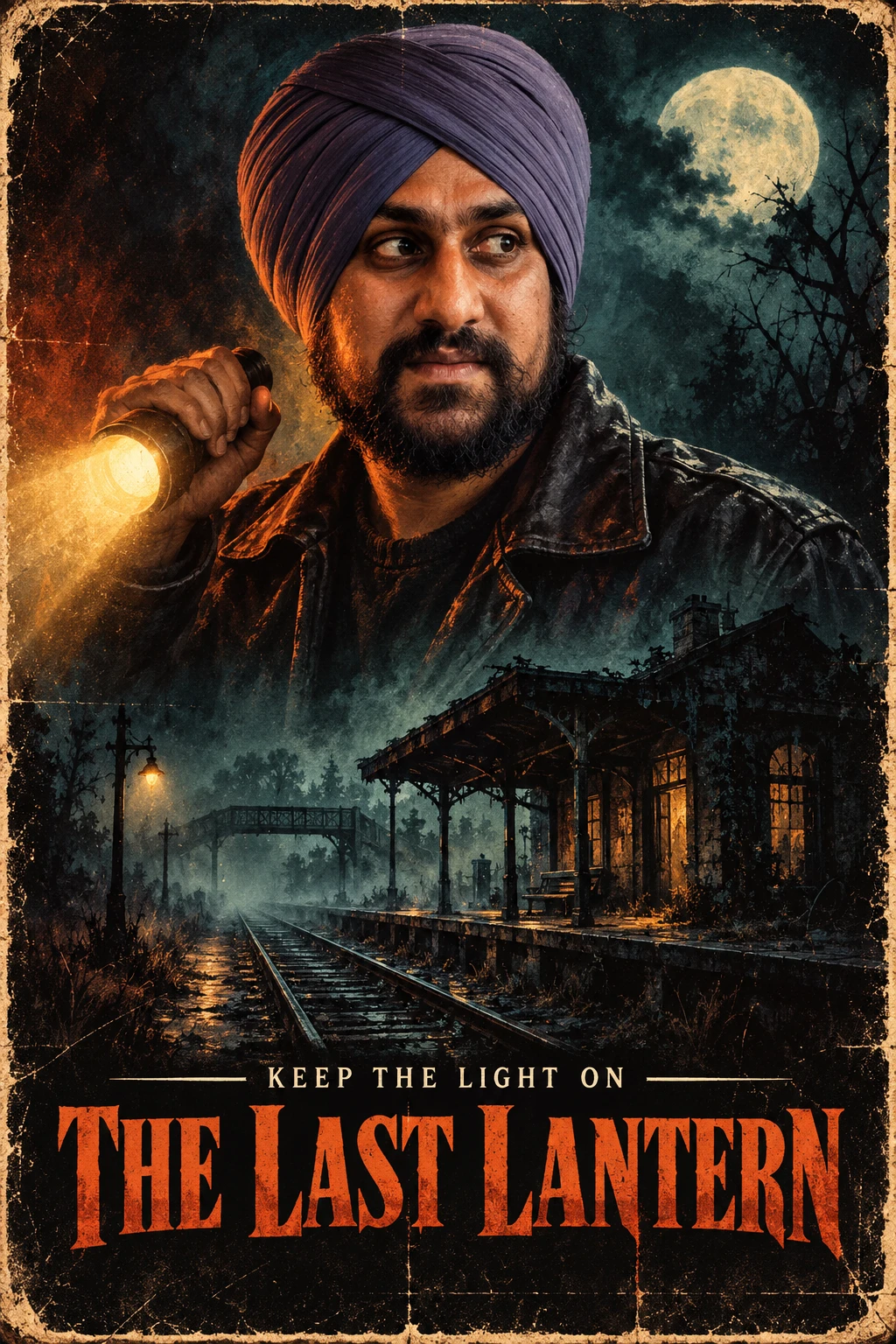
5. Retro Horror-Film Hero Poster
A personal movie poster gives your Halloween photo a title and a clear story. One large portrait, one small setting and a short headline usually read better than a crowded cast collage. Use an invented film title so the image has its own identity.
Format: 2:3 · 1024 × 1536 pixels. Best for: an original retro Halloween movie poster. Reference: Upload your portrait.
Fillable prompt
Create an original retro Halloween movie poster in a strict 2:3 canvas, 1024 x 1536 pixels. Build a painted 1980s horror-poster composition around a large adult portrait in the upper half and [SMALL SCENE] below. Dress the subject in [COSTUME], with a wary expression and a warm flashlight glow across the cheek. Use ink-like shadows, weathered printed-paper texture and [PALETTE]. Place the exact title "[TITLE]" in large readable serif lettering near the bottom, with the short tagline "[TAGLINE]" above it. Keep the person recognizable and the scene atmospheric, without blood, injuries or existing film characters. Use [PORTRAIT] as the sole identity reference. Preserve the person’s recognizable face, apparent adult age, skin tone, [FEATURES TO KEEP]. Change the costume, setting and lighting while keeping those features recognizable. Render only the quoted text, with clear spelling and generous margins. Keep lettering away from faces and product details. Add no extra slogans, signatures or watermark.
Filled example
Create an original retro Halloween movie poster in a strict 2:3 canvas, 1024 x 1536 pixels. Build a painted 1980s horror-poster composition around a large adult portrait in the upper half and an abandoned railway station under a full moon below. Dress the subject in a dark leather jacket, with a wary expression and a warm flashlight glow across the cheek. Use ink-like shadows, weathered printed-paper texture and rust orange, faded teal and deep black. Place the exact title "THE LAST LANTERN" in large readable serif lettering near the bottom, with the short tagline "KEEP THE LIGHT ON" above it. Keep the person recognizable and the scene atmospheric, without blood, injuries or existing film characters. Use the uploaded adult portrait as the sole identity reference. Preserve the person’s recognizable face, apparent adult age, skin tone, beard and turban. Change the costume, setting and lighting while keeping those features recognizable. Render only the quoted text, with clear spelling and generous margins. Keep lettering away from faces and product details. Add no extra slogans, signatures or watermark.
Customize it: Limit the copy to a title and one short line. Add detailed credits later in a text editor.
6. Pumpkin Patch Autumn Portrait
A pumpkin patch photo suits a website banner, family album or seasonal profile feature. This softer option uses real daylight and autumn textures instead of horror effects. A wider crop can show the setting without making the person feel distant.
Format: 3:2 · 1536 × 1024 pixels. Best for: a natural Halloween-season lifestyle photograph. Reference: Upload your portrait.

Fillable prompt
Create a natural Halloween-season lifestyle photograph in a strict 3:2 canvas, 1536 x 1024 pixels. Show the adult subject walking slowly through [LOCATION] at [TIME], wearing [OUTFIT] and carrying one small orange pumpkin with both hands. Frame from the knees up at eye level, with the subject slightly off center and rows of pumpkins continuing into the background. Use warm natural light, gentle depth of field and realistic skin texture. Include dry leaves, uneven soil and a simple wooden fence. Keep the expression relaxed and the colors [PALETTE]. Avoid artificial fog, monster props and excessive beauty retouching. Use [PORTRAIT] as the sole identity reference. Preserve the person’s recognizable face, apparent adult age, skin tone, [FEATURES TO KEEP]. Change the costume, setting and lighting while keeping those features recognizable. Add no text, logo or watermark. Keep important elements inside the frame.
Filled example
Create a natural Halloween-season lifestyle photograph in a strict 3:2 canvas, 1536 x 1024 pixels. Show the adult subject walking slowly through a small countryside pumpkin patch at late afternoon, wearing a camel cardigan over a cream shirt and carrying one small orange pumpkin with both hands. Frame from the knees up at eye level, with the subject slightly off center and rows of pumpkins continuing into the background. Use warm natural light, gentle depth of field and realistic skin texture. Include dry leaves, uneven soil and a simple wooden fence. Keep the expression relaxed and the colors warm orange, wheat, olive and soft brown. Avoid artificial fog, monster props and excessive beauty retouching. Use the uploaded adult portrait as the sole identity reference. Preserve the person’s recognizable face, apparent adult age, skin tone, beard and turban. Change the costume, setting and lighting while keeping those features recognizable. Add no text, logo or watermark. Keep important elements inside the frame.
Customize it: Choose a candid action such as carrying a pumpkin. It gives your hands a clear job.
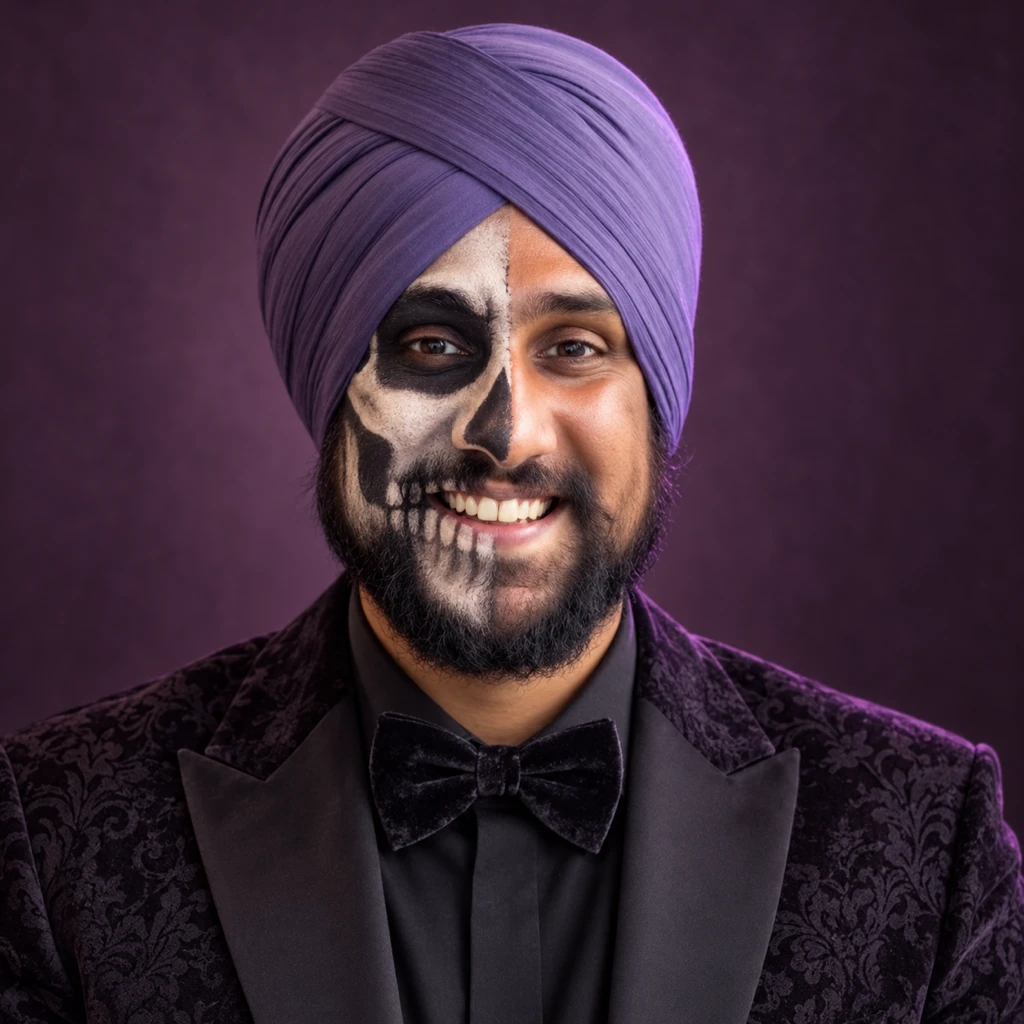
7. Skeleton Face-Paint Beauty Portrait
Skeleton makeup can add a strong graphic shape to a close portrait. A half-painted face keeps enough natural detail to recognize the person. The square crop suits an avatar, makeup portfolio tile or beauty post.
Format: 1:1 · 1024 × 1024 pixels. Best for: a square Halloween beauty portrait. Reference: Upload your portrait.
Fillable prompt
Create a square Halloween beauty portrait in a strict 1:1 canvas, 1024 x 1024 pixels. Create a close head-and-shoulders studio portrait against [BACKGROUND]. Apply delicate [MAKEUP COLORS] skeleton makeup to only one half of the face, following the existing cheekbone and jaw rather than reshaping them. Leave the other half natural. Keep both eyes clearly visible, distinctive facial details recognizable and any headwear uncovered by paint. Use [LIGHTING], detailed brush edges and realistic skin. The makeup should look like a skilled cosmetic application, without wounds, exposed bone or injury. Center the face with space around the head. Use [PORTRAIT] as the sole identity reference. Preserve the person’s recognizable face, apparent adult age, skin tone, [FEATURES TO KEEP]. Change the costume, setting and lighting while keeping those features recognizable. Add no text, logo or watermark. Keep important elements inside the frame.
Filled example
Create a square Halloween beauty portrait in a strict 1:1 canvas, 1024 x 1024 pixels. Create a close head-and-shoulders studio portrait against a muted plum studio wall. Apply delicate ivory and charcoal skeleton makeup to only one half of the face, following the existing cheekbone and jaw rather than reshaping them. Leave the other half natural. Keep both eyes clearly visible, the beard texture recognizable and the turban uncovered by paint. Use a large soft beauty light with a faint violet rim, detailed brush edges and realistic skin. The makeup should look like a skilled cosmetic application, without wounds, exposed bone or injury. Center the face with space around the head. Use the uploaded adult portrait as the sole identity reference. Preserve the person’s recognizable face, apparent adult age, skin tone, beard and turban. Change the costume, setting and lighting while keeping those features recognizable. Add no text, logo or watermark. Keep important elements inside the frame.
Customize it: Specify cosmetic face paint. Keep the mouth and eye shapes close to the reference.
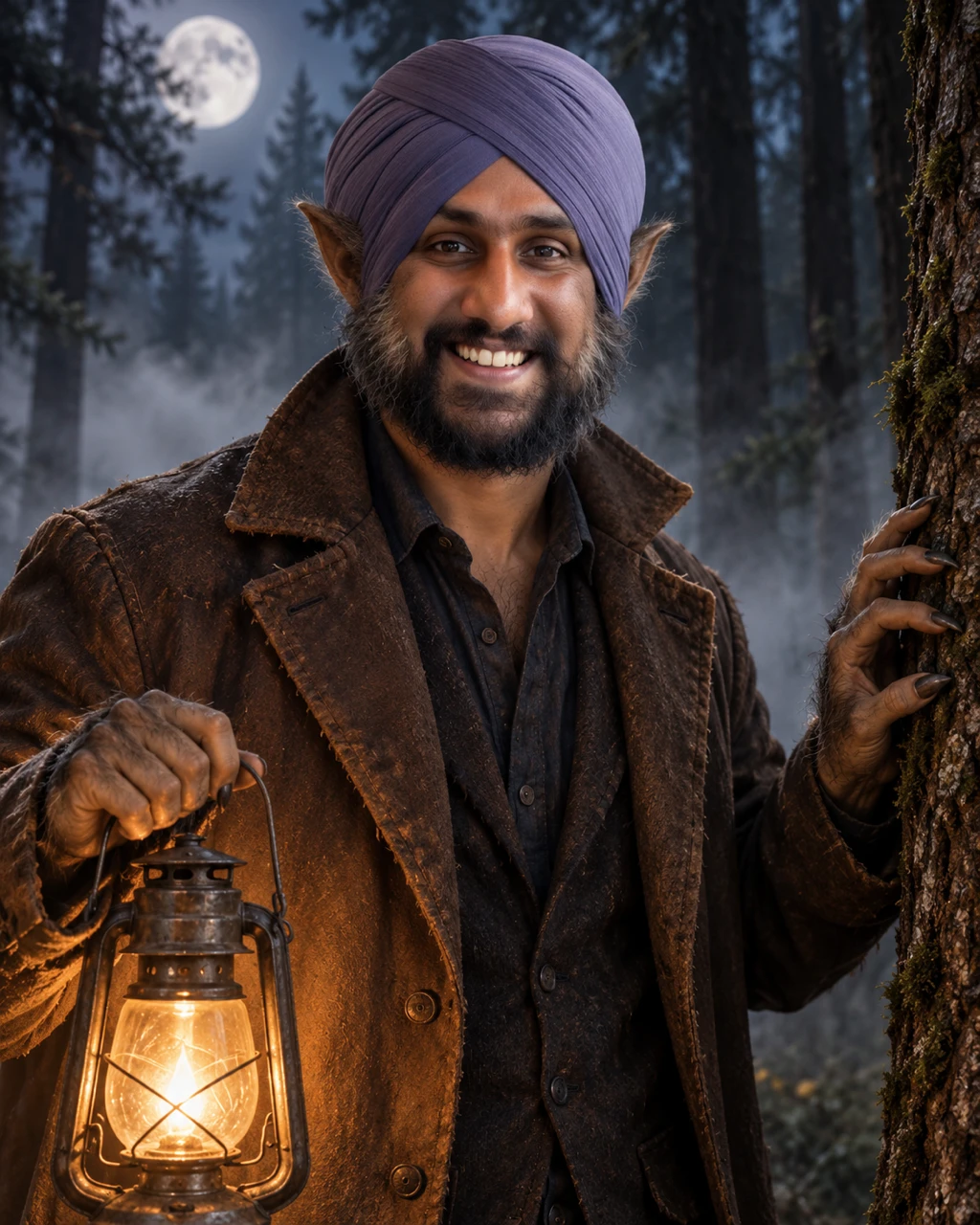
8. Werewolf Costume Transformation
A werewolf costume can feel convincing without covering every facial feature. Use a few prosthetic details and textured clothing to keep the person recognizable. This prompt suits a costume reveal with a stronger horror mood.
Format: 4:5 · 1024 × 1280 pixels. Best for: a non-graphic Halloween creature portrait. Reference: Upload your portrait.
Fillable prompt
Create a non-graphic Halloween creature portrait in a strict 4:5 canvas, 1024 x 1280 pixels. Show an adult subject in [SETTING], wearing [OUTFIT]. Add subtle theatrical werewolf prosthetics: light textured fur along the outer cheeks, small pointed costume ears visible beside the headwear, and slightly elongated costume nails on one hand resting on a tree. Keep the nose, eyes, beard shape and facial proportions recognizable. Use [LIGHTING], mist between the trees and [PALETTE]. Frame from the waist up with the face unobstructed. The transformation should look like practical film makeup, without torn flesh, blood, violent action or extreme body distortion. Use [PORTRAIT] as the sole identity reference. Preserve the person’s recognizable face, apparent adult age, skin tone, [FEATURES TO KEEP]. Change the costume, setting and lighting while keeping those features recognizable. Add no text, logo or watermark. Keep important elements inside the frame.
Filled example
Create a non-graphic Halloween creature portrait in a strict 4:5 canvas, 1024 x 1280 pixels. Show an adult subject in a moonlit pine forest, wearing a weathered brown coat over a dark shirt. Add subtle theatrical werewolf prosthetics: light textured fur along the outer cheeks, small pointed costume ears visible beside the headwear, and slightly elongated costume nails on one hand resting on a tree. Keep the nose, eyes, beard shape and facial proportions recognizable. Use silver moonlight with a warm lantern fill, mist between the trees and silver, dark green and amber. Frame from the waist up with the face unobstructed. The transformation should look like practical film makeup, without torn flesh, blood, violent action or extreme body distortion. Use the uploaded adult portrait as the sole identity reference. Preserve the person’s recognizable face, apparent adult age, skin tone, beard and turban. Change the costume, setting and lighting while keeping those features recognizable. Add no text, logo or watermark. Keep important elements inside the frame.
Customize it: Keep the transformation at the edges of the face if you want a clear likeness.
Couples, Families, Friends and Pets
Use these prompts for shared costume photos, family greetings, pet portraits and party invitations. Label every real person or pet reference clearly. For fictional scenes, describe the subjects and keep their poses and accessories distinct.
9. Vampire Couple at a Candlelit Ball
A couple portrait works best when both people have distinct poses and clear faces. Matching costume colors can connect the subjects without making them look identical. Use this for a party announcement, a costume reveal or a keepsake photograph.
Format: 4:5 · 1024 × 1280 pixels. Best for: a Halloween couple portrait. Reference: Upload one portrait per real person.
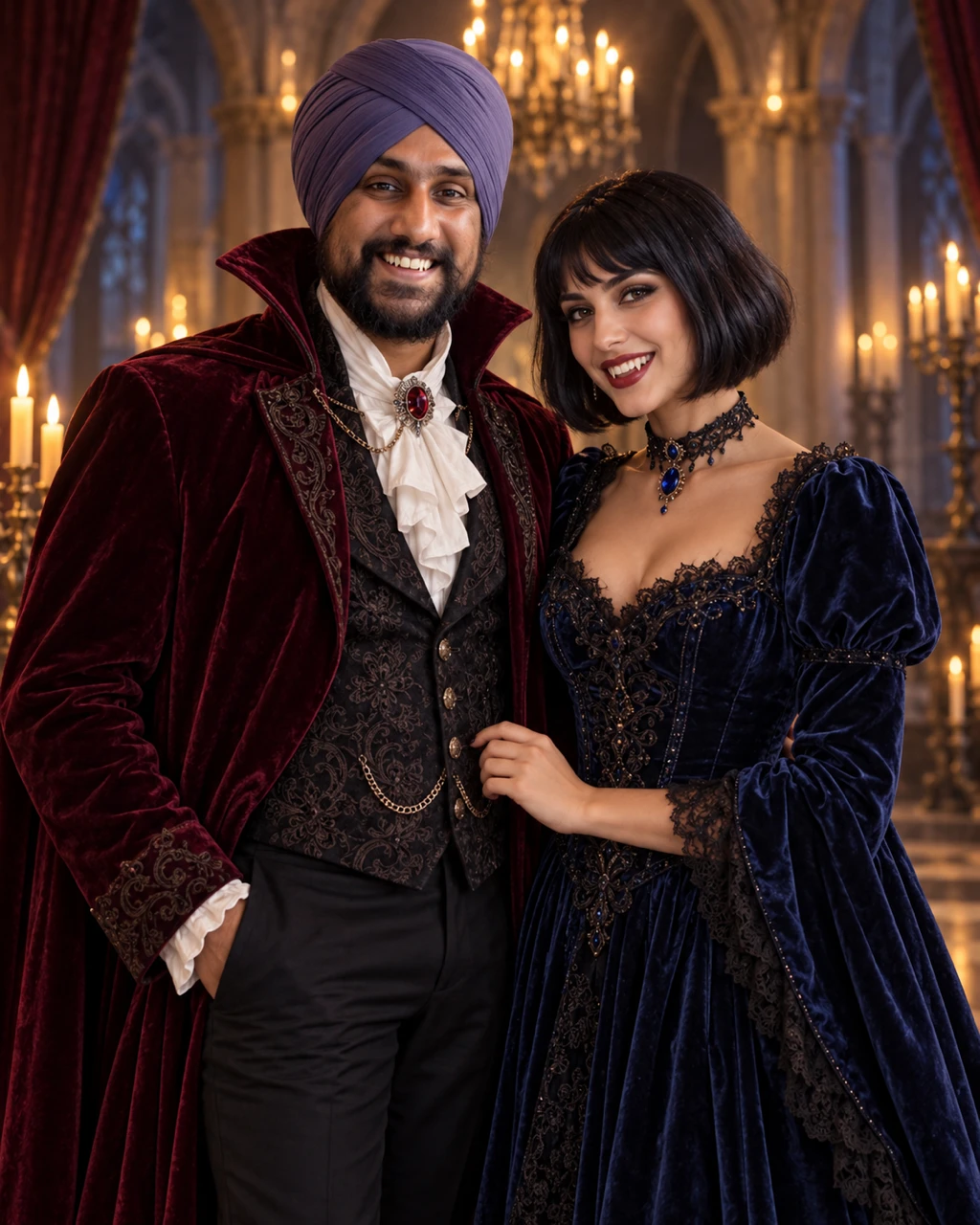
Fillable prompt
Create a Halloween couple portrait in a strict 4:5 canvas, 1024 x 1280 pixels. Place the adult from [PORTRAIT] beside [PARTNER DESCRIPTION] in [VENUE]. Dress them in complementary [COSTUME COLORS] formal vampire costumes, with subtle fangs and no blood. Frame both from the knees up, standing close with relaxed hands and their faces turned toward the camera. The second person is a clearly different fictional adult unless a second identity photo is supplied. Use warm chandelier light, soft cool fill, velvet fabric and realistic skin. Keep both heads and hands separate, with equal visual attention and an uncluttered background. Use [PORTRAIT] as the sole identity reference. Preserve the person’s recognizable face, apparent adult age, skin tone, [FEATURES TO KEEP]. Change the costume, setting and lighting while keeping those features recognizable. Add no text, logo or watermark. Keep important elements inside the frame.
Filled example
Create a Halloween couple portrait in a strict 4:5 canvas, 1024 x 1280 pixels. Place the adult from the uploaded adult portrait beside a fictional adult woman with a short black bob in an old ballroom with candlelit arches. Dress them in complementary burgundy and midnight blue formal vampire costumes, with subtle fangs and no blood. Frame both from the knees up, standing close with relaxed hands and their faces turned toward the camera. The second person is a clearly different fictional adult unless a second identity photo is supplied. Use warm chandelier light, soft cool fill, velvet fabric and realistic skin. Keep both heads and hands separate, with equal visual attention and an uncluttered background. Use the uploaded adult portrait as the sole identity reference. Preserve the person’s recognizable face, apparent adult age, skin tone, beard and turban. Change the costume, setting and lighting while keeping those features recognizable. Add no text, logo or watermark. Keep important elements inside the frame.
Customize it: Upload one clear photo per person for a real couple. Identify which reference belongs to which subject.
10. Friends in a Retro Horror Cast Poster
A group poster can introduce a costume party, a creator collaboration or a Halloween video. A simple three-person arrangement keeps the cast readable. Make each outfit and expression different so the image has the feel of an ensemble story.
Format: 16:9 · 1536 × 864 pixels. Best for: a wide Halloween group poster. Reference: Upload a portrait for each real person.
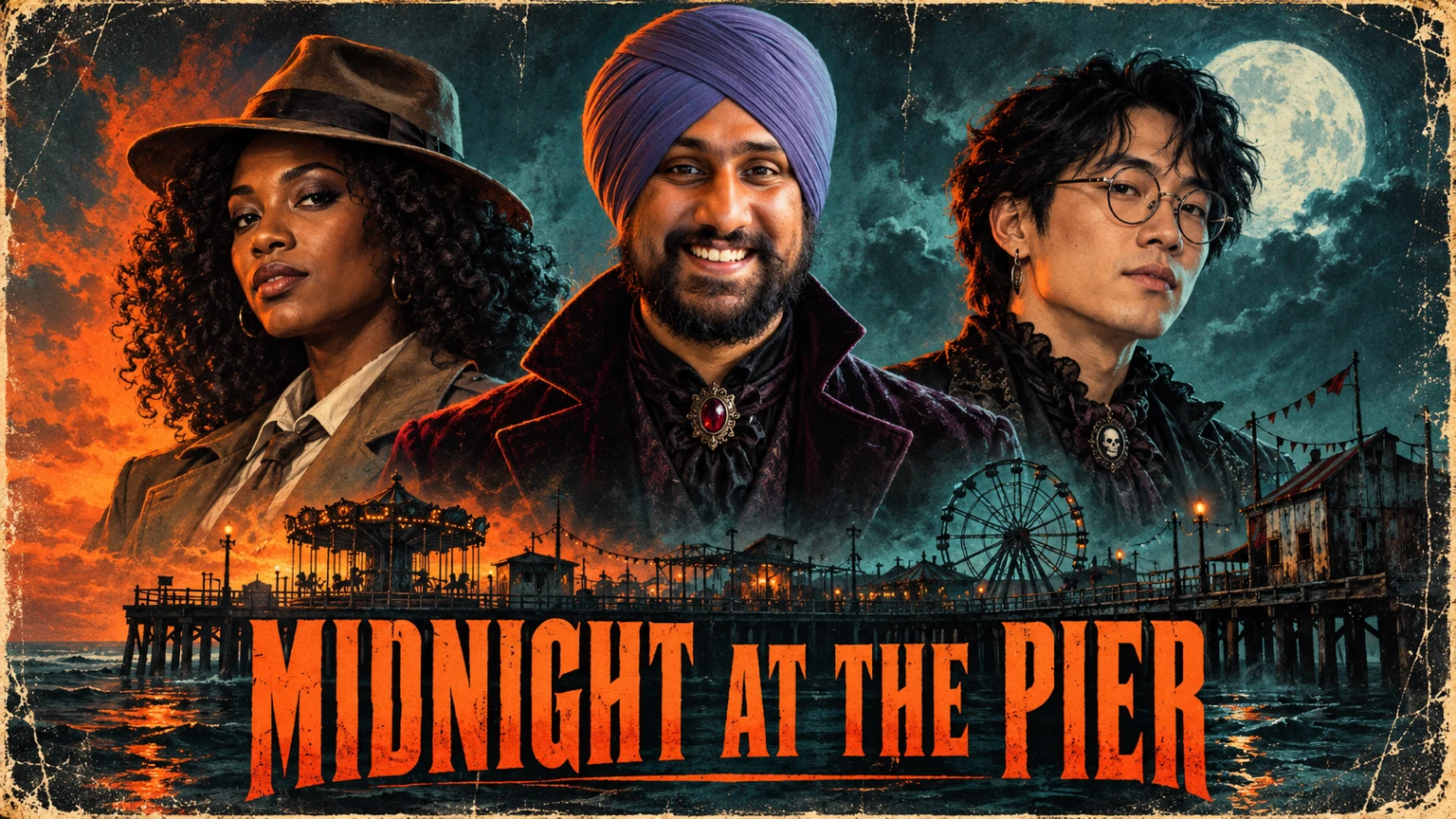
Fillable prompt
Create a wide Halloween group poster in a strict 16:9 canvas, 1536 x 864 pixels. Create a painted retro horror cast poster with the adult from [PORTRAIT] in the center and [FRIEND DESCRIPTIONS] on either side. The two friends are fictional adults unless their own reference photos are supplied. Give the central person [MAIN COSTUME] and the friends distinct detective and gothic musician costumes. Arrange three separate chest-up portraits above [BACKGROUND SCENE]. Use [PALETTE], dramatic side lighting and aged print texture. Put the exact title "[TITLE]" along the lower fifth in large condensed lettering. Keep all three faces visible, with no weapons, gore or existing movie characters. Use [PORTRAIT] as the sole identity reference. Preserve the person’s recognizable face, apparent adult age, skin tone, [FEATURES TO KEEP]. Change the costume, setting and lighting while keeping those features recognizable. Render only the quoted text, with clear spelling and generous margins. Keep lettering away from faces and product details. Add no extra slogans, signatures or watermark.
Filled example
Create a wide Halloween group poster in a strict 16:9 canvas, 1536 x 864 pixels. Create a painted retro horror cast poster with the adult from the uploaded adult portrait in the center and a fictional adult Black woman with curly hair and a fictional adult East Asian man with round glasses on either side. The two friends are fictional adults unless their own reference photos are supplied. Give the central person a dark velvet coat and the friends distinct detective and gothic musician costumes. Arrange three separate chest-up portraits above a deserted seaside carnival. Use orange, teal and charcoal, dramatic side lighting and aged print texture. Put the exact title "MIDNIGHT AT THE PIER" along the lower fifth in large condensed lettering. Keep all three faces visible, with no weapons, gore or existing movie characters. Use the uploaded adult portrait as the sole identity reference. Preserve the person’s recognizable face, apparent adult age, skin tone, beard and turban. Change the costume, setting and lighting while keeping those features recognizable. Render only the quoted text, with clear spelling and generous margins. Keep lettering away from faces and product details. Add no extra slogans, signatures or watermark.
Customize it: Keep the group small for a first version. Label each real face reference before adding more people.
11. Family Trick-or-Treat Storybook Portrait
A storybook family image makes a warm greeting card or seasonal social post. Rounded shapes, comfortable costumes and a well-lit street keep it friendly. You can describe the family or attach separate family photographs when you want recognizable faces.
Format: 4:5 · 1024 × 1280 pixels. Best for: a family Halloween storybook illustration. Reference: Optional family portraits.
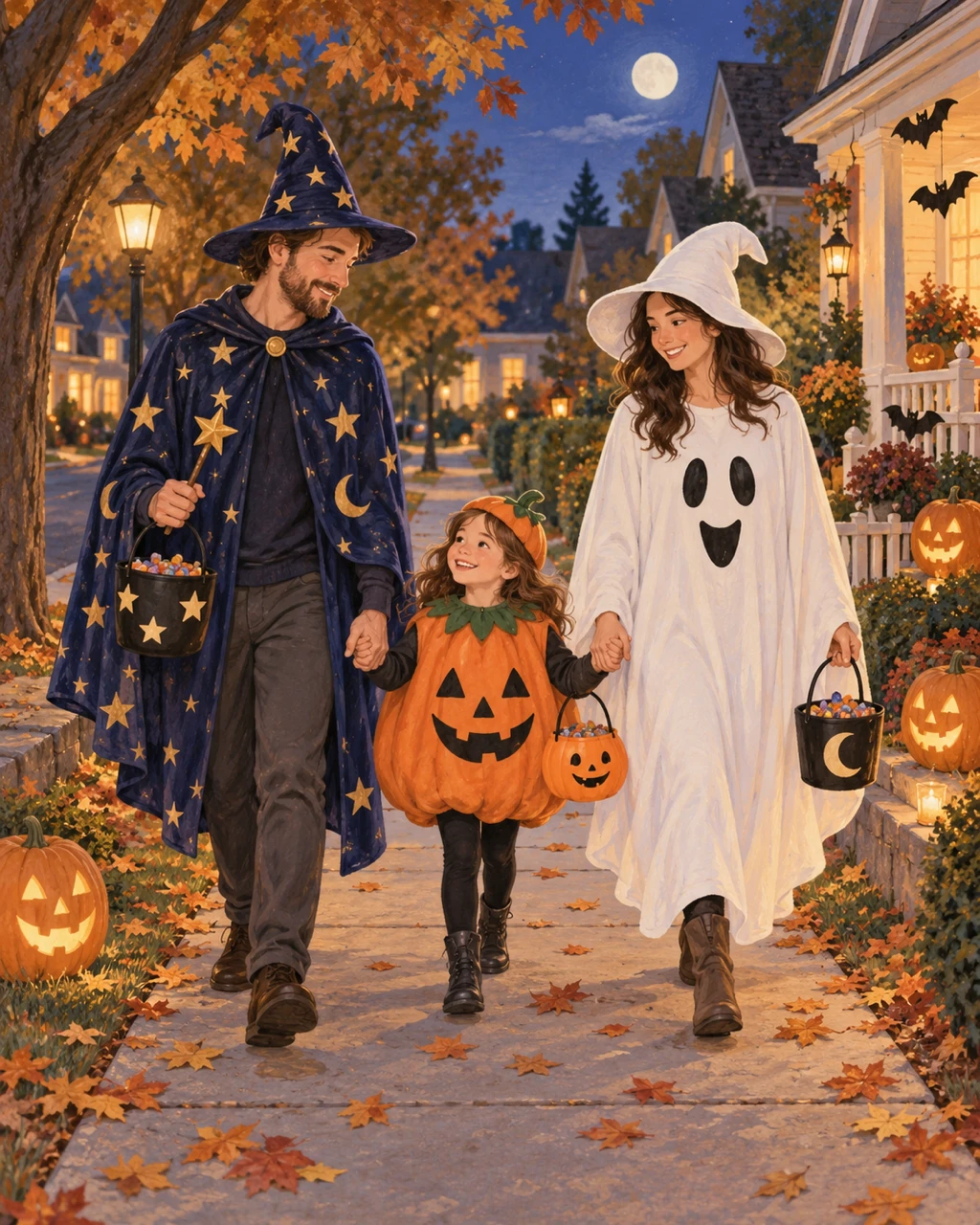
Fillable prompt
Create a family Halloween storybook illustration in a strict 4:5 canvas, 1024 x 1280 pixels. Illustrate [FAMILY DESCRIPTION] walking together along [STREET] on Halloween evening. Dress them in [COSTUMES], each holding a small candy bucket with a different simple design. Use soft gouache illustration, warm porch lights and a [PALETTE] palette. Show the whole family from head to toe, with clearly separated hands and natural height differences. Include smiling pumpkins, paper bats and a few autumn leaves, keeping the road and footpath easy to read. Make the mood welcoming and calm. No frightening faces, gore, crowded traffic, branded characters or text. Add no text, logo or watermark. Keep important elements inside the frame.
Filled example
Create a family Halloween storybook illustration in a strict 4:5 canvas, 1024 x 1280 pixels. Illustrate a fictional family of two adults and one school-age child walking together along a quiet tree-lined neighborhood sidewalk on Halloween evening. Dress them in a starry wizard, an orange pumpkin and a friendly ghost, each holding a small candy bucket with a different simple design. Use soft gouache illustration, warm porch lights and a apricot, sage, cream and twilight blue palette. Show the whole family from head to toe, with clearly separated hands and natural height differences. Include smiling pumpkins, paper bats and a few autumn leaves, keeping the road and footpath easy to read. Make the mood welcoming and calm. No frightening faces, gore, crowded traffic, branded characters or text. Add no text, logo or watermark. Keep important elements inside the frame.
Customize it: Use a family description for a fictional scene or label every supplied family photo if likeness matters.
12. Pet Pumpkin-Porch Portrait
A pet portrait suits an October feed post or a pet-store feature. One comfortable accessory is usually enough to establish the theme. Keep the eyes and distinctive markings visible so the animal remains the focus.
Format: 4:5 · 1024 × 1280 pixels. Best for: a Halloween pet photograph. Reference: Optional pet photo.
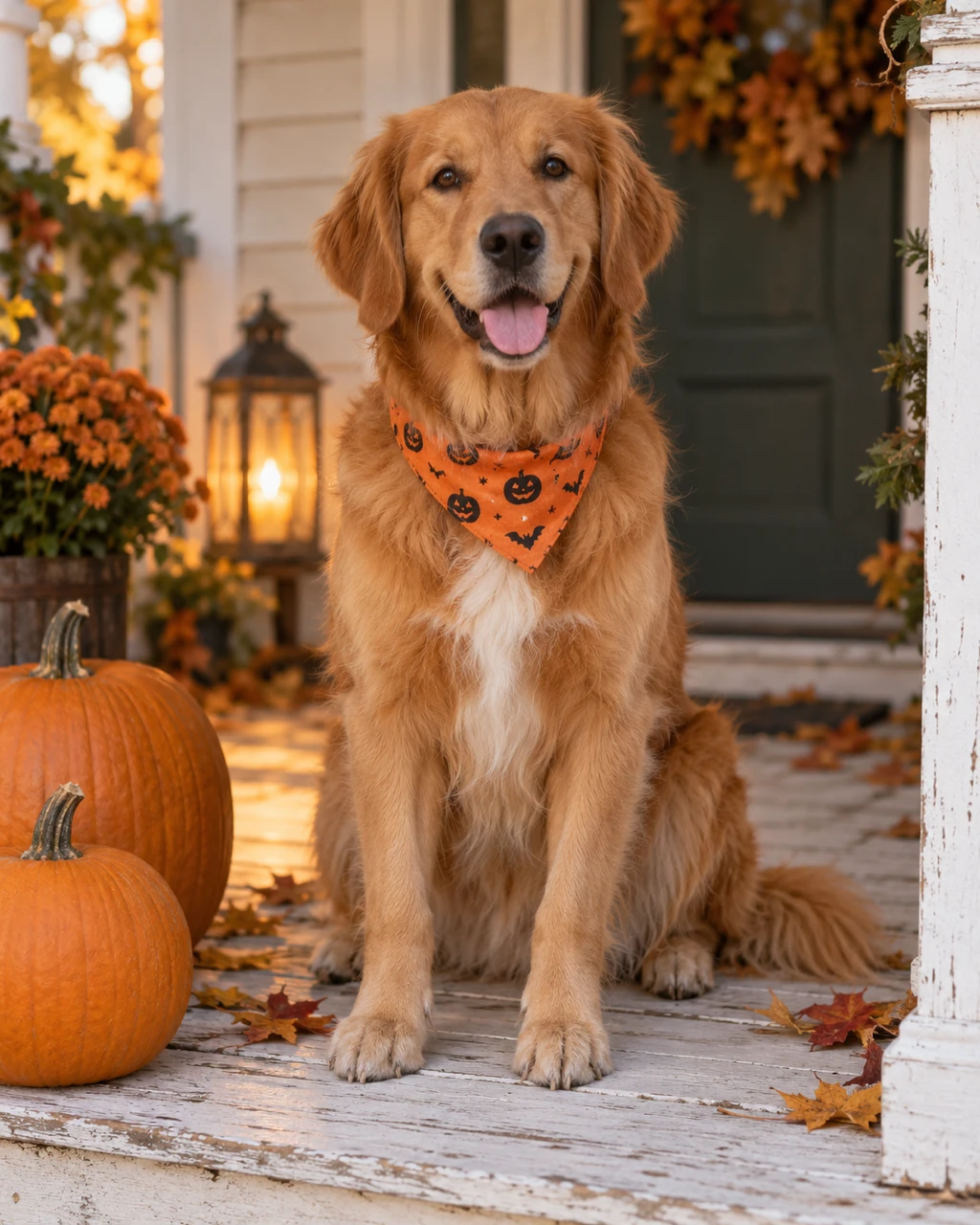
Fillable prompt
Create a Halloween pet photograph in a strict 4:5 canvas, 1024 x 1280 pixels. Photograph [PET DESCRIPTION] sitting naturally on [PORCH], wearing only [ACCESSORY]. If a pet reference is supplied, preserve its coat pattern, eye color, muzzle and proportions. Place two orange pumpkins beside the pet and a warm porch lantern behind it. Shoot at the animal’s eye level with an 85 mm portrait look, a sharp face and softly blurred autumn leaves. Use [PALETTE], realistic fur and gentle contact shadows. Keep the accessory loose and away from the eyes, nose and mouth. Show the whole pet without extra paws or exaggerated human expressions. Add no text, logo or watermark. Keep important elements inside the frame.
Filled example
Create a Halloween pet photograph in a strict 4:5 canvas, 1024 x 1280 pixels. Photograph a fictional golden retriever with a white chest patch sitting naturally on a weathered white wooden porch, wearing only a small orange bandana. If a pet reference is supplied, preserve its coat pattern, eye color, muzzle and proportions. Place two orange pumpkins beside the pet and a warm porch lantern behind it. Shoot at the animal’s eye level with an 85 mm portrait look, a sharp face and softly blurred autumn leaves. Use warm amber, cream and faded green, realistic fur and gentle contact shadows. Keep the accessory loose and away from the eyes, nose and mouth. Show the whole pet without extra paws or exaggerated human expressions. Add no text, logo or watermark. Keep important elements inside the frame.
Customize it: Choose a bandana or a small cape rather than a prop that covers the animal’s face.
13. Black Cat in a Witch Library
A witch-library scene suits a cat portrait, a small art print or a Pinterest post. Books and amber glass give the background detail while the cat stays easy to spot. Use the animal’s real markings if you want a personal version.
Format: 2:3 · 1024 × 1536 pixels. Best for: an illustrated Halloween pet portrait. Reference: Optional cat photo.
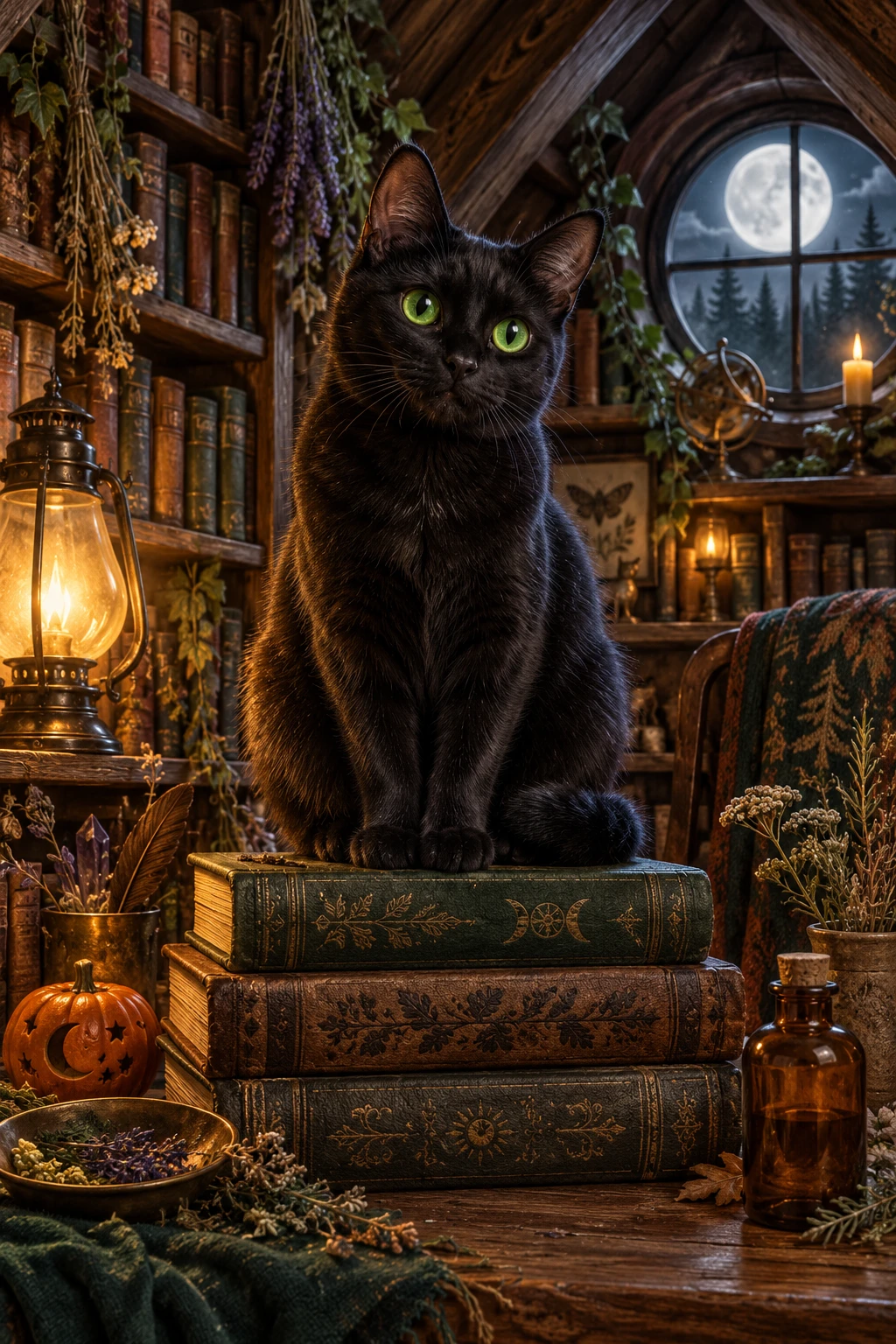
Fillable prompt
Create an illustrated Halloween pet portrait in a strict 2:3 canvas, 1024 x 1536 pixels. Create a detailed storybook painting of [CAT DESCRIPTION] perched on a wide stack of closed books inside [LIBRARY]. Preserve the cat’s markings and eye color if a reference photo is supplied. Surround the scene with dried herbs, a tiny ceramic pumpkin and an amber bottle without a readable label. Use [LIGHTING], rich wood textures and [PALETTE]. Frame the cat from ears to paws with a soft arch of shelves behind it. Keep the expression alert and natural, with believable feline anatomy. The scene should feel magical and cozy rather than threatening. Add no text, logo or watermark. Keep important elements inside the frame.
Filled example
Create an illustrated Halloween pet portrait in a strict 2:3 canvas, 1024 x 1536 pixels. Create a detailed storybook painting of a fictional black cat with bright green eyes perched on a wide stack of closed books inside a small attic witch library. Preserve the cat’s markings and eye color if a reference photo is supplied. Surround the scene with dried herbs, a tiny ceramic pumpkin and an amber bottle without a readable label. Use warm lamplight mixed with moonlight from a round window, rich wood textures and forest green, amber and walnut brown. Frame the cat from ears to paws with a soft arch of shelves behind it. Keep the expression alert and natural, with believable feline anatomy. The scene should feel magical and cozy rather than threatening. Add no text, logo or watermark. Keep important elements inside the frame.
Customize it: Use the shelf shapes to frame the cat. Leave the face free of hats and floating objects.
14. Costume Contest Party Invitation
A costume-contest invitation needs a readable title, date and place before it needs more decoration. A 5:7 layout gives the event details a familiar card shape. Keep the printed information separate from the central illustration.
Format: 5:7 · 1000 × 1400 pixels. Best for: a front-facing Halloween party invitation. Reference: No upload required.
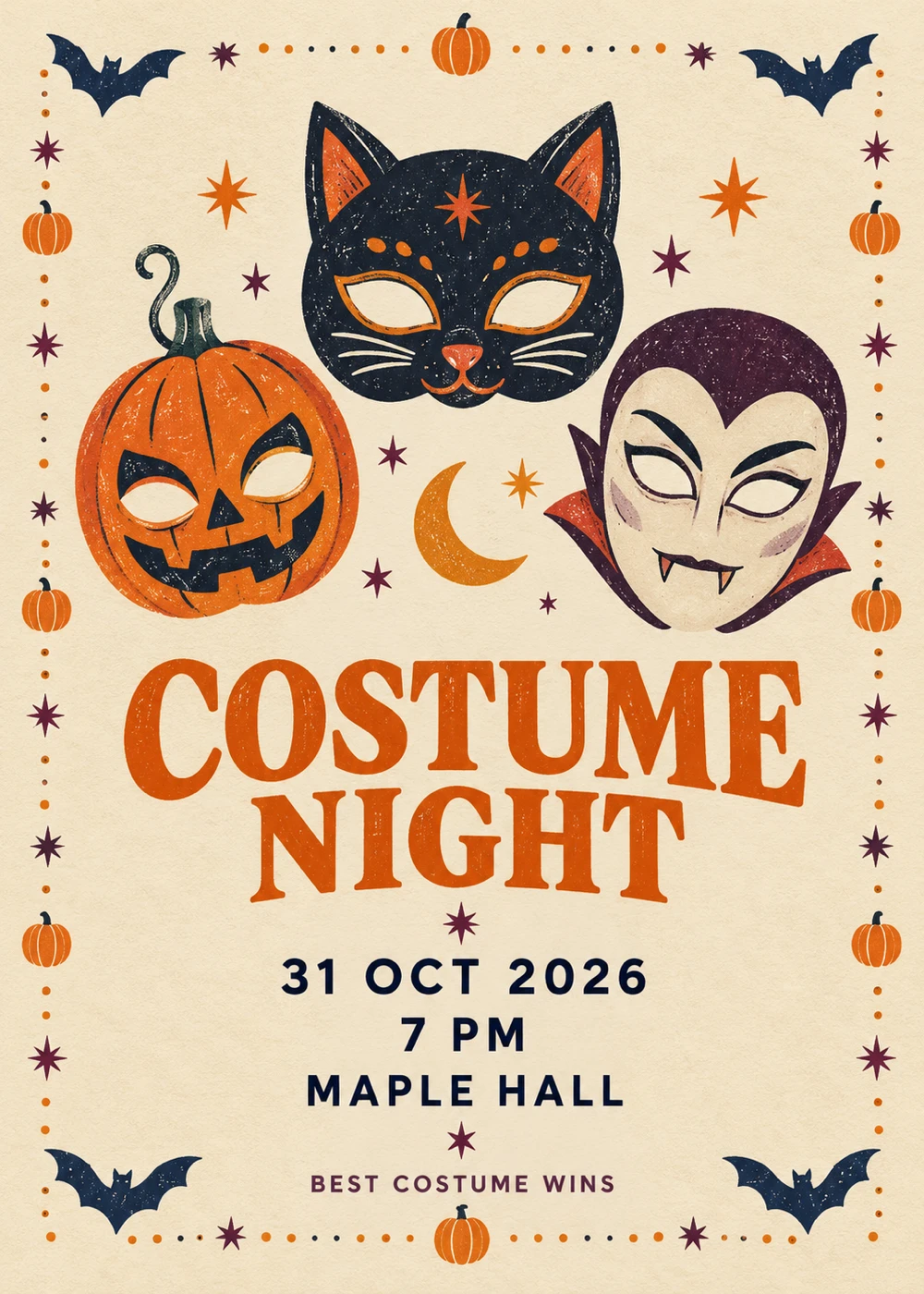
Fillable prompt
Create a front-facing Halloween party invitation in a strict 5:7 canvas, 1000 x 1400 pixels. Design a flat invitation, viewed straight on, on [PAPER STYLE] paper. Draw a playful [CENTRAL MOTIF] in the upper half, surrounded by a narrow border of bats, stars and small pumpkins. Use [PALETTE] and vintage screen-print texture. Set the exact title "[TITLE]" as the largest line, followed by "[DATE]", "[TIME]" and "[VENUE]" on separate lines. Add the small footer "[FOOTER]". Use a bold readable serif for the title and a clean sans serif for the details. Keep all information inside broad margins, with no mockup hands or background table. Render only the quoted text, with clear spelling and generous margins. Keep lettering away from faces and product details. Add no extra slogans, signatures or watermark.
Filled example
Create a front-facing Halloween party invitation in a strict 5:7 canvas, 1000 x 1400 pixels. Design a flat invitation, viewed straight on, on warm cream textured paper. Draw a playful three original costume masks in the upper half, surrounded by a narrow border of bats, stars and small pumpkins. Use orange, plum and midnight blue and vintage screen-print texture. Set the exact title "COSTUME NIGHT" as the largest line, followed by "31 OCT 2026", "7 PM" and "MAPLE HALL" on separate lines. Add the small footer "BEST COSTUME WINS". Use a bold readable serif for the title and a clean sans serif for the details. Keep all information inside broad margins, with no mockup hands or background table. Render only the quoted text, with clear spelling and generous margins. Keep lettering away from faces and product details. Add no extra slogans, signatures or watermark.
Customize it: Replace the event details before generating. Keep the venue short and add a full address later if needed.
Halloween Branding and Product Images
Give a product a seasonal setting while keeping its shape, label and use clear. These prompts cover packaging, candles, cosmetics, food, fashion, jewelry and a temporary brand treatment. Replace the fictional examples with your own product details and upload a reference when accuracy matters.
15. Halloween Subscription-Box Packaging
A seasonal box can carry a Halloween theme through color and illustration while keeping the brand readable. Use a simple hero view to show the lid, front panel and product scale. This prompt is a visual concept, so check the final dieline separately before printing.
Format: 1:1 · 1024 × 1024 pixels. Best for: a seasonal packaging concept image. Reference: Optional product and logo references.
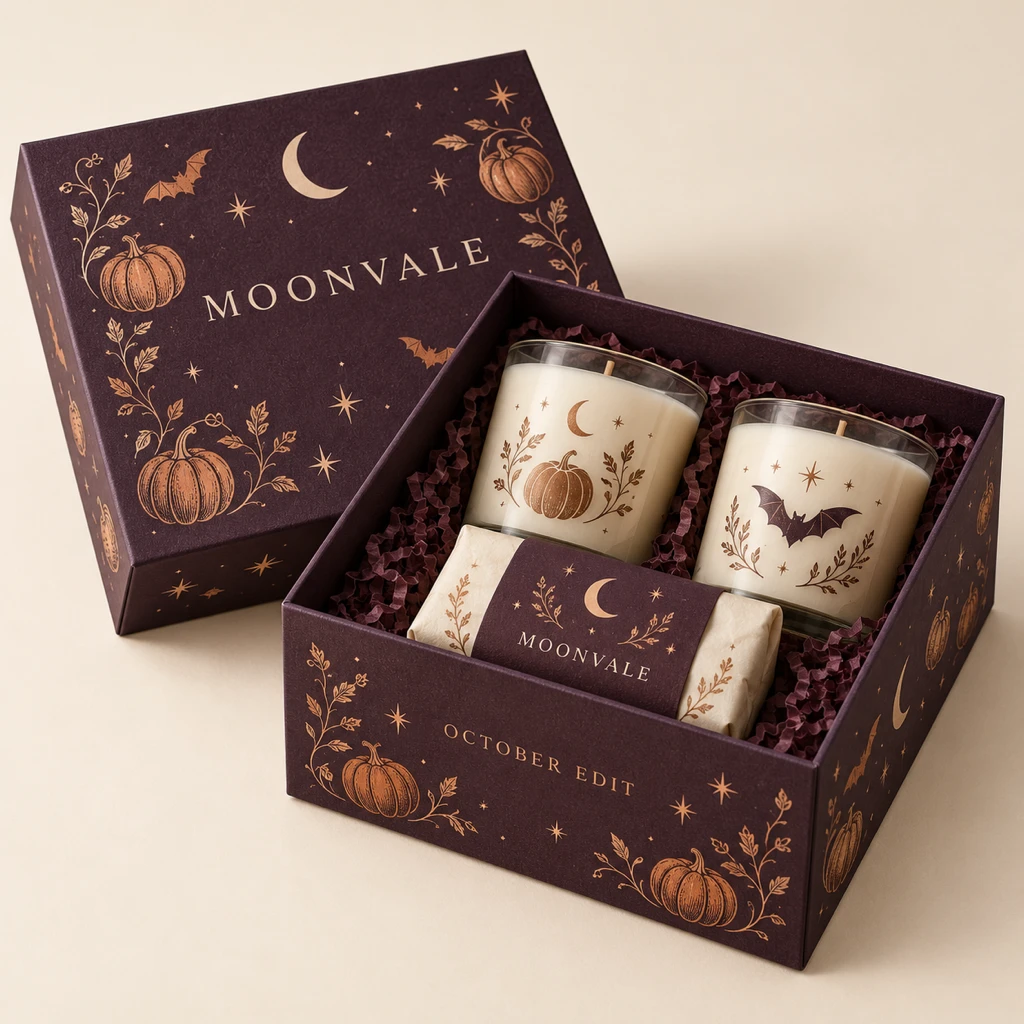
Fillable prompt
Create a seasonal packaging concept image in a strict 1:1 canvas, 1024 x 1024 pixels. Show one [BOX TYPE] box for the fictional brand "[BRAND]", photographed at a three-quarter angle on [SURFACE]. Use [BOX COLOR] packaging with original small pumpkin, bat and star illustrations printed in [INK COLORS]. Put "[BRAND]" on the lid and "[PRODUCT LINE]" on the front panel. Include one open lid revealing neatly arranged [CONTENTS], without duplicated products. Use soft studio light, realistic cardboard thickness, clean folded edges and subtle paper texture. Keep the design consistent across visible panels and the brand name clear. Leave a simple background around the box. Render only the quoted text, with clear spelling and generous margins. Keep lettering away from faces and product details. Add no extra slogans, signatures or watermark.
Filled example
Create a seasonal packaging concept image in a strict 1:1 canvas, 1024 x 1024 pixels. Show one rigid gift box for the fictional brand "MOONVALE", photographed at a three-quarter angle on a warm ivory studio surface. Use deep plum packaging with original small pumpkin, bat and star illustrations printed in copper and cream. Put "MOONVALE" on the lid and "OCTOBER EDIT" on the front panel. Include one open lid revealing neatly arranged two candles and a small wrapped soap, without duplicated products. Use soft studio light, realistic cardboard thickness, clean folded edges and subtle paper texture. Keep the design consistent across visible panels and the brand name clear. Leave a simple background around the box. Render only the quoted text, with clear spelling and generous margins. Keep lettering away from faces and product details. Add no extra slogans, signatures or watermark.
Customize it: Replace the fictional brand with your own wordmark. Attach a packaging photo to preserve an existing box shape.
16. Luxury Halloween Candle Campaign
A candle campaign can feel seasonal through its setting rather than a large collection of Halloween props. Dark stone, a single pumpkin and warm flame light let the product lead. Keep the label simple enough to read at feed size.
Format: 4:5 · 1024 × 1280 pixels. Best for: a luxury candle product advertisement. Reference: Optional candle product photo.
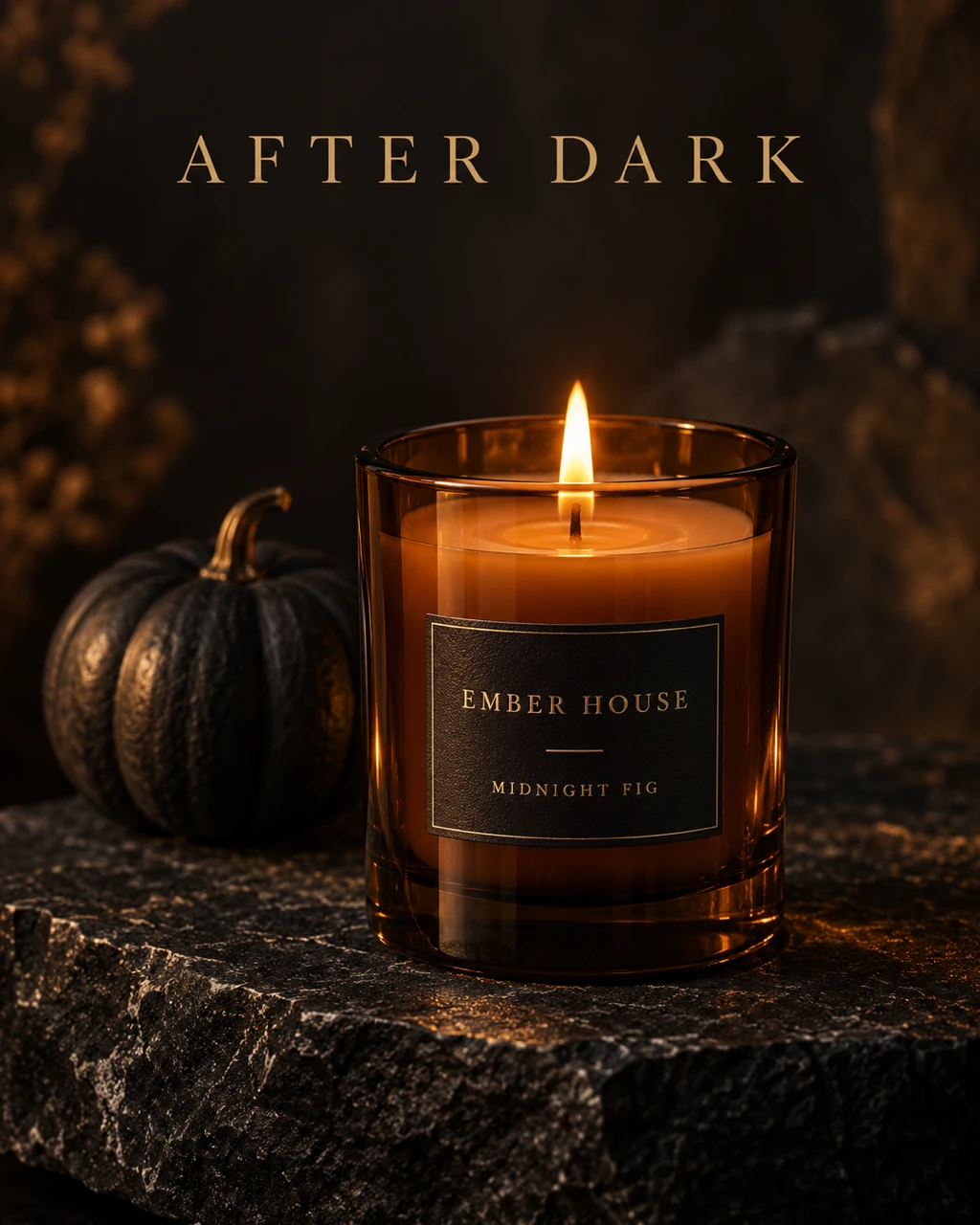
Fillable prompt
Create a luxury candle product advertisement in a strict 4:5 canvas, 1024 x 1280 pixels. Photograph a [VESSEL] scented candle for the fictional brand "[BRAND]" on [SURFACE]. Make the candle the sharp central subject, with a small [PROP] behind it and no other products. Show a realistic single flame, melted wax near the wick and subtle glass reflections. Use [LIGHTING], a [PALETTE] palette and a dark softly blurred background. Print only "[BRAND]" and "[SCENT]" on a clean rectangular front label. Leave the upper fifth quiet and place the headline "[HEADLINE]" there in a refined readable serif. Keep the product upright and fully visible. Render only the quoted text, with clear spelling and generous margins. Keep lettering away from faces and product details. Add no extra slogans, signatures or watermark.
Filled example
Create a luxury candle product advertisement in a strict 4:5 canvas, 1024 x 1280 pixels. Photograph a smoked amber glass scented candle for the fictional brand "EMBER HOUSE" on black limestone. Make the candle the sharp central subject, with a small matte black pumpkin behind it and no other products. Show a realistic single flame, melted wax near the wick and subtle glass reflections. Use warm flame light with a soft side studio light, a amber, charcoal and muted gold palette and a dark softly blurred background. Print only "EMBER HOUSE" and "MIDNIGHT FIG" on a clean rectangular front label. Leave the upper fifth quiet and place the headline "AFTER DARK" there in a refined readable serif. Keep the product upright and fully visible. Render only the quoted text, with clear spelling and generous margins. Keep lettering away from faces and product details. Add no extra slogans, signatures or watermark.
Customize it: If you upload a real candle, ask the model to keep its jar shape and label proportions unchanged.
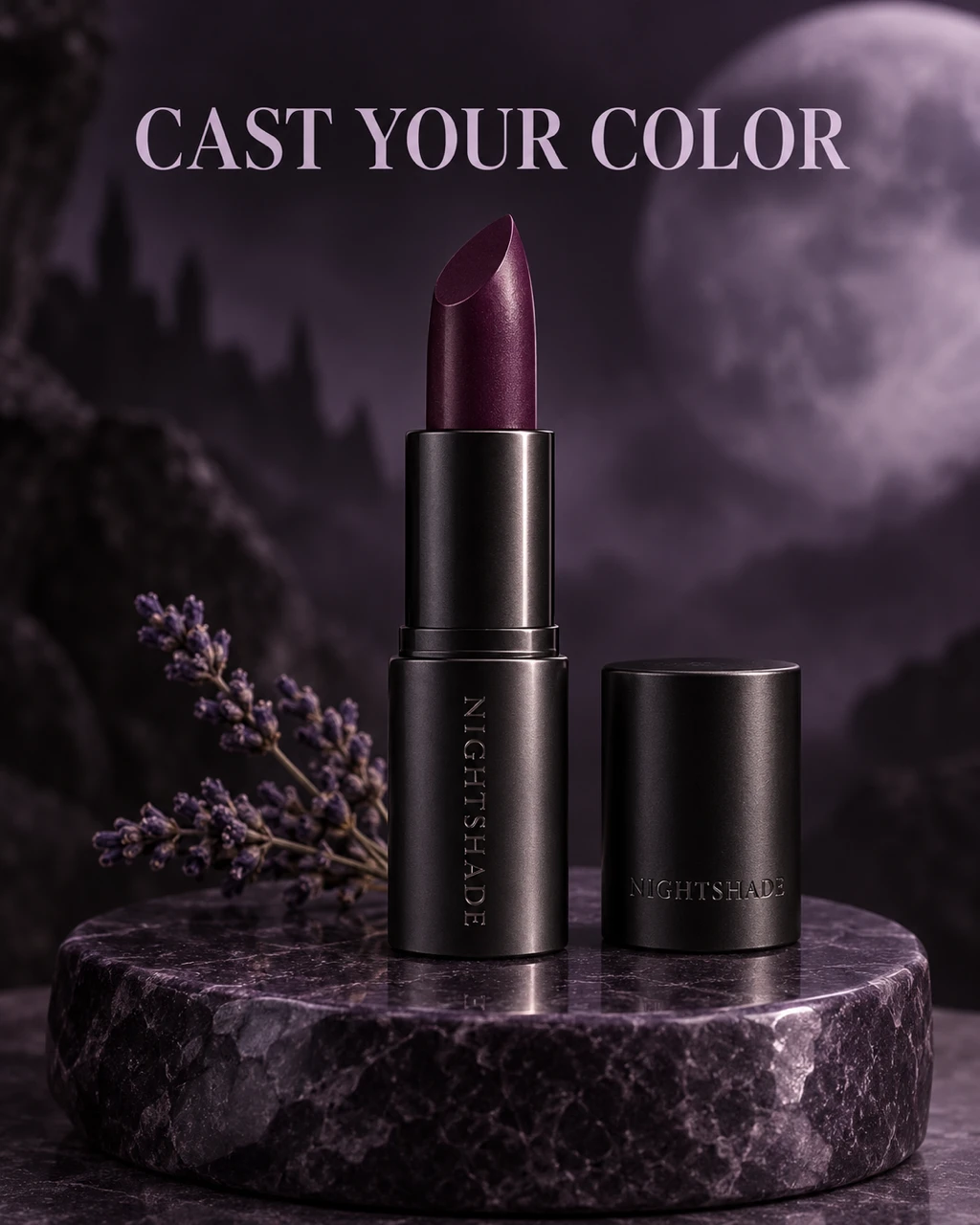
17. Witch-Inspired Lipstick Product Ad
A lipstick ad benefits from a clear product silhouette and a controlled amount of color. A deep berry shade and a botanical setting can suggest a witch theme without covering the packaging. Keep the shade visible on the lipstick itself.
Format: 4:5 · 1024 × 1280 pixels. Best for: a Halloween beauty product advertisement. Reference: Optional lipstick photo.
Fillable prompt
Create a Halloween beauty product advertisement in a strict 4:5 canvas, 1024 x 1280 pixels. Create a macro product photograph of one open [LIPSTICK FINISH] lipstick in [SHADE] for the fictional brand "[BRAND]". Stand the tube upright on [SURFACE], with its cap resting beside it and one small sprig of dried lavender behind. Use [PALETTE], soft edge lighting and one precise highlight along the tube. Show realistic wax texture, straight packaging geometry and a clean embossed wordmark reading "[BRAND]". Add the exact headline "[HEADLINE]" in the upper quarter in elegant bold type. Keep the lipstick tip sharp and avoid dripping liquid, floating parts or extra cosmetics. Render only the quoted text, with clear spelling and generous margins. Keep lettering away from faces and product details. Add no extra slogans, signatures or watermark.
Filled example
Create a Halloween beauty product advertisement in a strict 4:5 canvas, 1024 x 1280 pixels. Create a macro product photograph of one open satin black metal lipstick in deep blackberry for the fictional brand "NIGHTSHADE". Stand the tube upright on a smooth purple stone pedestal, with its cap resting beside it and one small sprig of dried lavender behind. Use blackberry, charcoal and pale lilac, soft edge lighting and one precise highlight along the tube. Show realistic wax texture, straight packaging geometry and a clean embossed wordmark reading "NIGHTSHADE". Add the exact headline "CAST YOUR COLOR" in the upper quarter in elegant bold type. Keep the lipstick tip sharp and avoid dripping liquid, floating parts or extra cosmetics. Render only the quoted text, with clear spelling and generous margins. Keep lettering away from faces and product details. Add no extra slogans, signatures or watermark.
Customize it: Describe the finish and shade separately. That helps keep the tube color distinct from the lipstick color.
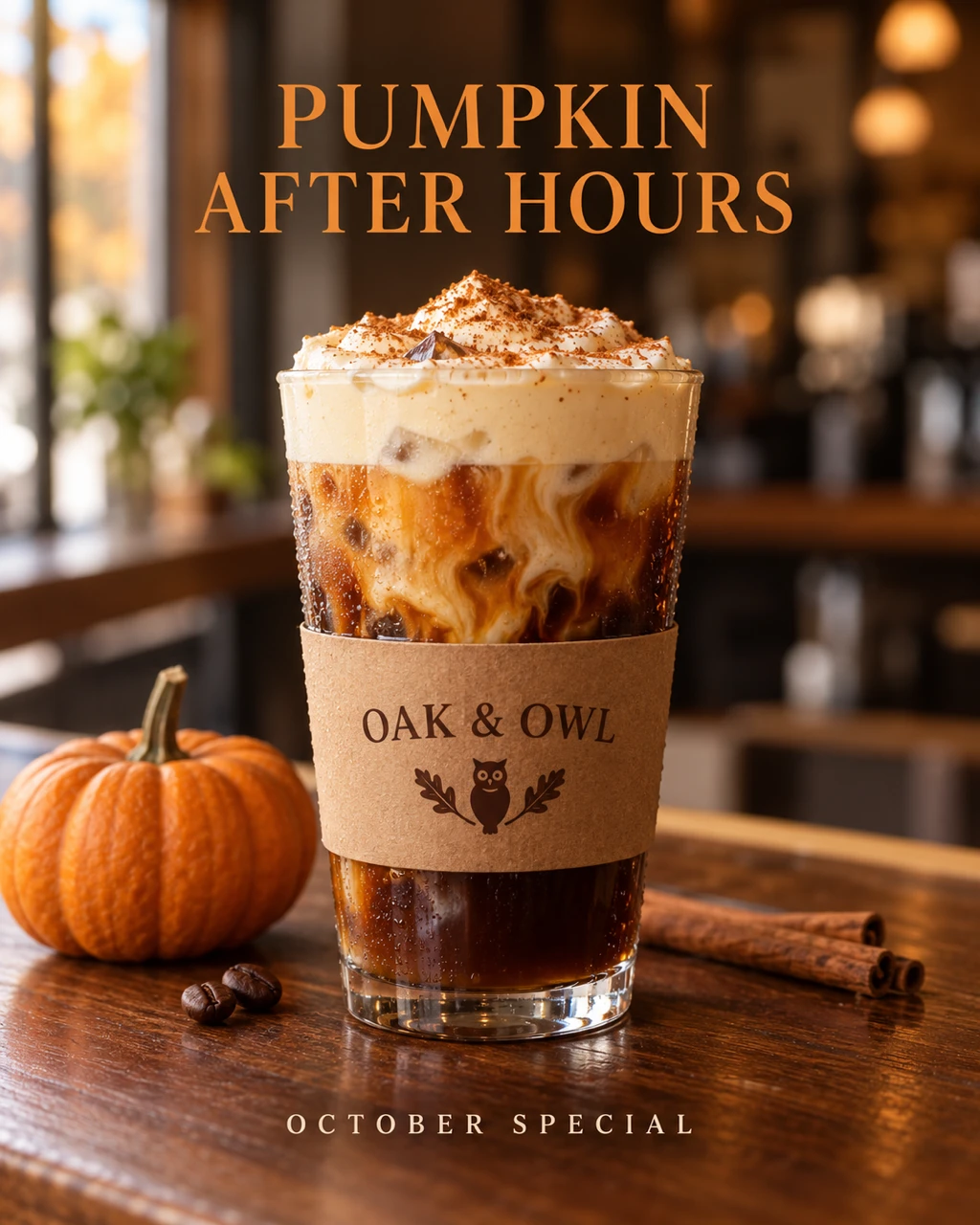
18. Halloween Coffee Drink Launch
A drink launch should make the recipe look appealing before adding seasonal decoration. A clear cup shape, visible layers and a readable flavor name give the post a useful focus. Use edible garnish instead of smoke covering the drink.
Format: 4:5 · 1024 × 1280 pixels. Best for: a seasonal coffee-shop product post. Reference: Optional drink product photo.
Fillable prompt
Create a seasonal coffee-shop product post in a strict 4:5 canvas, 1024 x 1280 pixels. Photograph one [DRINK] in a [CUP] on [COUNTER]. Show a clear view of the beverage layers, realistic condensation or steam, and [GARNISH] on top. Place a small pumpkin and two coffee beans beside the cup, with a softly blurred cafe behind. Use [LIGHTING] and a [PALETTE] palette. Put the fictional cafe name "[BRAND]" on the cup sleeve. Add the exact headline "[HEADLINE]" above the drink and the short footer "[FOOTER]" below. Keep the cup upright and the garnish edible, with no extra mugs or readable background menus. Render only the quoted text, with clear spelling and generous margins. Keep lettering away from faces and product details. Add no extra slogans, signatures or watermark.
Filled example
Create a seasonal coffee-shop product post in a strict 4:5 canvas, 1024 x 1280 pixels. Photograph one iced pumpkin cream cold brew in a clear straight-sided glass on a walnut cafe counter. Show a clear view of the beverage layers, realistic condensation or steam, and a dusting of cinnamon on top. Place a small pumpkin and two coffee beans beside the cup, with a softly blurred cafe behind. Use soft morning window light and a espresso brown, pumpkin orange and cream palette. Put the fictional cafe name "OAK & OWL" on the cup sleeve. Add the exact headline "PUMPKIN AFTER HOURS" above the drink and the short footer "OCTOBER SPECIAL" below. Keep the cup upright and the garnish edible, with no extra mugs or readable background menus. Render only the quoted text, with clear spelling and generous margins. Keep lettering away from faces and product details. Add no extra slogans, signatures or watermark.
Customize it: Use the real drink name and ingredients in your version. Do not let decorative fog hide the product.
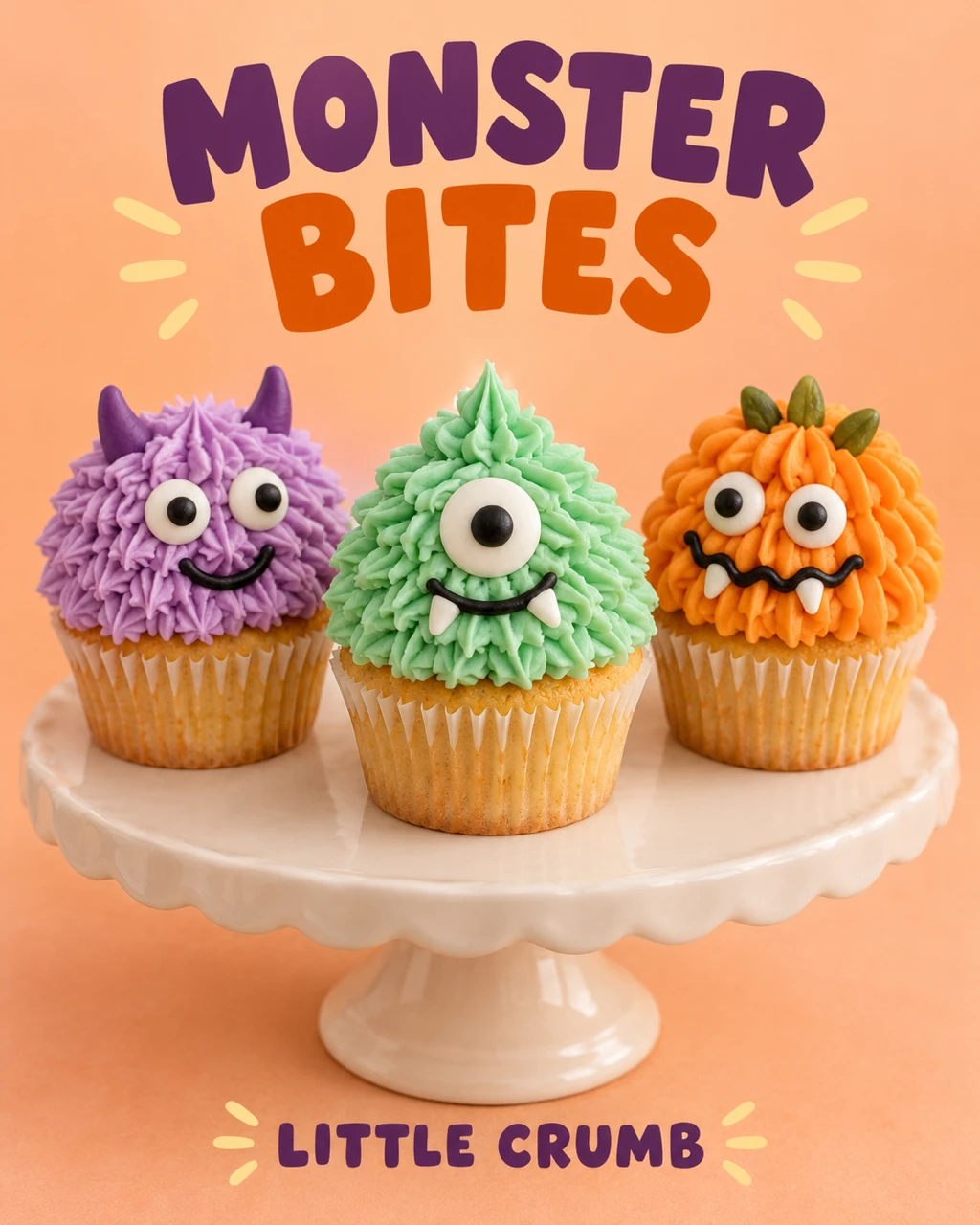
19. Monster Cupcake Bakery Poster
A cupcake poster can feel playful while still showing the food clearly. Three different frosting characters add variety without turning the layout into a busy menu. Keep each cupcake separate and the bakery copy short.
Format: 4:5 · 1024 × 1280 pixels. Best for: a Halloween bakery promotional image. Reference: Optional bakery product photo.
Fillable prompt
Create a Halloween bakery promotional image in a strict 4:5 canvas, 1024 x 1280 pixels. Arrange exactly three [CUPCAKE FLAVOR] cupcakes on [DISPLAY], each decorated as a different friendly monster using edible frosting and candy eyes. Make one [COLOR ONE], one [COLOR TWO] and one [COLOR THREE]. Photograph at a slight downward angle with realistic cake crumb, frosting ridges and soft contact shadows. Use a bright [BACKGROUND] background and gentle bakery window light. Put the headline "[HEADLINE]" above the cupcakes in bold playful type and the fictional bakery name "[BRAND]" below. Keep all three cupcakes fully visible with clear spacing and no extra treats. Render only the quoted text, with clear spelling and generous margins. Keep lettering away from faces and product details. Add no extra slogans, signatures or watermark.
Filled example
Create a Halloween bakery promotional image in a strict 4:5 canvas, 1024 x 1280 pixels. Arrange exactly three vanilla cupcakes on a cream ceramic cake stand, each decorated as a different friendly monster using edible frosting and candy eyes. Make one lilac, one mint green and one pumpkin orange. Photograph at a slight downward angle with realistic cake crumb, frosting ridges and soft contact shadows. Use a bright warm peach background and gentle bakery window light. Put the headline "MONSTER BITES" above the cupcakes in bold playful type and the fictional bakery name "LITTLE CRUMB" below. Keep all three cupcakes fully visible with clear spacing and no extra treats. Render only the quoted text, with clear spelling and generous margins. Keep lettering away from faces and product details. Add no extra slogans, signatures or watermark.
Customize it: Check the cupcake count and keep the candy decorations visibly edible.
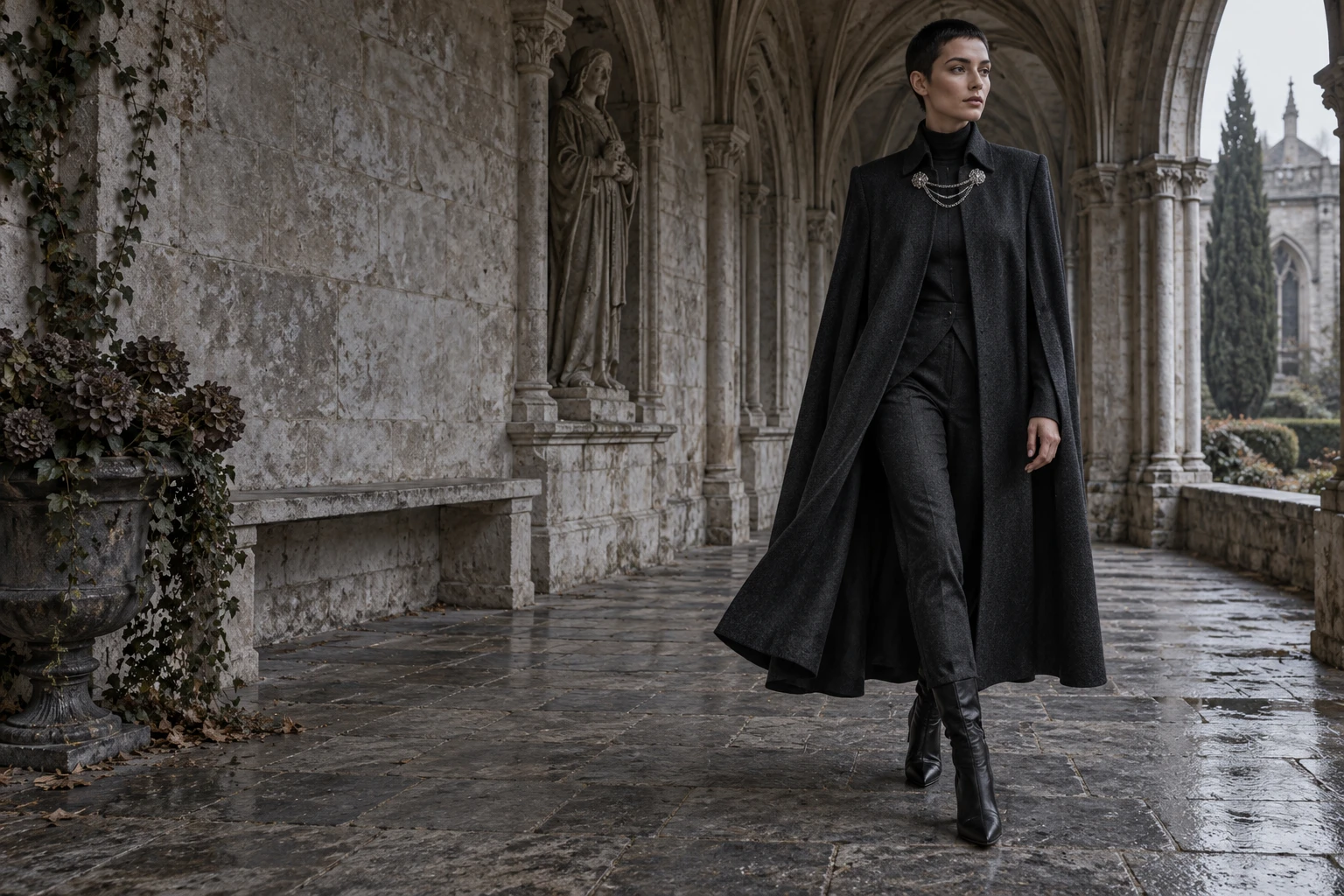
20. Gothic Fashion Lookbook Spread
A wide lookbook image gives clothing room to show movement and fabric weight. A single model and a clear architectural setting keep the outfit readable. Use this for a collection banner or the opening image of a seasonal lookbook.
Format: 3:2 · 1536 × 1024 pixels. Best for: a Halloween fashion editorial photograph. Reference: Optional garment photo.
Fillable prompt
Create a Halloween fashion editorial photograph in a strict 3:2 canvas, 1536 x 1024 pixels. Photograph [ADULT MODEL DESCRIPTION] wearing [GARMENT] with [ACCESSORY] inside [LOCATION]. Use a full-length walking pose with the fabric moving slightly and both shoes visible. If a garment reference is supplied, preserve its cut, seams and fabric pattern. Place the model in the right half with quiet architectural space in the left half for later editorial copy. Use [LIGHTING], realistic cloth weight and an understated [PALETTE] palette. Keep the pose natural and the expression composed. Do not add text, brand marks, dramatic gore or existing film costume replicas. Add no text, logo or watermark. Keep important elements inside the frame.
Filled example
Create a Halloween fashion editorial photograph in a strict 3:2 canvas, 1536 x 1024 pixels. Photograph a fictional adult woman with close-cropped dark hair wearing a structured charcoal cape coat with a silver chain brooch inside a weathered stone cloister. Use a full-length walking pose with the fabric moving slightly and both shoes visible. If a garment reference is supplied, preserve its cut, seams and fabric pattern. Place the model in the right half with quiet architectural space in the left half for later editorial copy. Use soft overcast daylight, realistic cloth weight and an understated charcoal, limestone and silver palette. Keep the pose natural and the expression composed. Do not add text, brand marks, dramatic gore or existing film costume replicas. Add no text, logo or watermark. Keep important elements inside the frame.
Customize it: Attach your garment photo if the clothing details matter more than the model’s identity.
21. Spiderweb Jewelry Macro Campaign
Fine jewelry works well with a light seasonal cue and a quiet background. A thin web can frame a pendant without hiding the metalwork. Keep the product large enough to show the stone setting and chain detail.
Format: 1:1 · 1024 × 1024 pixels. Best for: a square Halloween jewelry campaign image. Reference: Optional jewelry product photo.
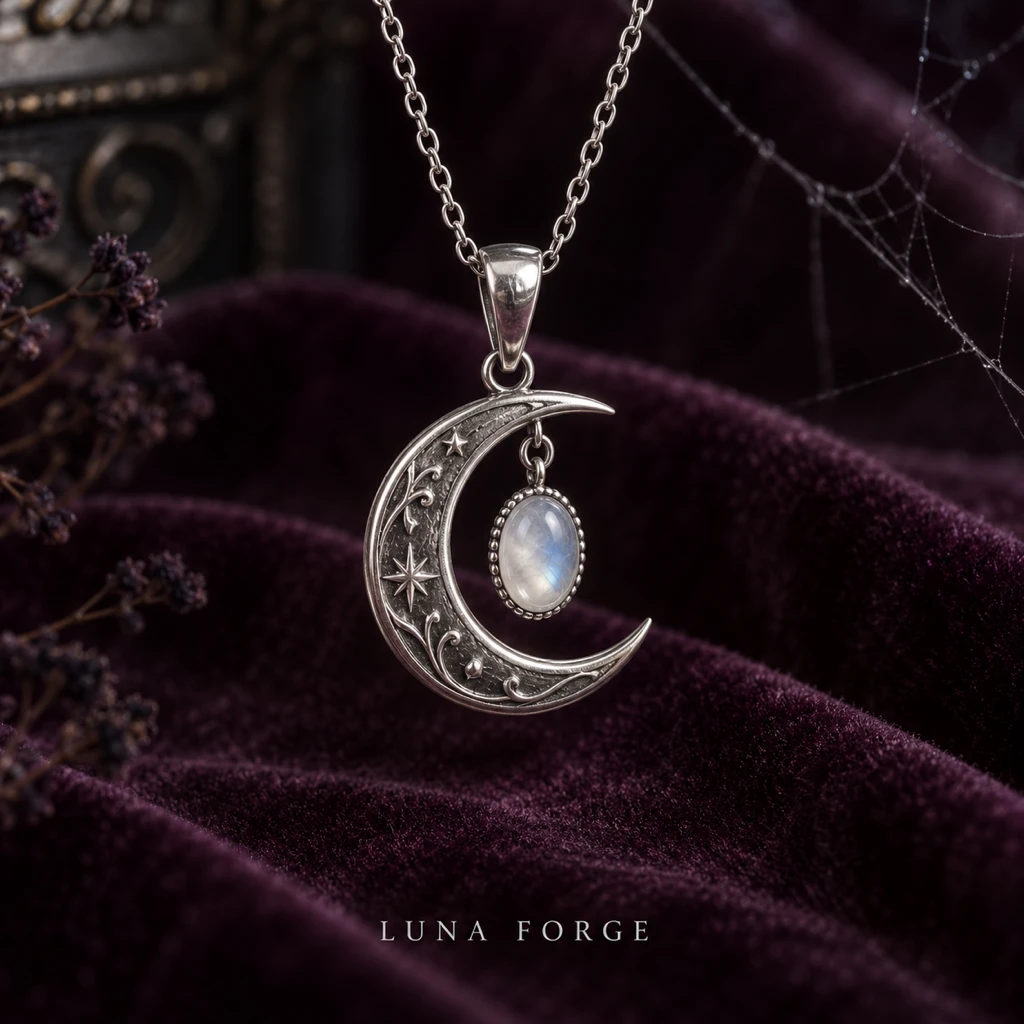
Fillable prompt
Create a square Halloween jewelry campaign image in a strict 1:1 canvas, 1024 x 1024 pixels. Create a macro product photograph of one [JEWELRY PIECE] with [STONE] on [BACKGROUND]. Suspend the piece naturally from its chain, with one delicate spiderweb strand crossing the background rather than covering the product. Use [LIGHTING], controlled reflections and realistic metal texture. Keep the clasp, chain links and gemstone geometry plausible. Place the fictional brand name "[BRAND]" in small readable serif type at the bottom, with ample space around it. Use [PALETTE] and shallow depth of field, keeping the entire front of the jewelry sharp. No extra jewelry, human hands or large spiders. Render only the quoted text, with clear spelling and generous margins. Keep lettering away from faces and product details. Add no extra slogans, signatures or watermark.
Filled example
Create a square Halloween jewelry campaign image in a strict 1:1 canvas, 1024 x 1024 pixels. Create a macro product photograph of one a silver crescent pendant with a small oval moonstone on dark plum velvet. Suspend the piece naturally from its chain, with one delicate spiderweb strand crossing the background rather than covering the product. Use a narrow soft studio light with a cool fill, controlled reflections and realistic metal texture. Keep the clasp, chain links and gemstone geometry plausible. Place the fictional brand name "LUNA FORGE" in small readable serif type at the bottom, with ample space around it. Use silver, pearl and plum and shallow depth of field, keeping the entire front of the jewelry sharp. No extra jewelry, human hands or large spiders. Render only the quoted text, with clear spelling and generous margins. Keep lettering away from faces and product details. Add no extra slogans, signatures or watermark.
Customize it: Ask for background web strands so the product’s important edges remain visible.
22. Halloween Brand Wordmark Treatment
A Halloween brand treatment should keep the name readable and add seasonal detail around it. Use a few simple motifs rather than replacing every letter with a pumpkin. This works as a temporary social tile or campaign concept.
Format: 1:1 · 1024 × 1024 pixels. Best for: a seasonal raster brand-wordmark concept. Reference: Optional existing logo.
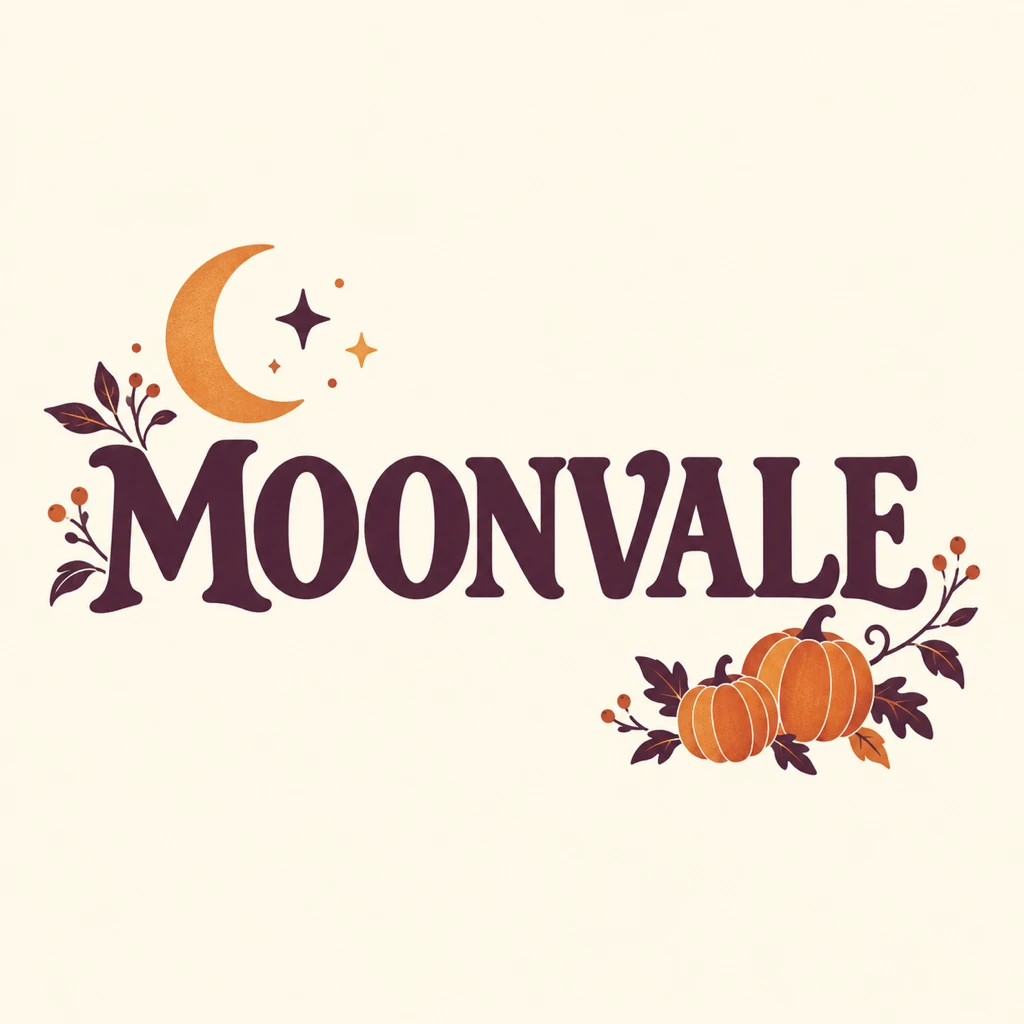
Fillable prompt
Create a seasonal raster brand-wordmark concept in a strict 1:1 canvas, 1024 x 1024 pixels. Create a clean seasonal graphic around the wordmark "[BRAND]" centered on [BACKGROUND]. Use [TYPE STYLE] lettering in [WORDMARK COLOR]. If an existing logo reference is supplied, preserve its exact letterforms, spacing, proportions and symbol; decorate the surrounding space instead of redesigning the mark. Add a small [MOTIF ONE] above one corner and [MOTIF TWO] below the opposite corner. Use a limited [PALETTE] palette, crisp edges and balanced negative space. Keep the full wordmark legible at avatar size. Render only "[BRAND]", with no slogan, extra words, mockup objects or watermark. Render only the quoted text, with clear spelling and generous margins. Keep lettering away from faces and product details. Add no extra slogans, signatures or watermark.
Filled example
Create a seasonal raster brand-wordmark concept in a strict 1:1 canvas, 1024 x 1024 pixels. Create a clean seasonal graphic around the wordmark "MOONVALE" centered on warm ivory. Use bold rounded serif lettering in deep plum. If an existing logo reference is supplied, preserve its exact letterforms, spacing, proportions and symbol; decorate the surrounding space instead of redesigning the mark. Add a small crescent moon above one corner and pair of tiny pumpkins below the opposite corner. Use a limited plum, orange and cream palette, crisp edges and balanced negative space. Keep the full wordmark legible at avatar size. Render only "MOONVALE", with no slogan, extra words, mockup objects or watermark. Render only the quoted text, with clear spelling and generous margins. Keep lettering away from faces and product details. Add no extra slogans, signatures or watermark.
Customize it: For a real logo, upload the source mark and keep seasonal decorations outside the letters.
Halloween Ads and Local Business Promotions
Start with the actual offer or event, then build the Halloween mood around it. These prompts suit retail, restaurants, attractions, salons, property promotions, fitness, hospitality and community events. Keep the key message readable and add detailed terms in editable copy.
23. Halloween Flash-Sale Display Ad
A wide sale graphic needs one offer, one product group and one action. Keep the seasonal objects near the edges so the offer stays readable. This layout also works as a website campaign banner.
Format: 16:9 · 1536 × 864 pixels. Best for: a wide Halloween retail advertisement. Reference: Optional product photos.
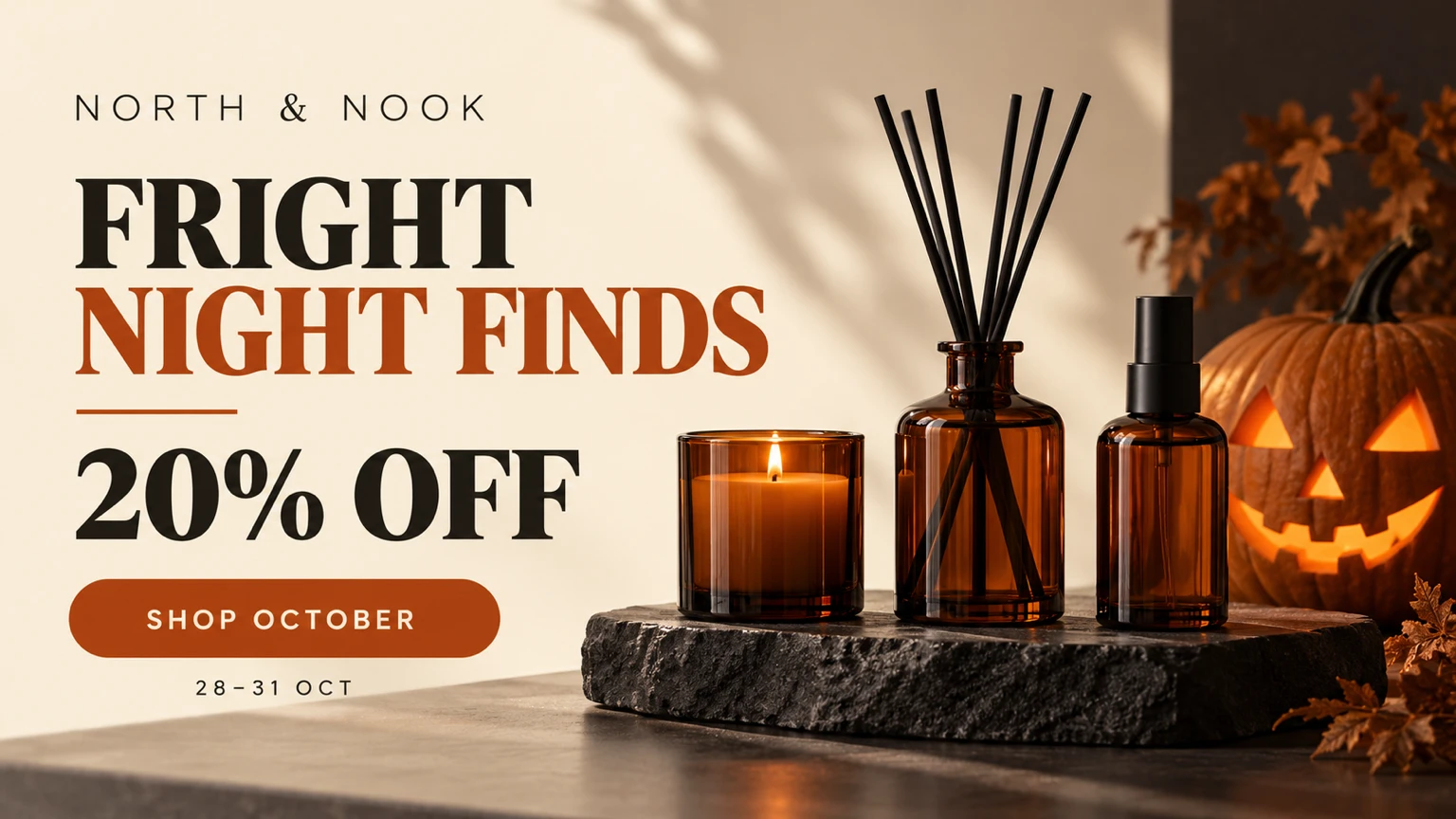
Fillable prompt
Create a wide Halloween retail advertisement in a strict 16:9 canvas, 1536 x 864 pixels. Build a clean wide campaign graphic for the fictional shop "[BRAND]". Place [PRODUCT GROUP] on a low [DISPLAY] in the right half, with a small carved pumpkin behind them. Leave the left half as a calm [BACKGROUND COLOR] copy area. Use [PALETTE], realistic product shadows and soft directional studio light. Set the exact headline "[HEADLINE]" in large bold type, the offer "[OFFER]" beneath it, and a simple button-shaped graphic reading "[CTA]". Add the small date line "[DATES]". Keep the text hierarchy clear and the products fully visible, without invented prices or fine print. Render only the quoted text, with clear spelling and generous margins. Keep lettering away from faces and product details. Add no extra slogans, signatures or watermark.
Filled example
Create a wide Halloween retail advertisement in a strict 16:9 canvas, 1536 x 864 pixels. Build a clean wide campaign graphic for the fictional shop "NORTH & NOOK". Place three plain amber home-fragrance bottles on a low black stone plinth in the right half, with a small carved pumpkin behind them. Leave the left half as a calm warm cream copy area. Use cream, charcoal and burnt orange, realistic product shadows and soft directional studio light. Set the exact headline "FRIGHT NIGHT FINDS" in large bold type, the offer "20% OFF" beneath it, and a simple button-shaped graphic reading "SHOP OCTOBER". Add the small date line "28-31 OCT". Keep the text hierarchy clear and the products fully visible, without invented prices or fine print. Render only the quoted text, with clear spelling and generous margins. Keep lettering away from faces and product details. Add no extra slogans, signatures or watermark.
Customize it: Treat the offer as a placeholder. Check the real promotion details before publishing.
24. Restaurant Halloween-Night Promotion
A restaurant promotion should show what guests can expect, then state the event details. A single appealing dish is more useful than a crowded menu image. Use the same colors as your restaurant and keep the Halloween props away from the food.
Format: 4:5 · 1024 × 1280 pixels. Best for: a restaurant Halloween event poster. Reference: Optional dish and restaurant photos.
Fillable prompt
Create a restaurant Halloween event poster in a strict 4:5 canvas, 1024 x 1280 pixels. Create a restaurant promotional poster for the fictional venue "[RESTAURANT]". Photograph [DISH] on [TABLE], with one small ceramic pumpkin and warm candlelight in the background. Make the food realistic, appetizing and sharply focused, with an inviting dining-room blur. Use [PALETTE]. Reserve the upper third for the title "[TITLE]" and place the venue name, "[DATE]" and "[TIME]" beneath it on separate readable lines. Put "[CTA]" at the bottom. Use an elegant serif headline and a clean sans serif for details. Keep the food clear of the lettering. Render only the quoted text, with clear spelling and generous margins. Keep lettering away from faces and product details. Add no extra slogans, signatures or watermark.
Filled example
Create a restaurant Halloween event poster in a strict 4:5 canvas, 1024 x 1280 pixels. Create a restaurant promotional poster for the fictional venue "THE COPPER TABLE". Photograph roasted pumpkin ravioli with sage butter on a dark walnut table, with one small ceramic pumpkin and warm candlelight in the background. Make the food realistic, appetizing and sharply focused, with an inviting dining-room blur. Use copper, cream and deep olive. Reserve the upper third for the title "A TASTE OF HALLOWEEN" and place the venue name, "31 OCT 2026" and "6 PM ONWARD" beneath it on separate readable lines. Put "RESERVE YOUR TABLE" at the bottom. Use an elegant serif headline and a clean sans serif for details. Keep the food clear of the lettering. Render only the quoted text, with clear spelling and generous margins. Keep lettering away from faces and product details. Add no extra slogans, signatures or watermark.
Customize it: Use your actual dish and booking details. Avoid adding a full menu to the same image.
25. Haunted-House Attraction Poster
A haunted-house poster needs one memorable silhouette and a readable event name. Light from a doorway can suggest a story without showing violence. The tall layout gives the building room to feel imposing.
Format: 2:3 · 1024 × 1536 pixels. Best for: a Halloween attraction advertising poster. Reference: Optional venue photo.
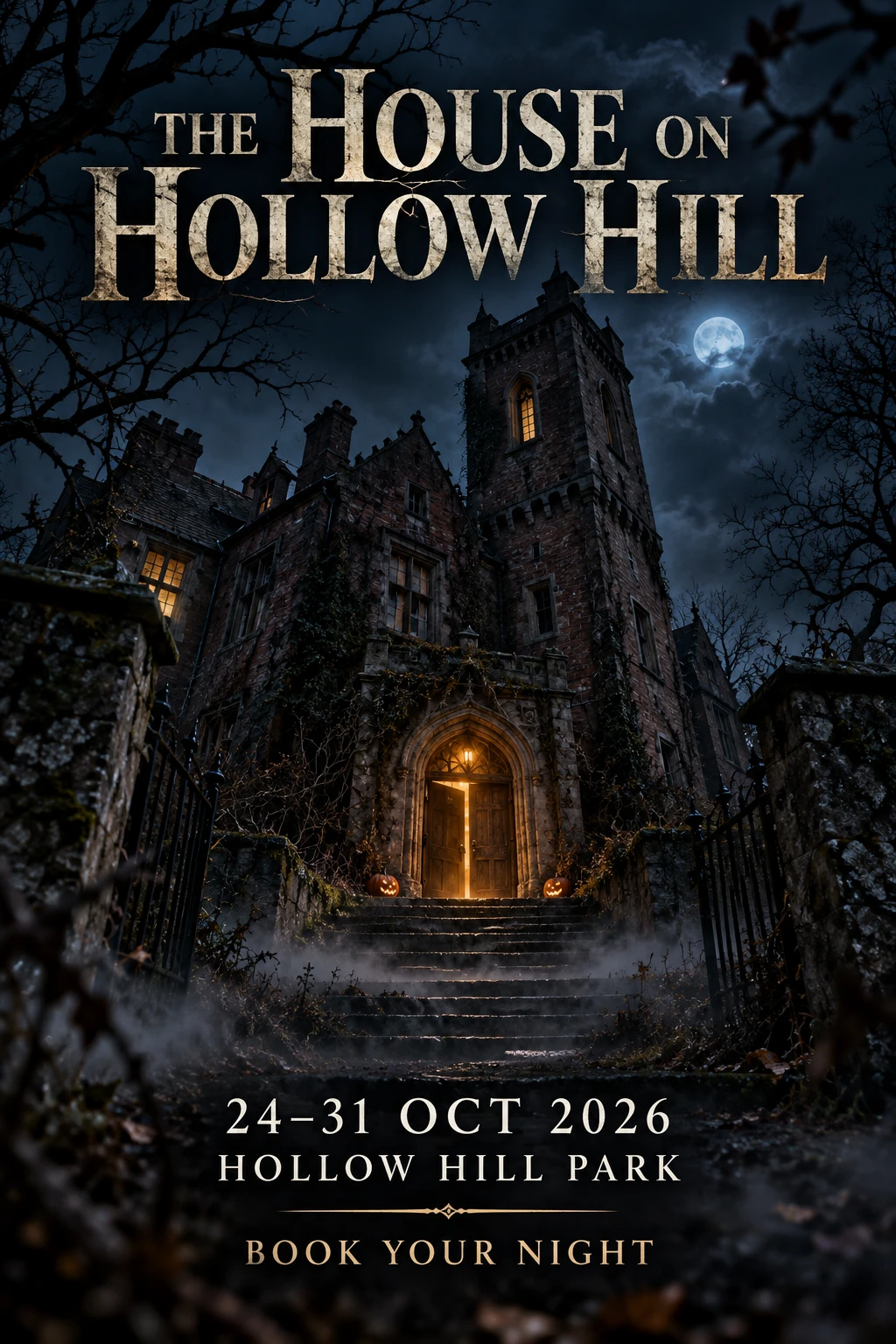
Fillable prompt
Create a Halloween attraction advertising poster in a strict 2:3 canvas, 1024 x 1536 pixels. Create an original attraction poster showing [BUILDING] at night, with a narrow [LIGHT COLOR] glow coming through the front door. Use a low viewpoint, crooked branches in the foreground and mist near the steps. Add small pumpkins beside the entrance, keeping the architecture believable. Use [PALETTE] and detailed photographic textures. Set the title "[ATTRACTION]" across the upper quarter in large weathered serif type. Place "[DATES]" and "[VENUE]" in two clear lines near the bottom, followed by "[CTA]". Keep the horror atmospheric, without gore, injuries or copied movie characters. Render only the quoted text, with clear spelling and generous margins. Keep lettering away from faces and product details. Add no extra slogans, signatures or watermark.
Filled example
Create a Halloween attraction advertising poster in a strict 2:3 canvas, 1024 x 1536 pixels. Create an original attraction poster showing an abandoned brick manor with one tall tower at night, with a narrow amber glow coming through the front door. Use a low viewpoint, crooked branches in the foreground and mist near the steps. Add small pumpkins beside the entrance, keeping the architecture believable. Use midnight blue, amber and charcoal and detailed photographic textures. Set the title "THE HOUSE ON HOLLOW HILL" across the upper quarter in large weathered serif type. Place "24-31 OCT 2026" and "HOLLOW HILL PARK" in two clear lines near the bottom, followed by "BOOK YOUR NIGHT". Keep the horror atmospheric, without gore, injuries or copied movie characters. Render only the quoted text, with clear spelling and generous margins. Keep lettering away from faces and product details. Add no extra slogans, signatures or watermark.
Customize it: Use your own attraction name. Keep important event text away from mist and branches.
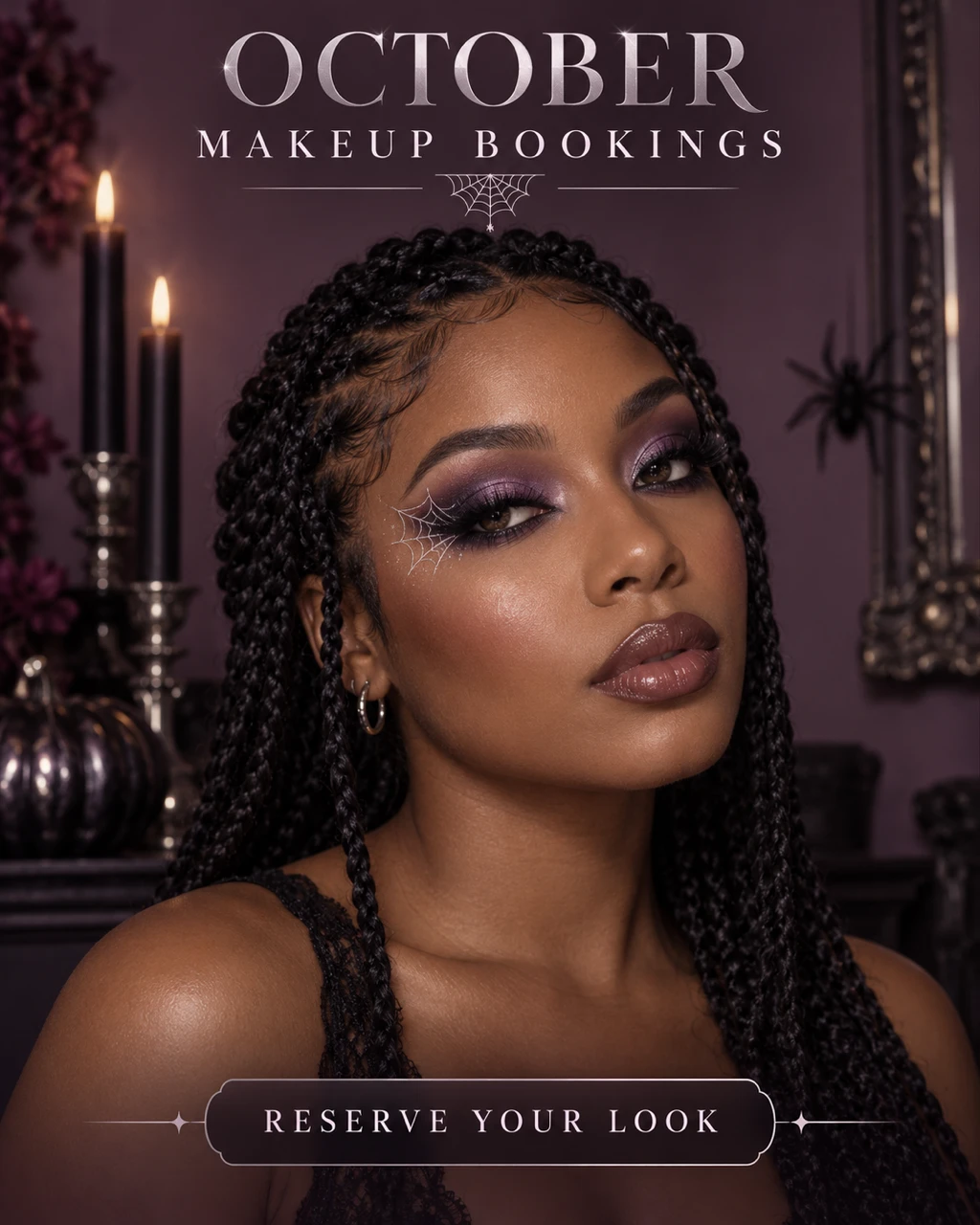
26. Halloween Makeup Service Promotion
A makeup service ad should show a style the customer can recognize and book. A close beauty portrait leaves enough room for a short booking message. Use a portfolio photo when you need the graphic to reflect your actual work.
Format: 4:5 · 1024 × 1280 pixels. Best for: a Halloween salon booking advertisement. Reference: Optional makeup portfolio photo.
Fillable prompt
Create a Halloween salon booking advertisement in a strict 4:5 canvas, 1024 x 1280 pixels. Create a beauty-service advertisement for the fictional studio "[STUDIO]". Show [ADULT MODEL] from shoulders up with [MAKEUP STYLE], realistic skin and a clear view of the eye detail. If a portfolio reference is supplied, preserve its makeup design rather than inventing a different treatment. Use [BACKGROUND], soft beauty light and [PALETTE]. Place "[HEADLINE]" above the portrait and "[BOOKING LINE]" below it in readable modern typography. Keep the face away from the frame edges and leave the lower margin open. The result should look like cosmetic artistry, with no wounds or exposed tissue. Render only the quoted text, with clear spelling and generous margins. Keep lettering away from faces and product details. Add no extra slogans, signatures or watermark.
Filled example
Create a Halloween salon booking advertisement in a strict 4:5 canvas, 1024 x 1280 pixels. Create a beauty-service advertisement for the fictional studio "VELVET ROOM". Show a fictional adult woman with warm brown skin and dark braided hair from shoulders up with purple smoky eyes and delicate silver spiderweb eyeliner, realistic skin and a clear view of the eye detail. If a portfolio reference is supplied, preserve its makeup design rather than inventing a different treatment. Use a muted plum studio wall, soft beauty light and plum, silver and charcoal. Place "OCTOBER MAKEUP BOOKINGS" above the portrait and "RESERVE YOUR LOOK" below it in readable modern typography. Keep the face away from the frame edges and leave the lower margin open. The result should look like cosmetic artistry, with no wounds or exposed tissue. Render only the quoted text, with clear spelling and generous margins. Keep lettering away from faces and product details. Add no extra slogans, signatures or watermark.
Customize it: Show one service clearly. Place prices and contact information in editable text after the image is ready.
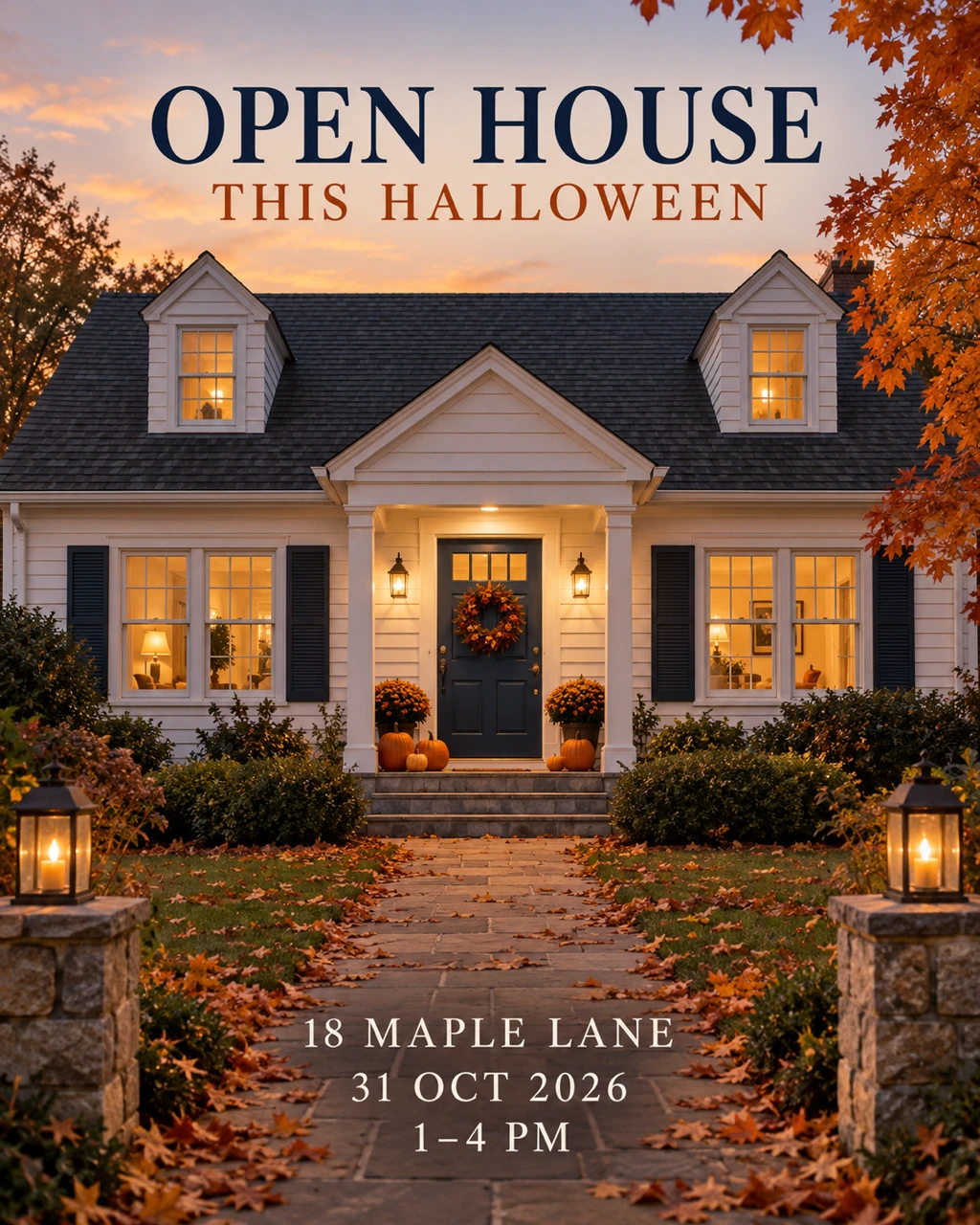
27. Halloween Real-Estate Open-House Flyer
Seasonal property marketing can feel welcoming with pumpkins and warm windows. Keep the building recognizable and let the event details stay separate. Use a real exterior photo if architectural accuracy matters.
Format: 4:5 · 1024 × 1280 pixels. Best for: a seasonal property open-house graphic. Reference: Optional property exterior photo.
Fillable prompt
Create a seasonal property open-house graphic in a strict 4:5 canvas, 1024 x 1280 pixels. Create a welcoming open-house flyer featuring [PROPERTY DESCRIPTION] at early evening. If an exterior reference is supplied, preserve its windows, doors, roofline and landscaping. Add a few tasteful pumpkins beside the entrance, warm interior lights and autumn leaves along the path. Use realistic real-estate photography with straight vertical lines, balanced exposure and [PALETTE]. Leave the upper fifth quiet for the headline "[HEADLINE]". Place "[ADDRESS]", "[DATE]" and "[TIME]" in three readable lines at the bottom. Keep the home inviting rather than abandoned, without ghosts, damage or distorted architecture. Render only the quoted text, with clear spelling and generous margins. Keep lettering away from faces and product details. Add no extra slogans, signatures or watermark.
Filled example
Create a seasonal property open-house graphic in a strict 4:5 canvas, 1024 x 1280 pixels. Create a welcoming open-house flyer featuring a fictional white clapboard cottage with a blue front door at early evening. If an exterior reference is supplied, preserve its windows, doors, roofline and landscaping. Add a few tasteful pumpkins beside the entrance, warm interior lights and autumn leaves along the path. Use realistic real-estate photography with straight vertical lines, balanced exposure and warm cream, autumn orange and navy. Leave the upper fifth quiet for the headline "OPEN HOUSE THIS HALLOWEEN". Place "18 MAPLE LANE", "31 OCT 2026" and "1-4 PM" in three readable lines at the bottom. Keep the home inviting rather than abandoned, without ghosts, damage or distorted architecture. Render only the quoted text, with clear spelling and generous margins. Keep lettering away from faces and product details. Add no extra slogans, signatures or watermark.
Customize it: Use the correct property photo and verified address. Seasonal decorations should not change the building itself.
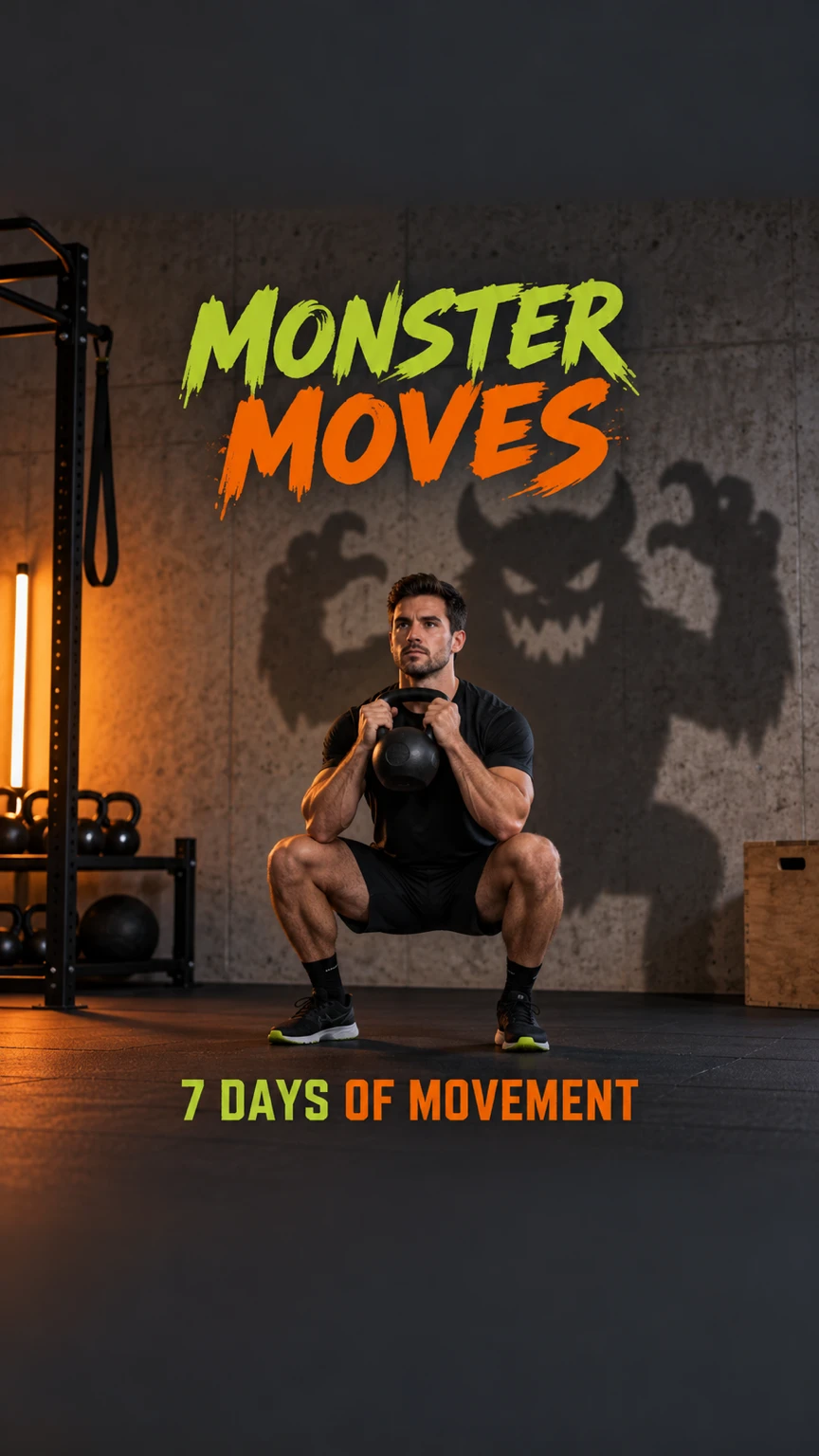
28. Monster Fitness Challenge Story
A fitness Story works best with a clear movement and a short challenge name. A playful monster shadow can supply the Halloween theme without hiding the trainer. Keep the most useful information away from the top and bottom interface areas.
Format: 9:16 · 864 × 1536 pixels. Best for: a vertical Halloween fitness campaign graphic. Reference: Optional trainer photo.
Fillable prompt
Create a vertical Halloween fitness campaign graphic in a strict 9:16 canvas, 864 x 1536 pixels. Show [ADULT TRAINER] performing one controlled [EXERCISE] in [GYM]. Use realistic athletic proportions, clear hand placement and believable equipment. Cast a playful oversized monster-shaped shadow on the wall behind the trainer, while the trainer remains fully human. Use [PALETTE], directional gym light and crisp fabric texture. Keep the face and main equipment in the central area. Set the exact headline "[CHALLENGE]" in the upper-middle area and "[DETAIL]" below the trainer. Leave broad clear bands at the top and bottom for interface overlays. No body-transformation claims, gore or extra weights. Render only the quoted text, with clear spelling and generous margins. Keep lettering away from faces and product details. Add no extra slogans, signatures or watermark.
Filled example
Create a vertical Halloween fitness campaign graphic in a strict 9:16 canvas, 864 x 1536 pixels. Show a fictional adult male trainer with short dark hair performing one controlled goblet squat holding one kettlebell in a tidy concrete-walled training studio. Use realistic athletic proportions, clear hand placement and believable equipment. Cast a playful oversized monster-shaped shadow on the wall behind the trainer, while the trainer remains fully human. Use charcoal, lime and warm orange, directional gym light and crisp fabric texture. Keep the face and main equipment in the central area. Set the exact headline "MONSTER MOVES" in the upper-middle area and "7 DAYS OF MOVEMENT" below the trainer. Leave broad clear bands at the top and bottom for interface overlays. No body-transformation claims, gore or extra weights. Render only the quoted text, with clear spelling and generous margins. Keep lettering away from faces and product details. Add no extra slogans, signatures or watermark.
Customize it: Use a movement your audience can identify at a glance. Keep the campaign copy separate from health claims.
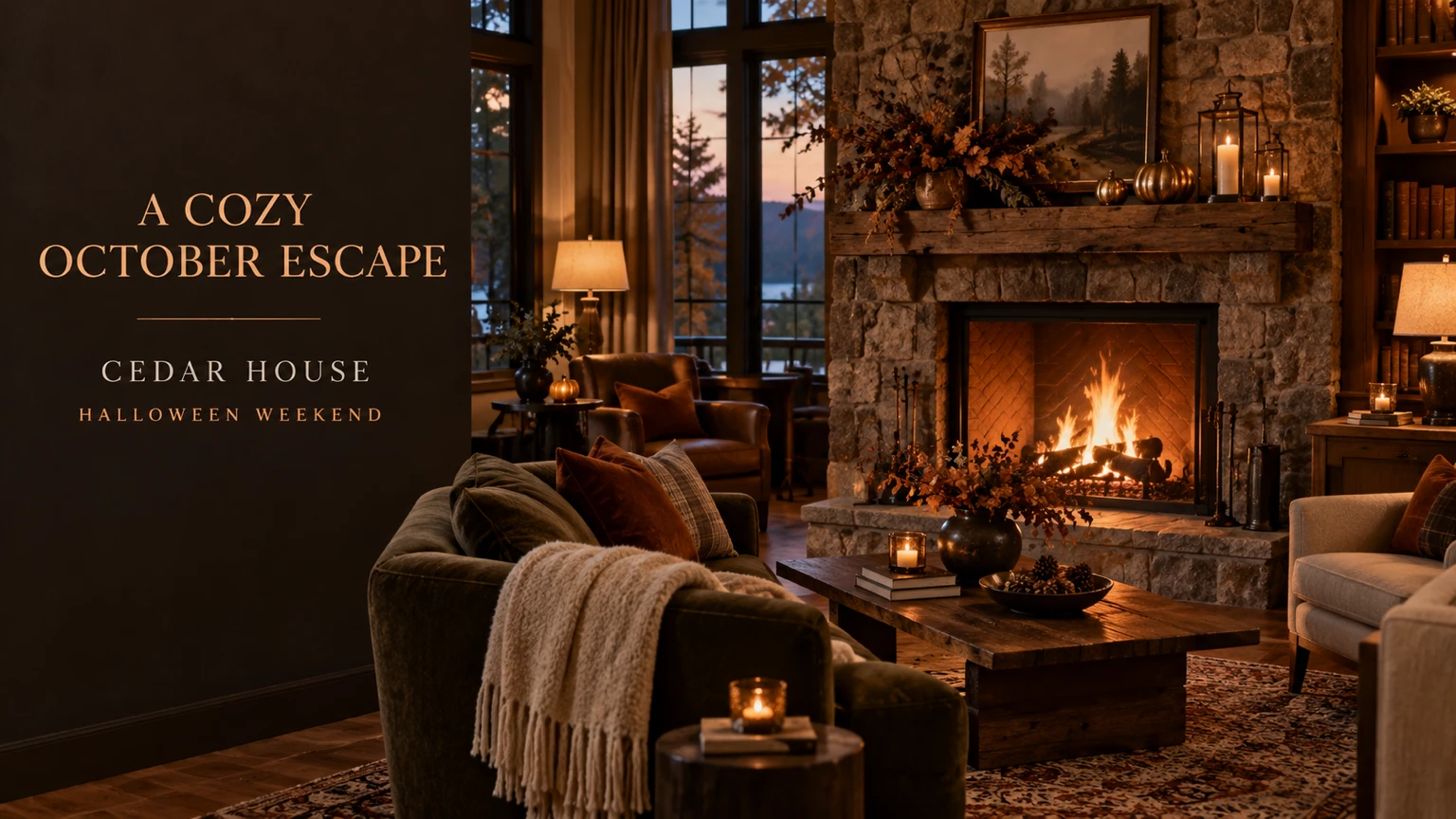
29. Halloween Hotel Weekend Banner
A hotel banner can promise a seasonal atmosphere through lighting, decor and space. Show the real property if the image will advertise a booking. A quiet copy area makes the promotion easier to read.
Format: 16:9 · 1536 × 864 pixels. Best for: a Halloween hospitality campaign banner. Reference: Optional hotel interior photo.
Fillable prompt
Create a Halloween hospitality campaign banner in a strict 16:9 canvas, 1536 x 864 pixels. Photograph [HOTEL SPACE] decorated for a tasteful Halloween weekend. If a property reference is supplied, preserve the room layout and furniture. Add [DECOR], warm lamps and a few deep-orange accents. Use [PALETTE], realistic interior photography and soft evening window light. Put the main furnished space in the right two-thirds and leave a calm dark wall in the left third. Set the exact headline "[HEADLINE]" and the fictional hotel name "[HOTEL]" in that copy area, with the short line "[DATES]" beneath. Keep the mood cozy and welcoming, without threatening figures or fake amenities. Render only the quoted text, with clear spelling and generous margins. Keep lettering away from faces and product details. Add no extra slogans, signatures or watermark.
Filled example
Create a Halloween hospitality campaign banner in a strict 16:9 canvas, 1536 x 864 pixels. Photograph a fictional boutique hotel lounge with a stone fireplace decorated for a tasteful Halloween weekend. If a property reference is supplied, preserve the room layout and furniture. Add small brass pumpkins and a restrained dried-leaf arrangement, warm lamps and a few deep-orange accents. Use walnut, amber and cream, realistic interior photography and soft evening window light. Put the main furnished space in the right two-thirds and leave a calm dark wall in the left third. Set the exact headline "A COZY OCTOBER ESCAPE" and the fictional hotel name "CEDAR HOUSE" in that copy area, with the short line "HALLOWEEN WEEKEND" beneath. Keep the mood cozy and welcoming, without threatening figures or fake amenities. Render only the quoted text, with clear spelling and generous margins. Keep lettering away from faces and product details. Add no extra slogans, signatures or watermark.
Customize it: Use your actual property and amenities. Keep the seasonal promise specific to what guests will find.
30. Community Costume Donation Drive
A donation-drive poster needs a clear item request and collection date. Friendly illustrated costumes help explain the purpose without relying on a long paragraph. Keep the design welcoming for families.
Format: 4:5 · 1024 × 1280 pixels. Best for: a Halloween community event poster. Reference: Optional organization logo.
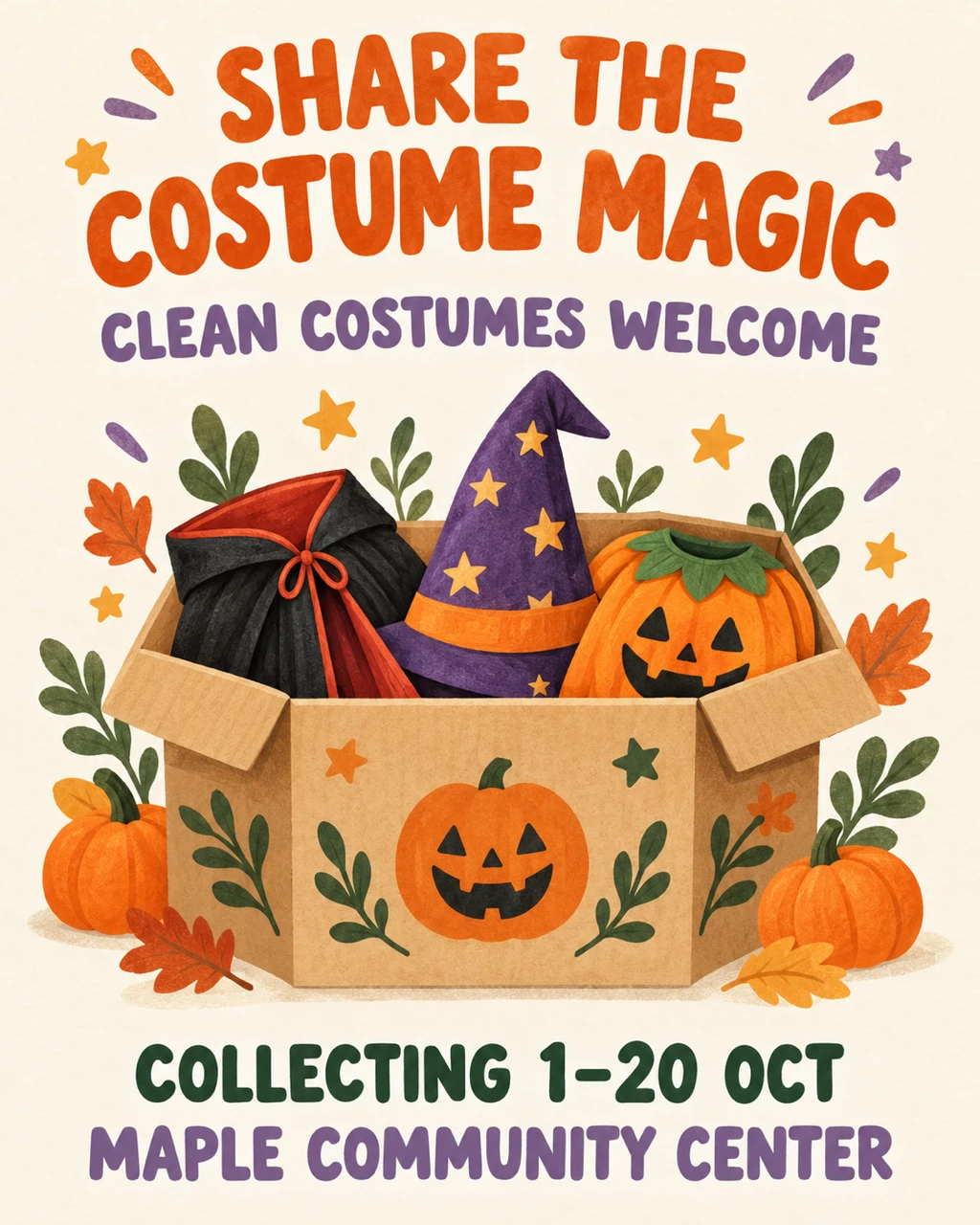
Fillable prompt
Create a Halloween community event poster in a strict 4:5 canvas, 1024 x 1280 pixels. Design a friendly illustrated community poster on [BACKGROUND]. Show a neat open collection box containing a folded cape, a starry hat and a small pumpkin costume, with warm hand-drawn shapes and no people. Use [PALETTE], soft paper texture and a clear central composition. Set the exact headline "[HEADLINE]" at the top, followed by "[REQUEST]". Place "[DATE]" and "[COLLECTION POINT]" on separate lines at the bottom. Use bold rounded lettering with high contrast. Keep the costume items recognizable and the poster uncluttered, with generous margins around every text line. Render only the quoted text, with clear spelling and generous margins. Keep lettering away from faces and product details. Add no extra slogans, signatures or watermark.
Filled example
Create a Halloween community event poster in a strict 4:5 canvas, 1024 x 1280 pixels. Design a friendly illustrated community poster on warm ivory. Show a neat open collection box containing a folded cape, a starry hat and a small pumpkin costume, with warm hand-drawn shapes and no people. Use orange, lavender and forest green, soft paper texture and a clear central composition. Set the exact headline "SHARE THE COSTUME MAGIC" at the top, followed by "CLEAN COSTUMES WELCOME". Place "COLLECTING 1-20 OCT" and "MAPLE COMMUNITY CENTER" on separate lines at the bottom. Use bold rounded lettering with high contrast. Keep the costume items recognizable and the poster uncluttered, with generous margins around every text line. Render only the quoted text, with clear spelling and generous margins. Keep lettering away from faces and product details. Add no extra slogans, signatures or watermark.
Customize it: Replace the collection details with confirmed information. A short list of accepted items can go in the post caption.
Halloween Social Media and Creator Graphics
Choose the placement first so the composition supports the crop. These prompts cover carousel openings, vertical covers, Pins, video thumbnails, livestream screens, podcasts, avatars and giveaways. Keep the main subject and headline clear at phone size.
31. Instagram Halloween Carousel Cover
A carousel cover should introduce one useful topic and make the next swipe feel worthwhile. Keep the headline short and use a simple scene that supports it. Repeat the same palette and type style on later slides.
Format: 4:5 · 1024 × 1280 pixels. Best for: a Halloween carousel opening slide. Reference: No upload required.

Fillable prompt
Create a Halloween carousel opening slide in a strict 4:5 canvas, 1024 x 1280 pixels. Create the first slide of a Halloween ideas carousel on [BACKGROUND]. Arrange [MOTIFS] around the edges with a clean paper-cut illustration style, leaving the middle open. Use [PALETTE] and subtle layered-paper shadows. Set the exact headline "[HEADLINE]" in large bold readable type in the center, with "[SUBLINE]" beneath it. Add a small right-pointing arrow near the lower-right corner, without extra words. Keep the headline within broad margins and avoid tiny decorative details. The design should feel useful and friendly, with no gore or crowded texture. Render only the quoted text, with clear spelling and generous margins. Keep lettering away from faces and product details. Add no extra slogans, signatures or watermark.
Filled example
Create a Halloween carousel opening slide in a strict 4:5 canvas, 1024 x 1280 pixels. Create the first slide of a Halloween ideas carousel on warm cream. Arrange a pumpkin, a smiling ghost and a crescent moon around the edges with a clean paper-cut illustration style, leaving the middle open. Use burnt orange, plum and cream and subtle layered-paper shadows. Set the exact headline "5 EASY HALLOWEEN IDEAS" in large bold readable type in the center, with "SAVE FOR OCTOBER" beneath it. Add a small right-pointing arrow near the lower-right corner, without extra words. Keep the headline within broad margins and avoid tiny decorative details. The design should feel useful and friendly, with no gore or crowded texture. Render only the quoted text, with clear spelling and generous margins. Keep lettering away from faces and product details. Add no extra slogans, signatures or watermark.
Customize it: Change the number to match your actual carousel. Keep later slides consistent with the cover.
32. Vertical Halloween Reel Cover
A Reel cover needs to read while the viewer scrolls. One visible face or object, a short hook and clear center placement usually work better than a detailed poster. Preview the cover in each platform crop before publishing.
Format: 9:16 · 864 × 1536 pixels. Best for: a vertical Halloween short-video cover. Reference: Optional creator portrait.
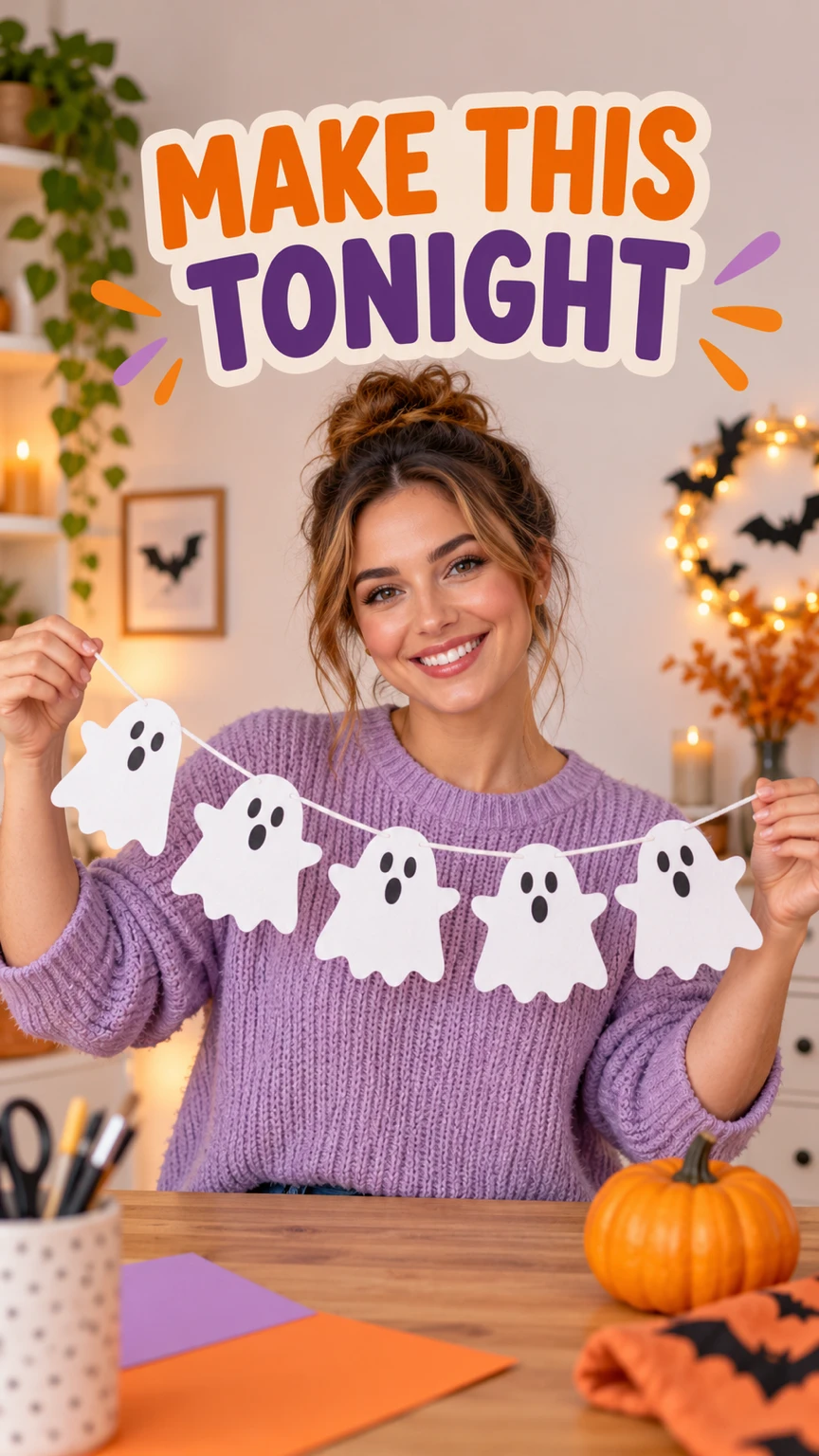
Fillable prompt
Create a vertical Halloween short-video cover in a strict 9:16 canvas, 864 x 1536 pixels. Create a vertical short-video cover showing [MAIN SUBJECT] in [SETTING]. Use [VISUAL STYLE], [PALETTE] and a strong light on the main subject. Place the focal point in the central half, with room above and below for interface controls. Put the exact hook "[HOOK]" in three or fewer bold lines through the upper-middle area, clear of the face. Add one small pumpkin accent near the lower-middle area. Keep the background simple enough for a phone screen, with no tiny captions, extra people or unreadable decorative text. Render only the quoted text, with clear spelling and generous margins. Keep lettering away from faces and product details. Add no extra slogans, signatures or watermark.
Filled example
Create a vertical Halloween short-video cover in a strict 9:16 canvas, 864 x 1536 pixels. Create a vertical short-video cover showing a fictional adult woman holding a finished paper ghost garland in a tidy craft room. Use bright realistic lifestyle photography, orange, lilac and warm cream and a strong light on the main subject. Place the focal point in the central half, with room above and below for interface controls. Put the exact hook "MAKE THIS TONIGHT" in three or fewer bold lines through the upper-middle area, clear of the face. Add one small pumpkin accent near the lower-middle area. Keep the background simple enough for a phone screen, with no tiny captions, extra people or unreadable decorative text. Render only the quoted text, with clear spelling and generous margins. Keep lettering away from faces and product details. Add no extra slogans, signatures or watermark.
Customize it: Place the hook near the center and preview any profile-grid crop separately.
33. Pinterest Pumpkin DIY Tutorial Pin
A tutorial Pin should show a finished result and a few clear stages. Keep each panel focused on one visible change. A short headline can tell the reader what they will make without filling the image with instructions.
Format: 2:3 · 1024 × 1536 pixels. Best for: a vertical Halloween craft tutorial pin. Reference: Optional craft reference photo.
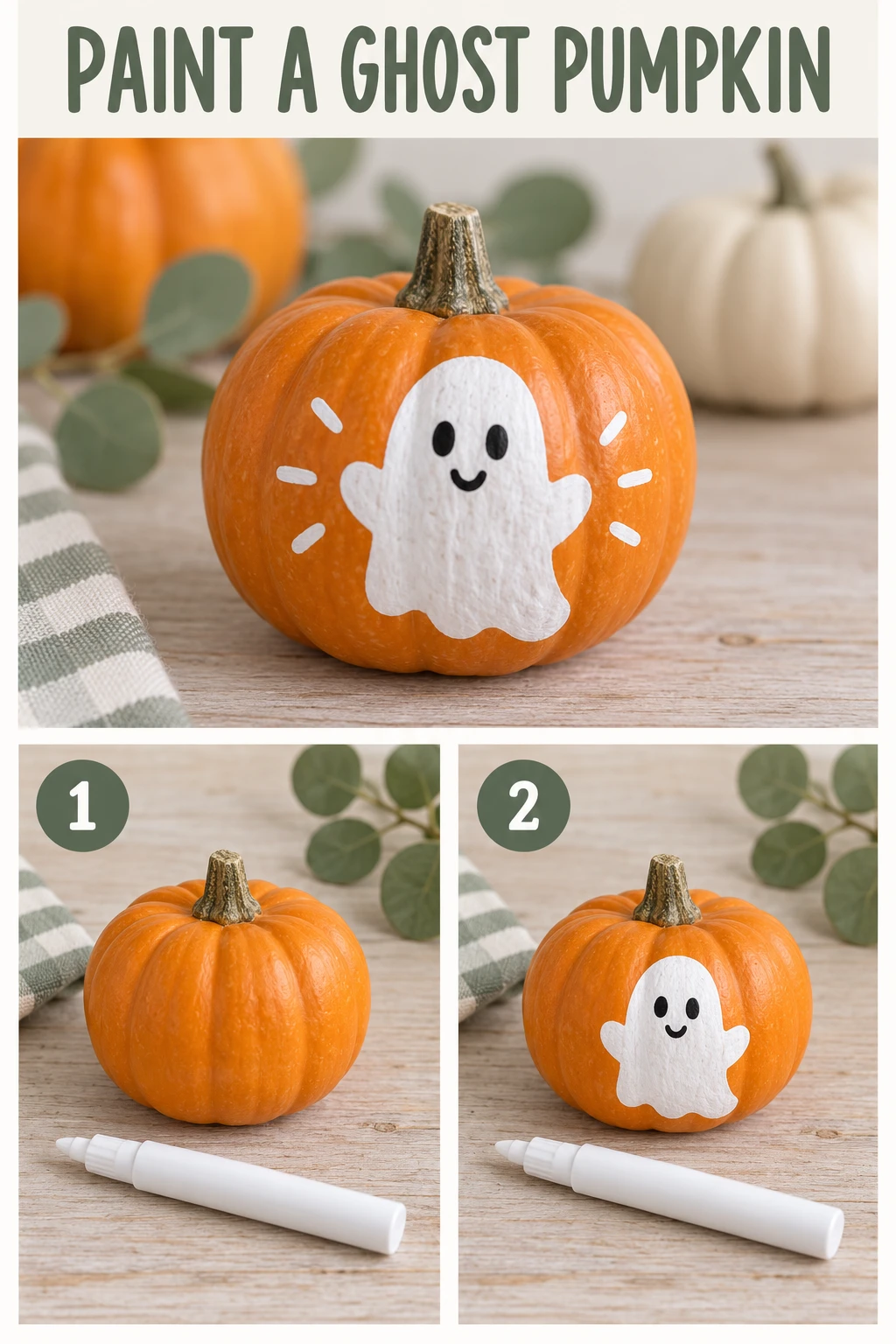
Fillable prompt
Create a vertical Halloween craft tutorial pin in a strict 2:3 canvas, 1024 x 1536 pixels. Design a three-panel vertical craft Pin showing [CRAFT]. Put the finished object in a large top panel, then show two smaller flat-lay panels below: [STEP ONE] and [STEP TWO]. Use [SURFACE], consistent soft daylight and [PALETTE]. Keep the same craft materials and object scale across the panels. Set the exact headline "[HEADLINE]" above the large panel and label the two lower panels only "1" and "2". Use clear readable typography, straight panel edges and broad margins. Show plausible materials, without extra tools, misleading stages or tiny paragraph text. Render only the quoted text, with clear spelling and generous margins. Keep lettering away from faces and product details. Add no extra slogans, signatures or watermark.
Filled example
Create a vertical Halloween craft tutorial pin in a strict 2:3 canvas, 1024 x 1536 pixels. Design a three-panel vertical craft Pin showing a painted mini pumpkin with a simple white ghost design. Put the finished object in a large top panel, then show two smaller flat-lay panels below: a plain orange mini pumpkin beside a white paint pen and the same pumpkin with the completed ghost outline. Use a pale wooden craft table, consistent soft daylight and orange, white and soft sage. Keep the same craft materials and object scale across the panels. Set the exact headline "PAINT A GHOST PUMPKIN" above the large panel and label the two lower panels only "1" and "2". Use clear readable typography, straight panel edges and broad margins. Show plausible materials, without extra tools, misleading stages or tiny paragraph text. Render only the quoted text, with clear spelling and generous margins. Keep lettering away from faces and product details. Add no extra slogans, signatures or watermark.
Customize it: Use the same pumpkin in every panel. Put the full instructions in the accompanying article or caption.
34. YouTube Halloween Challenge Thumbnail
A challenge thumbnail needs a clear reaction and one story cue. A face on one side and a surprising setting on the other can communicate the premise quickly. Keep the text short enough to read at a small size.
Format: 16:9 · 1536 × 864 pixels. Best for: a Halloween long-form video thumbnail. Reference: Upload your portrait.
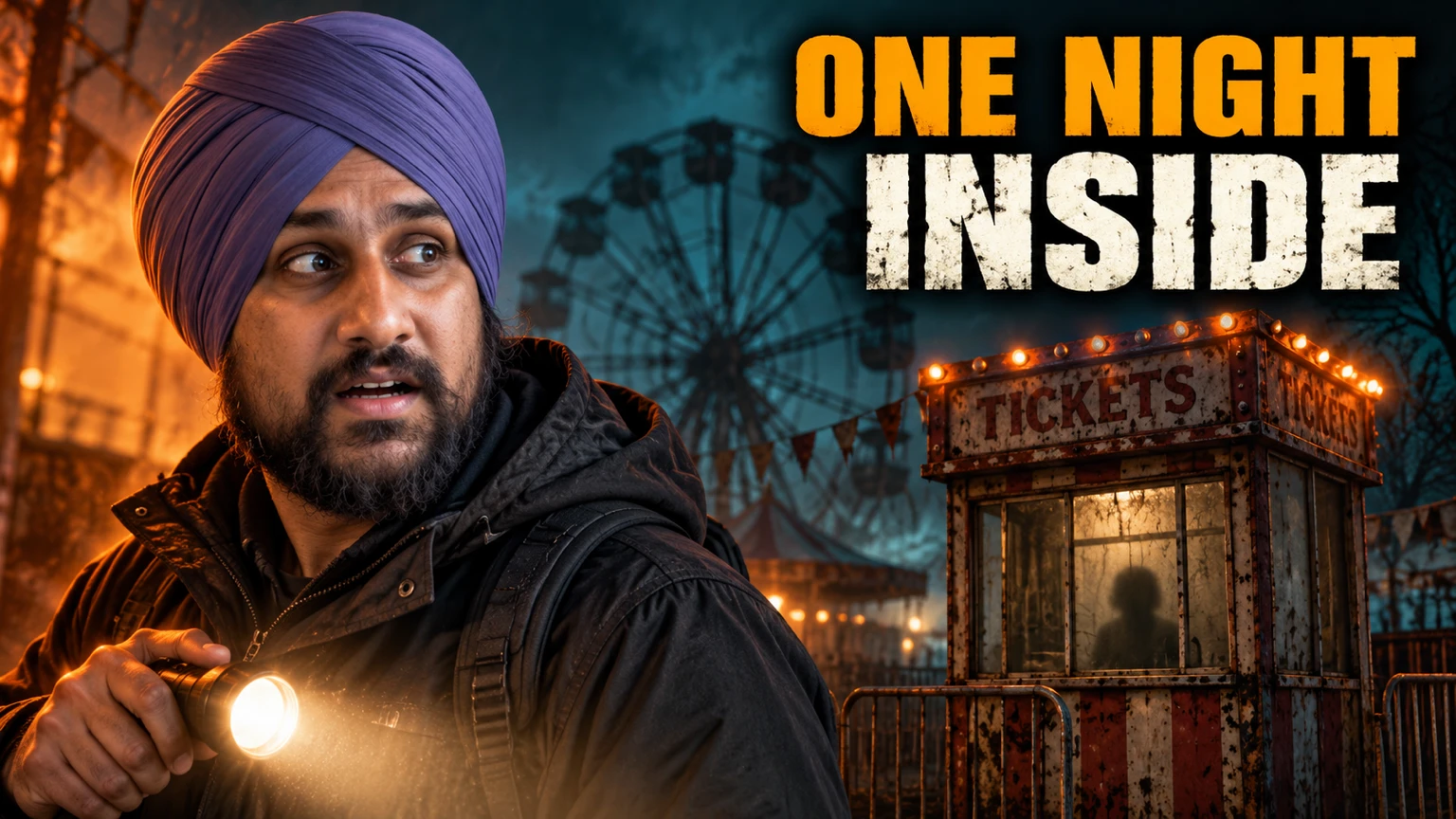
Fillable prompt
Create a Halloween long-form video thumbnail in a strict 16:9 canvas, 1536 x 864 pixels. Place the adult from [PORTRAIT] in the left half with a surprised but natural expression, wearing [OUTFIT] and holding one flashlight below shoulder level. Show [LOCATION] in the right half, with one small mysterious silhouette far behind a window. Use [PALETTE], strong face lighting and clear separation between subject and background. Keep the threat implied and non-graphic. Put the exact words "[HOOK]" in large bold high-contrast type across the upper-right area. Keep the face, flashlight and headline fully visible, with no extra text, fake UI elements or copied film characters. Use [PORTRAIT] as the sole identity reference. Preserve the person’s recognizable face, apparent adult age, skin tone, [FEATURES TO KEEP]. Change the costume, setting and lighting while keeping those features recognizable. Render only the quoted text, with clear spelling and generous margins. Keep lettering away from faces and product details. Add no extra slogans, signatures or watermark.
Filled example
Create a Halloween long-form video thumbnail in a strict 16:9 canvas, 1536 x 864 pixels. Place the adult from the uploaded adult portrait in the left half with a surprised but natural expression, wearing a dark outdoor jacket and holding one flashlight below shoulder level. Show an abandoned fairground ticket booth in the right half, with one small mysterious silhouette far behind a window. Use orange, deep teal and charcoal, strong face lighting and clear separation between subject and background. Keep the threat implied and non-graphic. Put the exact words "ONE NIGHT INSIDE" in large bold high-contrast type across the upper-right area. Keep the face, flashlight and headline fully visible, with no extra text, fake UI elements or copied film characters. Use the uploaded adult portrait as the sole identity reference. Preserve the person’s recognizable face, apparent adult age, skin tone, beard and turban. Change the costume, setting and lighting while keeping those features recognizable. Render only the quoted text, with clear spelling and generous margins. Keep lettering away from faces and product details. Add no extra slogans, signatures or watermark.
Customize it: Match the hook to the actual video. A single background clue is easier to read than several monsters.
35. Haunted Livestream Starting-Soon Screen
A starting-soon screen needs calm space for stream information and a scene that can sit behind it. Keep the center simple and use the edges for seasonal detail. This image can also become a still background for a later animation.
Format: 16:9 · 1536 × 864 pixels. Best for: a Halloween livestream waiting-screen background. Reference: Optional creator logo.
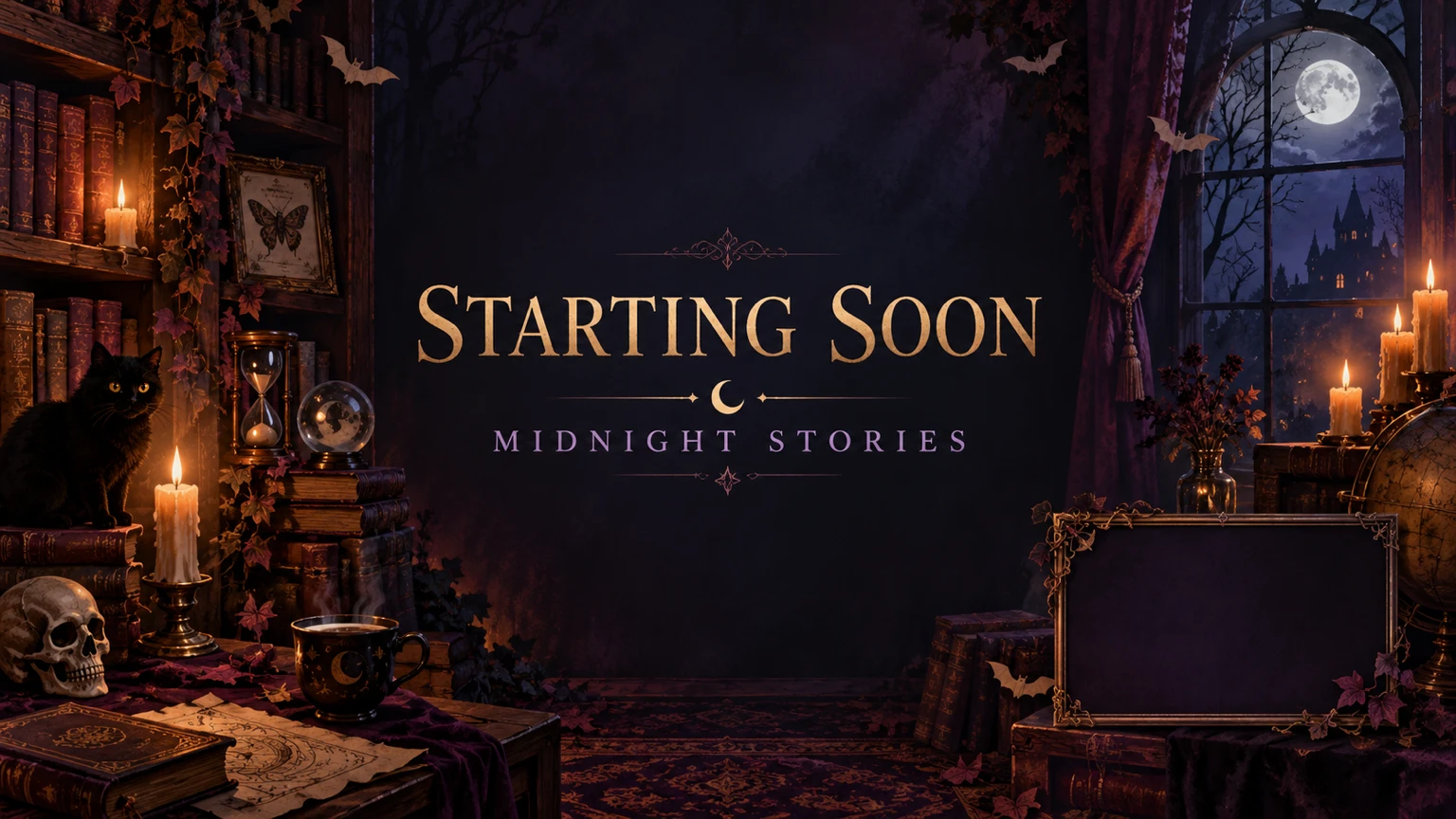
Fillable prompt
Create a Halloween livestream waiting-screen background in a strict 16:9 canvas, 1536 x 864 pixels. Create a wide illustrated [STREAM SETTING] with [DECOR] framing the edges. Use [PALETTE], soft atmospheric light and subtle texture. Keep the central half uncluttered and slightly darker than the edge decorations. Set the exact words "[TITLE]" in large clean readable type at the center, with "[SUBLINE]" beneath. Include one small empty rectangular frame in the lower-right area for a future webcam overlay, with no person inside it. Keep all decorative objects away from the main text, and add no countdown numbers, fake chat messages or interface logos. Render only the quoted text, with clear spelling and generous margins. Keep lettering away from faces and product details. Add no extra slogans, signatures or watermark.
Filled example
Create a Halloween livestream waiting-screen background in a strict 16:9 canvas, 1536 x 864 pixels. Create a wide illustrated a cozy haunted study with candles, dusty books and tiny paper bats framing the edges. Use plum, amber and midnight blue, soft atmospheric light and subtle texture. Keep the central half uncluttered and slightly darker than the edge decorations. Set the exact words "STARTING SOON" in large clean readable type at the center, with "MIDNIGHT STORIES" beneath. Include one small empty rectangular frame in the lower-right area for a future webcam overlay, with no person inside it. Keep all decorative objects away from the main text, and add no countdown numbers, fake chat messages or interface logos. Render only the quoted text, with clear spelling and generous margins. Keep lettering away from faces and product details. Add no extra slogans, signatures or watermark.
Customize it: Leave the countdown and live chat to your streaming software so they remain editable.
36. Horror Podcast Cover Art
A podcast cover needs a readable title and one strong symbol. The square crop gives a doorway, microphone or moon a clear central position. Keep the artwork simple enough to recognize in a small listening app tile.
Format: 1:1 · 1024 × 1024 pixels. Best for: a square Halloween podcast cover. Reference: No upload required.
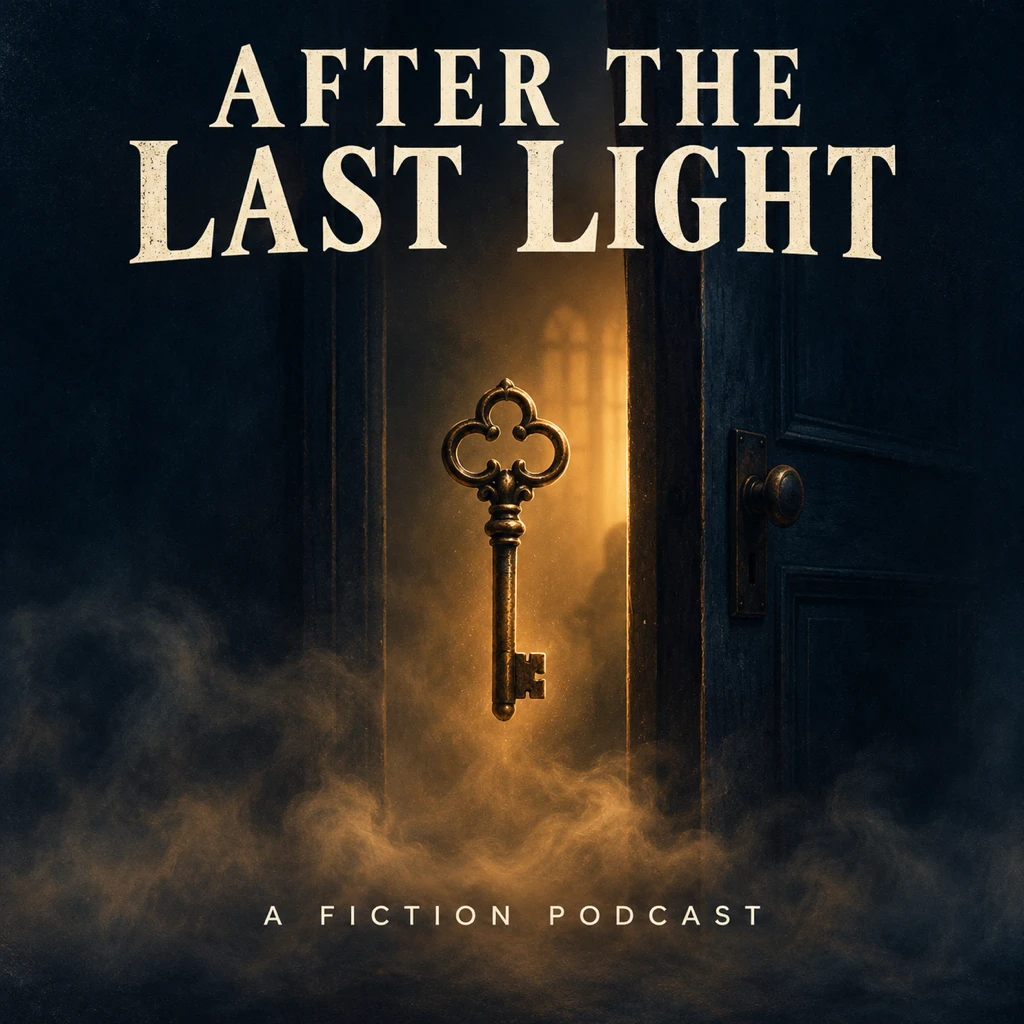
Fillable prompt
Create a square Halloween podcast cover in a strict 1:1 canvas, 1024 x 1024 pixels. Design original horror podcast cover art centered on [SYMBOL]. Place it against [BACKGROUND], with [ATMOSPHERE] around the lower half. Use [PALETTE], subtle printed-paper grain and a clear silhouette. Set the exact title "[TITLE]" in large bold serif lettering in the upper third. Put the small line "[SUBLINE]" below the symbol in a clean sans serif. Keep the title readable at small size and avoid busy borders, tiny credits or existing show imagery. The scene should feel eerie and intriguing, without gore or explicit violence. Render only the quoted text, with clear spelling and generous margins. Keep lettering away from faces and product details. Add no extra slogans, signatures or watermark.
Filled example
Create a square Halloween podcast cover in a strict 1:1 canvas, 1024 x 1024 pixels. Design original horror podcast cover art centered on an old brass key floating in front of a slightly open door. Place it against deep midnight blue, with a thin layer of amber-lit mist around the lower half. Use midnight blue, ivory and amber, subtle printed-paper grain and a clear silhouette. Set the exact title "AFTER THE LAST LIGHT" in large bold serif lettering in the upper third. Put the small line "A FICTION PODCAST" below the symbol in a clean sans serif. Keep the title readable at small size and avoid busy borders, tiny credits or existing show imagery. The scene should feel eerie and intriguing, without gore or explicit violence. Render only the quoted text, with clear spelling and generous margins. Keep lettering away from faces and product details. Add no extra slogans, signatures or watermark.
Customize it: Use a short title and test the cover as a small square before adding more detail.
37. Halloween Profile Avatar
An avatar needs a clear face and a background that survives a circular crop. Use one costume detail rather than a full scene. This prompt keeps the seasonal effect around the person instead of across the eyes.
Format: 1:1 · 1024 × 1024 pixels. Best for: a Halloween social profile portrait. Reference: Upload your portrait.

Fillable prompt
Create a Halloween social profile portrait in a strict 1:1 canvas, 1024 x 1024 pixels. Create a centered head-and-shoulders portrait of the adult from [PORTRAIT] against [BACKGROUND]. Dress the subject in [COSTUME DETAIL] and add [SEASONAL ACCENT] near the shoulders, away from the face. Use [LIGHTING], realistic skin and a restrained [PALETTE] palette. Keep both eyes sharp, the expression friendly and the entire head inside a central circular safe area with generous space around it. The result should work when displayed as a small profile picture. Do not add lettering, frames that cover the head, extra faces or heavy facial reshaping. Use [PORTRAIT] as the sole identity reference. Preserve the person’s recognizable face, apparent adult age, skin tone, [FEATURES TO KEEP]. Change the costume, setting and lighting while keeping those features recognizable. Add no text, logo or watermark. Keep important elements inside the frame.
Filled example
Create a Halloween social profile portrait in a strict 1:1 canvas, 1024 x 1024 pixels. Create a centered head-and-shoulders portrait of the adult from the uploaded adult portrait against a plain smoky plum gradient. Dress the subject in a black velvet collar with a copper clasp and add two small floating paper bats near the shoulders, away from the face. Use soft frontal light with an amber rim, realistic skin and a restrained plum, amber and charcoal palette. Keep both eyes sharp, the expression friendly and the entire head inside a central circular safe area with generous space around it. The result should work when displayed as a small profile picture. Do not add lettering, frames that cover the head, extra faces or heavy facial reshaping. Use the uploaded adult portrait as the sole identity reference. Preserve the person’s recognizable face, apparent adult age, skin tone, beard and turban. Change the costume, setting and lighting while keeping those features recognizable. Add no text, logo or watermark. Keep important elements inside the frame.
Customize it: Preview a circular crop. Keep decorative bats outside your face and headwear.
38. Halloween Giveaway Announcement
A giveaway image should show the prize and state the main message. Keep the detailed entry rules in editable copy or the caption. That leaves the artwork readable and avoids tiny instructions.
Format: 4:5 · 1024 × 1280 pixels. Best for: a Halloween social giveaway announcement. Reference: Optional prize product photos.
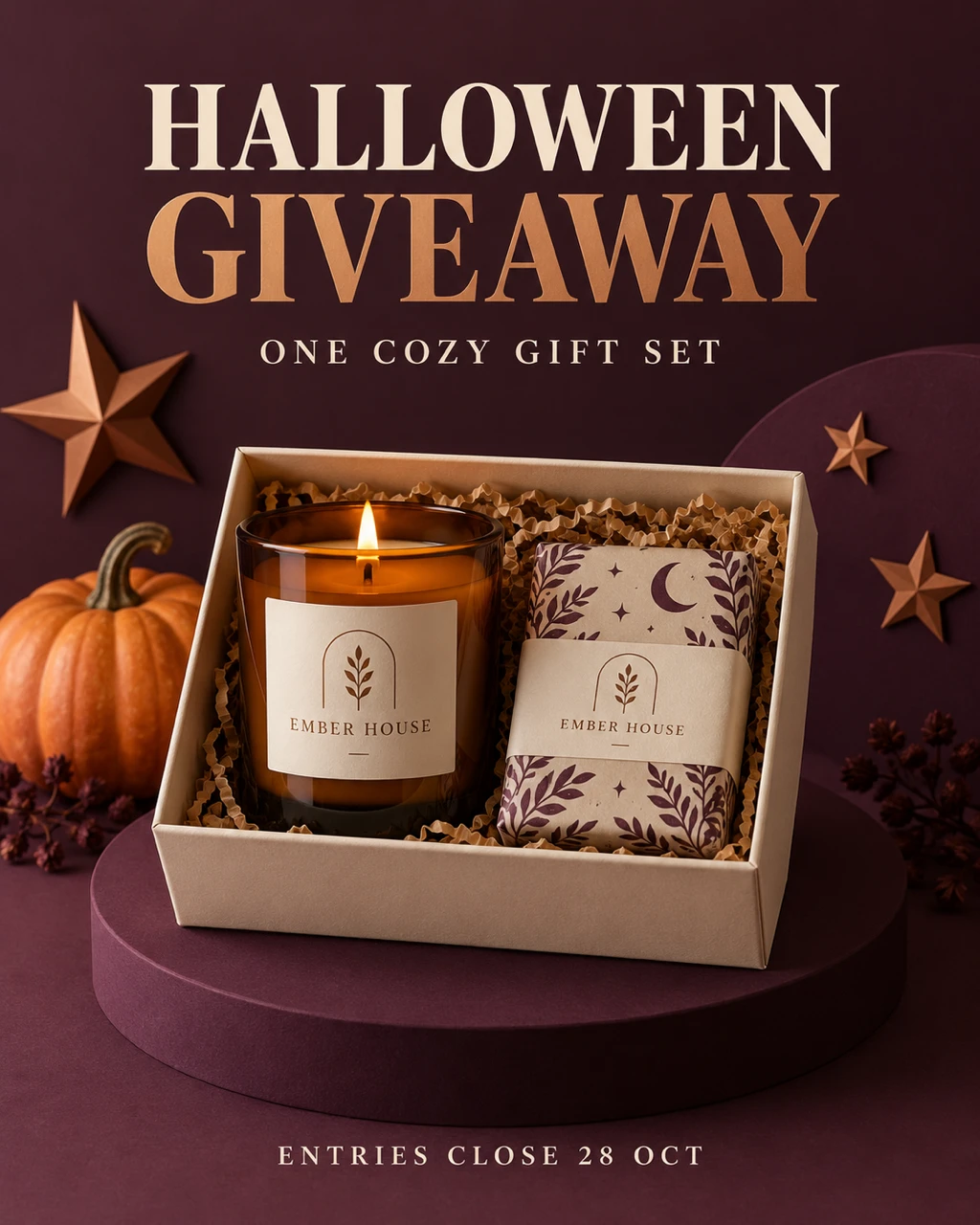
Fillable prompt
Create a Halloween social giveaway announcement in a strict 4:5 canvas, 1024 x 1280 pixels. Create a clean giveaway graphic for the fictional brand "[BRAND]". Arrange [PRIZE] in the lower two-thirds on [SURFACE], with one small pumpkin and a few paper stars behind the products. Use [PALETTE], soft studio light and realistic packaging shadows. Put the exact headline "[HEADLINE]" in large bold type in the upper third and the short line "[SUBLINE]" below it. Add "[DATE LINE]" near the bottom with broad margins. Keep the prize items distinct and fully visible. Do not invent entry conditions, extra prizes, sponsor logos or promotional claims. Render only the quoted text, with clear spelling and generous margins. Keep lettering away from faces and product details. Add no extra slogans, signatures or watermark.
Filled example
Create a Halloween social giveaway announcement in a strict 4:5 canvas, 1024 x 1280 pixels. Create a clean giveaway graphic for the fictional brand "EMBER HOUSE". Arrange one amber candle and one wrapped soap in a cream gift box in the lower two-thirds on a plum studio pedestal, with one small pumpkin and a few paper stars behind the products. Use plum, cream and copper, soft studio light and realistic packaging shadows. Put the exact headline "HALLOWEEN GIVEAWAY" in large bold type in the upper third and the short line "ONE COZY GIFT SET" below it. Add "ENTRIES CLOSE 28 OCT" near the bottom with broad margins. Keep the prize items distinct and fully visible. Do not invent entry conditions, extra prizes, sponsor logos or promotional claims. Render only the quoted text, with clear spelling and generous margins. Keep lettering away from faces and product details. Add no extra slogans, signatures or watermark.
Customize it: Replace every prize and date field. Add the actual rules and terms outside the generated artwork.
Horror, Film, Books and Games
Build tension with light, space and one unusual detail. These prompts create original horror scenes and cover concepts without relying on familiar film characters. Choose a wide frame for environments and a tall frame for poster or book artwork.
39. Haunted Mansion Establishing Scene
A haunted mansion scene works as a story background, video title card or desktop image. A clear path and a small light source can make the viewer imagine what lies inside. Leave the building silhouette easy to read against the sky.
Format: 16:9 · 1536 × 864 pixels. Best for: an original Halloween horror establishing shot. Reference: No upload required.
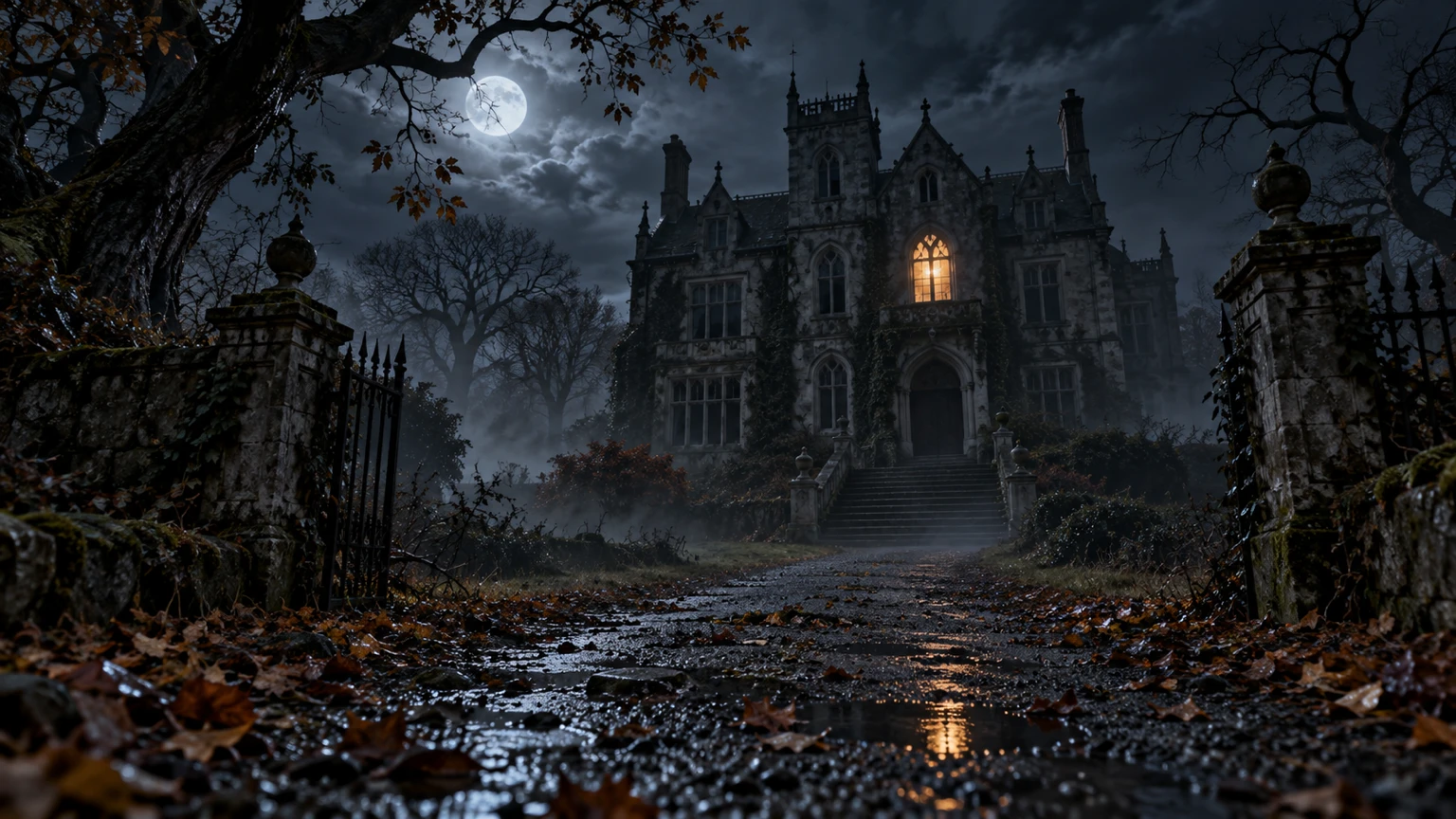
Fillable prompt
Create an original Halloween horror establishing shot in a strict 16:9 canvas, 1536 x 864 pixels. Show [MANSION] at the end of [APPROACH] on a [WEATHER] night. Use a low wide camera view, with the path leading the eye from the foreground to a single lit window. Include crooked trees, worn stone steps and a few fallen leaves, keeping the building’s structure believable. Use [PALETTE], soft moonlight, realistic wet surfaces and layers of thin mist. Let the scene feel abandoned and tense without showing people, weapons, injuries or gore. Keep the horizon level, the main house fully inside the frame and the sky open above the roof. Add no text, logo or watermark. Keep important elements inside the frame.
Filled example
Create an original Halloween horror establishing shot in a strict 16:9 canvas, 1536 x 864 pixels. Show an original three-story Gothic manor at the end of a narrow gravel path on a cloudy autumn night. Use a low wide camera view, with the path leading the eye from the foreground to a single lit window. Include crooked trees, worn stone steps and a few fallen leaves, keeping the building’s structure believable. Use blue-black, muted silver and a small amber accent, soft moonlight, realistic wet surfaces and layers of thin mist. Let the scene feel abandoned and tense without showing people, weapons, injuries or gore. Keep the horizon level, the main house fully inside the frame and the sky open above the roof. Add no text, logo or watermark. Keep important elements inside the frame.
Customize it: Name the one light source that matters. It can suggest a story without adding a visible monster.
40. Found-Footage Corridor Frame
Found-footage imagery uses imperfect camera texture and a believable setting. Keep the unusual detail small enough to reward a second look. A single corridor and one shadow usually create more tension than a room full of effects.
Format: 16:9 · 1536 × 864 pixels. Best for: a fictional found-footage horror still. Reference: No upload required.
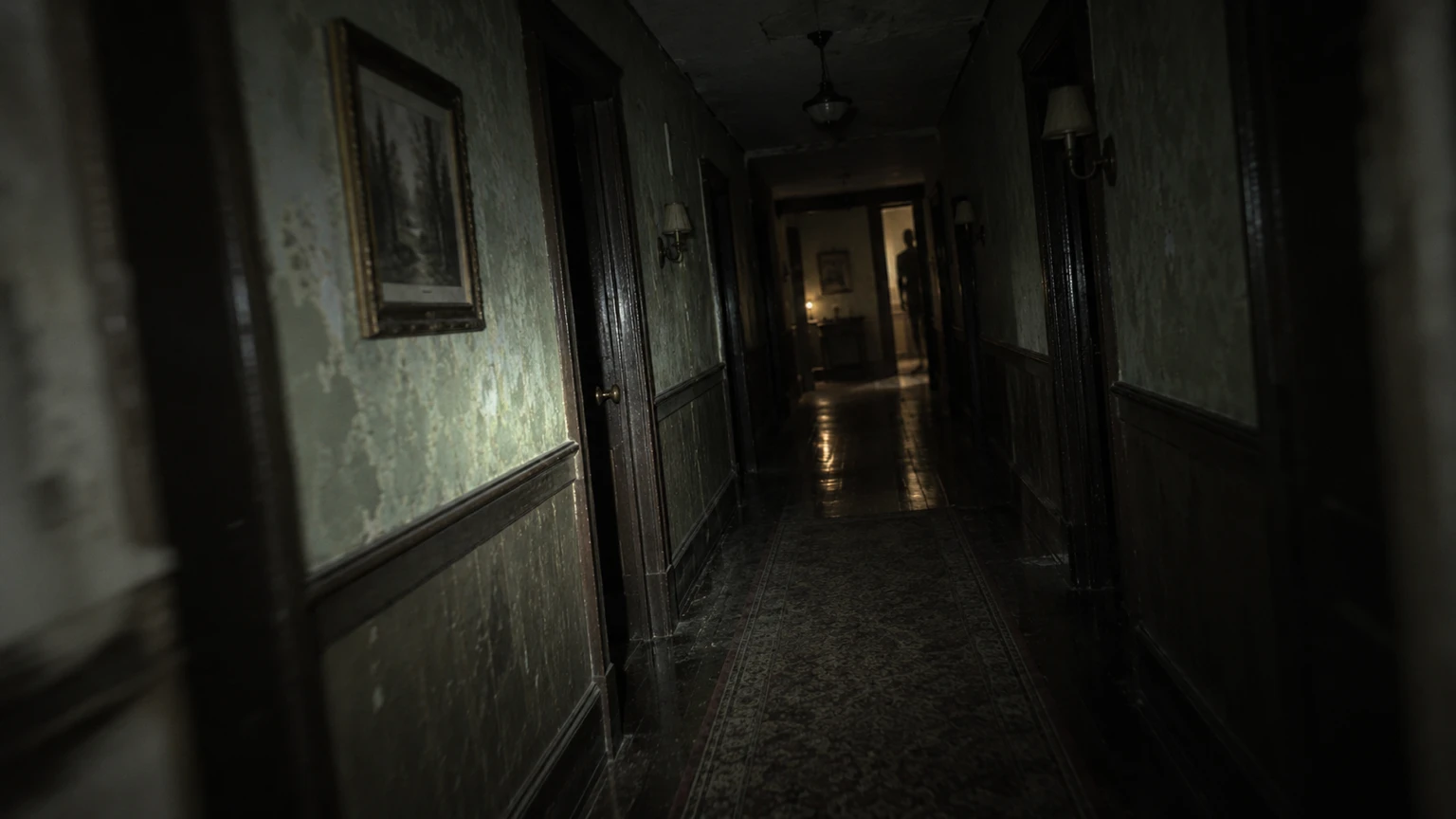
Fillable prompt
Create a fictional found-footage horror still in a strict 16:9 canvas, 1536 x 864 pixels. Create a fictional handheld-camera frame looking down [CORRIDOR] at night. Use a slightly tilted eye-level camera, realistic low-light grain and a narrow flashlight beam from behind the camera. Put [UNUSUAL DETAIL] at the far end, partly hidden by the doorway. Keep the nearby walls, floor and ceiling physically consistent, with worn paint and a faint reflection on the floor. Use [PALETTE] and restrained motion blur only near the outer frame. Do not add recording icons, time stamps, readable signs, explicit violence or gore. The image should feel like a staged horror-film still. Add no text, logo or watermark. Keep important elements inside the frame.
Filled example
Create a fictional found-footage horror still in a strict 16:9 canvas, 1536 x 864 pixels. Create a fictional handheld-camera frame looking down an empty old hotel hallway at night. Use a slightly tilted eye-level camera, realistic low-light grain and a narrow flashlight beam from behind the camera. Put a tall human-shaped shadow that does not touch the floor at the far end, partly hidden by the doorway. Keep the nearby walls, floor and ceiling physically consistent, with worn paint and a faint reflection on the floor. Use desaturated green, charcoal and pale amber and restrained motion blur only near the outer frame. Do not add recording icons, time stamps, readable signs, explicit violence or gore. The image should feel like a staged horror-film still. Add no text, logo or watermark. Keep important elements inside the frame.
Customize it: Ask for staged horror imagery and one unexplained detail. Keep fake camera UI out unless you need it.
41. Slasher-Shadow Film Poster
A horror poster can suggest danger through a shadow and an empty setting. A simple shape, limited palette and large title give it a clear identity. Use an original figure and title rather than a familiar film costume.
Format: 2:3 · 1024 × 1536 pixels. Best for: an original non-graphic slasher-film poster. Reference: No upload required.
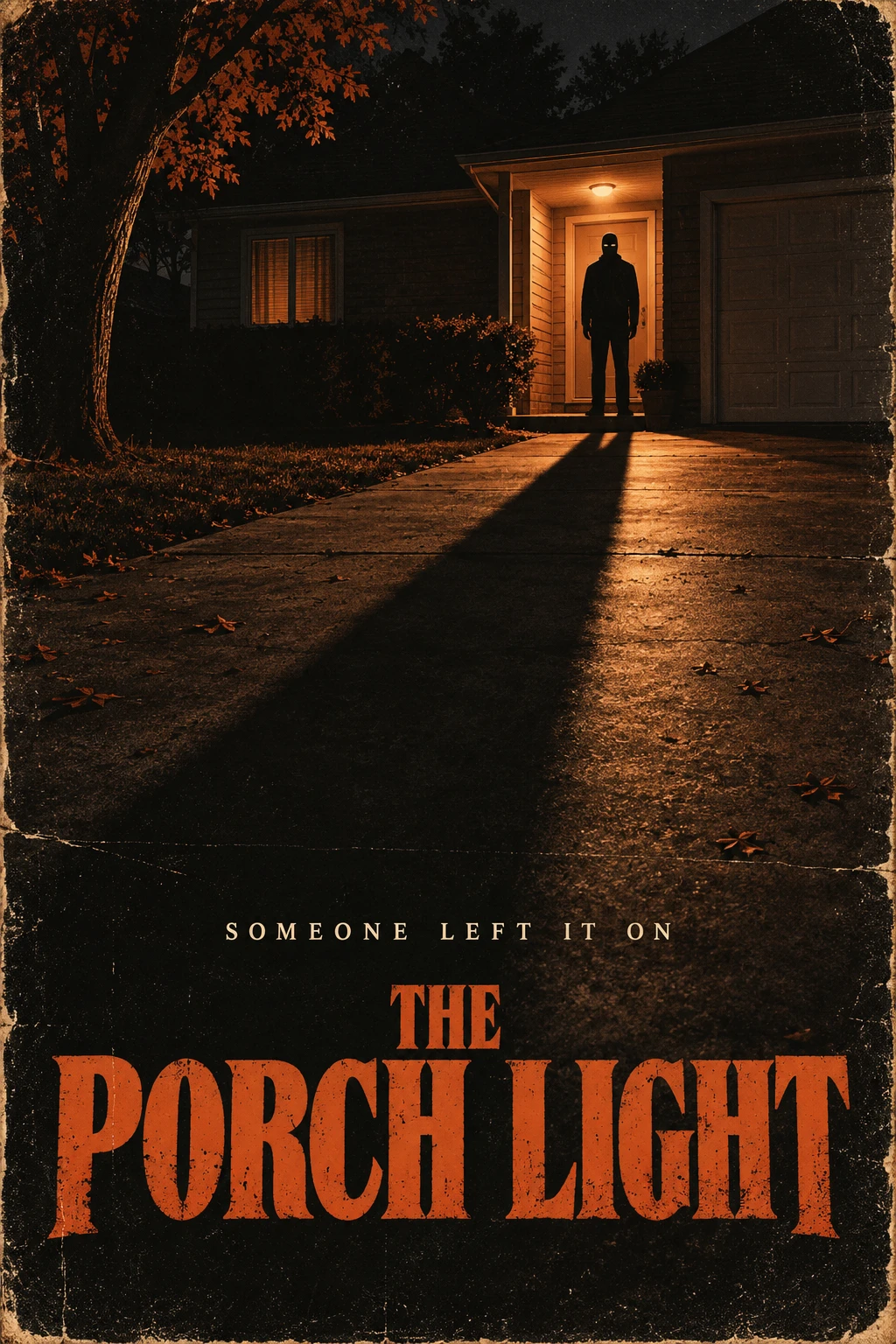
Fillable prompt
Create an original non-graphic slasher-film poster in a strict 2:3 canvas, 1024 x 1536 pixels. Design an original horror poster showing [LOCATION] with one long shadow cast across the foreground. The shadow belongs to a distant adult figure wearing an original plain [MASK DESCRIPTION], visible only as a small silhouette near the doorway. No weapon or violent action is shown. Use [PALETTE], strong negative space and worn printed-paper texture. Set the exact title "[TITLE]" in large bold type near the bottom and the tagline "[TAGLINE]" above it. Keep the silhouette separate from the title and avoid existing franchise characters, actor likenesses, gore or billing-block text. Render only the quoted text, with clear spelling and generous margins. Keep lettering away from faces and product details. Add no extra slogans, signatures or watermark.
Filled example
Create an original non-graphic slasher-film poster in a strict 2:3 canvas, 1024 x 1536 pixels. Design an original horror poster showing a deserted suburban driveway under a porch lamp with one long shadow cast across the foreground. The shadow belongs to a distant adult figure wearing an original plain smooth dark mask with two narrow eye openings, visible only as a small silhouette near the doorway. No weapon or violent action is shown. Use burnt orange, charcoal and faded cream, strong negative space and worn printed-paper texture. Set the exact title "THE PORCH LIGHT" in large bold type near the bottom and the tagline "SOMEONE LEFT IT ON" above it. Keep the silhouette separate from the title and avoid existing franchise characters, actor likenesses, gore or billing-block text. Render only the quoted text, with clear spelling and generous margins. Keep lettering away from faces and product details. Add no extra slogans, signatures or watermark.
Customize it: Use a silhouette and an original mask design. The poster does not need visible violence to feel tense.
42. Cursed Antique Portrait
An antique portrait suits a horror story, a gallery-wall prop or a personal Halloween image. A small supernatural change can be more effective than a dramatic transformation. Preserve the person’s features and let the frame and paint texture carry the age.
Format: 2:3 · 1024 × 1536 pixels. Best for: a fictional haunted portrait painting. Reference: Upload your portrait.
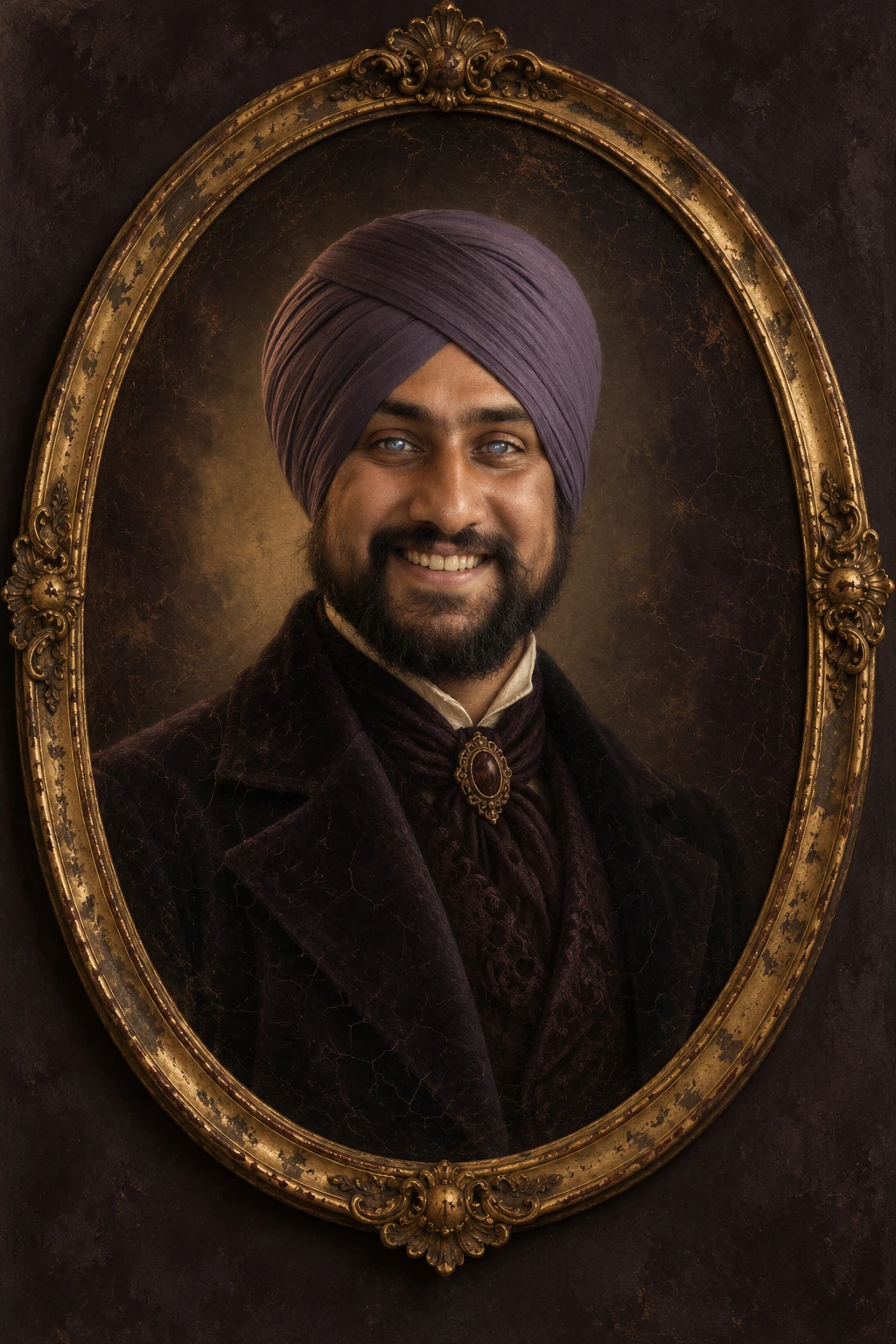
Fillable prompt
Create a fictional haunted portrait painting in a strict 2:3 canvas, 1024 x 1536 pixels. Paint the adult from [PORTRAIT] as an antique formal portrait wearing [COSTUME]. Place the painting inside [FRAME] against a plain dark wall. Show subtle oil-paint cracks, aged varnish and realistic canvas texture. Add one restrained supernatural detail: [EFFECT], without changing the person’s facial proportions. Use [PALETTE], soft side light and deep but readable shadows. Keep the eyes, [FEATURES TO KEEP] recognizable, with the whole framed portrait visible and no written plaque. The mood should feel quietly haunted, without injuries, exposed bone, threatening gestures or extreme distortion. Use [PORTRAIT] as the sole identity reference. Preserve the person’s recognizable face, apparent adult age, skin tone, [FEATURES TO KEEP]. Change the costume, setting and lighting while keeping those features recognizable. Add no text, logo or watermark. Keep important elements inside the frame.
Filled example
Create a fictional haunted portrait painting in a strict 2:3 canvas, 1024 x 1536 pixels. Paint the adult from the uploaded adult portrait as an antique formal portrait wearing a dark Victorian-style coat with a copper clasp. Place the painting inside a weathered oval gilt frame against a plain dark wall. Show subtle oil-paint cracks, aged varnish and realistic canvas texture. Add one restrained supernatural detail: a faint cold glow reflected in the eyes, without changing the person’s facial proportions. Use umber, deep plum and antique gold, soft side light and deep but readable shadows. Keep the eyes, beard and turban recognizable, with the whole framed portrait visible and no written plaque. The mood should feel quietly haunted, without injuries, exposed bone, threatening gestures or extreme distortion. Use the uploaded adult portrait as the sole identity reference. Preserve the person’s recognizable face, apparent adult age, skin tone, beard and turban. Change the costume, setting and lighting while keeping those features recognizable. Add no text, logo or watermark. Keep important elements inside the frame.
Customize it: Keep the supernatural effect small. A recognizable face makes the haunted-painting idea more convincing.
43. Witch Encounter in a Misty Forest
A forest encounter works for a story illustration, book teaser or game background. A small figure against larger trees creates scale and uncertainty. Use the light to guide attention instead of filling every branch with decoration.
Format: 16:9 · 1536 × 864 pixels. Best for: an atmospheric Halloween fantasy scene. Reference: No upload required.
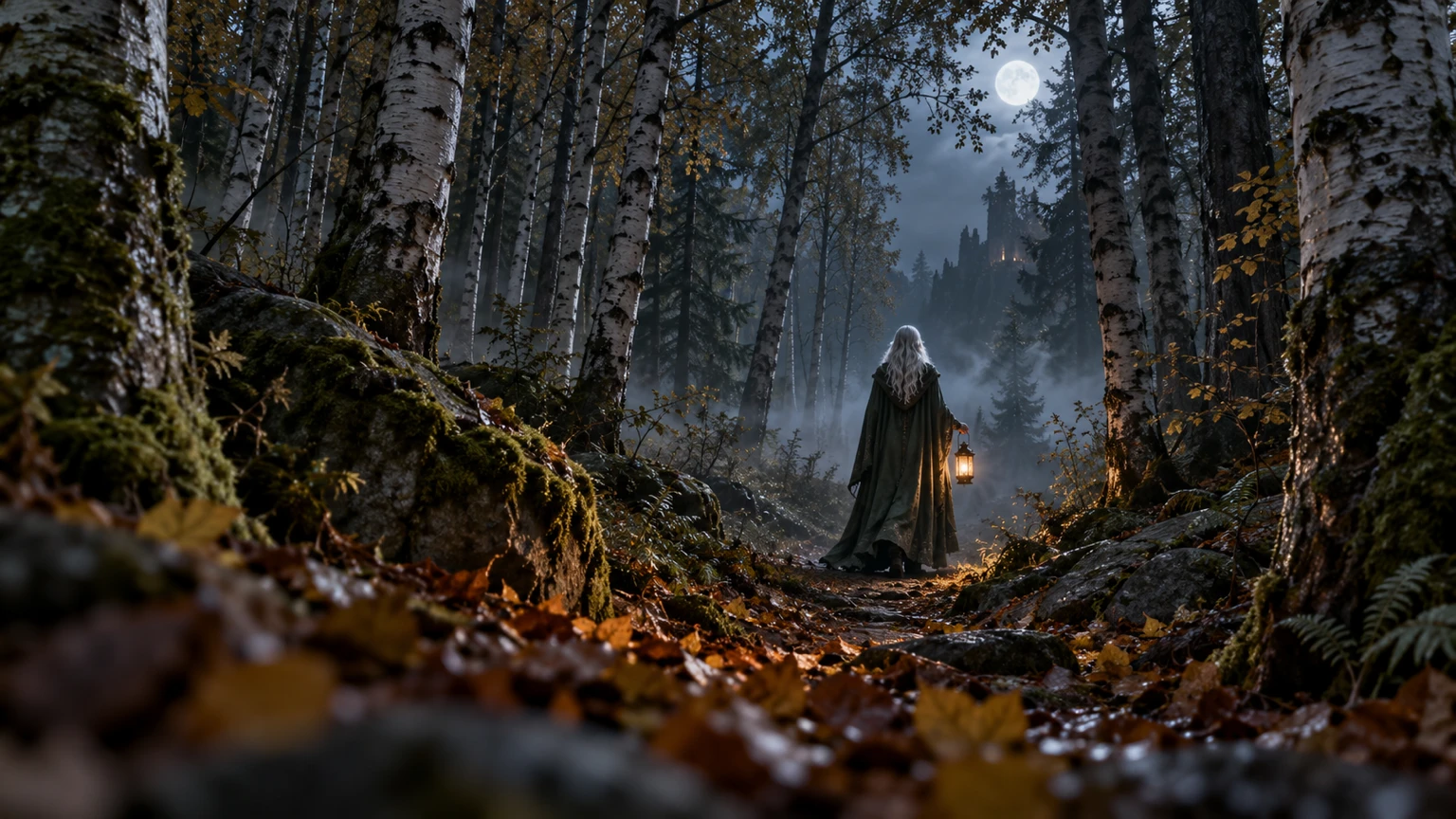
Fillable prompt
Create an atmospheric Halloween fantasy scene in a strict 16:9 canvas, 1536 x 864 pixels. Show [FICTIONAL ADULT WITCH] standing far along a narrow forest path, holding [PROP]. Use tall [TREE TYPE] trees to frame the figure and a low camera view from behind fallen leaves. Dress the witch in [COSTUME], keeping the face mostly in natural shadow rather than distorted. Use [PALETTE], cool moonlight through the canopy and warm light from the prop. Add thin mist between the trees and realistic bark texture. Keep the figure small but readable, with a clear path and no text, violent action, gore or copied character designs. Add no text, logo or watermark. Keep important elements inside the frame.
Filled example
Create an atmospheric Halloween fantasy scene in a strict 16:9 canvas, 1536 x 864 pixels. Show a fictional adult woman with silver hair standing far along a narrow forest path, holding a small amber lantern. Use tall birch trees to frame the figure and a low camera view from behind fallen leaves. Dress the witch in a weathered dark green cloak, keeping the face mostly in natural shadow rather than distorted. Use silver, moss green and amber, cool moonlight through the canopy and warm light from the prop. Add thin mist between the trees and realistic bark texture. Keep the figure small but readable, with a clear path and no text, violent action, gore or copied character designs. Add no text, logo or watermark. Keep important elements inside the frame.
Customize it: Describe the figure’s scale. A distant person changes the mood more than adding extra creatures.
44. Cosmic Pumpkin Portal
A pumpkin portal adds a surreal option for banners, game art and fantasy posts. One large shape gives the scene an immediate focal point. A small landscape around it helps the viewer understand the scale.
Format: 16:9 · 1536 × 864 pixels. Best for: a Halloween fantasy concept-art scene. Reference: No upload required.
Fillable prompt
Create a Halloween fantasy concept-art scene in a strict 16:9 canvas, 1536 x 864 pixels. Create a wide fantasy scene centered on [PORTAL SHAPE] floating just above [LANDSCAPE]. The portal resembles an enormous carved pumpkin opening, with [INNER VIEW] visible through it. Use [PALETTE], glowing edges, realistic stone and grass textures, and subtle particles drifting outward. Keep the portal as one clear opening rather than several overlapping rings. Show a small winding path leading into the foreground and a star-filled sky above. Use dramatic but controlled lighting so the silhouette remains readable. No people, lettering, gore, weapons or recognizable copyrighted game objects. Add no text, logo or watermark. Keep important elements inside the frame.
Filled example
Create a Halloween fantasy concept-art scene in a strict 16:9 canvas, 1536 x 864 pixels. Create a wide fantasy scene centered on a single circular jack-o’-lantern doorway floating just above a quiet rocky meadow. The portal resembles an enormous carved pumpkin opening, with a violet galaxy with distant stars visible through it. Use pumpkin orange, violet and midnight blue, glowing edges, realistic stone and grass textures, and subtle particles drifting outward. Keep the portal as one clear opening rather than several overlapping rings. Show a small winding path leading into the foreground and a star-filled sky above. Use dramatic but controlled lighting so the silhouette remains readable. No people, lettering, gore, weapons or recognizable copyrighted game objects. Add no text, logo or watermark. Keep important elements inside the frame.
Customize it: Name one portal shape and one view inside it. That keeps the surreal scene easy to understand.
45. Haunted Arcade Game Key Art
A haunted arcade scene suits a game announcement, a stream backdrop or a story pitch. Use one active cabinet as the focal point and let the rest of the room fade. Keep game names and interface copy editable if they will change.
Format: 16:9 · 1536 × 864 pixels. Best for: original Halloween game key art. Reference: No upload required.
Fillable prompt
Create original Halloween game key art in a strict 16:9 canvas, 1536 x 864 pixels. Show [ARCADE] after closing, with one central cabinet glowing [SCREEN COLOR]. The screen displays an original simple [GAME MOTIF], without readable interface text. Add worn floor tiles, unplugged neighboring cabinets and faint mist close to the ground. Use [PALETTE], neon reflections and a low wide camera angle. Keep the central cabinet fully visible and leave the left quarter of the room darker and uncluttered for a future title. The scene should feel eerie and playful, with no people, existing game logos, copyrighted characters, weapons or gore. Add no text, logo or watermark. Keep important elements inside the frame.
Filled example
Create original Halloween game key art in a strict 16:9 canvas, 1536 x 864 pixels. Show an abandoned 1980s basement arcade after closing, with one central cabinet glowing acid green. The screen displays an original simple pixel pumpkin face, without readable interface text. Add worn floor tiles, unplugged neighboring cabinets and faint mist close to the ground. Use magenta, green and deep navy, neon reflections and a low wide camera angle. Keep the central cabinet fully visible and leave the left quarter of the room darker and uncluttered for a future title. The scene should feel eerie and playful, with no people, existing game logos, copyrighted characters, weapons or gore. Add no text, logo or watermark. Keep important elements inside the frame.
Customize it: Keep the cabinets original. Add the game title later if you need a fully editable launch graphic.
46. Original Horror Novel Cover
A horror cover needs a strong central image and a title hierarchy. A doorway, key or isolated house can suggest the premise without giving the story away. Keep the author name clear and separate from the artwork.
Format: 2:3 · 1024 × 1536 pixels. Best for: an original Halloween horror-book cover concept. Reference: No upload required.
Fillable prompt
Create an original Halloween horror-book cover concept in a strict 2:3 canvas, 1024 x 1536 pixels. Design a front book cover centered on [CENTRAL IMAGE]. Place it against [BACKGROUND] with [ATMOSPHERE] and a limited [PALETTE] palette. Use detailed painterly realism and restrained print texture. Put the exact title "[TITLE]" in large readable serif type across the upper third, the tagline "[TAGLINE]" beneath it, and the author name "[AUTHOR]" along the bottom. Keep the title clear of the image’s important edges. Show only the flat front cover, without a spine, hands, a table or a 3D book mockup. Avoid copied cover compositions, extra endorsements, gore and tiny credits. Render only the quoted text, with clear spelling and generous margins. Keep lettering away from faces and product details. Add no extra slogans, signatures or watermark.
Filled example
Create an original Halloween horror-book cover concept in a strict 2:3 canvas, 1024 x 1536 pixels. Design a front book cover centered on a narrow red door standing alone in a snowy field. Place it against a dark blue winter sky with fine drifting snow and one warm line of light beneath the door and a limited red, ivory and midnight blue palette. Use detailed painterly realism and restrained print texture. Put the exact title "THE DOOR THAT WAITED" in large readable serif type across the upper third, the tagline "IT OPENS AFTER MIDNIGHT" beneath it, and the author name "ELENA MARSH" along the bottom. Keep the title clear of the image’s important edges. Show only the flat front cover, without a spine, hands, a table or a 3D book mockup. Avoid copied cover compositions, extra endorsements, gore and tiny credits. Render only the quoted text, with clear spelling and generous margins. Keep lettering away from faces and product details. Add no extra slogans, signatures or watermark.
Customize it: Treat this as cover artwork. Add final typography, bleed and spine measurements in your publishing layout.
Halloween Images for Children, Classrooms and Crafts
Use friendly expressions, simple shapes and clear activities for children’s content. These prompts include story illustrations, counting practice, reminders, coloring pages, craft concepts, classroom decor, invitations and costume photos. Check counts, outlines and printed details before using an activity sheet.
47. Friendly Monster Storybook Illustration
Friendly monster illustrations suit story pages, party decor and classroom posts. Rounded shapes, clear expressions and a simple action keep the scene approachable. Use a small cast so each character remains easy to follow.
Format: 4:5 · 1024 × 1280 pixels. Best for: a child-friendly Halloween storybook image. Reference: No upload required.
Fillable prompt
Create a child-friendly Halloween storybook image in a strict 4:5 canvas, 1024 x 1280 pixels. Illustrate [CHARACTERS] [ACTION] in [SETTING]. Give every creature rounded shapes, soft fur or cloth textures and friendly eyes. Use [MEDIUM], [PALETTE] and warm gentle light. Keep the characters fully visible with clear separation between their arms and props. Include a few small pumpkins and paper stars, leaving quiet space above for optional story text added later. Make the mood cheerful and calm for young children. No sharp teeth, threatening poses, weapons, blood, frightening shadows, branded characters or lettering. Add no text, logo or watermark. Keep important elements inside the frame.
Filled example
Create a child-friendly Halloween storybook image in a strict 4:5 canvas, 1024 x 1280 pixels. Illustrate one lavender furry monster and one small cream ghost sharing a basket of apples in a tiny pumpkin garden. Give every creature rounded shapes, soft fur or cloth textures and friendly eyes. Use soft gouache with visible paper grain, lavender, peach, sage and cream and warm gentle light. Keep the characters fully visible with clear separation between their arms and props. Include a few small pumpkins and paper stars, leaving quiet space above for optional story text added later. Make the mood cheerful and calm for young children. No sharp teeth, threatening poses, weapons, blood, frightening shadows, branded characters or lettering. Add no text, logo or watermark. Keep important elements inside the frame.
Customize it: Use a concrete friendly action such as sharing or waving. Keep the faces simple and readable.
48. Pumpkin Counting Worksheet
A counting sheet should make the quantity easy to see before adding decoration. Small groups and generous spacing help children count each item. Keep the worksheet flat, with blank answer boxes that remain easy to print.
Format: 3:4 · 960 × 1280 pixels. Best for: a simple Halloween counting worksheet. Reference: No upload required.
Fillable prompt
Create a simple Halloween counting worksheet in a strict 3:4 canvas, 960 x 1280 pixels. Design a front-facing white worksheet for early counting practice. Put the exact title "[TITLE]" at the top in large rounded lettering. Below it, create exactly three clearly separated horizontal rows. The first row contains one simple outlined pumpkin, the second row contains two outlined pumpkins, and the third row contains three outlined pumpkins. Put one empty square answer box at the right end of each row. Use thick clean black outlines, consistent pumpkin size and broad white margins. Add only a tiny friendly bat in one upper corner. No shading, filled answer numbers, extra pumpkins, background scene or watermark. Render only the quoted text, with clear spelling and generous margins. Keep lettering away from faces and product details. Add no extra slogans, signatures or watermark.
Filled example
Create a simple Halloween counting worksheet in a strict 3:4 canvas, 960 x 1280 pixels. Design a front-facing white worksheet for early counting practice. Put the exact title "COUNT THE PUMPKINS" at the top in large rounded lettering. Below it, create exactly three clearly separated horizontal rows. The first row contains one simple outlined pumpkin, the second row contains two outlined pumpkins, and the third row contains three outlined pumpkins. Put one empty square answer box at the right end of each row. Use thick clean black outlines, consistent pumpkin size and broad white margins. Add only a tiny friendly bat in one upper corner. No shading, filled answer numbers, extra pumpkins, background scene or watermark. Render only the quoted text, with clear spelling and generous margins. Keep lettering away from faces and product details. Add no extra slogans, signatures or watermark.
Customize it: Count the pumpkins before printing. Keep the answer boxes empty so children can write in them.
49. Trick-or-Treat Classroom Reminder Poster
A classroom reminder works best with a few short lines and clear pictures. Friendly icons can help younger readers connect the message with the action. Keep the tone calm and practical.
Format: 4:5 · 1024 × 1280 pixels. Best for: a child-friendly Halloween classroom reminder poster. Reference: No upload required.
Fillable prompt
Create a child-friendly Halloween classroom reminder poster in a strict 4:5 canvas, 1024 x 1280 pixels. Create a cheerful illustrated classroom poster on [BACKGROUND] using [PALETTE]. Put the exact title "[TITLE]" across the top. Below it, make three evenly spaced picture-and-text rows: a child holding an adult’s hand with "[LINE ONE]"; a small flashlight with "[LINE TWO]"; and a closed candy bucket beside an adult with "[LINE THREE]". Use rounded storybook characters, clear silhouettes and large easy-to-read lettering. Keep every illustration separate from its text. Add a few tiny pumpkins in the corners, without crowding the layout. No frightening creatures, gore, small-print rules or extra slogans. Render only the quoted text, with clear spelling and generous margins. Keep lettering away from faces and product details. Add no extra slogans, signatures or watermark.
Filled example
Create a child-friendly Halloween classroom reminder poster in a strict 4:5 canvas, 1024 x 1280 pixels. Create a cheerful illustrated classroom poster on warm ivory using orange, teal and soft plum. Put the exact title "A HAPPY HALLOWEEN WALK" across the top. Below it, make three evenly spaced picture-and-text rows: a child holding an adult’s hand with "STAY WITH YOUR GROWN-UP"; a small flashlight with "BRING A LIGHT"; and a closed candy bucket beside an adult with "CHECK TREATS TOGETHER". Use rounded storybook characters, clear silhouettes and large easy-to-read lettering. Keep every illustration separate from its text. Add a few tiny pumpkins in the corners, without crowding the layout. No frightening creatures, gore, small-print rules or extra slogans. Render only the quoted text, with clear spelling and generous margins. Keep lettering away from faces and product details. Add no extra slogans, signatures or watermark.
Customize it: Adjust the wording for your classroom and local guidance. Keep the poster to a few readable reminders.
50. Halloween Coloring Page
A coloring page needs clean closed shapes and enough open space for crayons. One scene with a few large objects is easier to use than a dense page of tiny details. Keep the artwork black and white.
Format: 3:4 · 960 × 1280 pixels. Best for: a printable child-friendly Halloween coloring page. Reference: No upload required.
Fillable prompt
Create a printable child-friendly Halloween coloring page in a strict 3:4 canvas, 960 x 1280 pixels. Draw [MAIN CHARACTER] [ACTION] beside [OBJECTS]. Use bold clean black outlines on a plain white background, with fully closed shapes and large open areas for coloring. Show the character from head to toe with simple friendly eyes, rounded hands and clear feet. Include a gentle curved ground line, but no detailed scenery. Keep the line weight consistent and leave a broad blank border for printing. Use no grayscale, shading, hatching, solid black fills, lettering, tiny patterns, frightening expressions or watermark. The result should be a flat coloring page rather than a photograph of paper. Add no text, logo or watermark. Keep important elements inside the frame.
Filled example
Create a printable child-friendly Halloween coloring page in a strict 3:4 canvas, 960 x 1280 pixels. Draw a smiling round ghost waving hello beside one large pumpkin and a small friendly bat. Use bold clean black outlines on a plain white background, with fully closed shapes and large open areas for coloring. Show the character from head to toe with simple friendly eyes, rounded hands and clear feet. Include a gentle curved ground line, but no detailed scenery. Keep the line weight consistent and leave a broad blank border for printing. Use no grayscale, shading, hatching, solid black fills, lettering, tiny patterns, frightening expressions or watermark. The result should be a flat coloring page rather than a photograph of paper. Add no text, logo or watermark. Keep important elements inside the frame.
Customize it: Inspect the outlines for gaps and tangled shapes. A clear page matters more than a high detail count.
51. Friendly Monster Paper-Mask Craft
A simple mask concept suits a craft preview or party activity post. Keep the shape symmetrical and the face friendly. A generated design still needs a practical check for fit and cutting before it becomes a usable template.
Format: 1:1 · 1024 × 1024 pixels. Best for: a flat Halloween paper-mask concept. Reference: No upload required.
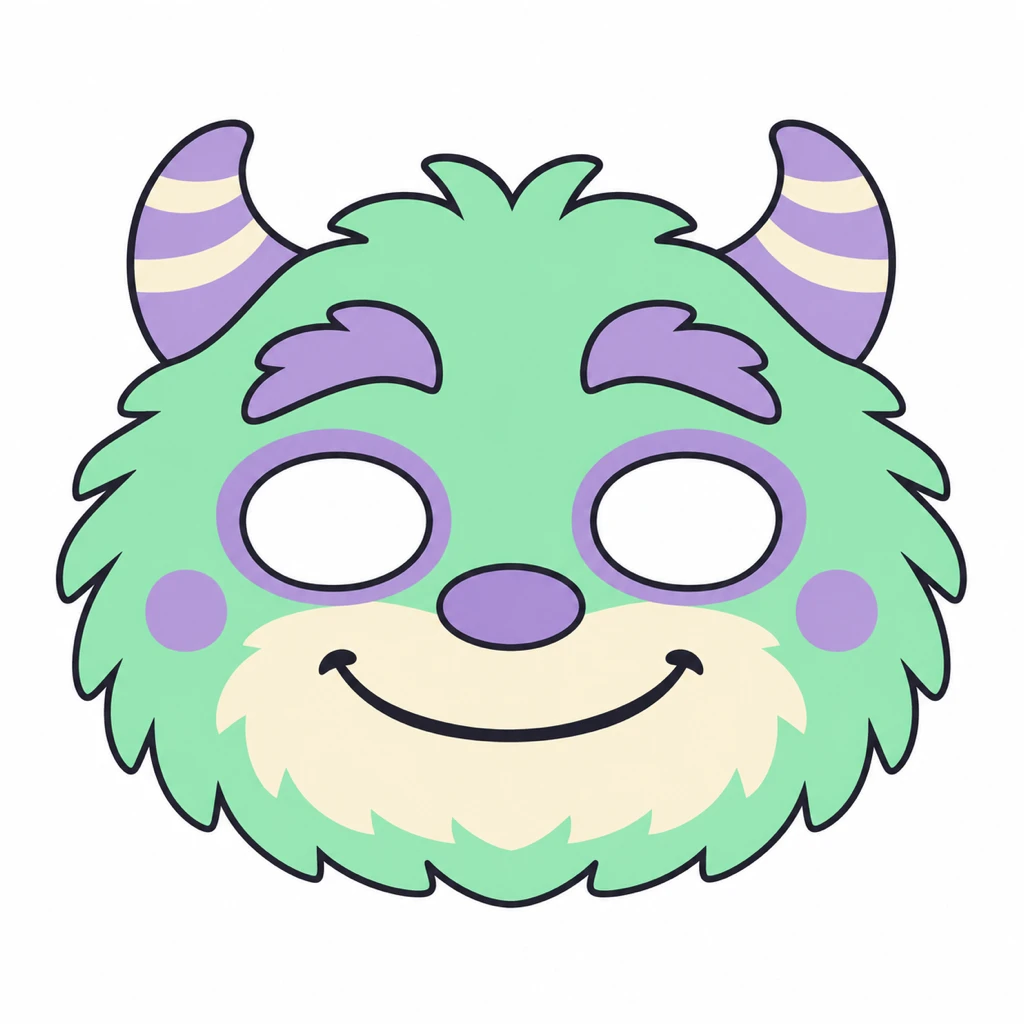
Fillable prompt
Create a flat Halloween paper-mask concept in a strict 1:1 canvas, 1024 x 1024 pixels. Design one front-facing [MONSTER TYPE] paper-mask concept on a plain white background. Use a symmetrical rounded outer shape, two evenly placed oval eye openings and [FEATURES]. Use [PALETTE], flat solid colors and thick clean borders. Show the mask alone with no person, string, hands or mockup scene. Keep the eye openings clear and separate from decorative features. Leave broad white space around the whole mask and use no lettering. Make the expression friendly for children, without sharp teeth, frightening details, shading or tiny pieces. Treat it as a craft design concept rather than a fitted production template. Add no text, logo or watermark. Keep important elements inside the frame.
Filled example
Create a flat Halloween paper-mask concept in a strict 1:1 canvas, 1024 x 1024 pixels. Design one front-facing friendly furry monster paper-mask concept on a plain white background. Use a symmetrical rounded outer shape, two evenly placed oval eye openings and small soft horns and a wide closed smile. Use mint green, lavender and cream, flat solid colors and thick clean borders. Show the mask alone with no person, string, hands or mockup scene. Keep the eye openings clear and separate from decorative features. Leave broad white space around the whole mask and use no lettering. Make the expression friendly for children, without sharp teeth, frightening details, shading or tiny pieces. Treat it as a craft design concept rather than a fitted production template. Add no text, logo or watermark. Keep important elements inside the frame.
Customize it: Check the eye spacing and fit in a real craft layout before printing or cutting.
52. Halloween Classroom Door Poster
A classroom door poster needs a welcoming message and artwork visible from a few steps away. Large characters and broad lettering work better than a collage of small decorations. Leave space for a teacher name if you will add it later.
Format: 2:3 · 1024 × 1536 pixels. Best for: a child-friendly classroom Halloween poster. Reference: No upload required.
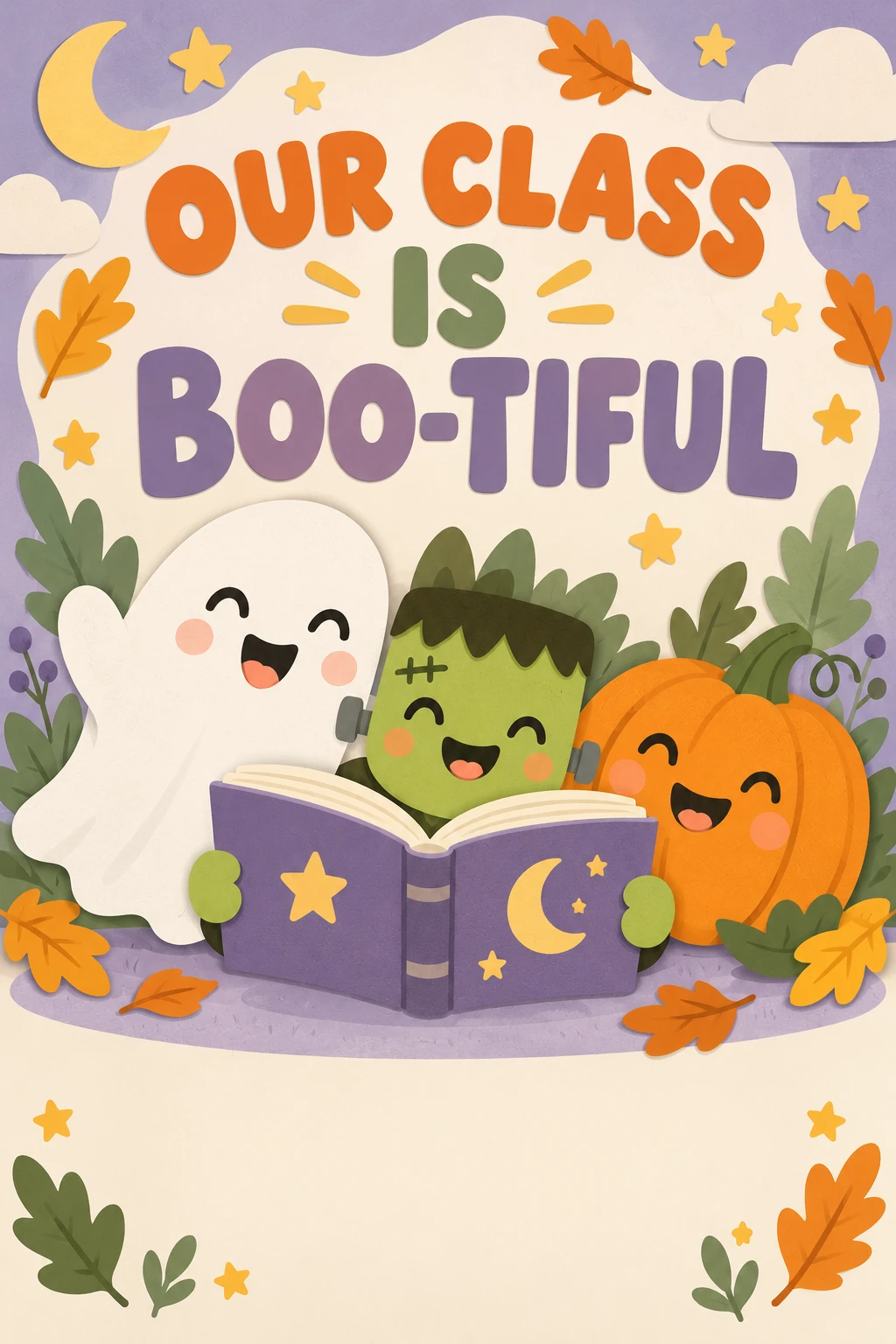
Fillable prompt
Create a child-friendly classroom Halloween poster in a strict 2:3 canvas, 1024 x 1536 pixels. Design a flat classroom poster with [CHARACTERS] gathered around [CENTERPIECE]. Use [PALETTE], simple paper-cut illustration and gentle shadows. Put the exact headline "[HEADLINE]" in large rounded letters across the upper third. Keep the lower fifth mostly clear for a name added later. Show the characters smiling or waving, with rounded shapes and distinct silhouettes. Include small stars and leaves around the border, without covering the text. Make the scene welcoming for young children, with no scary faces, sharp teeth, blood, dark threats, branded characters or extra lettering. Render only the quoted text, with clear spelling and generous margins. Keep lettering away from faces and product details. Add no extra slogans, signatures or watermark.
Filled example
Create a child-friendly classroom Halloween poster in a strict 2:3 canvas, 1024 x 1536 pixels. Design a flat classroom poster with a smiling ghost, a small green monster and an orange pumpkin gathered around an open storybook. Use orange, sage, cream and lavender, simple paper-cut illustration and gentle shadows. Put the exact headline "OUR CLASS IS BOO-TIFUL" in large rounded letters across the upper third. Keep the lower fifth mostly clear for a name added later. Show the characters smiling or waving, with rounded shapes and distinct silhouettes. Include small stars and leaves around the border, without covering the text. Make the scene welcoming for young children, with no scary faces, sharp teeth, blood, dark threats, branded characters or extra lettering. Render only the quoted text, with clear spelling and generous margins. Keep lettering away from faces and product details. Add no extra slogans, signatures or watermark.
Customize it: Use a short greeting and keep any teacher or class name in editable text.
53. Friendly Ghost Birthday Invitation
A ghost birthday invitation can combine the season with a cheerful party mood. Soft colors and smiling characters keep it suitable for children. Put the age, date and venue on separate lines so the details remain readable.
Format: 5:7 · 1000 × 1400 pixels. Best for: a child-friendly Halloween birthday invitation. Reference: No upload required.
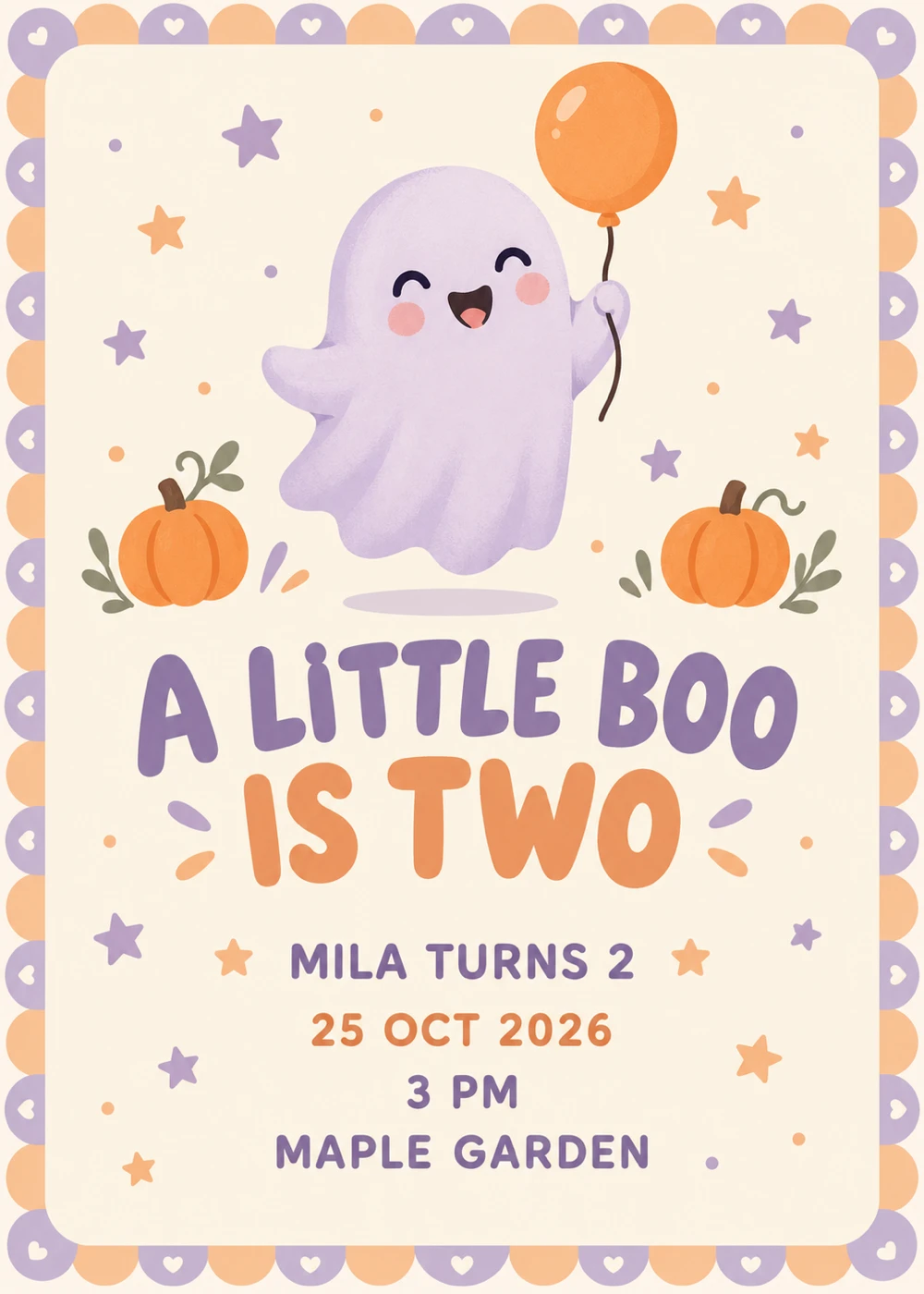
Fillable prompt
Create a child-friendly Halloween birthday invitation in a strict 5:7 canvas, 1000 x 1400 pixels. Design a flat birthday invitation on [BACKGROUND] with [GHOST CHARACTER] holding [PROP] in the upper half. Add small pumpkins, stars and a narrow scalloped border in [PALETTE]. Set the exact headline "[HEADLINE]" in large playful lettering, followed by "[NAME AND AGE]", "[DATE]", "[TIME]" and "[VENUE]" as separate centered lines. Use clean type and wide margins, with the event details kept away from the illustration. Make the scene cheerful and gentle, without frightening faces, gore, extra characters, mockup hands or background furniture. Render only the quoted text, with clear spelling and generous margins. Keep lettering away from faces and product details. Add no extra slogans, signatures or watermark.
Filled example
Create a child-friendly Halloween birthday invitation in a strict 5:7 canvas, 1000 x 1400 pixels. Design a flat birthday invitation on warm cream with one smiling lavender ghost holding a small orange balloon in the upper half. Add small pumpkins, stars and a narrow scalloped border in lavender, peach and cream. Set the exact headline "A LITTLE BOO IS TWO" in large playful lettering, followed by "MILA TURNS 2", "25 OCT 2026", "3 PM" and "MAPLE GARDEN" as separate centered lines. Use clean type and wide margins, with the event details kept away from the illustration. Make the scene cheerful and gentle, without frightening faces, gore, extra characters, mockup hands or background furniture. Render only the quoted text, with clear spelling and generous margins. Keep lettering away from faces and product details. Add no extra slogans, signatures or watermark.
Customize it: Replace the child’s details before generating. Keep the full address out of public posts if it is private.
54. Child-Friendly Costume Portrait
A child’s costume portrait should feel playful and comfortable. A simple outfit, warm light and a friendly setting let the expression lead. Use a parent-supplied child portrait when you want a personal version.
Format: 4:5 · 1024 × 1280 pixels. Best for: a gentle Halloween costume photograph for a family album. Reference: Optional parent-supplied child portrait.
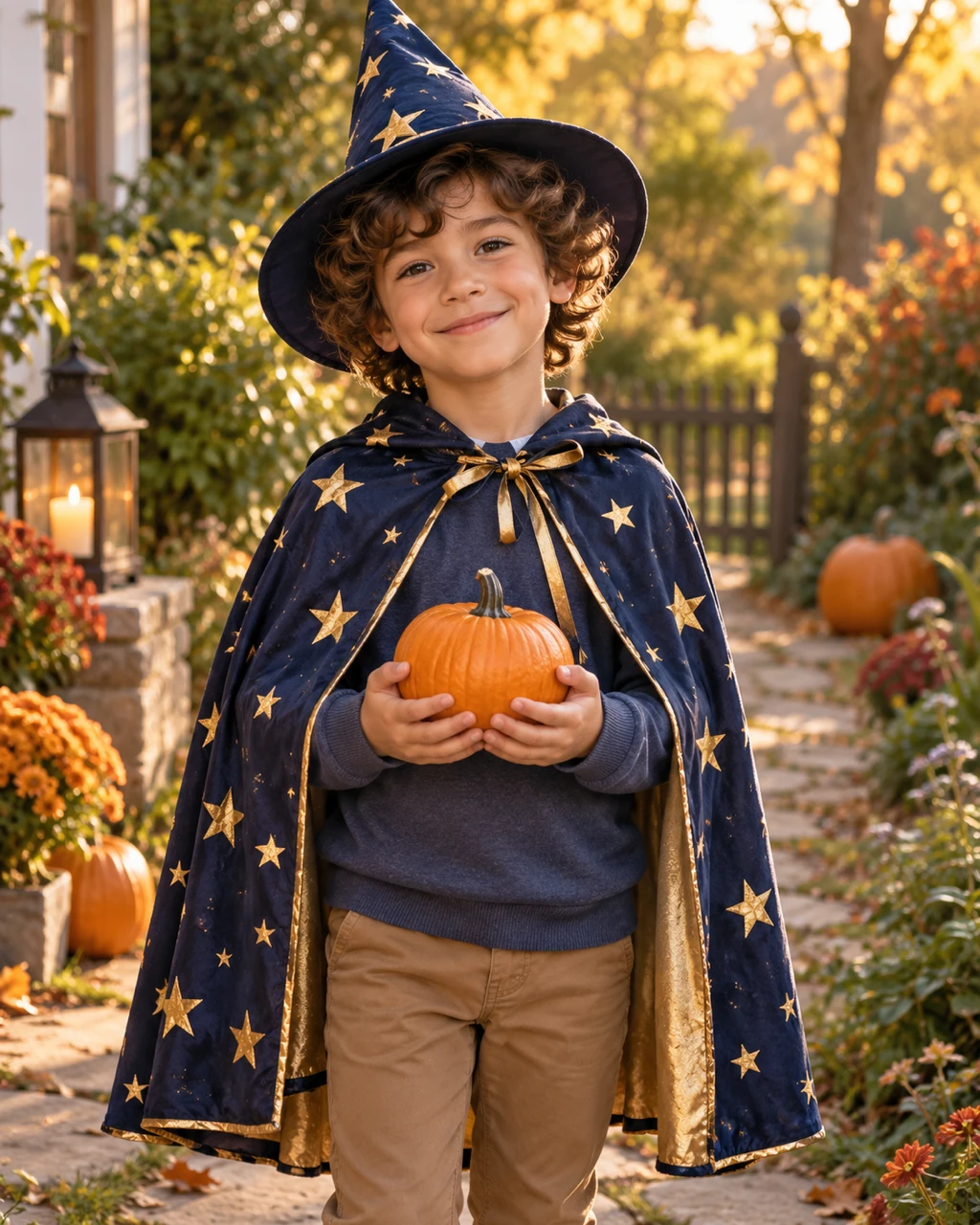
Fillable prompt
Create a gentle Halloween costume photograph for a family album in a strict 4:5 canvas, 1024 x 1280 pixels. Photograph [CHILD DESCRIPTION] wearing [COSTUME] in [SETTING]. If a parent-supplied child portrait is attached, preserve that child’s facial features and apparent age; do not use an adult face reference. Frame from the knees up at the child’s eye level with a relaxed smile and one small pumpkin held naturally in both hands. Use [LIGHTING], realistic fabric and soft [PALETTE] colors. Keep the costume comfortable and the face uncovered. Make the scene cheerful, with no frightening figures, weapons, gore, body changes, heavy beauty retouching or text. Add no text, logo or watermark. Keep important elements inside the frame.
Filled example
Create a gentle Halloween costume photograph for a family album in a strict 4:5 canvas, 1024 x 1280 pixels. Photograph a fictional school-age child with curly brown hair wearing a simple star-patterned wizard cape over ordinary clothes in a warmly lit garden path. If a parent-supplied child portrait is attached, preserve that child’s facial features and apparent age; do not use an adult face reference. Frame from the knees up at the child’s eye level with a relaxed smile and one small pumpkin held naturally in both hands. Use soft late-afternoon sunlight, realistic fabric and soft navy, gold and autumn orange colors. Keep the costume comfortable and the face uncovered. Make the scene cheerful, with no frightening figures, weapons, gore, body changes, heavy beauty retouching or text. Add no text, logo or watermark. Keep important elements inside the frame.
Customize it: Use a child’s own photo for likeness. A fictional child is the right choice when no child reference is supplied.
Halloween Decor, Patterns and Backgrounds
Use seasonal objects to support the space rather than fill every surface. These prompts cover rooms, porches, tables, repeating patterns, phone backgrounds and vintage-style art. Upload a room or porch photo when the architecture needs to remain recognizable.
55. Cozy Halloween Fireplace Decor
A fireplace scene suits a home-decor article, a mood board or a seasonal banner. Use a small number of repeated materials to make the room feel intentional. Warm light can create the mood without a crowded mantel.
Format: 16:9 · 1536 × 864 pixels. Best for: a Halloween interior decor photograph. Reference: Optional room photo.
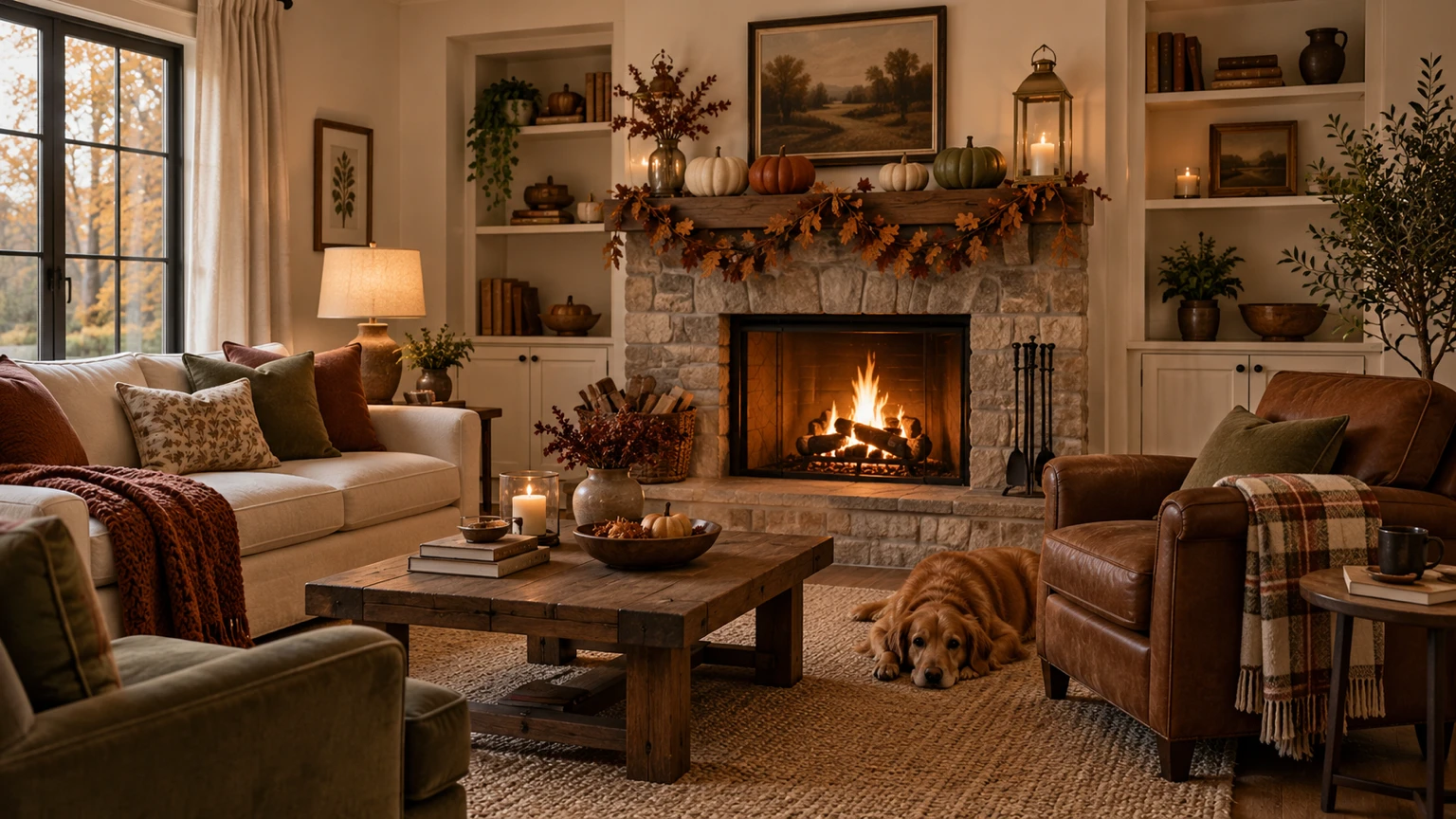
Fillable prompt
Create a Halloween interior decor photograph in a strict 16:9 canvas, 1536 x 864 pixels. Photograph [ROOM] decorated with [DECOR]. If a room reference is supplied, preserve the architecture, furniture and fireplace shape. Use [PALETTE], warm lamplight and realistic textures in wool, wood and ceramic. Keep the mantel balanced, with one taller object at either end and lower objects in the middle. Show the full seating area from a natural eye-level viewpoint, with straight vertical lines and space around the furniture. Make the scene cozy and livable, without floating candles, damaged walls, threatening figures, heavy fog or text. Add no text, logo or watermark. Keep important elements inside the frame.
Filled example
Create a Halloween interior decor photograph in a strict 16:9 canvas, 1536 x 864 pixels. Photograph a small cream living room with a stone fireplace decorated with matte ceramic pumpkins, a dried-leaf garland and two brass lanterns. If a room reference is supplied, preserve the architecture, furniture and fireplace shape. Use cream, walnut, rust and muted olive, warm lamplight and realistic textures in wool, wood and ceramic. Keep the mantel balanced, with one taller object at either end and lower objects in the middle. Show the full seating area from a natural eye-level viewpoint, with straight vertical lines and space around the furniture. Make the scene cozy and livable, without floating candles, damaged walls, threatening figures, heavy fog or text. Add no text, logo or watermark. Keep important elements inside the frame.
Customize it: Use repeated materials and leave room for everyday use. Seasonal styling does not need to fill every surface.
56. Welcoming Pumpkin Porch Display
A porch display works for a decor post, a local shop feature or a seasonal home image. A clear entrance and repeated pumpkin colors keep the arrangement practical. Use the real porch photo if the architecture needs to stay accurate.
Format: 3:2 · 1536 × 1024 pixels. Best for: a Halloween porch-decor photograph. Reference: Optional porch photo.
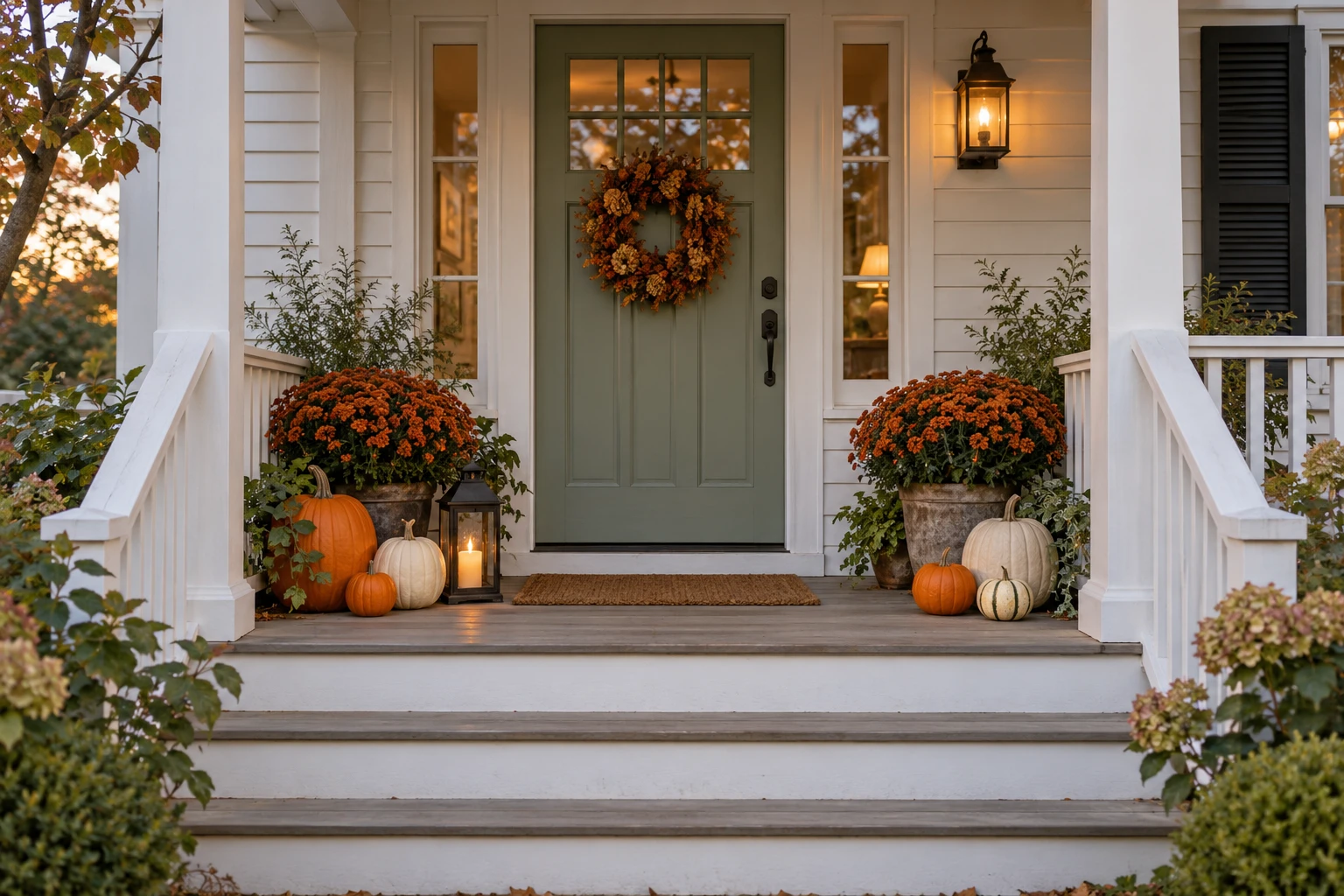
Fillable prompt
Create a Halloween porch-decor photograph in a strict 3:2 canvas, 1536 x 1024 pixels. Photograph [PORCH] styled with [PUMPKINS], [PLANTS] and one warm lantern. If a porch reference is supplied, preserve the door, steps, railings and dimensions. Arrange the decorations at the sides so the entrance and walking path remain clear. Use [LIGHTING], realistic outdoor materials and a [PALETTE] palette. Shoot from a natural straight-on angle with believable scale and contact shadows. Keep the decor welcoming, without frightening mannequins, gore, obstructed steps, floating objects or text. Show the entire doorway and the lower steps inside the frame. Add no text, logo or watermark. Keep important elements inside the frame.
Filled example
Create a Halloween porch-decor photograph in a strict 3:2 canvas, 1536 x 1024 pixels. Photograph a fictional white cottage porch with a sage door styled with orange and pale cream pumpkins in three sizes, two pots of rust-colored chrysanthemums and one warm lantern. If a porch reference is supplied, preserve the door, steps, railings and dimensions. Arrange the decorations at the sides so the entrance and walking path remain clear. Use soft early-evening light, realistic outdoor materials and a sage, orange, cream and rust palette. Shoot from a natural straight-on angle with believable scale and contact shadows. Keep the decor welcoming, without frightening mannequins, gore, obstructed steps, floating objects or text. Show the entire doorway and the lower steps inside the frame. Add no text, logo or watermark. Keep important elements inside the frame.
Customize it: Keep the path visible in the prompt. It makes the decor look usable as well as attractive.
57. Halloween Dinner Tablescape
A tablescape image can support a dinner-party guide, a catering post or a seasonal product feature. A repeated plate setting and one central arrangement create order. Keep the candles and decorations low enough that the table still feels usable.
Format: 3:2 · 1536 × 1024 pixels. Best for: a Halloween table-styling photograph. Reference: No upload required.
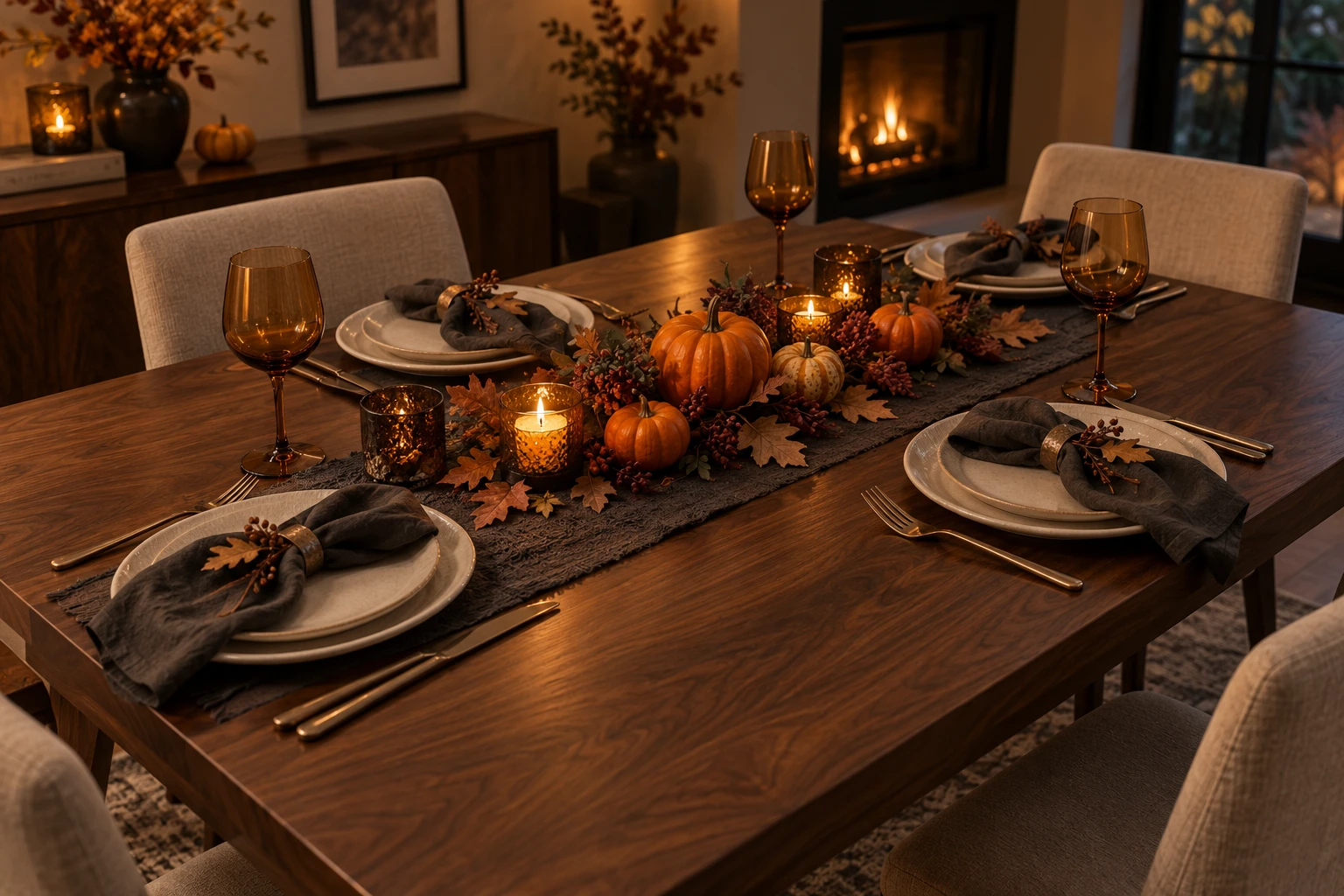
Fillable prompt
Create a Halloween table-styling photograph in a strict 3:2 canvas, 1536 x 1024 pixels. Photograph a [TABLE] set for [GUEST COUNT] guests with [PLACE SETTINGS]. Place [CENTERPIECE] along the middle, keeping it low and narrow. Use [PALETTE], warm soft evening light and realistic textures in linen, glass, ceramic and wood. Shoot from a slightly elevated three-quarter angle so the plates and center arrangement are visible. Keep utensils aligned, glass stems plausible and every setting distinct. The atmosphere should feel elegant and welcoming, with clear room for food and conversation. No readable place names, extra chairs, floating candles, hands or watermark. Add no text, logo or watermark. Keep important elements inside the frame.
Filled example
Create a Halloween table-styling photograph in a strict 3:2 canvas, 1536 x 1024 pixels. Photograph a walnut dining table set for four guests with cream plates, charcoal linen napkins and amber glasses. Place small orange pumpkins, dried leaves and low LED candles along the middle, keeping it low and narrow. Use walnut, charcoal, amber and cream, warm soft evening light and realistic textures in linen, glass, ceramic and wood. Shoot from a slightly elevated three-quarter angle so the plates and center arrangement are visible. Keep utensils aligned, glass stems plausible and every setting distinct. The atmosphere should feel elegant and welcoming, with clear room for food and conversation. No readable place names, extra chairs, floating candles, hands or watermark. Add no text, logo or watermark. Keep important elements inside the frame.
Customize it: Name the guest count and check the settings. Keep the central decoration from blocking the table.
58. Halloween Wrapping-Paper Pattern
A repeating-pattern concept can become wrapping paper, a digital background or fabric artwork. Keep the motifs simple and distribute them evenly. Test the exported artwork as a tile in a repeated grid and correct the edges before sending it to print.
Format: 1:1 · 1024 × 1024 pixels. Best for: a Halloween repeating-pattern design tile. Reference: No upload required.
Fillable prompt
Create a Halloween repeating-pattern design tile in a strict 1:1 canvas, 1024 x 1024 pixels. Design a square repeat tile using [MOTIFS] on [BACKGROUND]. Use [ILLUSTRATION STYLE], a limited [PALETTE] palette and consistent motif scale. Arrange the elements in a balanced scattered repeat with even breathing room and no central hero object. Make left and right edge positions match and top and bottom edge positions match so neighboring copies can connect. Use flat colors without lighting gradients, shadows that cross inconsistently, borders or lettering. Keep every motif original and friendly. Aim for clean edge continuity and avoid clipped fragments that do not continue on the opposite side. Add no text, logo or watermark.
Filled example
Create a Halloween repeating-pattern design tile in a strict 1:1 canvas, 1024 x 1024 pixels. Design a square repeat tile using small smiling ghosts, pumpkins, crescent moons and stars on warm cream. Use simple hand-drawn gouache shapes, a limited orange, plum, sage and cream palette and consistent motif scale. Arrange the elements in a balanced scattered repeat with even breathing room and no central hero object. Make left and right edge positions match and top and bottom edge positions match so neighboring copies can connect. Use flat colors without lighting gradients, shadows that cross inconsistently, borders or lettering. Keep every motif original and friendly. Aim for clean edge continuity and avoid clipped fragments that do not continue on the opposite side. Add no text, logo or watermark.
Customize it: Test a 3-by-3 repeat. If the joins show, correct the tile edges before using it for fabric or wrapping paper.
59. Atmospheric Halloween Phone Wallpaper
A phone wallpaper needs a quiet area behind the clock and enough detail lower down to feel seasonal. A single path, moon or lantern can create depth. Avoid printed words that compete with the phone interface.
Format: 9:16 · 864 × 1536 pixels. Best for: a vertical Halloween phone wallpaper. Reference: No upload required.
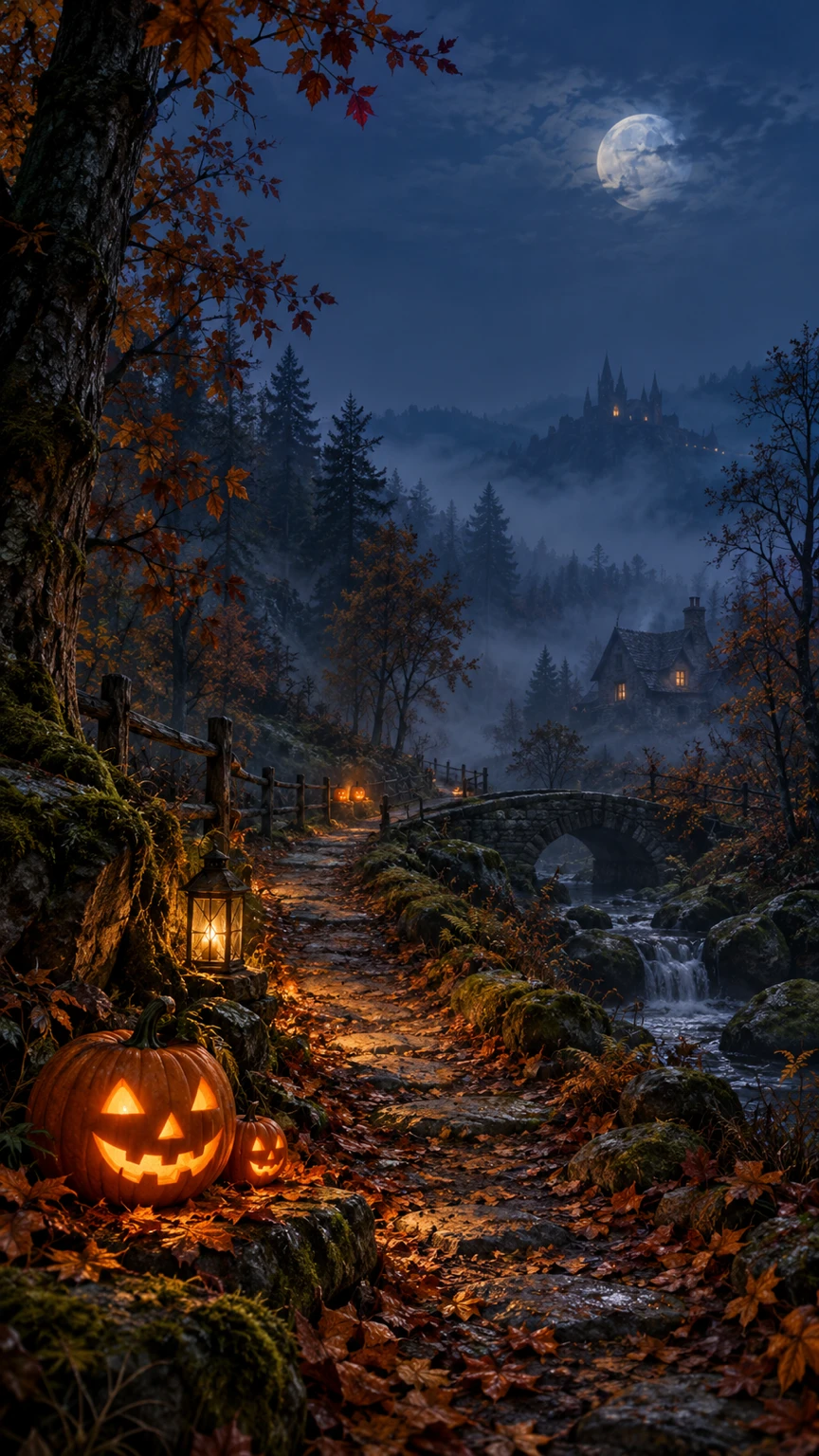
Fillable prompt
Create a vertical Halloween phone wallpaper in a strict 9:16 canvas, 864 x 1536 pixels. Create a vertical atmospheric scene showing [SCENE] beneath [SKY]. Use [PALETTE], layered mist and soft light from [LIGHT SOURCE]. Put most of the detail in the lower two-thirds, leaving the upper third calm and low contrast for a phone clock. Keep one clear focal point near the lower-middle area, with a gentle path leading the eye through the image. Use detailed painterly realism and natural textures. Do not add lettering, numbers, app icons, frames, people, gore or bright highlights in the clock area. Keep the composition readable on a narrow screen. Add no text, logo or watermark. Keep important elements inside the frame.
Filled example
Create a vertical Halloween phone wallpaper in a strict 9:16 canvas, 864 x 1536 pixels. Create a vertical atmospheric scene showing a winding woodland path lined with a few carved pumpkins beneath a misty deep-blue autumn sky. Use midnight blue, amber and muted moss, layered mist and soft light from small pumpkin lanterns. Put most of the detail in the lower two-thirds, leaving the upper third calm and low contrast for a phone clock. Keep one clear focal point near the lower-middle area, with a gentle path leading the eye through the image. Use detailed painterly realism and natural textures. Do not add lettering, numbers, app icons, frames, people, gore or bright highlights in the clock area. Keep the composition readable on a narrow screen. Add no text, logo or watermark. Keep important elements inside the frame.
Customize it: Keep the clock area quiet. Preview the image behind your actual lock-screen text.
60. Vintage Halloween Gallery-Wall Print
A vintage print suits a gallery wall, a seasonal shop image or a digital download concept. A limited ink palette and one central motif create an old printed feel. Use original characters rather than recreating a familiar collectible design.
Format: 2:3 · 1024 × 1536 pixels. Best for: an original vintage Halloween art print. Reference: No upload required.
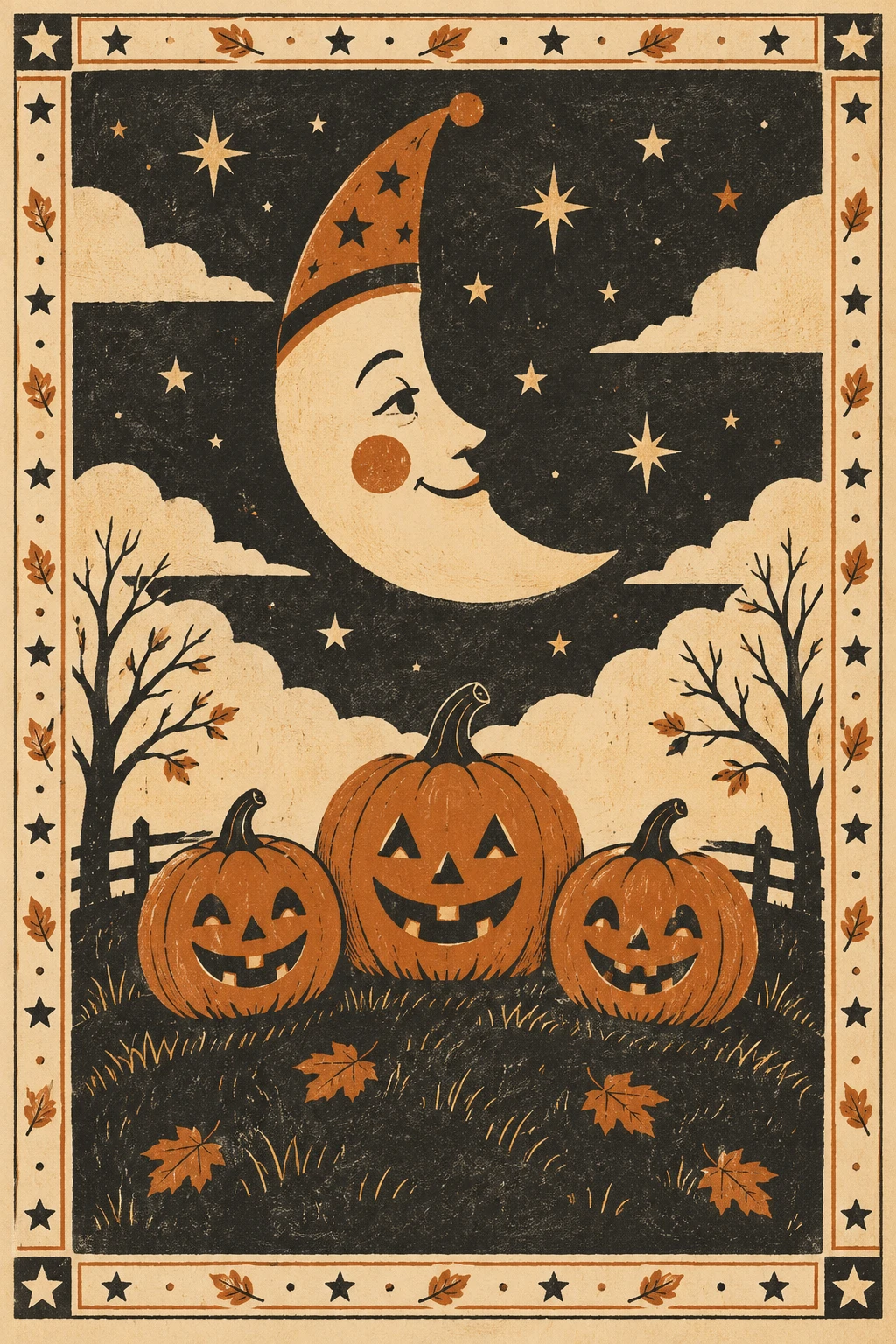
Fillable prompt
Create an original vintage Halloween art print in a strict 2:3 canvas, 1024 x 1536 pixels. Create a flat original vintage Halloween illustration of [MAIN MOTIF] above [SMALL SCENE]. Use [PALETTE], aged [PAPER COLOR] paper and slightly imperfect screen-print edges. Add a narrow decorative border of [BORDER MOTIFS], keeping the central image clear. Use a calm symmetrical layout with strong shapes that read from a distance. The artwork should feel playful and nostalgic, without copying a known artist, vintage brand or film character. Show only the flat print, not a framed wall mockup. Add no lettering, signature, watermark, photographic glare or distressed marks that hide the image. Add no text, logo or watermark. Keep important elements inside the frame.
Filled example
Create an original vintage Halloween art print in a strict 2:3 canvas, 1024 x 1536 pixels. Create a flat original vintage Halloween illustration of a smiling crescent moon wearing a small pointed hat above three pumpkins on a grassy hill. Use burnt orange, charcoal and cream, aged warm ivory paper and slightly imperfect screen-print edges. Add a narrow decorative border of stars and tiny leaves, keeping the central image clear. Use a calm symmetrical layout with strong shapes that read from a distance. The artwork should feel playful and nostalgic, without copying a known artist, vintage brand or film character. Show only the flat print, not a framed wall mockup. Add no lettering, signature, watermark, photographic glare or distressed marks that hide the image. Add no text, logo or watermark. Keep important elements inside the frame.
Customize it: Choose one central motif and a small palette. Check the final print dimensions separately from the display image.
Make a Halloween Campaign Feel Consistent
Choose one palette, one type style and one level of Halloween mood before building a set of images. For example, a candle campaign might use amber glass, charcoal stone and cream lettering across a product post, a wide banner and a giveaway graphic. Keep those choices fixed while you change the composition for each format.
You can also reuse a reference image for the same person or product. State what must stay consistent, such as the face, jar shape or wordmark, and then describe the new setting. Ask for a fresh composition in the new ratio rather than stretching the original image.
When a result needs a correction, name one visible problem. “Keep the image unchanged and correct the title to read MIDNIGHT STORIES” is easier to act on than “make the whole poster better.” Check the face, hands, product shape, text and frame before sharing the final version.
Frequently Asked Questions (FAQs)
How do I turn my photo into a Halloween picture?
Upload a clear portrait and choose a costume prompt that uses an identity reference. Ask the model to preserve your face and other recognizable features while changing the outfit, setting and light. Keep masks, hair effects and props away from the eyes if likeness matters.
How do I stop a Halloween portrait from changing my face?
Use the same reference photo and name the features that should stay fixed. Keep the first change modest, such as a costume and background, then compare the result with the original. If the face drifts, request a focused identity correction before adding more effects.
Can I use these prompts for Halloween ads and branding?
Yes, you can adapt the product, packaging and advertising prompts to your own business. Replace the fictional brand names, offers and event details, and attach your actual product or logo when accuracy matters. Keep final prices, terms and detailed contact information in editable text.
Which aspect ratio should I use for Halloween social media images?
Choose the ratio for the specific placement rather than the platform name alone. This collection uses 4:5 for portrait feed concepts, 9:16 for vertical covers, 16:9 for wide video artwork and 1:1 for square tiles. Pinterest’s standard image guidance recommends 2:3, while YouTube separates video and podcast thumbnail shapes. Pinterest specifications, YouTube guidance.
How do I make Halloween images suitable for children?
Specify friendly expressions, rounded shapes, warm light and simple actions such as waving or sharing. Exclude frightening faces, gore and threatening scenes in the prompt. For coloring pages, ask for closed black outlines and large open spaces, then inspect the result before printing.
Can an AI-generated Halloween pattern repeat without visible seams?
A prompt can request matching edges, but you still need to test the exported tile. Place it in a 3-by-3 grid and inspect the joins for broken motifs, color changes or repeated gaps. Correct any visible edge problems before using the pattern for fabric or wrapping paper.
Final Thoughts
The strongest Halloween image starts with a clear purpose, a specific subject and a format that gives both room to work. You can keep the result personal with a portrait reference, useful with readable copy or gentle with a child-friendly brief. Pick one prompt, replace the brackets and generate a first version in the right ratio. Then check the details and make a focused correction before you share or print it.