Chrome Extension
Google released Nano Banana 2.1 on 6 October 2026, and it cuts the price per image roughly in half at 1K and 2K while raising Google's own quality scores.
In this review I read the model card, the API docs and the pricing page so you do not have to.
Then I turn what I found into 37 prompts for photos, text based images, other languages, social media assets, infographics, advertising and more.
I have not benchmarked the model myself, so everything below comes from Google's documents and I say so wherever it matters. My free Nano Banana 2.1 Prompt Generator builds the same kind of brief for you.
Key Takeaways
What Is Nano Banana 2.1?
Nano Banana 2.1 is Google's newest image generation and editing model. The changelog lists it as gemini-nano-banana-2.1 and describes it as an update to Nano Banana 2 with better visual quality, prompt adherence and multi-turn consistency. The model card says it is based on Gemini 3.6 Flash and suits precise creation and editing with quick iterations, clear text for posters and diagrams, real-world knowledge and localized text in several languages.
It replaces Nano Banana 2 (gemini-3.1-flash-image) in the API. The changelog marks the older model as deprecated with no shutdown date yet, and the docs tell new projects to use 2.1.
The model card lists the Gemini app, Google AI Studio, the Gemini API, AI Mode in Search, Google Ads, Flow and Stitch as places to use it. Google's Gemini Help page still refers to Nano Banana 2 and does not mention 2.1, so check which model your app uses before you compare results.
Nano Banana 2.1 at a Glance
| Spec | What Google's docs say |
|---|---|
| API model ID | gemini-nano-banana-2.1 |
| Output sizes | 1K, 2K and 4K, with an uppercase K. The 512px size is not supported on 2.1 |
| Thinking levels | Minimal, medium or high, with medium as the default. Thinking cannot be switched off in the API |
| Reference images | Up to 14 in total, with up to 10 object images and up to 4 character images |
| Grounding | Google Search, with Image Search as an extra option |
| Watermark | A SynthID watermark on all generated images |
| Free API tier | None. The pricing page lists image output as paid only |
What Changed From Nano Banana 2
| Nano Banana 2 | Nano Banana 2.1 | |
|---|---|---|
| Status | Deprecated, no shutdown date announced | Generally available since 6 October 2026 |
| Price per image: 1K / 2K / 4K | $0.067 / $0.101 / $0.151 | $0.0336 / $0.0504 / $0.113 |
| Thinking levels | Minimal or high, default minimal | Minimal, medium or high, default medium |
| Smallest size | 512px | 1K |
| Overall preference (Google's Elo style score) | 990 | 1050 with thinking, 1015 without |
| Infographic factuality | 0.179 | 0.521 with thinking, 0.328 without |
| Multi-character consistency | 978 | 1106 with thinking, 1068 without |
| Mask or ink editing | 965 | 1049 with thinking, 1042 without |
The prices come from Google's pricing page and the docs. The scores come from the model card, where "Nano Banana 2" appears as Gemini 3.1 Flash Image. They are Google's own evaluations. The card labels its columns "Thinking" and "No Thinking" without saying how they map to API settings, and the Nano Banana 2 column is also a thinking run. Decrypt notes that independent testing was not available at launch.
Read the factuality row twice. The card does not define the scale and names an automated rater, so I read 0.521 as a warning: a dense infographic can still contain wrong facts. Paste your own verified numbers into the prompt and check the result.
What Google Says Still Breaks
The model card does something most launch posts skip. It lists known limitations. Here is the list in plain words, with the fix I would try for each.
| Limitation in Google's model card | What I would do |
|---|---|
| Small text renders poorly and is often blurry in the 1K model | Try 2K or 4K for text heavy designs (my workaround, not a Google claim) and keep the words short |
| Long paragraphs and full page text render badly | Use headlines and short labels, and add long copy in a design tool |
| Character consistency is not always accurate | Attach clear references, name each character and recheck every image |
| Masked and doodle edits follow instructions only partly | Describe only what goes in the marked area and list what to preserve |
| The pose from the input image rarely sticks during edits | Say the new pose in the prompt, in words |
| Left and right are occasionally confused | State positions twice, such as "on the left side, the red cup" |
| World knowledge, 3D reasoning and factuality stay limited | Use Search grounding for real things and verify every claim |
| Hallucinations and occasional timeouts happen | Retry, and keep prompts focused on one job |
| The base model's cutoff is March 2026, and some domains may only reach January 2025 | Turn on grounding for anything recent |
What 2.1 Costs in Real Money
Image output costs $30 per million tokens on the paid tier, which works out to the per image prices above. Google's pricing page also lists these extras.
Here is the math. 100 images at 2K cost about $5.04 on the standard tier and about $2.52 through the Batch API, before thinking and grounding charges.
The Prompt Formula Behind Every Example
Google's two guides agree. The DeepMind prompt guide builds a prompt from style, subject, setting, action and composition, and tells you to add detail gradually. The Google Cloud guide, written in March 2026 for Nano Banana, uses subject, action, location, composition and style, and adds three habits: start with a strong verb, say what you want instead of what you do not want, and iterate with follow-ups.
I fold all of that into one master template. Every prompt later in this guide is a shorter version of it.
[Strong verb: Create, Generate or Edit] a [format, such as poster, product photo or infographic] of [SUBJECT] [ACTION] in [LOCATION OR CONTEXT].
Composition: [shot type, camera angle, framing].
Style: [photographic or illustration style, materials, color palette].
Lighting: [lighting setup and mood].
Text: show exactly "[YOUR TEXT]" in a [font style], placed [position].
Keep: [what must stay the same, for edits and variants].
Format: aspect ratio [RATIO] at [1K, 2K or 4K].
Six habits make this template work.
Build These Prompts Faster With My Free Nano Banana 2.1 Prompt Generator
You can fill the template by hand, or you can let my free Nano Banana 2.1 Prompt Generator assemble it. You pick a use case, describe the subject and set a few options. The tool then writes a Creative Director style brief in natural language, with concrete materials, lighting, your color palette, exact text lines and a preserve list for edits.
The page says you get one free prompt generation per day with no signup, and that unlimited use needs a Promptslove membership. Check the page for the current terms before you plan around the free tier.
What the Generator Asks You
| Field | Options on the page |
|---|---|
| Use case category | 19, including Product Photography, Infographics, Text Rendering, Multilingual Text Design, Mask / Doodle Edit, Panoramas / Wide Banners, Maps & Diagrams, Storyboarding and UI/UX Design |
| Generation mode | Generate, Edit, Mask / Doodle Edit or Multi-Image Blend |
| Resolution tier | 1K, 2K or 4K |
| Thinking level | Minimal, Medium (default) or High |
| Search grounding | Off, Web Search or Web + Image Search |
| Art style | 16 presets such as Photorealistic, Editorial Photo, 3D Render and Vector / Flat Design, plus a custom option |
| Camera and composition | 14 presets such as Close-up, Flat Lay and Centered with Negative Space |
| Lighting and mood | 13 presets such as Golden Hour, Studio Lighting and Soft Natural Light |
| Intended use | 12, including Advertisement, Social Media Post, Infographic and Packaging Design |
| Aspect ratio | 10, from 1:1 and 4:3 to 16:9, 9:16 and 21:9 |
| Extras | Text to include, negative constraints, a preserve list, a background mode and up to 6 palette colors |
The page also ships eight copy-ready templates: Multi-Character Scene, Grounded Real-World Subject, Multilingual Text Graphic, Extreme Aspect Ratio Banner, 4K Detail Study, High-Thinking Composition, Doodle Mask Edit and Data Infographic. You paste the finished brief into the Gemini app, Google AI Studio, the Gemini API, Flow or Stitch.
Settings I Would Start With for Each Job
These starting points combine the generator's own tips, the model card's limits and the API docs. Treat them as defaults to test, not as rules.
| Your job | Resolution | Thinking level | Grounding |
|---|---|---|---|
| Product photo | 2K | Medium | Off, or Web + Image Search for a real branded product |
| Poster, quote card or any text heavy design | 2K or 4K | Medium | Off |
| Ad in several languages | 2K or 4K | Medium | Off |
| Social cover or thumbnail | 2K | Medium | Off |
| Infographic with your own numbers | 2K or 4K | High | Off |
| Infographic about a real world topic | 2K or 4K | High | Web Search |
| Real place, landmark or species | 2K | Medium | Web + Image Search |
| Scene with several characters | 2K | High | Off |
| Doodle or mask edit | Match the source | Medium | Off |
A note on ratios. The API docs show 2.1 code examples with 1:1, 5:4 and 16:9, and the changelog lists wide and panoramic ratio generation as a 2.1 improvement. I found no full list of supported ratios for 2.1. The prompts below also use common ratios such as 3:2, 3:4, 2:3, 9:16 and 21:9. Test any ratio in Google AI Studio before you build a campaign around it.
Use Case 1: Photos
Photorealism is where the formula pays off fastest. Google DeepMind's Nano Banana page lists product photography on different backdrops, editorial fashion shots, and painterly, cinematic and macro styles among its examples. The page body and its AI Studio link still say Nano Banana 2, so read its examples as showing the Nano Banana family rather than proven 2.1 output. Add a lens, an aperture and a lighting setup, as the Cloud guide suggests.
Describe an invented person in portrait prompts, or use a photo you own or have permission to use. Google's help page reminds you not to violate others' copyright or privacy rights.
Prompt 1: Natural Light Portrait
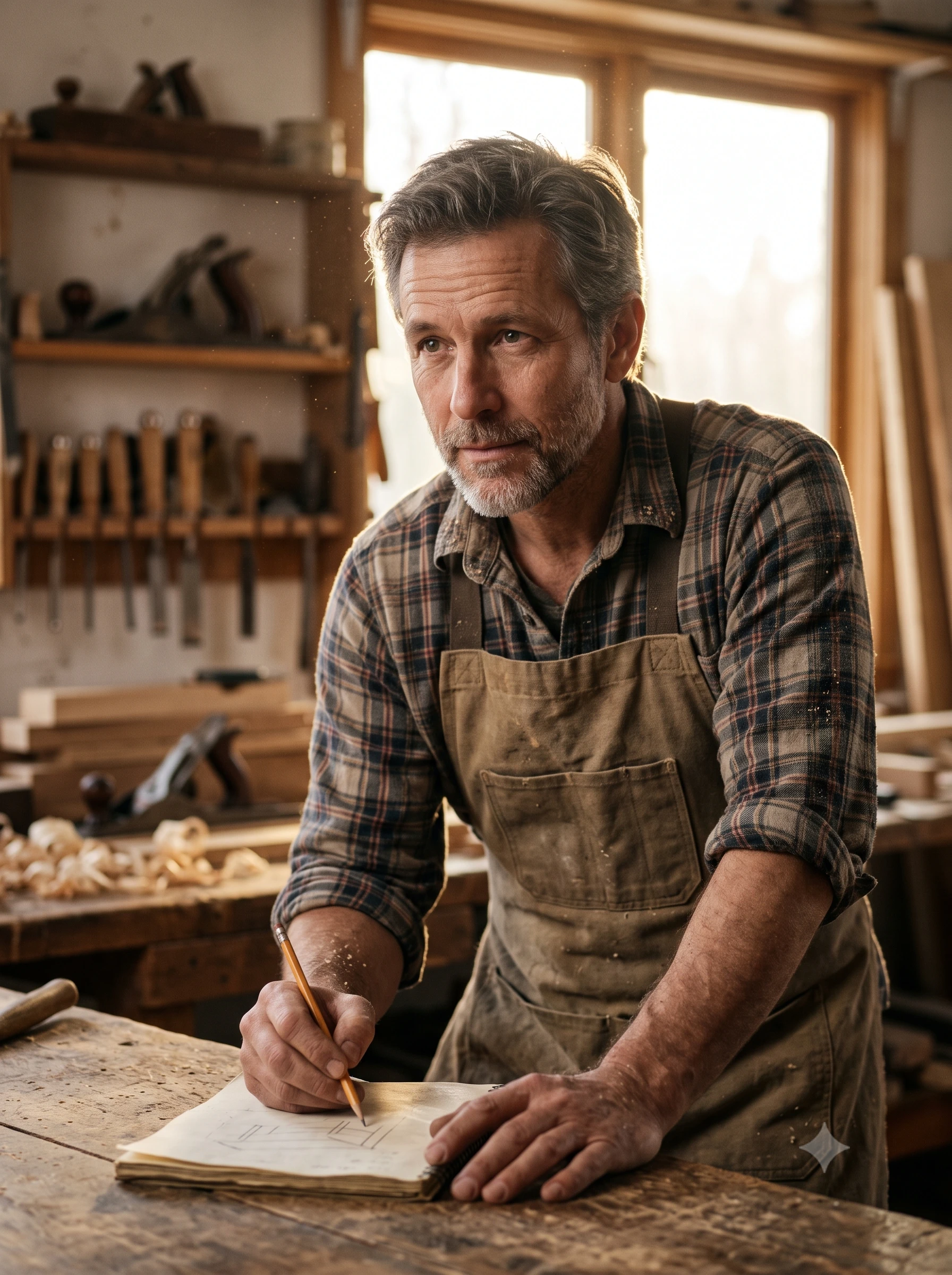
Create a photorealistic portrait of [AGE AND DESCRIPTION OF AN INVENTED PERSON] [DOING SOMETHING] in [LOCATION].
Composition: medium close up at eye level with the subject slightly off center, shot on an 85mm lens at f/1.8.
Lighting: golden hour backlight with a soft fill from the front, natural skin texture, shallow depth of field.
Format: aspect ratio 3:4 at 2K.
Prompt 2: Studio Product Shot on White
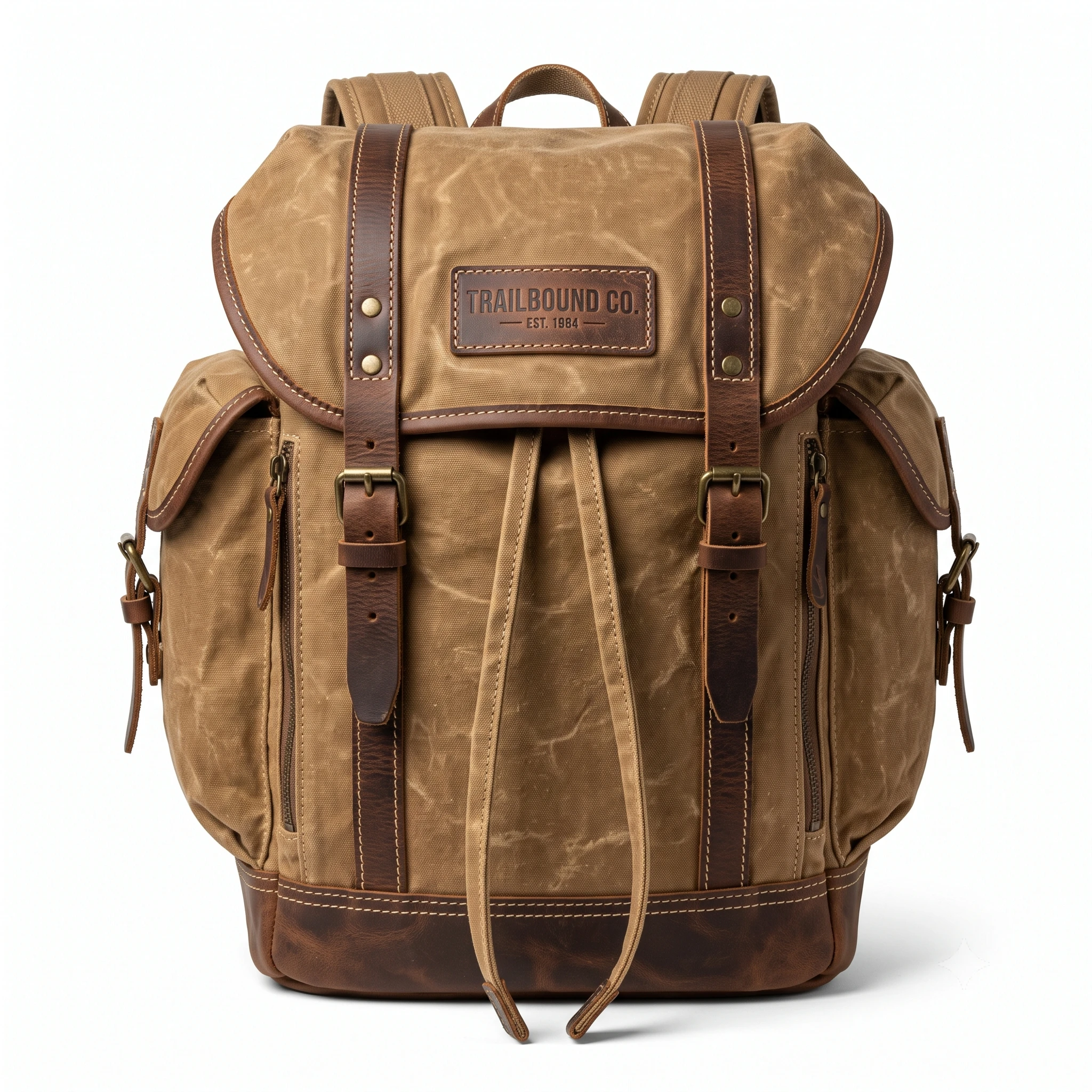
Create a high resolution studio product photo of [PRODUCT WITH MATERIAL AND COLOR] on a clean white seamless background.
Composition: straight on camera angle with the whole product sharp from front to back.
Lighting: three point softbox setup with a soft shadow under the product.
Show every detail of [LABEL, STITCHING OR TEXTURE].
Format: aspect ratio 1:1 at 2K.
Prompt 3: Product on Pastel Podiums
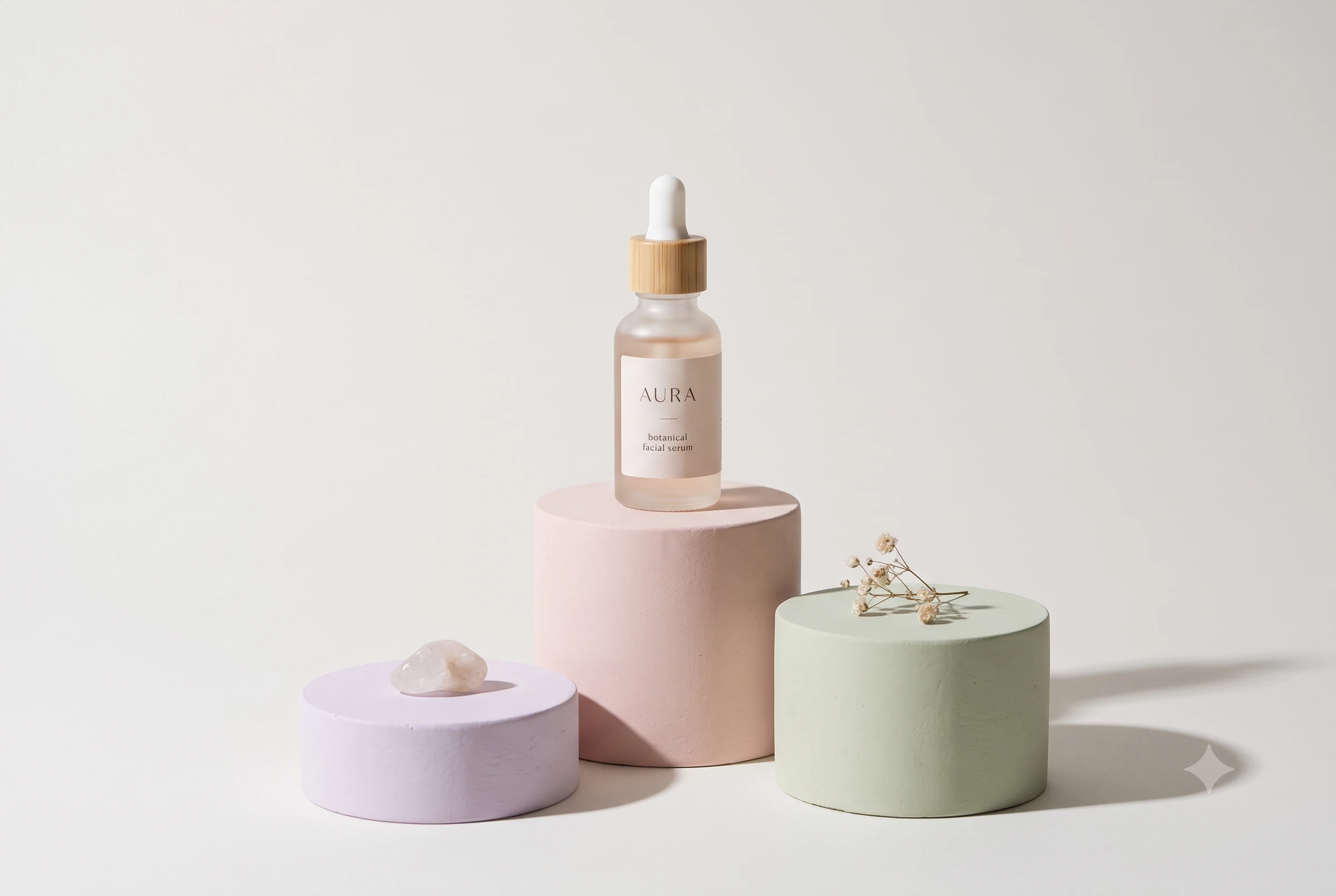
Google DeepMind's page shows a shoulder bag against geometric pedestals and a terrazzo stage as an example. Swap in your own product.
Create a product photo of [PRODUCT] displayed on three pastel podiums of different heights in [COLOR 1], [COLOR 2] and [COLOR 3].
Place the product on the tallest podium, and leave the other two empty with one small [PROP] on each.
Lighting: soft studio light from the upper left with gentle shadows on the backdrop.
Format: aspect ratio 3:2 at 2K.
Prompt 4: Lifestyle Flat Lay
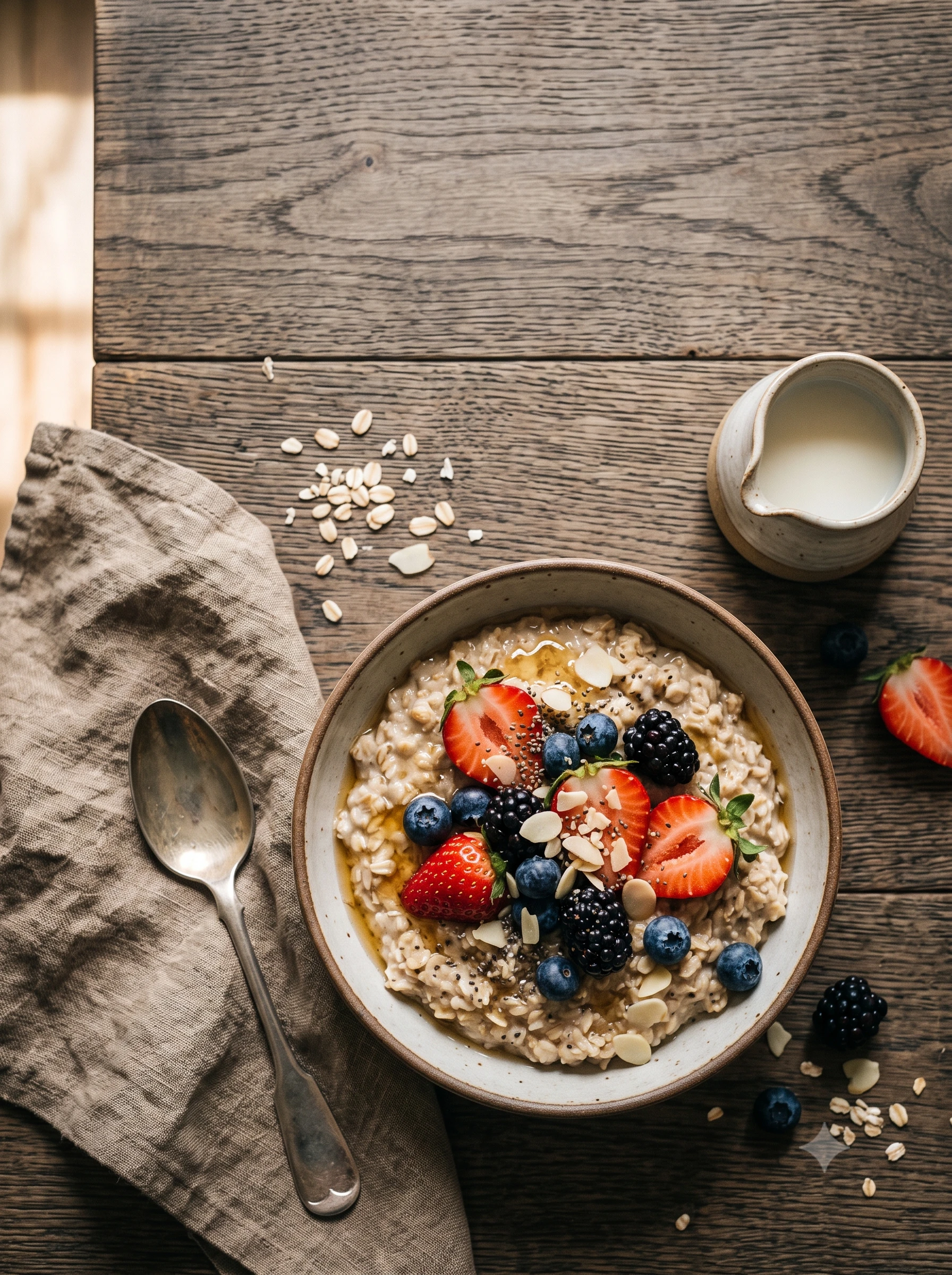
Create a lifestyle photo of [PRODUCT OR DISH] on [SURFACE] in [SETTING, SUCH AS A SUNNY KITCHEN].
Composition: overhead flat lay with [THREE PROPS] arranged around it and macro level detail on [TEXTURE].
Lighting: soft window light from the left with warm color grading.
Leave open space at the top for a headline.
Format: aspect ratio 3:4 at 2K.
Prompt 5: Change the Light, Keep the Scene
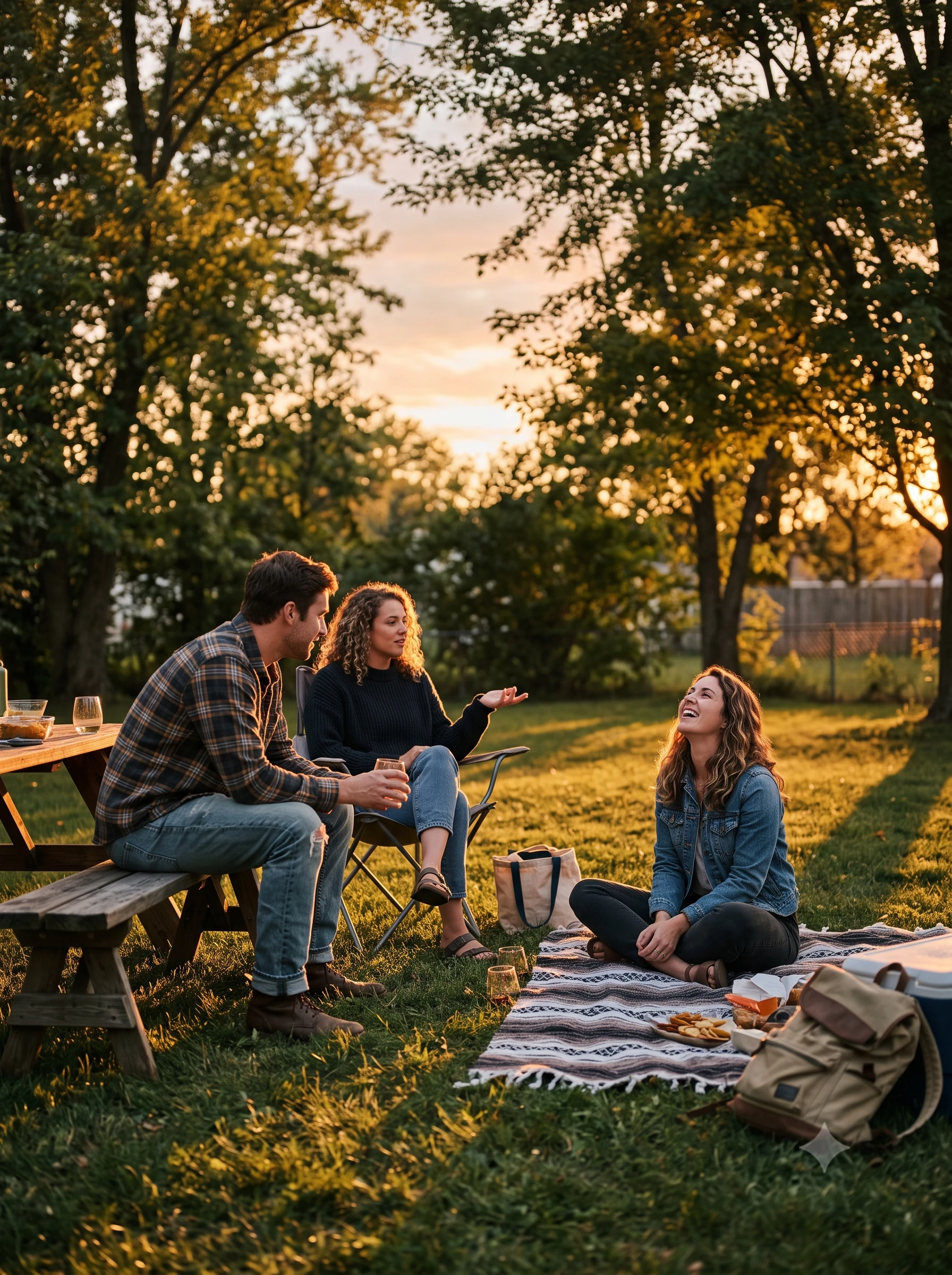
Attach your photo. Use a short instruction that also says what to keep. The Cloud guide advises being explicit about what stays exactly the same.
Edit this photo: change the scene from midday to a warm evening with golden hour light and long soft shadows.
Keep the people, their poses, their clothing and the framing exactly the same. Change only the lighting and the sky.
Prompt 6: Restore and Colorize an Old Photo
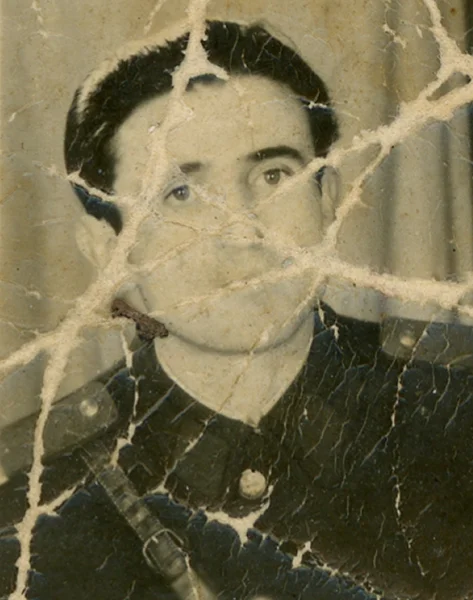
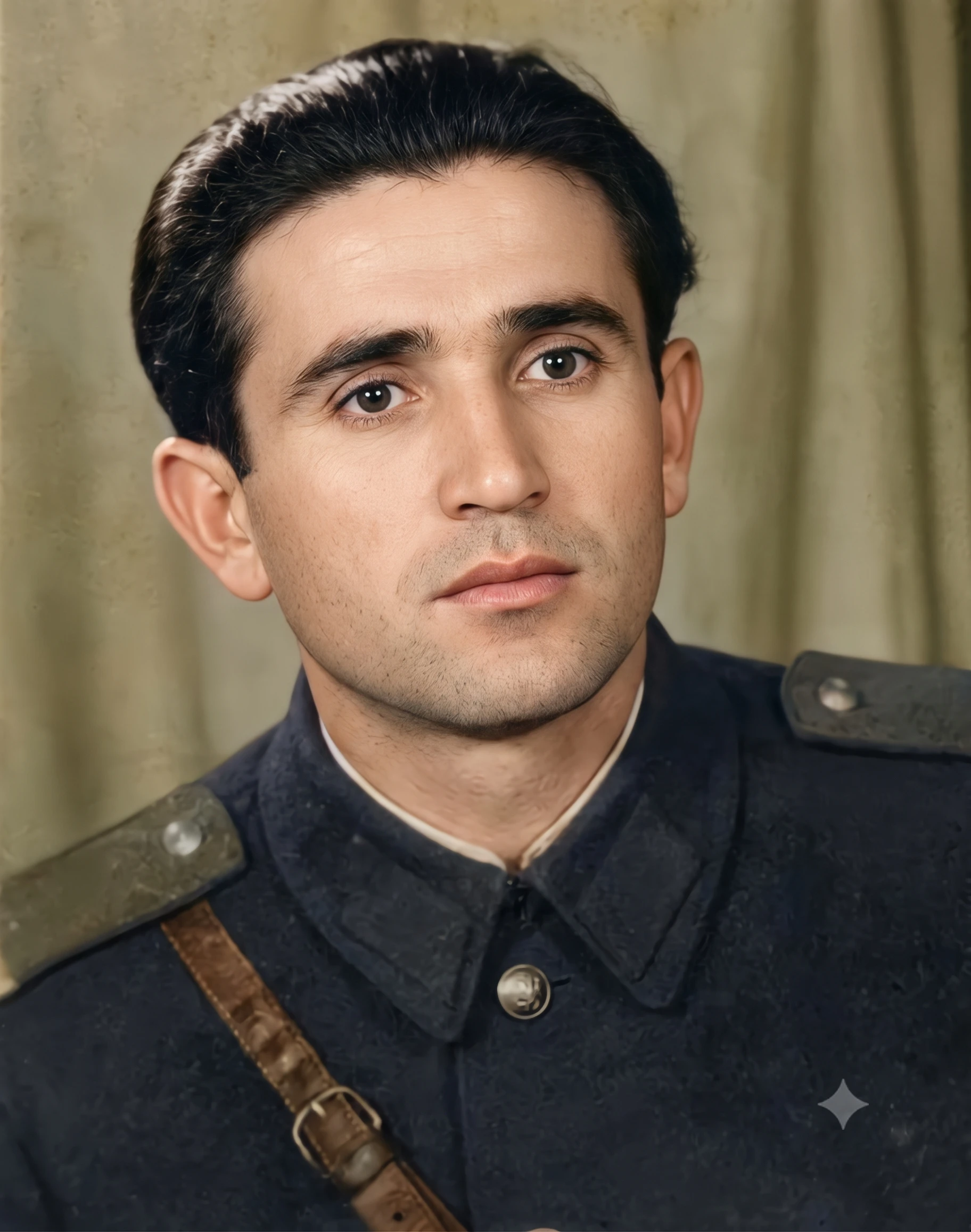
Google's guides do not name photo restoration, but the edit pattern of "change this, keep that" fits it. Use photos you own or have rights to.
Restore this old photograph: remove scratches, dust and fold marks, repair the torn corners and sharpen the faces.
Colorize it with natural tones that suit the period. Keep every person's face, pose and clothing the same, and keep the original framing.
The model card says the pose from an input image can rarely stick during edits. If a person's pose changes when it should not, say the pose in words and send the edit again.
Use Case 2: Text Based Images and Typography
Text inside images is a headline upgrade in 2.1. Google's API changelog and the pricing page both mention text rendering, and the pricing page uses the words accurate text rendering. The DeepMind page shows greeting cards with legible typography. The model card is just as clear about the limits. Small text is often blurry in the 1K model, and long paragraphs render badly.
Follow the DeepMind prompt guide and the Cloud guide on text.
Prompt 7: Poster With a Headline and Subline
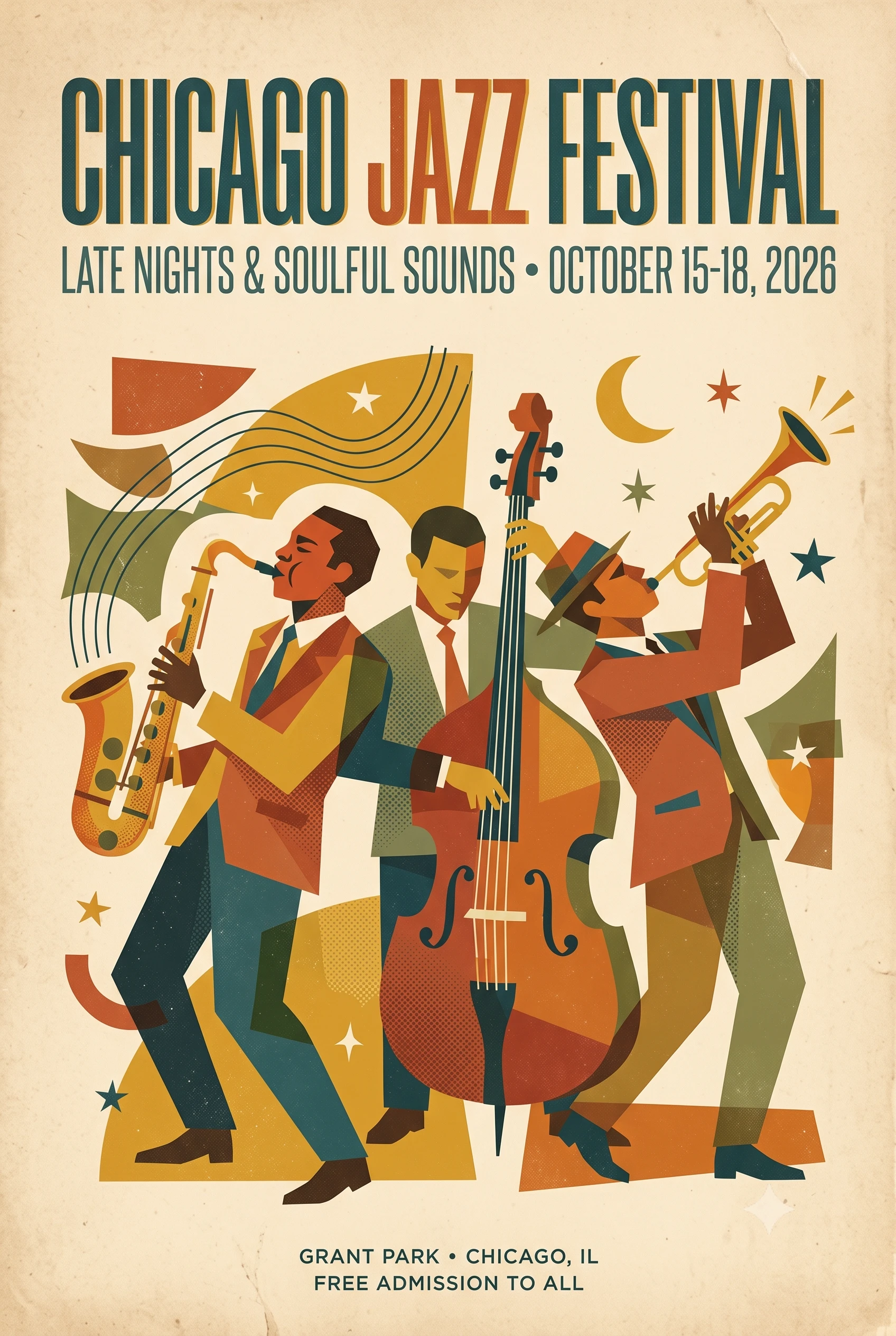
Create a poster for [EVENT OR PRODUCT] in a [STYLE, SUCH AS MID CENTURY MODERN] design.
The headline reads exactly "[HEADLINE]" in a bold [FONT STYLE, SUCH AS CONDENSED SANS SERIF] at the top.
The subline reads exactly "[SUBLINE]" in a lighter weight below it.
Use a [COLOR PALETTE] palette with [KEY VISUAL] in the center.
Format: aspect ratio 2:3 at 2K.
Prompt 8: A Word Built From a Material
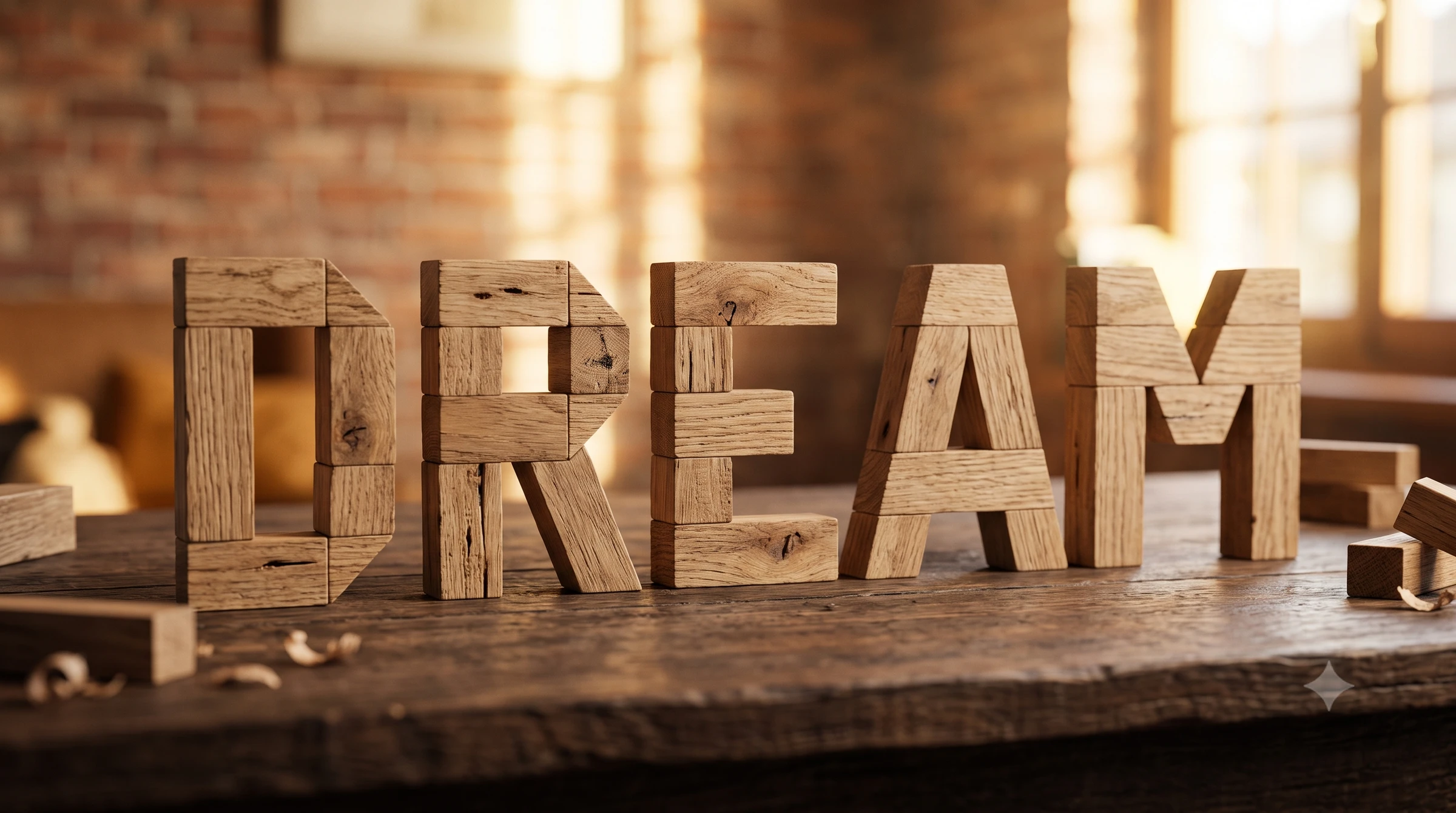
Create a photo of the word "[WORD]" built from [MATERIAL, SUCH AS STACKED OAK BLOCKS] standing on [SURFACE].
Make every letter fully legible and spelled exactly as written.
Lighting: soft window light with a shallow depth of field and a warm [COLOR] background.
Format: aspect ratio 16:9 at 2K.
Prompt 9: Storefront With a Neon Sign
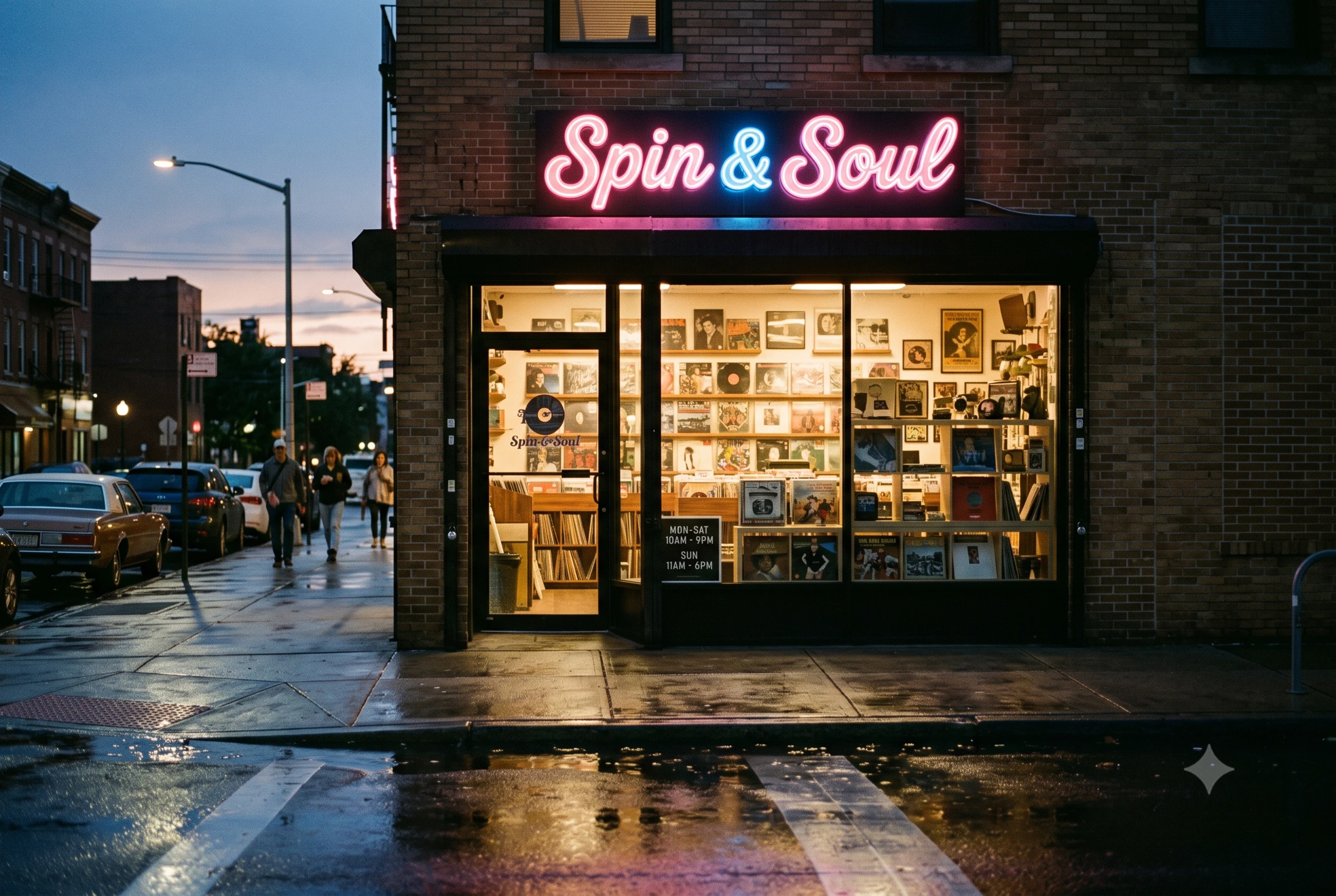
Create a street level photo of a small [TYPE OF SHOP] at dusk.
The neon sign above the door reads exactly "[SHOP NAME]" in a rounded script font.
The window sticker reads exactly "[OPENING HOURS]" in white sans serif letters.
Composition: 35mm lens at eye level, wet pavement reflecting the sign.
Format: aspect ratio 3:2 at 2K.
Prompt 10: Greeting Card
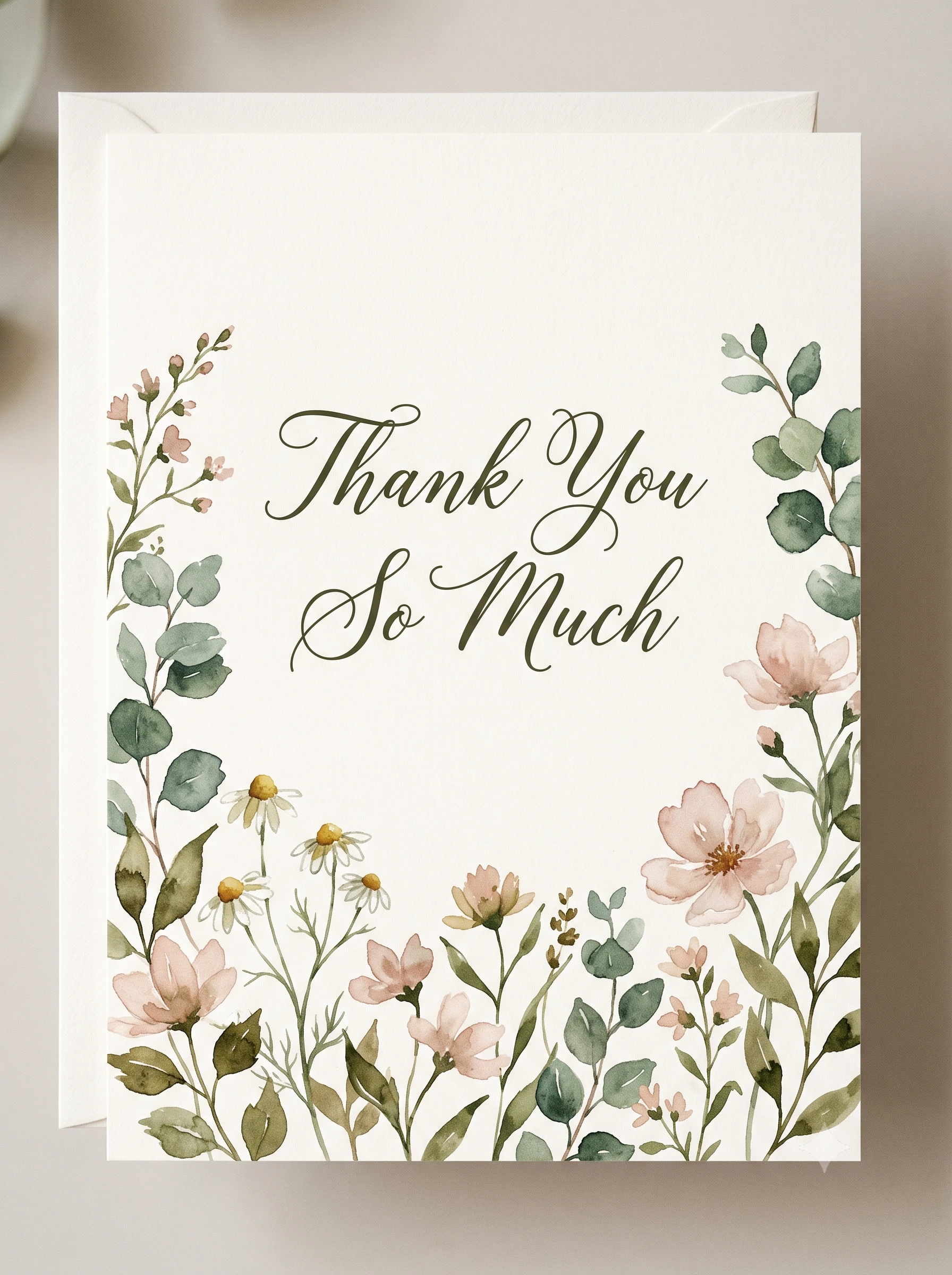
The DeepMind page lists cards for birthdays, new jobs, friendship, new babies, get well wishes and thank yous. Keep the message short, since long text is a known weak spot.
Create a [OCCASION] greeting card with a [STYLE, SUCH AS WATERCOLOR FLORAL] illustration of [MOTIF] and a clean cream background.
The front reads exactly "[SHORT MESSAGE]" in an [ELEGANT SCRIPT] font, centered with generous margins so no letter touches the edge.
Format: aspect ratio 3:4 at 2K.
Use Case 3: Multi Language Images
This is the use case most prompt guides skip. Google's DeepMind page lists localization among the model's strengths, with examples in Hindi, German and Spanish. The model card names localized text in several languages as an intended use.
The DeepMind prompt guide gives the pattern. Write the prompt in one language, name the target language and any regional cues, and give the exact foreign phrases in quotes. I could not find a full list of supported languages in Google's docs, so test your language before you commit to a campaign.
Use this checklist for every non English prompt.
Prompt 11: Translate the Text in an Existing Image
Attach the image, then send this.
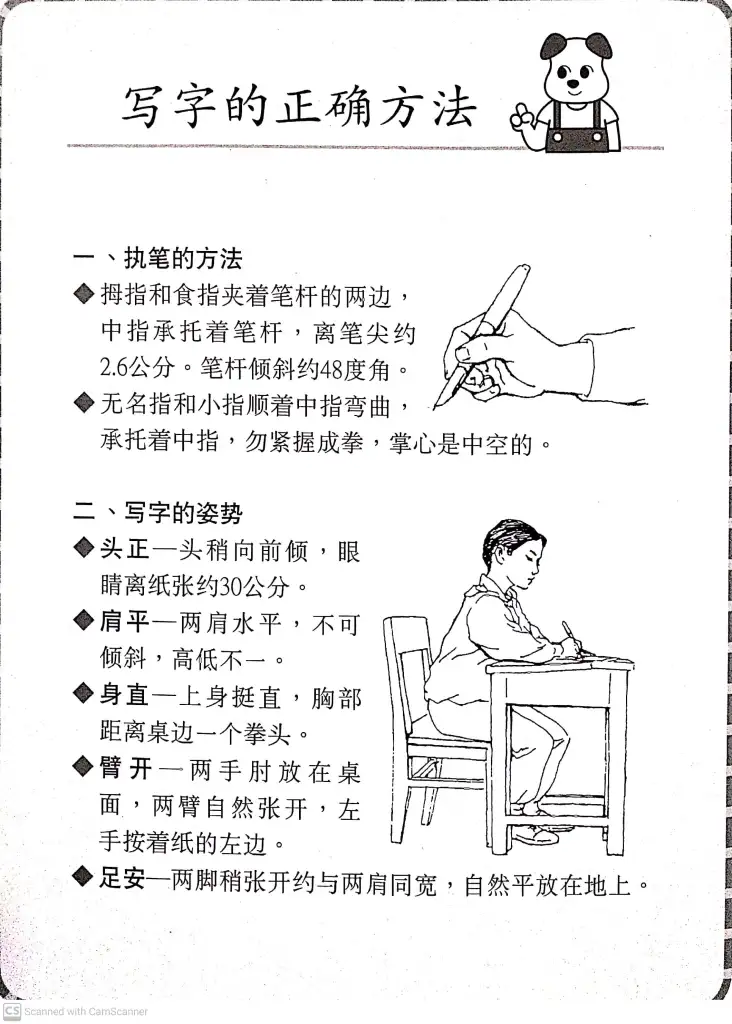
Translate all text in this image into [TARGET LANGUAGE]. Keep everything else exactly the same, including the layout, fonts, colors, product and background.
Prompt 12: Bilingual Poster
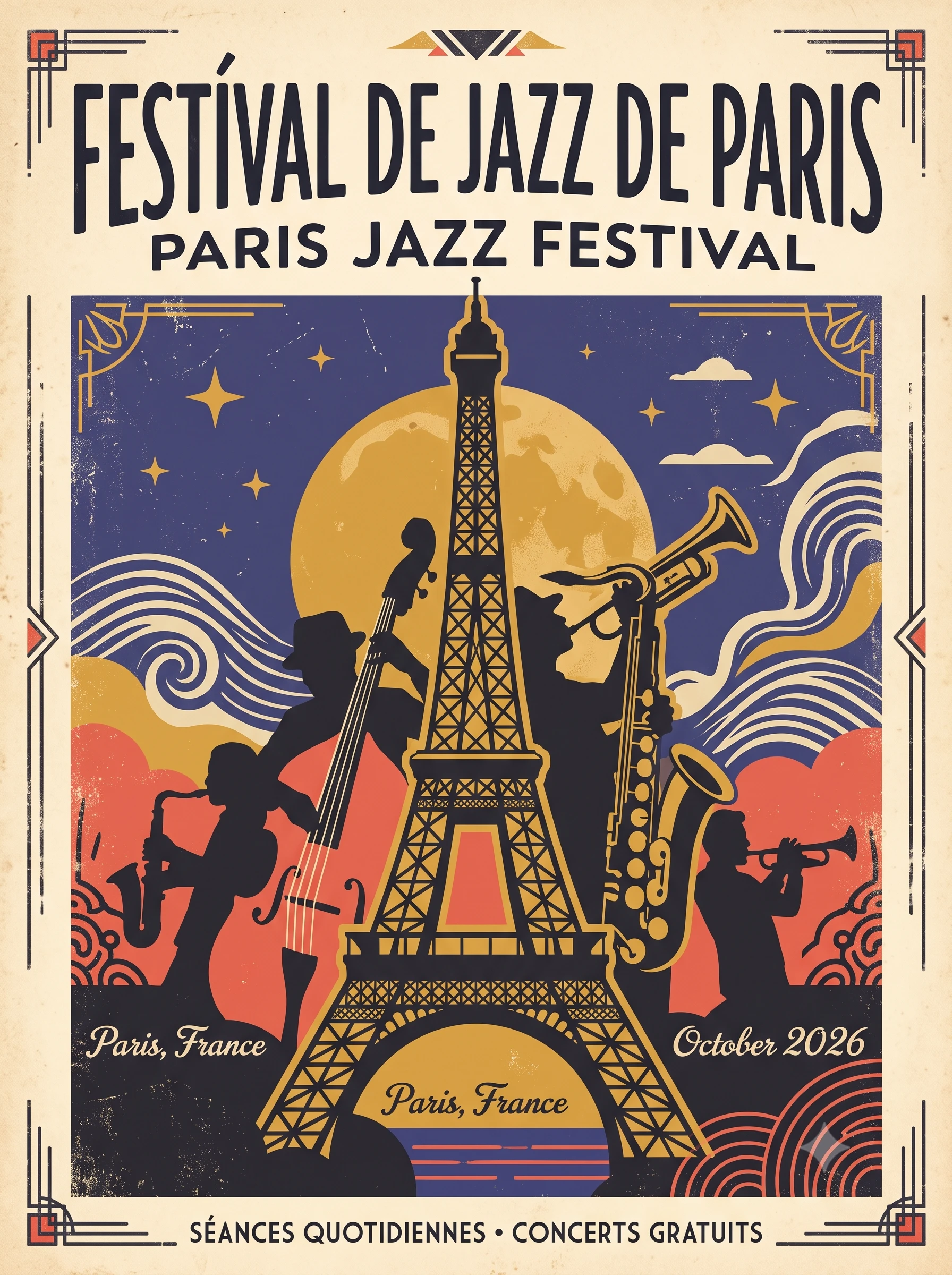
Create a poster for [EVENT] with the headline "[HEADLINE IN LANGUAGE 1]" in large bold letters.
Directly below it, in a smaller size, show the same message in [LANGUAGE 2]: "[HEADLINE IN LANGUAGE 2]".
Both lines must be spelled exactly as written, with every accent mark and character shown correctly.
Use a [STYLE] design with a [COLOR PALETTE] palette.
Format: aspect ratio 3:4 at 2K.
Prompt 13: One Ad, Many Languages
Attach your finished ad. Run this once per language and paste in the exact strings.
Use the attached ad as the base. Replace the headline with exactly "[LOCALIZED HEADLINE]" and the button text with exactly "[LOCALIZED BUTTON]".
Keep the product, layout, colors and fonts the same, and keep the new text inside the same margins as the old text.
Prompt 14: Localize a Whole Scene
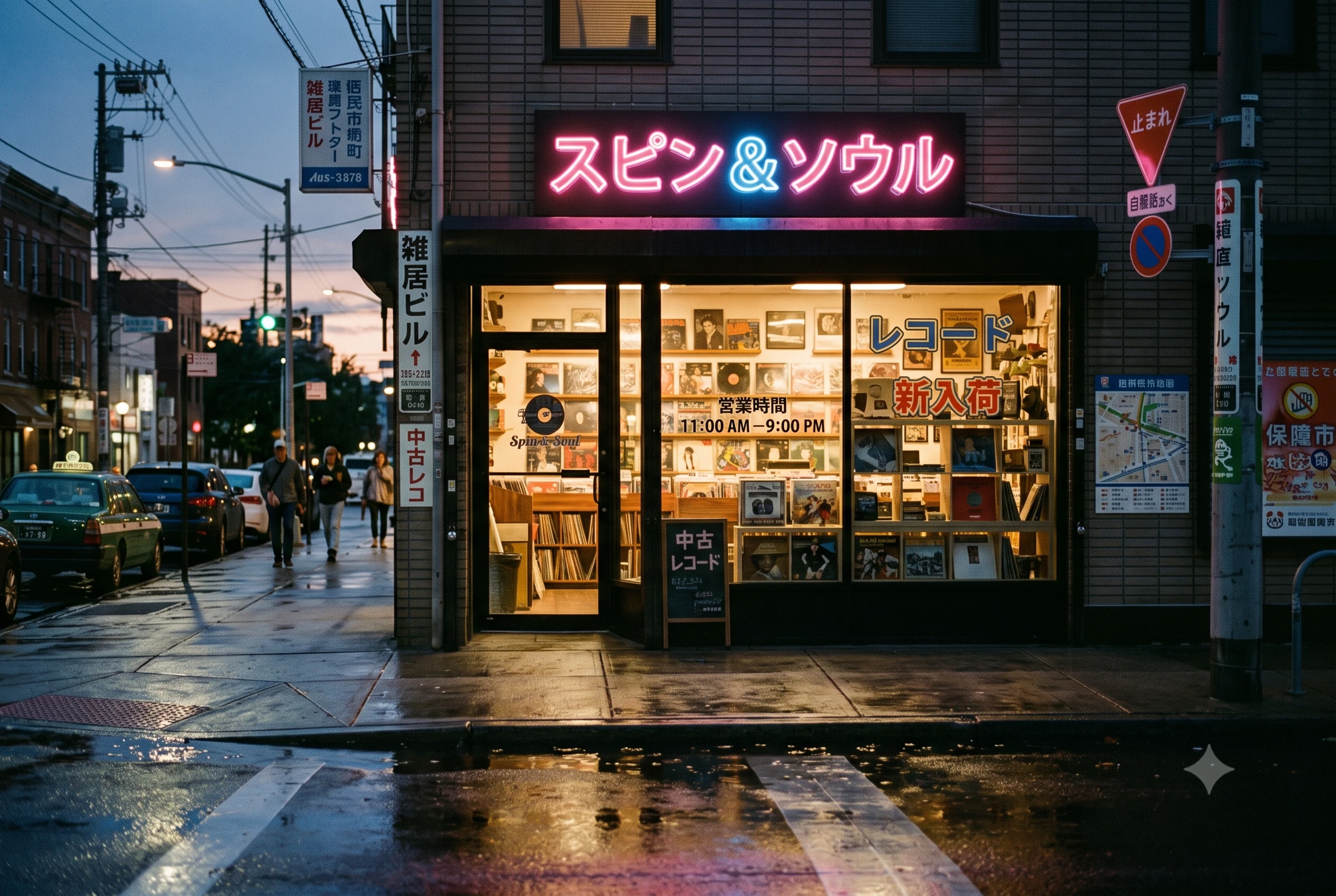
The DeepMind page shows a "Native Wildlife" sign adapted to an Indian setting with Hindi text, so the model can change a scene and its text together. Use that idea for market specific visuals.
Adapt this street scene for [COUNTRY]. Swap the vehicles, signs, menus and posters for ones that look natural in [COUNTRY], and translate every piece of visible text into [LANGUAGE].
Keep the camera angle, composition and time of day exactly the same.
Use Case 4: Social Media Assets
Social assets are mostly a ratio and a safe zone problem. Here are the sizes I would start from.
| Asset | Ratio to request | Where the number comes from |
|---|---|---|
| YouTube video thumbnail | 16:9 | YouTube Help recommends 16:9 and a minimum width of 640 pixels, suggests 3840 by 2160 as the largest size, and sets a 2 MB limit on mobile and 50 MB on desktop |
| Shorts thumbnail | 9:16 | YouTube Help |
| Podcast cover on YouTube | 1:1 | YouTube Help |
| Instagram feed portrait | 3:4 | My starting point, so check Instagram's current specs |
| Pinterest pin | 2:3 | My starting point, so check Pinterest's current specs |
| Wide banner | 21:9, then crop | My starting point, so crop to the platform's banner size |
The DeepMind prompt guide's "production ready specs" tip says to state the aspect ratio and the format, such as a widescreen backdrop or a vertical social post. Ask for the ratio in the prompt, and keep text away from the edges.
Prompt 15: Instagram Carousel Cover
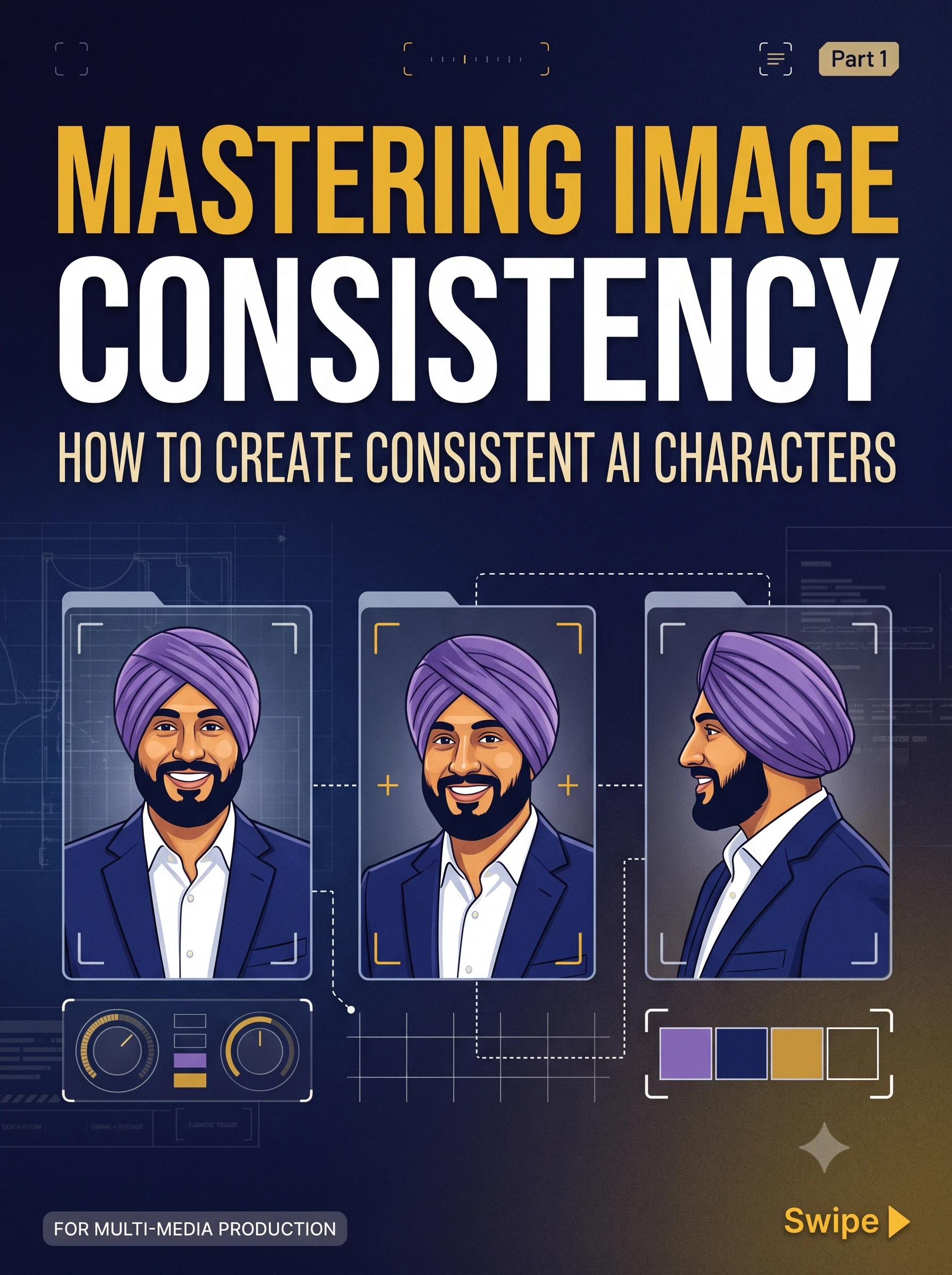
Create a carousel cover for a post titled "[TITLE]" about [TOPIC].
Use a [COLOR PALETTE] palette, a bold [FONT STYLE] headline in the top third and one simple illustration of [VISUAL] in the lower half.
Add a small "Swipe" cue in the bottom right corner. Keep generous margins so nothing gets cropped.
Format: aspect ratio 3:4 at 2K.
Prompt 16: YouTube Thumbnail
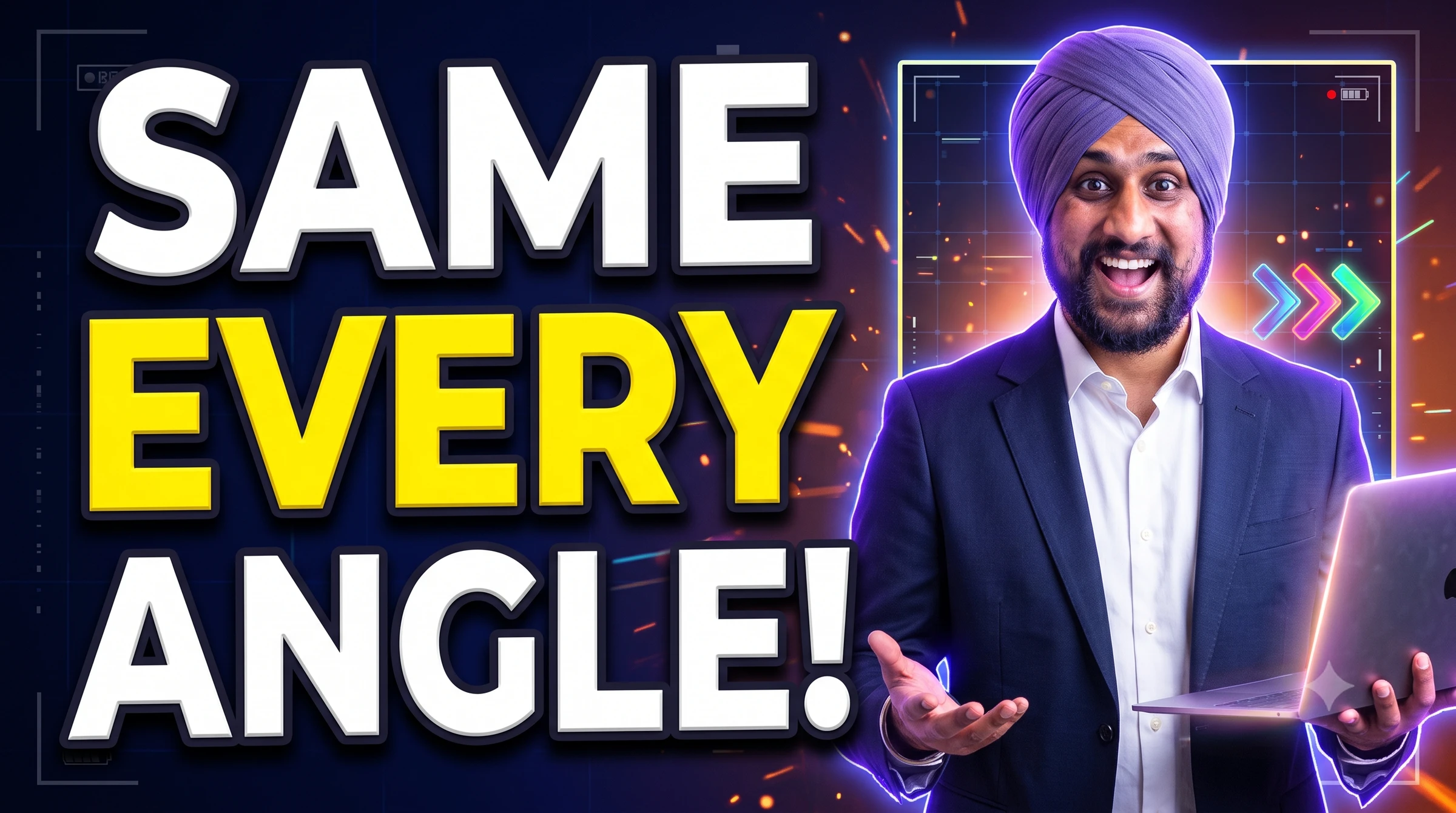
Create a YouTube thumbnail with [SUBJECT, SUCH AS A SURPRISED PERSON HOLDING A LAPTOP] on the right third.
On the left, show three large words exactly as written: "[THREE WORD TITLE]".
Use a high contrast [COLOR] background, thick white letters with a dark outline and a rim light on the subject.
Keep the text readable at small sizes.
Format: aspect ratio 16:9 at 2K.
Prompt 17: Vertical Cover for Reels or Shorts
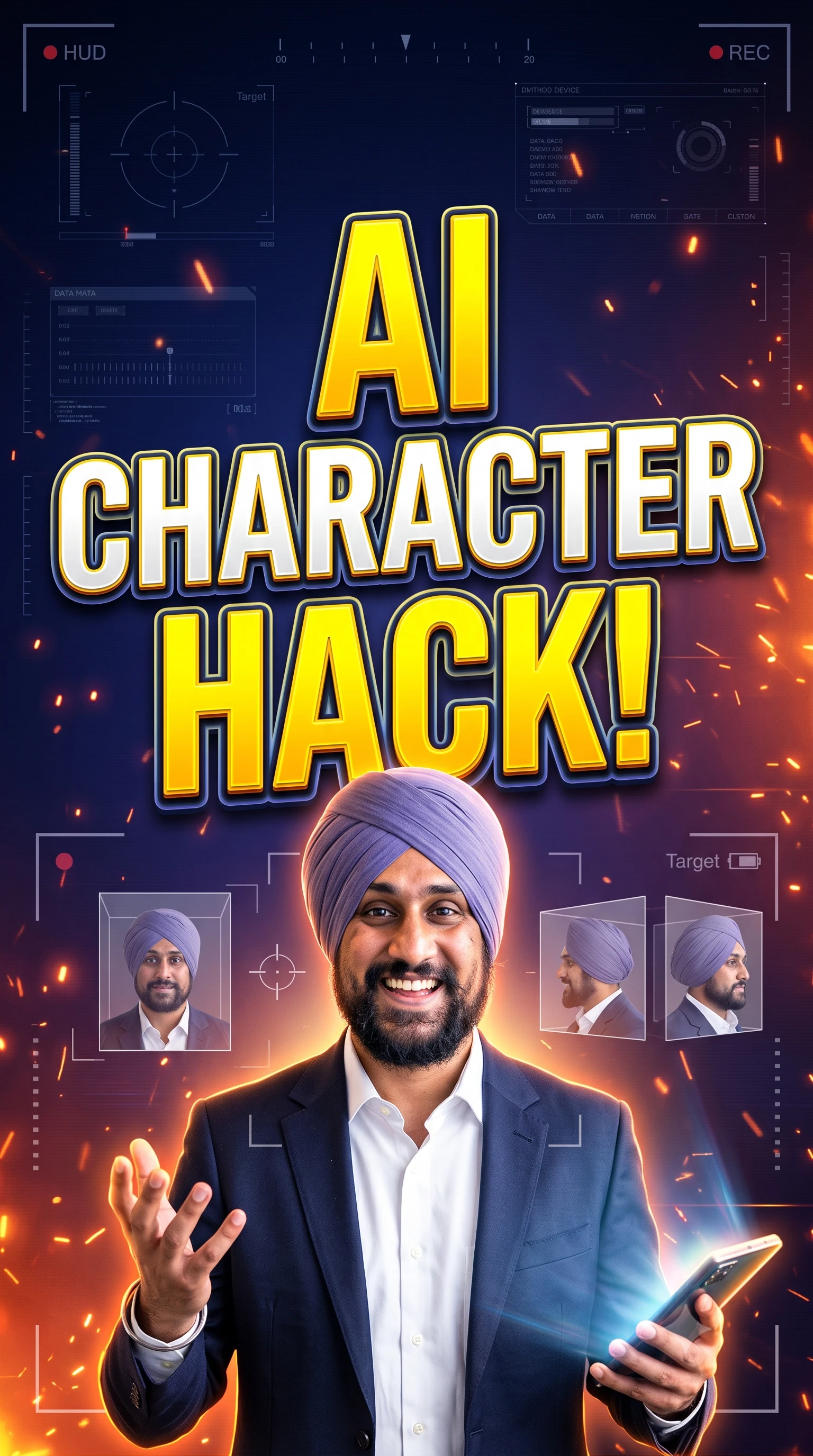
Create a vertical cover image for a short video called "[TITLE]".
Place the title in the middle of the frame in huge letters, and keep the top and bottom edges free of text so app buttons do not cover it.
Use [STYLE] visuals of [SUBJECT] and a [COLOR PALETTE] palette.
Format: aspect ratio 9:16 at 2K.
Prompt 18: Wide Profile Banner
My generator has a Panoramas / Wide Banners category for this job. Keep the key elements away from the far edges, because platforms crop banners differently.
Create a wide banner for [PROFESSION OR BRAND] with a calm [COLOR] gradient background and a simple line illustration of [SYMBOL] on the right.
Show the words "[TAGLINE]" in a clean sans serif font, and keep the left third calm and uncluttered so a profile photo can overlap it.
Format: aspect ratio 21:9 at 2K.
Prompt 19: A Consistent Series With One Mascot
Attach your mascot image. Google's API docs allow up to 4 character images and 10 object images per request, and the DeepMind prompt guide says to give each character or object a distinct name in the prompt. The model card warns that character consistency is not always accurate, so create one image per message and check each one.
Using the attached mascot image as the character reference, create image 1 of a 4 post series showing [MASCOT NAME] [DOING ACTION 1].
Keep the face, colors, proportions and outfit identical, and keep the same [FLAT VECTOR] style and [COLOR PALETTE] palette.
After the first result, send "Now create image 2, showing [MASCOT NAME] [DOING ACTION 2]. Keep everything else identical." and repeat.
Disclosure matters for realistic content. YouTube asks creators to label realistic AI content, but its help page says AI help with thumbnails, titles and brainstorming does not need a label. Read the current rule before you publish.
Use Case 5: Infographics and Diagrams
Infographics are the headline upgrade in Google's numbers. The model card scores 2.1 at 1048 on infographic design with thinking against 961 for Nano Banana 2, and at 0.521 on infographic factuality against 0.179. The DeepMind page shows infographics on the layers of the Earth, cloud types, the water cycle, flour types, honey production and recycling, and says Nano Banana 2 pulls real time information from web search for accurate subjects, infographics and diagrams.
Now the hard rule. A factuality score of 0.521 on Google's automated test suggests a dense infographic can still be wrong. Paste your own checked facts into the prompt, never ask the model to make up numbers, and verify the result. The generator page recommends the High thinking level for dense infographics and diagrams.
Prompt 20: Step by Step Process Infographic
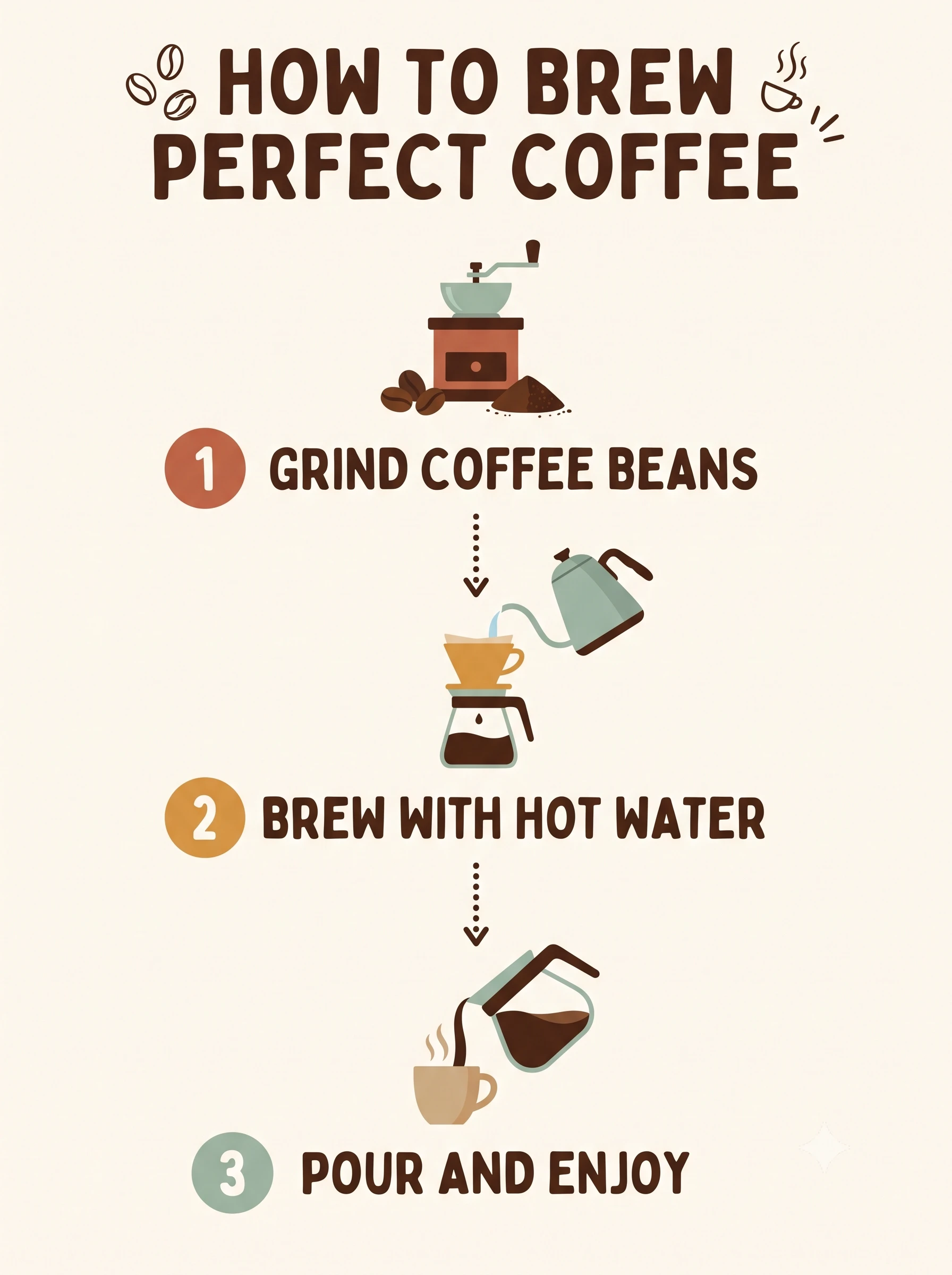
Create an infographic that shows how to [PROCESS] in [NUMBER] numbered steps.
Use a clean flat vector style with a [COLOR PALETTE] palette, one simple icon per step and a short label of no more than six words under each icon.
Use these exact labels: 1 "[STEP 1]", 2 "[STEP 2]", 3 "[STEP 3]".
Add the title "[TITLE]" at the top.
Format: aspect ratio 3:4 at 4K.
Prompt 21: Data Infographic With Exact Values
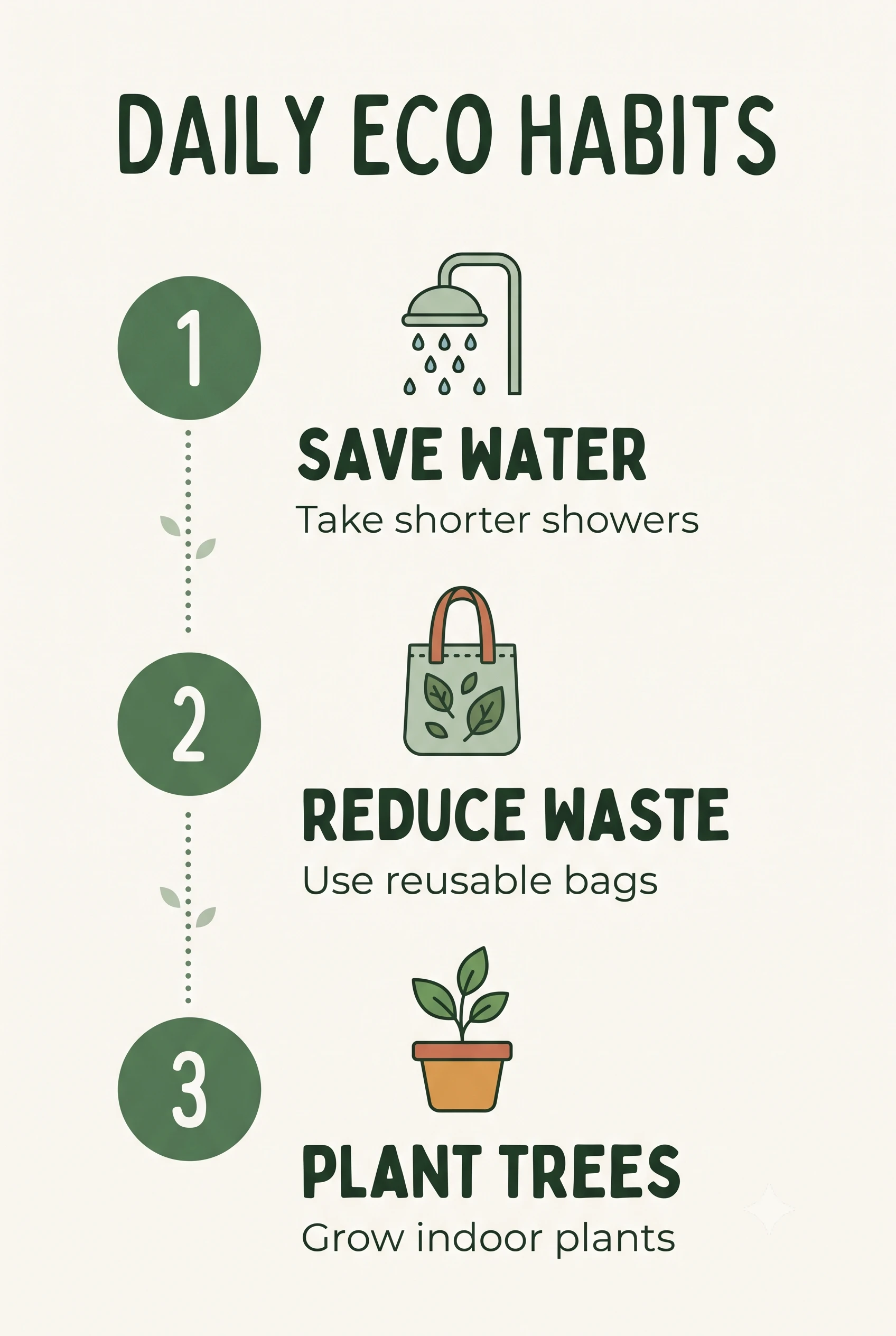
This follows the generator's Data Infographic template. Use High thinking and 2K or 4K.
Create a clean vertical infographic titled "[TITLE]" at the top in [FONT STYLE].
Stack [NUMBER] sections from top to bottom, each with an icon, a bold label and a short value: 1. "[LABEL]" with "[VALUE]", 2. "[LABEL]" with "[VALUE]", 3. "[LABEL]" with "[VALUE]".
Use a [COLOR PALETTE] palette with [DOMINANT COLOR] as the accent, generous margins and one consistent icon style.
Spell every label exactly as written and show no other numbers.
Format: aspect ratio 2:3 at 2K.
Prompt 22: Side by Side Comparison
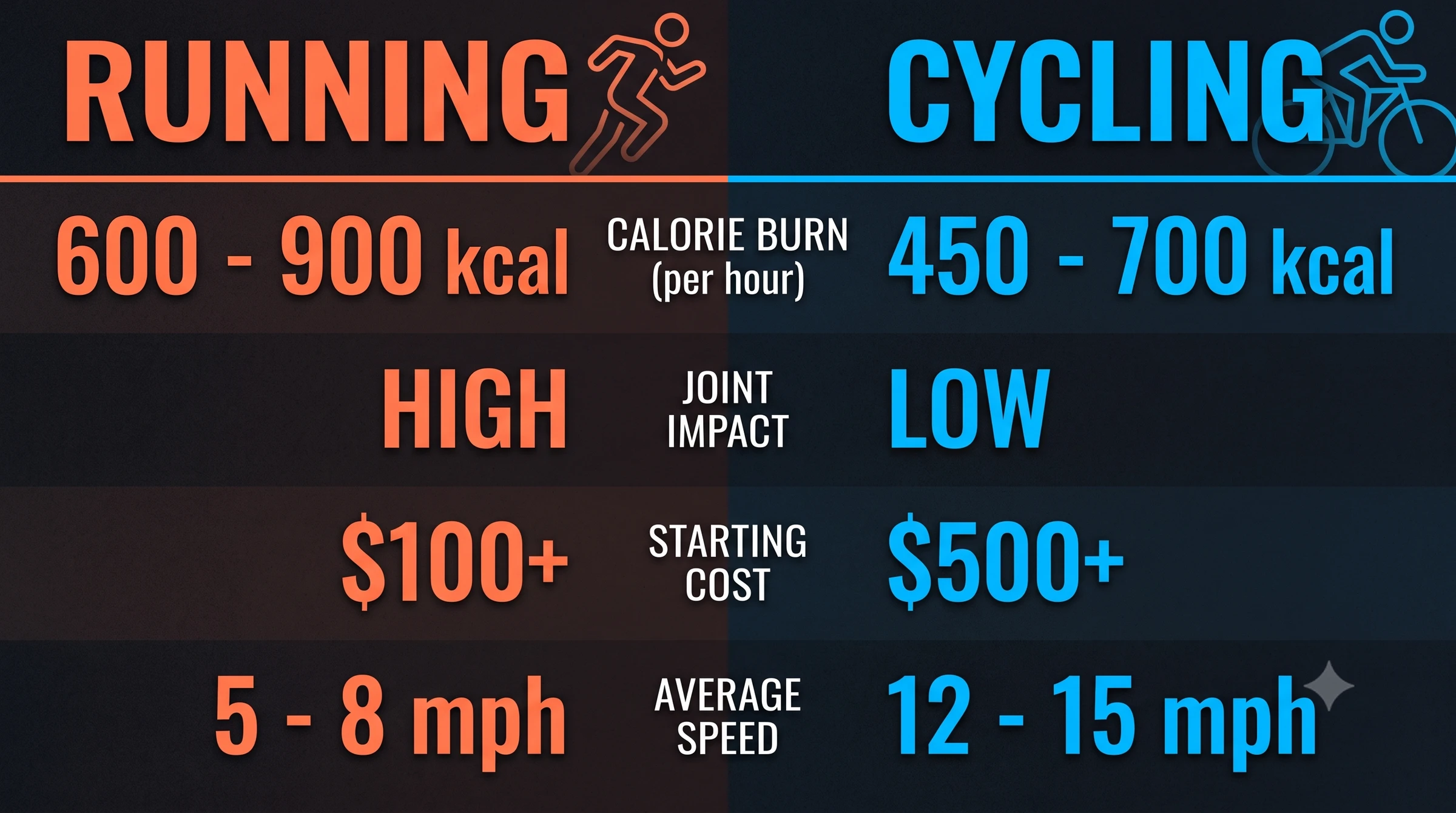
Create a side by side comparison graphic of [OPTION A] and [OPTION B].
Put the heading "[OPTION A]" over the left column and "[OPTION B]" over the right column, with [FOUR] rows for [CRITERIA].
Use exactly these values and do not add any others: [PASTE YOUR VERIFIED VALUES].
Use a [STYLE] design with a different accent color for each column and large, readable numbers.
Format: aspect ratio 16:9 at 2K.
Prompt 23: A Fact Card Grounded in Search
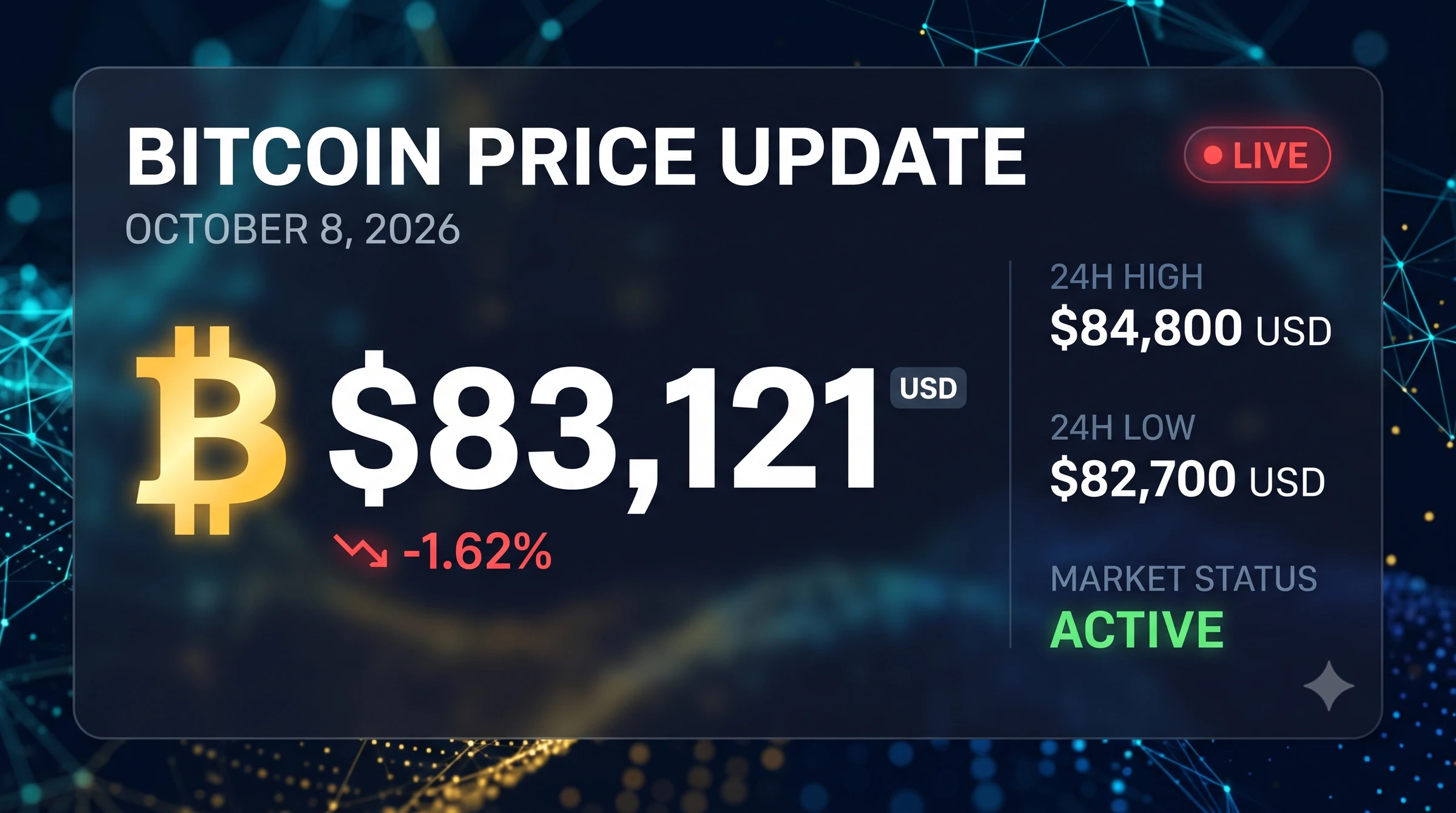
Turn on Google Search grounding in your tool. The Cloud guide shows a search, analyze and visualize pattern that looks up the weather and renders the result. Use the same pattern for other live facts, and read the facts back before you share the image.
Search for the current [WEATHER, SPORTS SCORE OR PRICE] for [PLACE OR TEAM].
Then create a clean card that shows the result in a [STYLE] design with the headline "[HEADLINE]".
Show only facts you found and include the date on the card.
Format: aspect ratio 16:9 at 2K.
Grounding adds cost. Google's pricing page gives 5,000 free search requests a month across Gemini 3.x models, then $14 per 1,000 requests. If you use Image Search through the API, the docs require you to display the returned search suggestions.
Prompt 24: Educational Diagram on a Real Topic
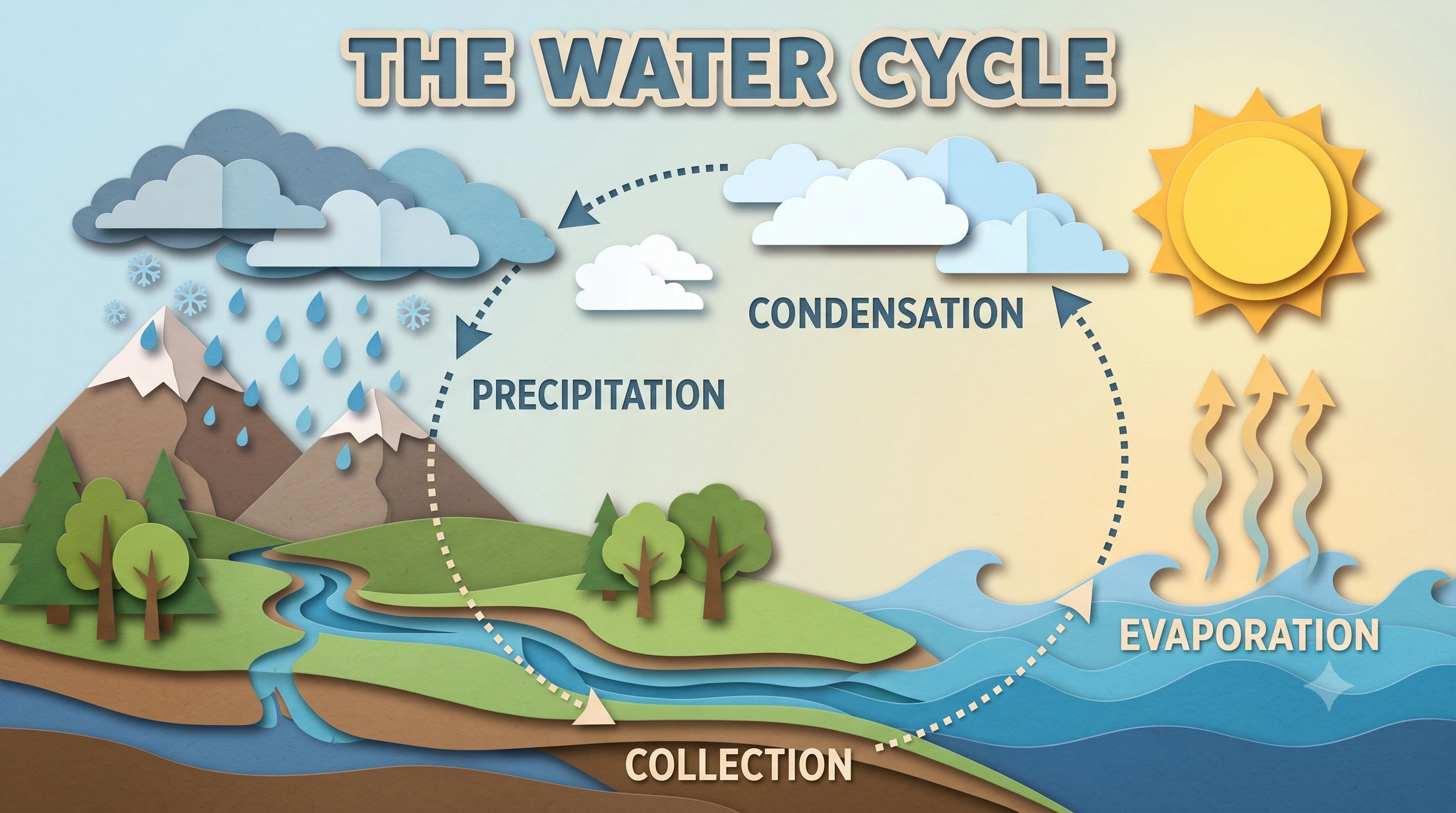
The DeepMind prompt guide says to ask for a timeline or flowchart, reference real concepts and name a visual theme. Its example is a craft style diagram of the water cycle.
Create an educational diagram of [REAL TOPIC, SUCH AS THE WATER CYCLE] in a [VISUAL THEME, SUCH AS PAPER CRAFT] style.
Show the stages in the correct order with arrows between them, and label each stage with its standard name.
Use a [COLOR PALETTE] palette, a title reading exactly "[TITLE]" and no other text.
Format: aspect ratio 16:9 at 2K.
Use Case 6: Advertising
Ad creative mixes every skill from the earlier sections: a product shot, exact text, a clear layout and several variants to test. Google DeepMind's Nano Banana page shows the kind of scenes ad teams brief for, including a leather crossbody bag on a stepped terrazzo column in a 1980s Memphis style set and a fashion editorial with several models in one colorful set.
Check three things before any ad goes live.
Prompt 25: Magazine Style Product Ad
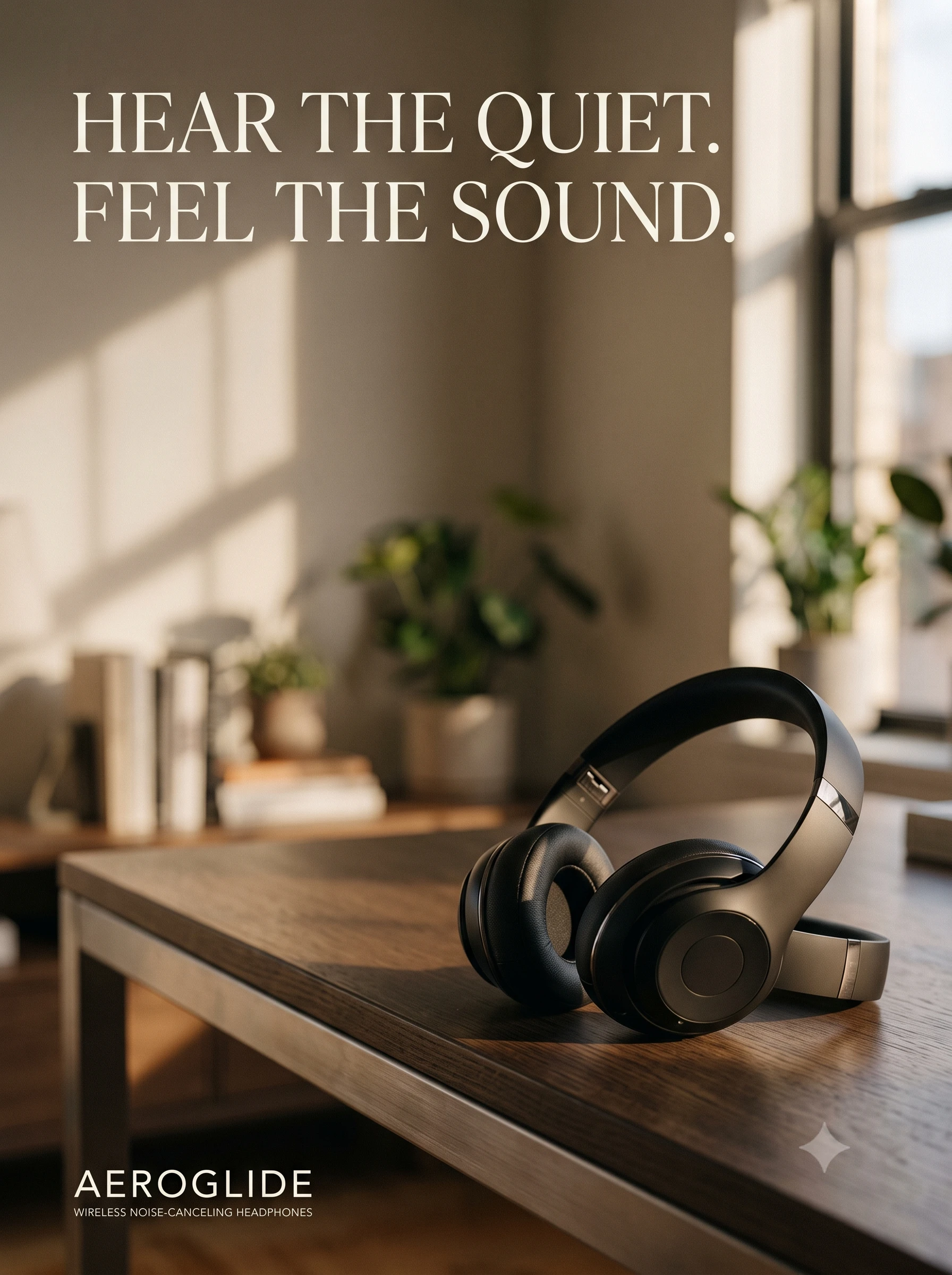
Create a magazine style ad for [PRODUCT].
The product sits on [SURFACE] in the lower right, lit by [LIGHTING], with [BACKGROUND] behind it.
The tagline reads exactly "[TAGLINE]" in [FONT STYLE] at the top left, and the brand name "[BRAND]" sits small in the bottom left.
Leave clean negative space around the text.
Format: aspect ratio 3:4 at 2K.
Prompt 26: Billboard in Context
Use this to test a concept inside a believable scene before you book real media. It is a quick way to judge whether a headline still reads from a distance.
Create a photo of a large roadside billboard at sunset showing an ad for [PRODUCT].
The billboard text reads exactly "[HEADLINE]" in huge white letters on a [COLOR] background.
Show a few cars on the road below and keep the sign perfectly legible.
Format: aspect ratio 16:9 at 2K.
Prompt 27: Packaging Mockup
Attach your logo or pattern. The model card benchmarks multi image editing, including multi product recontextualization, so this is a task Google tests for.
Apply the attached logo and pattern to a [PACKAGING TYPE, SUCH AS A KRAFT COFFEE BAG] and photograph it on [SURFACE] with soft studio lighting.
Keep the logo sharp and unchanged, follow the curve of the packaging and show realistic paper texture and shadows.
Format: aspect ratio 5:4 at 2K.
Prompt 28: Ad Variants for Testing
Attach the winning ad. Change one element per message, so you know what moved your results.
Use the attached ad as the base. Create a variant with the same layout, product and fonts, but change the background to [NEW BACKGROUND] and the headline to exactly "[NEW HEADLINE]".
Change nothing else.
Use Case 7: More Things Nano Banana 2.1 Does Well
These last nine prompts cover the jobs that did not fit above. Several map to categories in my generator, such as Mask / Doodle Edit, Multi-Image Blend, Storyboarding, UI/UX Design and Maps & Diagrams.
Prompt 29: Edit Only the Area You Doodled
The model card benchmarks ink (doodle) based editing as an editing capability. It also warns that the model follows masked and doodle edits only partly and that the marks can persist in the output. So write the prompt around two rules: describe only what goes in the marked area, and list what must stay untouched.
Draw on your image first, then attach it.
Edit this image. Replace only the area I marked with a doodle: [DESCRIBE WHAT SHOULD APPEAR IN THE MARKED AREA].
Match the lighting, perspective and style of the rest of the image.
Remove all of my doodle marks from the result.
Keep everything outside the marked area exactly the same, including [PRESERVE LIST, SUCH AS THE PEOPLE, THE SKY AND THE SIGN TEXT].
If the marks stay visible, send a follow up that says "Remove every doodle mark and change nothing else."
Prompt 30: Combine Several Images
The model card benchmarks multi image editing. Google's API docs allow up to 14 reference images in total, with up to 10 objects and 4 characters. A good blend prompt names the target scene and says which input supplies which element.
Combine these images into one scene. Put the [OBJECT] from image 1 on the table in image 2 and match the lighting and shadows of image 2.
Use image 3 only as the color palette reference.
Keep the table, the background and all other objects from image 2 unchanged.
Prompt 31: One Sheet Storyboard
My generator has a Storyboarding category for this. The model card says the model sometimes confuses left and right, so describe each frame by its number and content rather than by direction.
Create a storyboard sheet of four frames for this scene: [SCENE DESCRIPTION].
Frame 1 is an establishing shot, frame 2 is a medium shot, frame 3 is a close up and frame 4 is a point of view shot, all in the same [STYLE] illustration style with the same characters.
Label the frames "1", "2", "3" and "4" in the top corners.
Format: aspect ratio 16:9 at 2K.
Prompt 32: Character Reference Sheet
Create a character reference sheet of [CHARACTER DESCRIPTION] in a [STYLE] style on a plain light gray background.
Show a front view, a side view, a back view and three facial expressions.
Keep the outfit, colors and proportions identical in every view.
Format: aspect ratio 16:9 at 2K.
Prompt 33: App Screen Mockup
The DeepMind page shows website mockups, including a Swiss style studio site and a Nordic cabin retreat page, so interface layouts are a natural fit. Keep the on screen text short.
Create a clean mobile app screen mockup for a [APP TYPE] app, showing [SCREEN, SUCH AS A WEEKLY HABIT TRACKER].
Use a [LIGHT OR DARK] theme, the colors [PALETTE], rounded cards and readable placeholder text.
The screen title reads exactly "[TITLE]".
Show it inside a modern phone frame on a soft gradient background.
Format: aspect ratio 9:16 at 2K.
Prompt 34: Isometric Icon Set
Create a set of six isometric icons for [TOPIC] on a white background, arranged in a grid of three columns and two rows with equal spacing.
Use the same soft shadows, rounded edges and [COLOR PALETTE] palette in every icon, and add no text.
Format: aspect ratio 3:2 at 2K.
Prompt 35: Sticker Sheet
Create a sheet of eight die cut stickers on the theme of [THEME] in a [STYLE] style.
Give each sticker a thick white outline and arrange them in a grid on a plain white background with space between them, so I can cut them out later.
Format: aspect ratio 1:1 at 2K.
Prompt 36: Illustrated Map of a Real Place
This one needs search grounding for accuracy. My generator's tips say to turn grounding on for real places, monuments and species. In the generator, pick Web Search or Web + Image Search. The model card lists limited factuality as a known weakness, so check every label on the result.
Search for the best known landmarks in [CITY] and create a hand drawn style tourist map of [NUMBER] of them.
Give each landmark a small illustration and its correct name as a label.
Use a warm [COLOR] palette and add a compass in one corner.
Format: aspect ratio 3:2 at 2K.
Prompt 37: A Six Frame Story, One Frame at a Time
The DeepMind page shows a six frame story about three fluffy friends building a treehouse, with the same characters in every frame. I would build a story one frame per message and keep the characters identical, so you can check each frame for drift.
Create frame 1 of a 6 frame illustrated story about [CHARACTER NAMES AND DESCRIPTIONS] [GOAL, SUCH AS BUILDING A TREEHOUSE].
Use a [STYLE] style and a [COLOR PALETTE] palette. Frame 1 shows [SCENE 1].
Format: aspect ratio 4:3 at 2K.
Then send "Now create frame 2, showing [SCENE 2]. Keep the characters, style and palette identical to frame 1." Repeat through frame 6, and check each frame for drift before you move on.
Fix the Usual Problems
Most failed images fail in the same few ways. This table maps each symptom to a fix, using Google's model card and prompt guides. I have not reproduced these failures myself, so treat each fix as a first thing to try.
| What goes wrong | Likely cause | What to try |
|---|---|---|
| Garbled or misspelled text | Small text, too many words or a low resolution | The model card says small text is often blurry in the 1K model. Cut the words, put them in quotes, name the font style and try 2K or 4K, which is my workaround rather than a Google claim |
| A paragraph turns into nonsense | Long text is a listed weak spot | Keep each line short and add long copy later in a design tool |
| A character drifts between images | Weak references or too many characters | Attach clear references, name each character and stay inside the reference limits. Create one image per message |
| The old pose stays after an edit | The model card lists rare cases where the input pose sticks | Describe the new pose in words and send the edit again |
| Left and right are swapped | Spatial direction is a listed weak spot | Number the frames or name the objects, and state each position twice |
| Doodle marks stay visible or the edit is half done | Doodle and mask edits are followed only partly | Describe only the marked area, add a preserve list and follow up with "remove every doodle mark" |
| Wrong facts in an infographic | Factuality is limited, even at 0.521 | Paste verified facts, say "show no other numbers" and use Search grounding for live data |
| Unwanted objects appear | A negative phrase such as "no cars" | Describe the scene you want, such as "an empty street", as the Cloud guide advises |
| The image feels flat | No camera or lighting direction | Add a lens, an angle and a lighting setup, such as "three point softbox" or "golden hour backlight" |
| A generation times out | The model card mentions occasional slowness and timeouts | Retry, and keep the prompt focused on one job |
A Five Step Workflow With the Generator
Here is the order I recommend, with my free generator as step one.
Before You Publish: Labels, Consent and Checks
Frequently Asked Questions (FAQs)
What is Nano Banana 2.1?
Nano Banana 2.1 is Google's image generation and editing model, listed in the API as gemini-nano-banana-2.1. Google's changelog shows it reached general availability on 6 October 2026 as an update to Nano Banana 2, and the model card says it is based on Gemini 3.6 Flash.
Is Nano Banana 2.1 free?
Not through the API. Google's pricing page lists image output as paid only, starting at $0.0336 per 1K image. In the Gemini app, Google's help page says downloads reach 1K without a Google AI plan and 2K with one. That page still refers to Nano Banana 2, so check which model your app uses.
What changed from Nano Banana 2?
The price per image drops from $0.067 to $0.0336 at 1K and from $0.101 to $0.0504 at 2K. You also get a medium thinking level, a 1K minimum size and higher scores in Google's own tests, such as 0.521 against 0.179 for infographic factuality. Google marks the older model as deprecated with no shutdown date yet.
Which thinking level and resolution should I use for text?
Use 2K or 4K. The model card says small text is often blurry in the 1K model, and the larger sizes are my workaround rather than a Google guarantee. Medium thinking is the default and suits short headlines. My generator suggests High thinking for dense infographics and diagrams.
Can Nano Banana 2.1 write accurate text in other languages?
Google lists localized text in several languages as an intended use, and its Nano Banana page shows Hindi, German and Spanish examples. I found no published list of supported languages. Paste the exact strings, name the script, render at 2K and have a native speaker check the result.
Does Nano Banana 2.1 add a watermark?
Yes. Google's API docs say all generated images include a SynthID watermark. Check your plan's terms for any visible mark, and follow each platform's label rules when you post.
Final Thoughts
Nano Banana 2.1 gives you cheaper images, a medium thinking level and stronger text and infographic scores in Google's own tests. The same model card says small text, long paragraphs, character consistency and factuality still need your attention. So pick a use case, paste exact words, render text at 2K or 4K and check every fact before you publish. To skip the blank page, open my free Nano Banana 2.1 Prompt Generator, choose a category and let it write your first brief.