Chrome Extension

Your app can pass a happy-path test while still letting one customer read another customer's private data. I want more than an AI-generated warning before I make a security decision: I want evidence I can check.
In this guide, I'll show you how to scope AI penetration testing, verify suspected vulnerabilities, and retest fixes on your own app.
I'll also explain how our Security X Pro plugin, available through PromptsLove membership, packages that workflow for your AI coding agent.
Key Takeaways
What I Mean by AI Penetration Testing
Here, AI penetration testing means using AI to help assess an application you own or are explicitly authorized to test. The app itself does not need an AI feature.
That differs from testing an AI application, where you also assess model inputs, retrieved documents, tool permissions, and other AI-specific boundaries. If your app includes a chatbot or agent, you need both tracks.
I treat AI as an assessment assistant, not the final authority. The OWASP Web Security Testing Guide recommends balancing automated tools with manual and semi-automated investigation, because generic tools lack some application-specific context.
My working rule is simple:
A confident explanation is a hypothesis. Evidence is what lets you act on it.
Step 1: Set Authorization and Stop Conditions
Before I ask an agent to test anything, I define what it can touch. NIST's definition of rules of engagement places those guidelines and constraints before the security test begins.
Start with an isolated staging environment, disposable accounts, and synthetic records. Check that staging does not trigger real payments, customer emails, or production jobs.
Your scope should specify:
Owning your frontend does not establish permission to attack its payment provider or identity service. Keep third-party systems excluded unless their testing authorization and your agreed scope allow the specific activity.
I would start with a planning prompt like this:
I own this staging application and authorize only the scope below.

Target: https://staging.example.test
Accounts: disposable users A and B in separate test tenants
Data: synthetic records only
Allowed initially: source review and approved read-only checks
Excluded: production, vendor hosts, payments, deletion, load testing

Return a test plan, expected secure behavior, and evidence checklist.
Do not execute tests until I approve the plan.
Stop if you encounter real customer data or an out-of-scope host.
This template is not a technical sandbox. Enforce target restrictions and permissions through tools and the environment, and treat retrieved page content as data, not permission to widen the test.
Give the agent minimum access and check your AI provider's data-handling policies before supplying private code. Keep credentials in an approved secret mechanism, not shared transcripts.
OWASP's LLM06:2025 Excessive Agency guidance recommends limiting tools and permissions and requiring human approval for high-risk actions. Those principles matter for the agent doing your testing as well as an agent inside your product.
Step 2: Map the App and Its Permission Rules
A test needs an application map and a permission policy. Otherwise, the agent may mistake intended sharing for unauthorized access.
OWASP's application entry-point guidance recommends examining requests, responses, parameters, and workflows before deeper testing.
Record routes, API operations, login flows, uploads, integrations, and administrative actions. Include the repository revision and deployed build to identify the assessed code.
For a SaaS app, I start with these permission questions:
Use separate sessions for accounts with known permissions, so you can distinguish A from B throughout the test.
Step 3: Choose Checks That Match the Risk
Each tool should answer a question and leave evidence you can inspect.
| Assessment layer | Example tool or method | What I want to learn |
|---|---|---|
| Secret detection | Gitleaks | Do files or repository history contain possible credentials? |
| Static code analysis | Semgrep's documented code analysis | Does the configured rule set flag an unsafe code path? |
| Dependency analysis | OSV-Scanner | Do identified dependencies match known vulnerability advisories? |
| Runtime inspection | ZAP manual exploration and proxying | What requests, responses, and potential alerts appear during approved flows? |
| Permission testing | Controlled account and role comparisons | Does observed access violate your written policy? |
A match needs investigation into relevance, reachability, permissions, and impact.
Passive Analysis Is Different From Active Scanning
The ZAP Baseline Scan defaults to a one-minute spider, then performs passive scanning. That minute describes the default spider duration, not a complete pentest or guaranteed total run time.
The ZAP Full Scan adds active scanning, which sends attack requests. I keep active testing in approved staging scope and review the selected operations first.
Passive analysis does not make the surrounding workflow impact-free. Crawling still sends requests, and a poorly implemented application may attach side effects to an apparently harmless route.
Check the Meaning of a Key Before Calling It a Leak
For example, Supabase documents that secret and service-role keys bypass row-level security and must stay off the frontend. Its publishable and older anon keys have a different role; frontend use relies on appropriate RLS policies and least-privilege grants.
I want an assessment to identify the key type and access model. Reporting every visible project key as a critical secret leak creates noise without explaining the real boundary.
Step 4: Turn Suspicions Into Reproducible Evidence
Now turn the agent's suspicion into a controlled observation someone else can check.
A Two-Account Authorization Example
Consider a fictional document app with two disposable users in separate tenants. Document doc-b-001 belongs to user B and is explicitly private.
Confirm that B can read B's document and A can read A's own document. These positive controls establish working records and sessions.
Then make one approved read request for B's document using A's session. Do not enumerate unrelated records.
# Illustrative request; use only your authorized staging fixtures.
GET /api/documents/doc-b-001 HTTP/1.1
Host: staging.example.test
Authorization: Bearer <REDACTED_USER_A_TEST_TOKEN>
Suppose the fictional response exposes B's synthetic private content:
{
  "id": "doc-b-001",
  "tenant_id": "tenant-b",
  "content": "PRIVATE_TEST_MARKER_B"
}
That is evidence of a policy violation if A has no valid sharing permission. A 200 response alone is not enough: it could contain an error envelope, public content, or an intentionally shared object.
OWASP lists Broken Object Level Authorization as API1:2023. It calls for object-level permission checks when an operation accesses an object using a caller-supplied identifier; changing integers to UUIDs does not replace authorization.
Save the redacted request and response, account permissions, fixture ownership, timestamp, and build identifier. Stop once the bounded proof demonstrates the issue.
Give the Verifier the Evidence, Not the Verdict
I want a second reviewer to inspect the raw artifacts. Check session identity, sharing rules, cache behavior, and whether the affected path exists in the assessed deployment.
A verifier agent can help organize this check, but another agent is not automatically an independent source of truth. Agents can share mistaken assumptions; human review still matters.
Use explicit states:
For me, an unresolved finding should stay visible. It should not become “confirmed” because the prose sounds convincing, or disappear because verification was inconvenient.
Step 5: Report Impact and Missing Coverage
Your report should help you decide what to fix and help an engineer reproduce the problem. OWASP's reporting guidance covers scope, limitations, findings, remediation, and masking sensitive information.
For each finding, I want:
Deduplicate alerts with the same root cause; ten messages do not automatically mean ten vulnerabilities.
Keep severity separate from confidence and business priority. FIRST's CVSS v4.0 user guide explains that a CVSS Base score measures severity, not organizational risk by itself.
Missing coverage deserves equal visibility. If authentication failed, a tool was unavailable, or a risky action was intentionally skipped, label that area not tested and explain why.
No findings in an untested area do not establish that the area passed. Store the report securely; reproduction evidence can itself contain sensitive details.
Step 6: Fix the Boundary and Retest the Deployment
I do not consider an issue resolved because an AI assistant wrote a patch. I want a regression test, a reviewed change, and a retest against the corrected deployment.
For the fictional document example, fix the server-side authorization rule at the point where access is granted. Do not rely on hiding the document link in the browser.
The test should cover allowed access as well as denied access. This pseudocode assumes an HTTP API whose documented contract returns 403 or 404 for denied cross-tenant reads:
# Pseudocode: adapt helpers and assertions to your API contract.
assert get_document(user_a, document_a).status == 200
assert get_document(user_b, document_b).status == 200

cross_tenant = get_document(user_a, document_b)
assert cross_tenant.status in (403, 404)
assert "PRIVATE_TEST_MARKER_B" not in cross_tenant.body
For GraphQL or another error-envelope API, assert the actual denial contract and absence of protected data instead. One marker check does not replace broader checks for sensitive fields.
After deployment, repeat the approved reproduction and positive controls. Record the build, date, result, and limitations while preserving the original evidence.
This closes the assessment loop: plan, test, analyze, mitigate, and verify. NIST SP 800-115 provides guidance on planning security tests, analyzing findings, and developing mitigation strategies.
Put the Workflow Into Practice With Security X Pro
If you want this process packaged for your coding agent, our Security X Pro plugin is a paid download in the PromptsLove members' skills library.
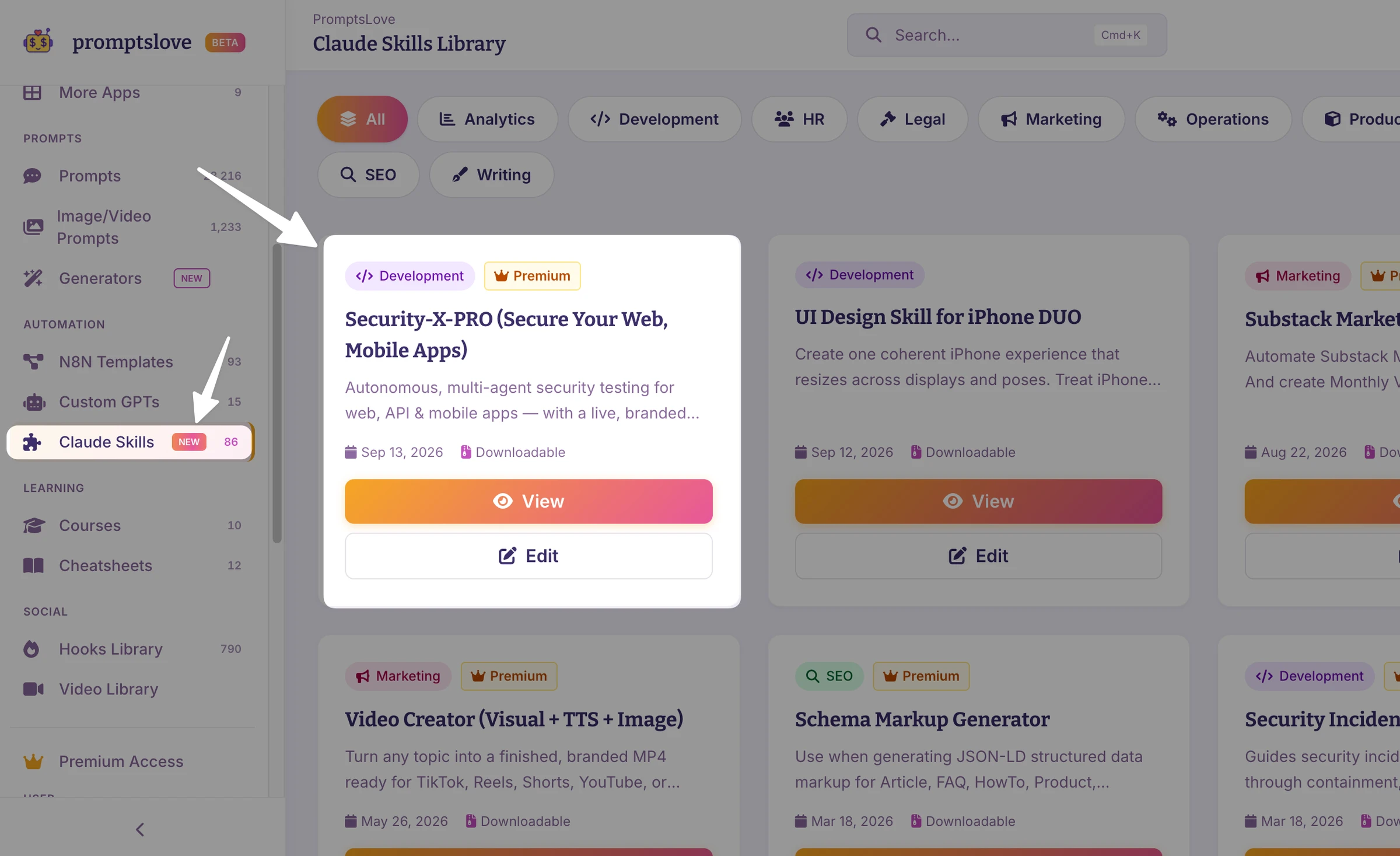
The package combines the Security-PRO playbook, assessment instructions, optional scanner integrations, a browser harness, and a report engine. Its value is the organized workflow around those components.
It includes three assessment commands plus a report viewer. These are Claude Code command names; other agents may use different invocation.
| Command | Intended use |
|---|---|
/security-x-penetrate | Evidence-first assessment of an authorized repository and running app. |
/security-x-prelaunch | A lighter readiness review and prioritized must-fix list. |
/security-x-mobile | Mobile assessment guidance for the client and its backend API. |
/security-x-report | Access to the report viewer and saved runs. |
The penetration-testing workflow calls for finder agents, separate verification, and findings tied to evidence. The browser harness includes multi-session testing support for checks such as the two-account example above.
The package also includes a tool-availability check. If the package sits beside your project, its documented command is:
python3 security-x-pro/scripts/sx.py doctor
Follow the installation instructions for your chosen agent and approve any additional tooling separately. The workflow calls for recording unavailable tools and skipped coverage, so check those limitations in your report.
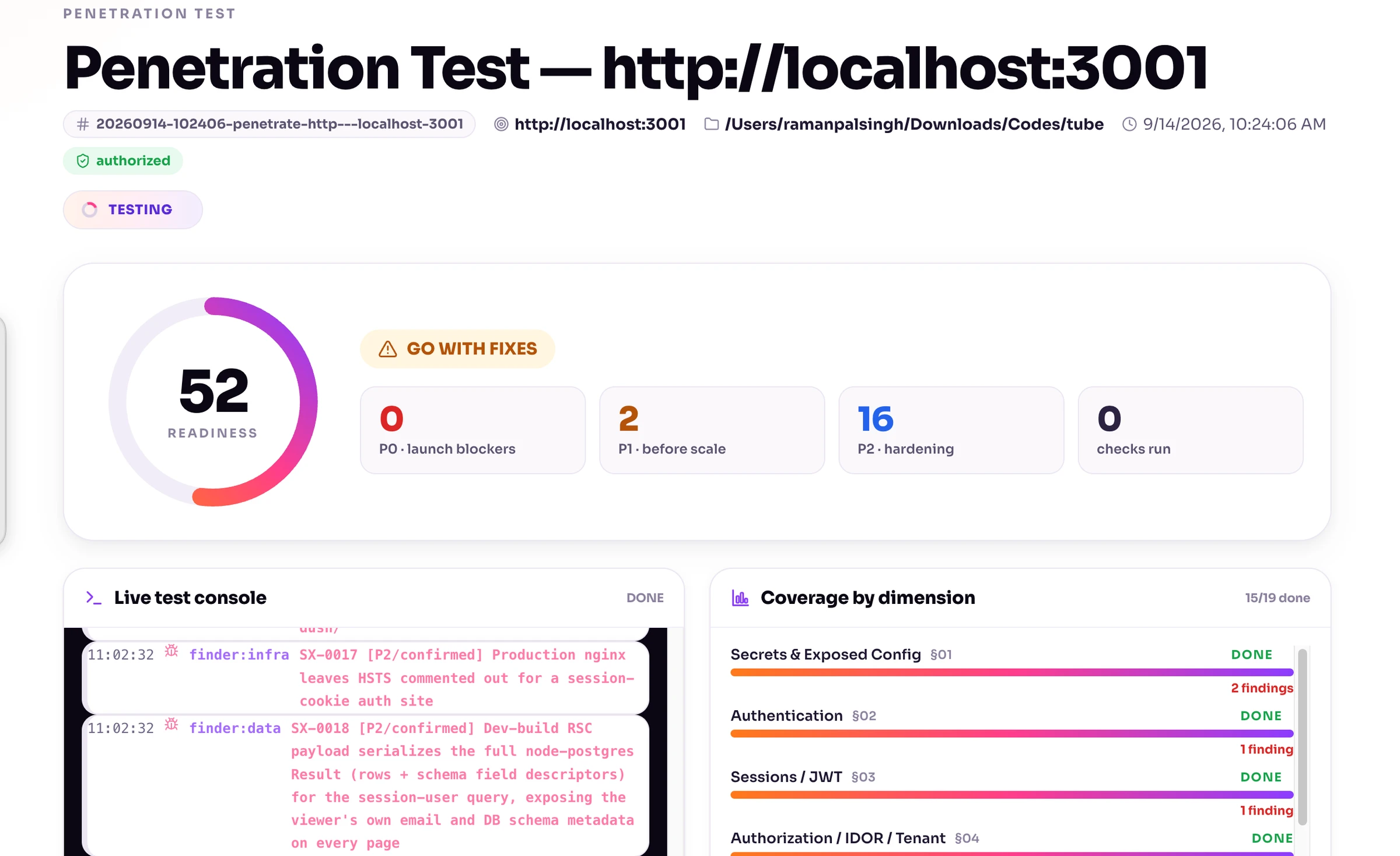
The report engine supports a local live dashboard and a standalone HTML snapshot. The exported file is a snapshot, not a live connection to an ongoing assessment.
After reporting, the workflow offers a guided fix loop with your approval. Review proposed changes and insist on retesting before treating a finding as resolved.
I would use its readiness score and GO/GO-WITH-FIXES/NO-GO verdict as triage aids, not security certificates. Results depend on scope, credentials, available tooling, agent execution, and verification quality.
You can get Security X Pro through PromptsLove membership and start with a bounded staging assessment. Keep your scope and evidence checks.
Frequently Asked Questions (FAQs)
Can AI Replace Human Penetration Testers?
I would not use it as a blanket replacement. AI can assist with analysis and test planning, but intended permissions, unusual workflows, safety decisions, and release risk still need human judgment, consistent with OWASP's guidance on balancing tools and investigation.
Is AI Penetration Testing Safe for Production Systems?
No method is automatically safe because it uses AI. I recommend staging for active testing; ZAP warns that active attacks can damage functionality or data, and even approved production inspection needs explicit limits and monitoring.
Do I Need to Provide Credentials for AI Pentesting?
Authenticated testing needs authorized accounts when you want to assess private workflows and role boundaries. Provide scoped, disposable accounts through an approved credential mechanism, rather than broad administrator or cloud access.
Should LLM Features Be Tested Separately From the Rest of the Application?
Give them an additional test track, but assess their connections to the rest of your app too. OWASP's LLM01:2025 Prompt Injection guidance covers direct inputs and indirect inputs from sources such as websites or files; backend permissions must still control what the model can access or do.
What Should a Good AI Pentest Report Include?
Look for scope, limitations, reproducible evidence, impact, verification state, remediation, and dated retest results. A report should distinguish what was demonstrated from what remains uncertain, in line with OWASP's reporting recommendations.
Can I Use an AI Pentest for Compliance?
A documented assessment may contribute evidence, but do not assume that an AI-generated report satisfies your specific requirements. Confirm the required scope, tester independence, methodology, and deliverables with the people responsible for your compliance program; Security X Pro does not provide a compliance certificate.
Final Thoughts
AI penetration testing is most useful to me when it produces evidence I can challenge, fixes I can review, and results I can retest. You still control the targets, permissions, and release decision.
Start with two disposable accounts, one sensitive permission boundary, and an approved staging scope. If you want the assessment workflow packaged for your coding agent, get our Security X Pro plugin through PromptsLove membership and carry the same evidence-first standards into every run.