Chrome Extension
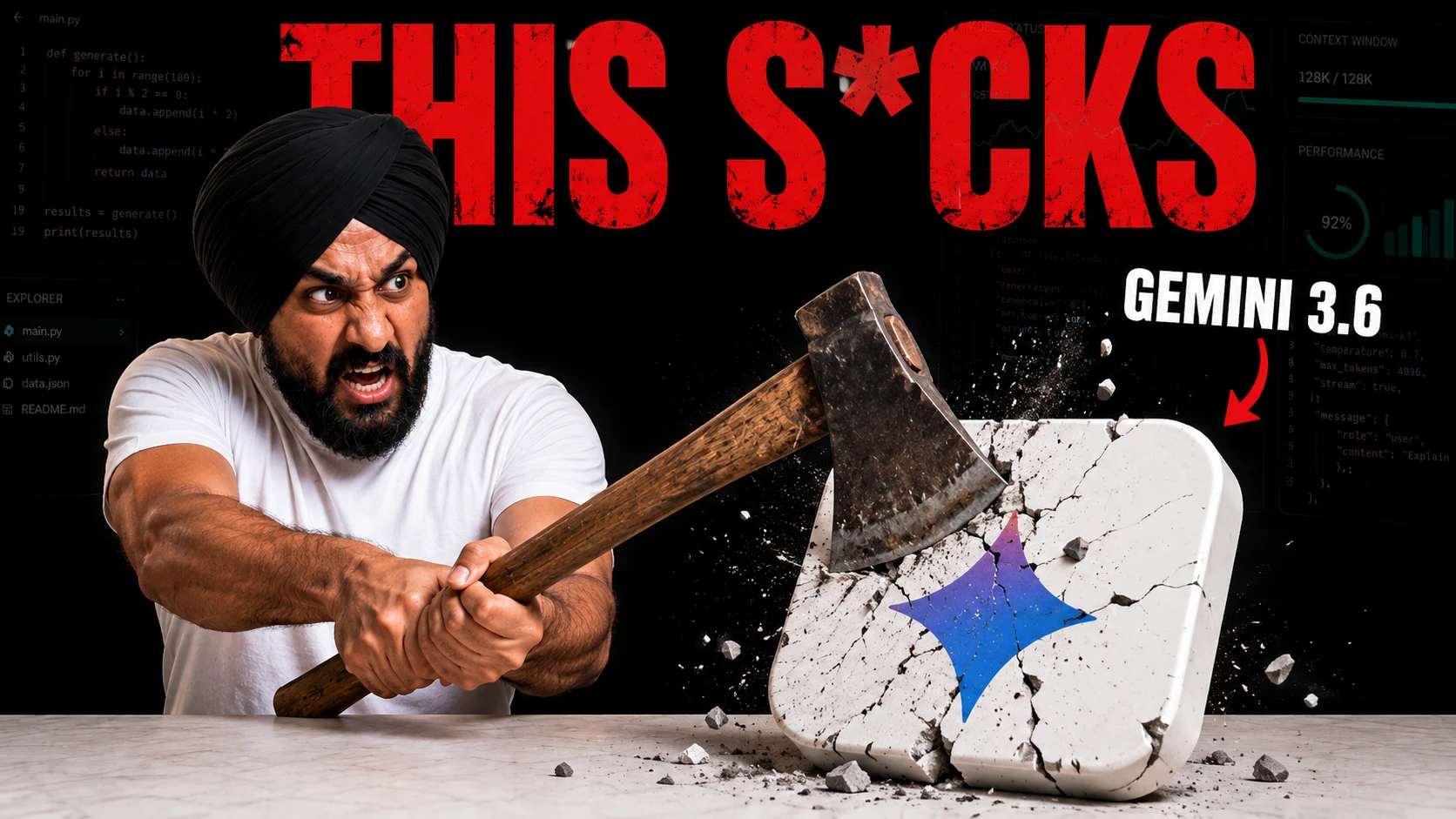
I spent 24 hours with Google's Gemini 3.6 Flash, and I need to tell you upfront: the results disappointed me. Google shipped this model with flashy launch videos and benchmark charts that beat competitors on paper, so I put it to work on real builds instead of trusting the slides.
In this review, I walk you through every app I built with Gemini 3.6 Flash, place it side by side against Kimi K3, then break down the official specs, access points, pricing, and prompting guide you need before you pick this model for your own stack.
Key Takeaways
How I Set Up This Test
I run every model comparison on this channel the same way. No cherry-picked prompts, no retries until the output looks good. I wrote each prompt once, sent it to both models, and recorded what came back.
For this review, I used OpenCode as my coding harness and set Gemini 3.6 Flash to high thinking. I ran Kimi K3 through the identical setup so neither model got an advantage from tooling or reasoning budget. I already had a set of Kimi K3 builds from a previous comparison, so I reused those outputs here to show you the gap side by side.
If you have not subscribed to the channel yet, you know what to do. Grab the exact prompts from the link in the description box, or pull them from promptslove.com.
Everything Gemini 3.6 Flash Built For Me
Before I compare anything, let me show you exactly what Gemini 3.6 Flash produced across four tests: a front-end design build, a browser game, a full form builder app, and a multimodal video analysis task. I am listing every output first, then I will walk through the comparison view against Kimi K3 in the next section.
Test 1: Front-End Design Build
My prompt asked for a landing page with a specific set of interactive details: content that scatters away as you scroll, visible scroll pointers to guide the user, animated number counters, and a polished parallax effect, all wrapped in a responsive, well-chosen color palette.
Gemini 3.6 Flash gave me a page with some 3D effects stacked in the background, but the effects felt surface-level rather than functional. It did not scatter the content on scroll the way I asked. It skipped the scroll pointers entirely. It skipped the number animation I specifically requested. The layout was not responsively optimized, and the color options looked plain, not what I expect from a frontier lab like Google in 2026.
Build "Lumen" — the marketing website for an AI-powered analytics platform. It must be a
complete, MULTI-PAGE site: 6 interlinked HTML pages that share one design system, one
navigation, and smooth page transitions. Premium, award-worthy quality — not a template.

════════════════ STACK (CDN only, no build step) ════════════════
- Three.js r128         (hero 3D)          cdnjs
- GSAP 3.12 + ScrollTrigger (scroll animation)   cdnjs
- Lenis (smooth scroll)                    jsdelivr
- Lucide icons                             unpkg
- Google Fonts
No frameworks, no bundler. Pure HTML/CSS/JS.

════════════════ FILE STRUCTURE ════════════════
lumen/
├── shared.css        ← ALL design tokens, components, patterns, both themes
├── shared.js         ← Lenis, custom cursor, theme toggle, [data-reveal] system,
│                       magnetic buttons, tilt cards, nav behavior, PAGE TRANSITIONS
├── index.html        ← Home
├── product.html      ← Product / features
├── solutions.html    ← Solutions by use-case
├── pricing.html      ← Pricing
├── blog.html         ← Blog / resources
├── contact.html      ← Contact / demo request
└── js/
    ├── home.js       ← Three.js hero + home scroll sequences
    ├── product.js    ← product page interactions
    ├── solutions.js  ← solutions interactions
    ├── pricing.js    ← pricing toggle + interactions
    ├── blog.js       ← blog filtering
    └── contact.js    ← form validation + success + confetti

Build shared.css and shared.js FIRST (the whole system), then all 6 pages.

════════════════ DESIGN SYSTEM (shared.css) ════════════════
TYPOGRAPHY (pick real Google Fonts):
  - Display: a modern geometric or editorial face (e.g. "Sora" or "Space Grotesk")
  - Body: a clean grotesk (e.g. "Inter")
  - Mono: "JetBrains Mono" for metrics, labels, code
  Full type scale: H1 hero clamp(52px,7vw,112px) down to labels 11px uppercase mono.

COLOR SYSTEM — full DARK + LIGHT themes via [data-theme]:
  - Dark default. A confident, premium palette: deep near-black base, one vivid accent
    (propose an electric indigo→cyan gradient), plus a warm secondary for contrast.
  - Define CSS custom properties for: 5 bg levels, 4 border levels, 3 text levels,
    accent + accent-glow + accent-dim, secondary, semantic (success/warning/danger),
    and 3 gradients. Mirror all of it for light theme.

BACKGROUND PATTERNS (6 distinct, as reusable classes):
  fine grid, dotted matrix, radial accent glow, diagonal lines, noise grain (SVG filter),
  and a "data ray" burst. Use different ones per page/section so pages feel distinct but
  related.

COMPONENTS (build once in shared.css, reuse everywhere):
  buttons (primary gradient, ghost, sizes sm/lg/xl), cards, tilt-card w/ inner glow,
  badges/pills, nav, mobile overlay menu, footer, form inputs, section labels,
  stat blocks, accordion, tabs, pricing card, blog card, testimonial card.

════════════════ SHARED NAV + FOOTER (identical on all 6 pages) ════════════════
NAV (fixed): logo (an SVG mark + "Lumen" wordmark) · links: Product, Solutions, Pricing,
  Blog · right: theme toggle + "Book a demo" primary button · mobile hamburger → full
  overlay menu (staggered links). Behavior: transparent at top → frosted glass after
  scroll; ACTIVE page link underlined/highlighted; scroll-progress bar at very top.
FOOTER (rich, all pages): 4-column sitemap (Product, Solutions, Company, Resources),
  newsletter signup, social icons, logo, legal row, theme note.

════════════════ SHARED SYSTEMS (shared.js — used by every page) ════════════════
- Lenis smooth scroll + GSAP ticker wiring + scroll-progress bar
- CUSTOM CURSOR (unique to this site): propose a small filled dot + a lerping outer ring
  that grows on hover over links/buttons, shows a text label in [data-cursor-text] zones,
  and shifts to the accent color. Hidden on touch devices.
- THEME TOGGLE: persists in localStorage, smooth transition, swaps icon.
- [data-reveal] SCROLL ENTRANCE SYSTEM: elements fade/slide/scale in on scroll
  (up/left/right/scale variants), batched with stagger via ScrollTrigger.
- MAGNETIC BUTTONS: primary buttons pull toward the cursor, elastic spring back.
- TILT CARDS: cards tilt on mouse move (max ~12°) with an inner accent glow following
  the cursor.
- PAGE TRANSITIONS (important for the multi-page feel): intercept clicks on internal
  links → animate a full-screen veil in (scaleY from bottom) → navigate → on load, veil
  animates out (scaleY to top). So moving between the 6 pages feels seamless, not like
  hard reloads.
- Reduced-motion: disable heavy animation + 3D when prefers-reduced-motion is set.

════════════════ PAGE 1 — index.html (HOME) ════════════════ (11 sections)
1. HERO: a Three.js 3D centerpiece — propose a slowly rotating, emissive data-crystal or
   a flowing particle constellation (2–5k GPU points) that forms an abstract "insight"
   shape, reacts to mouse parallax, and on scroll the camera pushes in / the form
   disperses. Headline + subhead + two CTAs + an animated install/"trusted by" line.
   (Real Three.js WebGL — not CSS fakery. Dispose the scene on page transition.)
2. Logo marquee (trusted-by), infinite scroll.
3. "What Lumen does" — 3 capability cards (tilt + reveal).
4. A PINNED SCROLL INTERLUDE: a 300vh section where a product-dashboard mockup (built in
   SVG/HTML) assembles piece by piece as you scroll (charts draw in, numbers count up,
   panels slide in) with step labels on the side. This is the signature moment.
5. Feature highlights (alternating left/right image+text blocks; "images" are stylized
   SVG/HTML mockups, not photos).
6. Stats band (animated counters, mono font).
7. Integrations grid (logos/icons in a grid, hover states).
8. Testimonials (draggable carousel, [data-cursor-text="DRAG"]).
9. A secondary 3D or canvas ambient moment (subtle).
10. Blog/resource teasers (3 latest, link to blog.html).
11. Final CTA band + footer.

════════════════ PAGE 2 — product.html ════════════════ (10+ sections)
Hero (product-focused, smaller 3D or animated SVG); a feature deep-dive with a sticky
side-nav that scroll-spies through feature sections; an interactive tabbed feature
explorer (tabs switch content panels); a "how it works" stepped diagram (SVG connectors
that draw on scroll); a comparison/spec table; a security/trust band; an integrations
strip; a mini pricing teaser (links to pricing.html); a testimonial; CTA + footer.

════════════════ PAGE 3 — solutions.html ════════════════ (10+ sections)
Hero; a role/industry selector (tabs or cards: Marketing, Finance, Product, Ops) that
swaps the content below to that use-case (problem → how Lumen solves it → outcome
metrics); 3–4 detailed use-case blocks; a customer story spotlight (2-col, big metric);
an outcomes/ROI band with animated stats; logos; FAQ accordion; CTA + footer.

════════════════ PAGE 4 — pricing.html ════════════════ (9+ sections)
Hero; MONTHLY/ANNUAL toggle that animates the prices (annual = 20% off); 3 pricing tiers
(Starter / Growth / Enterprise) with the middle featured (rotating gradient border);
a detailed feature-comparison table (checkmarks per tier); an add-ons row; a "which plan
is right" helper; testimonials/logos; a full FAQ accordion; CTA + footer.

════════════════ PAGE 5 — blog.html ════════════════ (8+ sections)
Hero; a featured post (full-width); a category filter bar (All / Product / Guides /
Engineering / Company) that live-filters the post grid (no reload); a 3-column post-card
grid (each: category pill, title, excerpt, author, read time, reveal on scroll); a
"most popular" band; a newsletter subscribe strip; pagination; footer. Include a reading-
progress bar behavior ready for article pages.

════════════════ PAGE 6 — contact.html ════════════════ (8+ sections)
Hero; a two-column layout: a validated "Book a demo / contact" form (name, work email,
company, team size select, use-case dropdown, message) on one side, and an animated
visual (an SVG "connection/beacon" diagram whose nodes pulse + lines draw on load) on the
other; office locations; a "what happens next" 3-step timeline; response-time promise;
support links; FAQ; on successful submit → inline success state + a confetti burst in the
accent colors. Footer.

════════════════ QUALITY BAR + REQUIREMENTS ════════════════
- All 6 pages share the SAME nav, footer, cursor, theme, and transitions — a cohesive site.
- Every internal link works; active page is indicated in the nav.
- Every interactive element is wired (tabs, toggles, filters, accordions, carousel, form).
- Every scroll animation implemented; [data-reveal] used throughout; no placeholders.
- The home 3D is real Three.js WebGL, mouse-reactive, scroll-reactive, disposed on
  navigation. Cap pixel ratio at 2; target 60fps; provide a static fallback if WebGL is
  unavailable.
- Fully responsive (mobile-first); mobile overlay menu; tilt/cursor disabled on touch.
- Dark + light themes both fully styled and toggleable, persisted across pages.
- Reduced-motion fully respected.
- Accessible: semantic HTML, focus states, aria labels on nav/toggles/form, alt/aria on
  decorative SVGs (aria-hidden).

════════════════ DELIVERY ════════════════
Output shared.css and shared.js in full first, then all 6 HTML pages and their js/ files —
every file complete, no truncation, no "rest is similar" shortcuts. End with a VALIDATION
CHECKLIST: fonts loaded, both themes work + persist across pages, custom cursor works,
Three.js hero renders + disposes on transition, all 6 background patterns used, home
pinned dashboard-assembly interlude fires on scroll, all tabs/toggles/filters/accordions/
carousel/form work, page-transition veil animates between all pages, active nav link
indicated, 60fps target, mobile overlay works, reduced-motion disables heavy motion,
all 6 pages interlinked correctly.

Run at high thinking level. Make it genuinely award-worthy.
"This is not even responsibly optimized. And if you want to see which of them is actually following my instruction, is Kimi K3, not Gemini 3.6 Flash."
Kimi K3, tested with the identical prompt, scattered the content correctly on scroll, added the scroll pointers, and delivered a parallax effect I called polished and unique. Gemini 3.6 Flash felt like a step back from Gemini 3.5, not a step forward.
Test 2: Neo Circuit Browser Racing Game
Next, I asked both models to build a browser racing game called Neo Circuit, complete with a vehicle picker, a start sequence, and working controls including a nitro boost.
Gemini 3.6 Flash's build looked rough from the first click. The space bar nitro did not work. The driving controls did not respond. Only one small piece of the game functioned at all, and the graphics quality felt weak for a model with this much marketing behind it.
You can get the prompt for this which is same as in this blog.
Kimi K3's version, built from the same prompt, let me pick a vehicle, click Start, and drive immediately with working controls, working nitro, and noticeably better graphics. The gap here was not subtle. It showed up in the first ten seconds of gameplay.
"Look at this, the difference from the user experience and the graphics, controls, everything."
Test 3: FormCraft AI Form Builder App
For test three, I wrote a prompt asking for an AI form builder app called FormCraft, with sample login credentials and a specific page set: a landing page, a login and sign-up flow, and role-specific dashboards for three user types: admin, free user, and paid user.
Gemini 3.6 Flash built the full app in two to three minutes. The landing page looked solid, with a working pricing section and FAQ section that I would call acceptable for a page like this. The sign-up form worked. The demo login worked exactly as provided.
Build Formcraft — an AI form builder + response analyzer SaaS. Include a marketing
LANDING PAGE, full AUTH (signup/login) with SAMPLE LOGIN accounts, and the complete app.

TECH STACK:
  Node.js 18+, Express 4.x, EJS (server-rendered)
  PostgreSQL 16 via `pg`
  bcryptjs, express-session, connect-pg-simple
  AI via OpenRouter (OpenAI-compatible):
    Base https://openrouter.ai/api/v1 · Model google/gemini-3.6-flash
    Auth Bearer {OPENROUTER_API_KEY} · use structured outputs for form generation,
    low/medium thinking for analysis
  Lucide Icons CDN · Vanilla CSS · date-fns · Chart via CSS/SVG (no chart lib)

POSTGRESQL SCHEMA:
  users (id, email, password, name, plan[free|pro|team], created_at)
  forms (
    id, user_id, title, description, slug UNIQUE,   -- public URL /f/:slug
    schema JSONB,           -- the form definition (fields array)
    theme JSONB,            -- colors, style
    is_published BOOLEAN, response_count INT, created_at
  )
  form_fields are stored inside forms.schema JSONB:
    [{ id, type[text|textarea|email|number|select|radio|checkbox|rating|date],
       label, placeholder, required, options[] }]
  responses (
    id, form_id, data JSONB,          -- {field_id: value}
    sentiment,                        -- AI-filled: pos|neutral|neg (for text-bearing forms)
    ai_flags JSONB,                   -- AI notes: {notable:bool, reason, theme}
    submitted_at, ip_hash
  )
  form_insights (
    id, form_id, generated_at,
    summary TEXT, themes JSONB, sentiment_breakdown JSONB, notable_response_ids JSONB
  )  -- cached AI analysis of all responses

SAMPLE LOGIN ACCOUNTS (seed these; password for all: formcraft2026):
  1. demo@formcraft.app     / formcraft2026   (Pro)   — "Demo User", has 3 forms w/ responses
  2. sarah@formcraft.app    / formcraft2026   (Team)  — "Sarah Chen", event-feedback forms
  3. free@formcraft.app     / formcraft2026   (Free)  — "Free User", 1 form, few responses
  Show these three as ONE-CLICK demo tiles on the login page ("Log in as Demo / Sarah /
  Free"), and list the credentials on the login page so viewers can use them.

DEMO DATA (must look alive on first load):
  For demo@formcraft.app:
    Form A "Product Feedback Survey" — fields: rating (1-5), what do you like (textarea),
      what to improve (textarea), email (optional). ~30 responses with varied realistic
      text + ratings + sentiments; a cached insight (summary + themes + sentiment split).
    Form B "Event Registration" — name, email, ticket type (select), dietary (checkbox),
      questions (textarea). ~20 responses.
    Form C "Bug Report" — title, severity (radio), description (textarea), steps (textarea).
      ~15 responses.
  For sarah@: an "Workshop Feedback" form with ~25 responses + insight.
  For free@: a simple "Newsletter Signup" (email + interests) with ~8 responses.
  Populate response sentiment + ai_flags + one form_insights row per form-with-text so the
  analytics screens are populated immediately.

LANDING PAGE (/) — a real marketing page, not a stub:
  Sections: nav (logo, features, pricing, login, "Start free"); hero (headline:
  "Describe a form. Get a form." + subhead + CTA + a visual/animated mockup of the builder);
  "how it works" (3 steps: describe → publish → analyze); features grid (AI builder,
  AI response analysis, themes, sentiment, sharing, export); a live-ish demo strip; pricing
  (Free / Pro $15 / Team $39, monthly-annual toggle); testimonials; FAQ accordion; footer.
  Polished, animated on scroll, responsive, premium. This is the shop window — make it good.

FEATURES (the app):
  AUTH: signup, login (with the 3 demo tiles + visible sample creds), logout, session.
  DASHBOARD: list of the user's forms (cards: title, response count, published status,
    last response, quick links: edit / view public / analyze); "New form" button.
  FORM BUILDER (the core):
    - "Describe your form" box → Gemini 3.6 Flash generates the form schema (structured
      output: fields array). User reviews + edits.
    - Manual editor too: add/reorder/edit/delete fields (drag to reorder), set types,
      labels, required, options; live preview of the form as you build.
    - Theme: accent color, style; slug + publish toggle.
  PUBLIC FORM (/f/:slug): the actual fillable form (no auth), themed, validated,
    submits to responses. Nice confirmation screen.
  RESPONSES VIEW:
    - Table of all responses (sortable, searchable), click a row for full detail
    - Export CSV
    - Per-response AI flags (notable submissions highlighted)
  AI INSIGHTS (the analysis feature):
    - "Analyze responses" → Gemini 3.6 Flash reads all responses and returns:
      overall summary, top themes (with counts), sentiment breakdown (chart), notable/
      standout responses (with why). Cached to form_insights; re-run on demand.
    - Sentiment + themes shown as CSS/SVG charts. This is the knowledge-work showcase.
  SETTINGS: profile, plan, OpenRouter API key, model (default google/gemini-3.6-flash),
    thinking level, delete account.

DESIGN SYSTEM:
  Light-mode-first, modern SaaS. A distinct accent from prior packs (propose indigo→violet).
  Inter + JetBrains Mono. Lucide icons. Clean, generous, animated-on-scroll landing;
  dense-but-calm app. The public form pages should be genuinely attractive (they represent
  the user's brand).

README: what Formcraft does; the 3 sample logins (table with email/password/plan); setup
  (createdb formcraft → migrate → seed → add OPENROUTER_API_KEY → npm run dev); how AI
  generation + analysis work; deploy (Vercel + Railway Postgres).
The problem showed up on the dashboard. I asked for a dedicated dashboard page, and instead I got a page that reused the same header and footer from the landing page, with the same visual design carried straight through. The overall look reminded me of a ChatGPT interface from the GPT-3.5 era, not something you would expect in an age where Fable 5, GPT-5.6 Sol, and Kimi K3 already exist.
"This model's output reminds me of a ChatGPT, of GPT-3.5 model. So back then, it used to be like this. But in the age of AI where we have the model Fable 5, GPT-5.6 Sol, Kimi K3, Google introduced this. Disappointing."
To be fair to the model, the functionality underneath held up. I tested the form response flow by submitting a test entry, and it appeared correctly after a refresh. I opened the CSV export and every response was there intact. I navigated back to the dashboard and edited an existing entry without issues. Everything worked. It just did not look like it belonged in 2026.
"So the functionality is working. But looking at the whole user experience of the app, disgusting."
Test 4: Multimodal Video Analysis
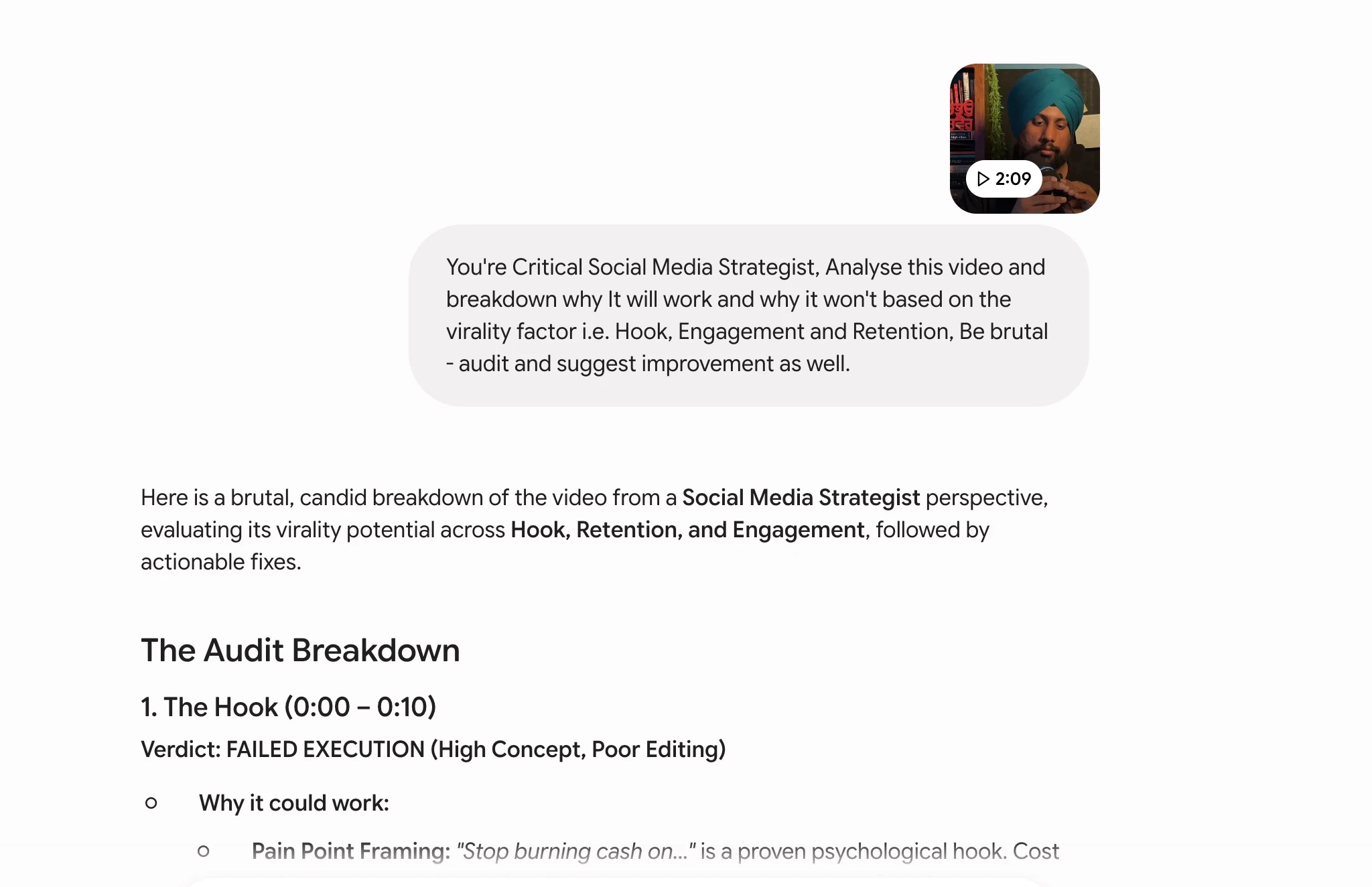
This is where Gemini 3.6 Flash turned the review around. I switched over to the Gemini app and uploaded a two-minute video pulled from Instagram, then gave it this instruction:
You are the critical social media strategist. Analyze this video and break down why it will work or why it won't based on the virality factor, which is hook, engagement, and retention. Be brutal. Audit and suggest improvement as well.
I ran this with 3.6 Thinking enabled. Within about two minutes, Gemini 3.6 Flash pulled full context from the video, broke down the hook, engagement, and retention factors exactly as I asked, and then generated a new script following the same pattern I could use for another version. No other model I tested in this comparison round could take a raw video file as input and do this natively.
This is the one area where Gemini 3.6 Flash clearly separated itself from Kimi K3. Neither Kimi K3 nor most competing models in this price range accept video or audio as direct input the way Gemini 3.6 Flash does.
Gemini 3.6 Flash vs Kimi K3: The Comparison View
Now that you have seen every output, here is the direct comparison. I am pulling from both my own tests and Google's official documentation to keep the numbers accurate.
Pricing Comparison
| Model | Input price (per 1M tokens) | Output price (per 1M tokens) | Source |
|---|---|---|---|
| Gemini 3.6 Flash | $1.50 | $7.50 | Google AI for Developers |
| Kimi K3 | $3.00 | $15.00 | Kimi API Platform |
| Gemini 3.5 Flash-Lite | $0.30 | $2.50 | Google Blog |
Gemini 3.6 Flash runs at roughly half of Kimi K3's price on both input and output. If your workload is cost-sensitive and does not depend heavily on precise instruction-following for front-end or game code, this pricing gap matters.
Round-by-Round Output Quality
| Round | What I asked for | Gemini 3.6 Flash | Kimi K3 | Winner |
|---|---|---|---|---|
| Front-end design | Scroll scatter effect, scroll pointers, number animation, parallax, responsive colors | Missed most instructions, not responsive | Followed instructions accurately | Kimi K3 |
| Neo Circuit game | Working controls, nitro boost, vehicle picker | Nitro and controls broken | Fully functional, better graphics | Kimi K3 |
| FormCraft app | Full app with role-based dashboards | Functional but dated dashboard design | Not tested in this round | Gemini 3.6 Flash (functional, weak design) |
| Video analysis | Multimodal breakdown of a video file | Fast, accurate, native video input | Cannot take video as direct input | Gemini 3.6 Flash |
Capability Comparison
| Capability | Gemini 3.6 Flash | Kimi K3 | Source |
|---|---|---|---|
| Context window | 1,048,576 tokens | 1,048,576 tokens | Google AI for Developers, Kimi API Platform |
| Max output tokens | 65,536 tokens | Not officially confirmed at review time | Google AI for Developers |
| Input types | Text, image, video, audio, PDF | Text and image | Google AI for Developers |
| Output types | Text only | Text only | Google AI for Developers |
| Built-in Computer Use | Yes, 83% on OSWorld-Verified | Not confirmed | Google Blog |
| Open weights | No | Yes, scheduled for public release | Moonshot AI |
| Thinking control | thinking_level enum (low, medium, high) | Effort-based configuration via coding harness | Gemini API Developer Guide |
Multimodal range is the clearest differentiator on this table. If your workflow needs a model to read a video, listen to audio, or parse a PDF directly without a separate transcription step, Gemini 3.6 Flash is built for that. If your workflow is pure coding and front-end generation, my tests show Kimi K3 pulling ahead on instruction-following and visual polish.
What Gemini 3.6 Flash Actually Is
Let me step back from my own tests and cover what Google actually shipped, based on the official announcement and documentation.
Release and Positioning
Google released Gemini 3.6 Flash on July 21, 2026, alongside two sibling models: Gemini 3.5 Flash-Lite, built for high-throughput and low-latency tasks like agentic search and document processing, and Gemini 3.5 Flash Cyber, a security-focused variant built to find and patch code vulnerabilities at scale. 9to5Google's launch coverage confirms the same rollout details.
Google positions Gemini 3.6 Flash as its workhorse Flash-tier model, meant to deliver frontier-level performance at higher speed and lower cost than the Pro tier, with a specific focus on coding, agentic execution, and multimodal tasks.
Architecture and Context Window
Gemini 3.6 Flash keeps a 1,048,576-token input context window, roughly one million tokens, with a maximum output cap of 65,536 tokens per response. The model accepts text, image, video, audio, and PDF as input and generates text-only output. Its knowledge cutoff is March 2026.
The model ships with built-in Computer Use, function calling, structured output, search-as-a-tool, and code execution, all available directly through the Gemini API and Gemini Enterprise without extra setup.
Efficiency Gains Over Gemini 3.5 Flash
Google reports that Gemini 3.6 Flash uses 17% fewer output tokens than Gemini 3.5 Flash on the Artificial Analysis Index, and in specific benchmarks like DeepSWE, the reduction reaches as high as 65%. Google also says the model takes fewer reasoning steps and tool calls to finish multi-step workflows, and delivers higher coding precision with fewer unwanted code edits and reduced execution loops.
Benchmarks
Here is how Gemini 3.6 Flash compares to its direct predecessor on published benchmarks:
| Benchmark | Gemini 3.6 Flash | Gemini 3.5 Flash | Source |
|---|---|---|---|
| SWE-Bench Pro | 58.7% | 55.1% | OfficeChai |
| DeepSWE | 49% | 37% | OfficeChai |
| MLE-Bench | 63.9% | Not specified in source | DataCamp |
| OSWorld-Verified (Computer Use) | 83% | 78.4% | DataCamp |
These benchmark figures come from third-party trackers citing Google's release materials, not a page I could verify directly on ai.google.dev at the time of writing, so treat them as reported rather than self-tested.
Google also reports gains on OSWorld-Verified and Terminal-Bench, though I could not find a precise published Terminal-Bench score to include here with confidence. On paper, this is a real improvement generation over generation. My own build tests in the sections above show that benchmark gains do not always translate cleanly into front-end and game-building instruction-following, which is exactly why I run these hands-on comparisons instead of reading the chart and moving on.
Where Gemini 3.6 Flash Fits in Google's Lineup
Google released three models on the same day, and each one targets a different job. Understanding the split helps you pick the right model instead of defaulting to whichever one made the most headlines.
| Model | Focus | Typical use case |
|---|---|---|
| Gemini 3.5 Flash-Lite | Speed and cost efficiency | High-volume agentic search, document processing, simple classification |
| Gemini 3.6 Flash | Balanced frontier performance | Coding, agentic execution, multimodal analysis, general app development |
| Gemini 3.5 Flash Cyber | Security specialization | Finding and patching code vulnerabilities at scale |
Google also confirmed updates are coming for the Pro tier across the 3.5 and 3.6 line, though no firm release date was public at the time I recorded this review. If you need the deepest reasoning available in the Gemini family today, the Pro tier is still the one to watch, not Flash.
Limitations and Rough Edges I Found
A few issues showed up repeatedly enough during my 24 hours of testing that I want to call them out directly, separate from the benchmark talk.
None of these issues showed up in the multimodal video test, which tells me the model's strength is concentrated in analysis and reasoning over files, not in generating precise, interactive front-end code.
Official Links
How to Access Gemini 3.6 Flash
Gemini 3.6 Flash is generally available as of its July 21, 2026 launch, and it is already rolling out across several Google surfaces at once.
Google AI Studio
Google AI Studio offers a free tier for prototyping with usage limits, and pay-as-you-go pricing for production use at the same $1.50 input and $7.50 output rate per million tokens listed above. This is the fastest way to test the model without writing any code.
Gemini API
The public model ID for direct API access is gemini-3.6-flash. You can call it through the standard Gemini API endpoints once you have an API key from Google AI Studio.
[prompt here]
Vertex AI
Vertex AI availability was not explicitly confirmed at launch. If you plan to deploy Gemini 3.6 Flash inside a Google Cloud production pipeline, check the Vertex AI model catalog directly before you commit engineering time to it.
Other Access Points
Google is rolling Gemini 3.6 Flash out through Android Studio, Antigravity, Gemini Enterprise, and the consumer Gemini app. If you want to test the multimodal video analysis workflow I showed you in Test 4, the Gemini app is the fastest path since it handles file upload natively.
Pricing Tiers at a Glance
| Model | Input (per 1M tokens) | Output (per 1M tokens) | Best for | Source |
|---|---|---|---|---|
| Gemini 3.5 Flash-Lite | $0.30 | $2.50 | High-throughput, low-latency agentic search and document processing | Google Blog |
| Gemini 3.6 Flash | $1.50 | $7.50 | Coding, agentic execution, multimodal analysis at frontier-adjacent quality | Google AI for Developers |
| Gemini 3.5 Flash Cyber | Not publicly listed at review time | Not publicly listed at review time | Security vulnerability detection and patching at scale | Google Blog |
Prompting Guide for Gemini 3.6 Flash
If you are moving to Gemini 3.6 Flash from an older Gemini model or from a competitor, a few configuration changes matter more than clever prompt engineering.
Start Simple, Then Add Detail
Google's own developer guidance recommends starting with a low-complexity prompt and observing the model's initial approach before adding detail. If the first attempt misses the mark, add explicit, step-by-step instructions rather than rewriting the whole prompt from scratch.
[prompt here]
My front-end test in this review is a good example of why this matters. I gave Gemini 3.6 Flash a fairly detailed prompt with five distinct requirements (scatter effect, scroll pointers, number animation, parallax, responsive colors), and it only executed on part of it. Breaking that same prompt into smaller, sequential instructions might have produced a cleaner result. I will test that approach in a follow-up video.
Use thinking_level Instead of Manual Chain-of-Thought
Gemini 3.6 Flash replaces the older thinking_budget parameter with a thinking_level string enum. The model defaults to medium, while Flash-Lite defaults to minimal. Google's guidance is direct: if you used to force chain-of-thought reasoning through prompt tricks, stop doing that and set thinking_level to medium or high instead, paired with a simpler prompt.
[prompt here]
I ran my entire review at high thinking through OpenCode, which is the setting I recommend for any coding or agentic task where accuracy matters more than raw speed.
Drop the Old Sampling Parameters
Google no longer recommends setting temperature, top_p, or top_k manually for Gemini 3.6 Flash. The model handles sampling internally in a way that is tuned for its new thinking behavior, and manually overriding these values can work against you rather than for you.
Lean Into Multimodal Prompts
Since Gemini 3.6 Flash accepts text, image, video, audio, and PDF natively, structure your prompt to describe the analysis you want performed on the file, not just a generic summary request. My video analysis prompt worked well because it assigned a role ("You are the critical social media strategist"), named specific evaluation criteria (hook, engagement, retention), and set a tone ("Be brutal"). Specific roles and specific criteria consistently outperform vague requests like "tell me about this video."
[prompt here]
Coding and Agentic Workflow Tips
For coding tasks specifically, Google reports that Gemini 3.6 Flash needs fewer reasoning steps and tool calls than its predecessor to finish multi-step workflows, and produces fewer unwanted code edits. In practice, that means shorter, more direct prompts tend to work better than long prompts stuffed with defensive instructions meant to prevent the model from going off track. Trust the model to hold its own plan, and intervene with follow-up instructions only when the output actually drifts.
My Verdict: When Should You Use Gemini 3.6 Flash?
Based on everything above, here is how I would split the decision.
Reach for Gemini 3.6 Flash when your task involves analyzing video, audio, or documents directly, when you need fast turnaround on agentic or research-style work, or when your budget is tight and you do not need pixel-perfect front-end output. The pricing is genuinely competitive, and the multimodal input range is not something Kimi K3 or most open-weight competitors currently match.
Reach for Kimi K3, or another coding-focused model, when your task is front-end heavy, game development, or anything where exact instruction-following on visual and interactive details decides whether the build succeeds. My tests showed a real, repeatable gap here, not a one-off fluke.
I am still waiting for Google to ship Pro-tier updates alongside Gemini 3.5 and 3.6, and I expect that model to close some of the instruction-following gap I found in Flash. I will test it the moment it lands.
For teams running mixed workloads, the honest answer might be to route tasks by type rather than pick one model for everything. Send document parsing, video review, and research summarization to Gemini 3.6 Flash. Send front-end builds and interactive apps to a coding-first model like Kimi K3. That kind of routing costs a little more engineering effort upfront, but it beats forcing one model to do a job it was not built to win.
Frequently Asked Questions (FAQs)
How much does Gemini 3.6 Flash cost?
Gemini 3.6 Flash costs $1.50 per million input tokens and $7.50 per million output tokens through the Gemini API and Google AI Studio. That is roughly half the price of Kimi K3's $3 input and $15 output pricing.
Is Gemini 3.6 Flash better than Gemini 3.5 Flash?
On published benchmarks, yes. Gemini 3.6 Flash scores higher on SWE-Bench Pro, DeepSWE, MLE-Bench, and OSWorld-Verified, while using 17% fewer output tokens on average. It also costs less per output token than 3.5 Flash did.
What is the context window for Gemini 3.6 Flash?
Gemini 3.6 Flash supports a 1,048,576-token input context window, roughly one million tokens, with a maximum output of 65,536 tokens per response.
Can Gemini 3.6 Flash analyze video and audio files?
Yes. Gemini 3.6 Flash accepts text, image, video, audio, and PDF as native input types. I tested this directly by uploading a two-minute Instagram video and asking the model to break down its viral potential, and it returned a full analysis in under two minutes.
Is Gemini 3.6 Flash good for coding and app development?
My hands-on tests found mixed results. Gemini 3.6 Flash handled backend functionality reliably (forms, data export, editing all worked in my FormCraft test), but it struggled with precise front-end instructions and shipped a broken browser game in my Neo Circuit test. If front-end polish matters to your project, test both Gemini 3.6 Flash and a coding-focused alternative like Kimi K3 before committing.
Where can I access Gemini 3.6 Flash?
You can access it through Google AI Studio, the Gemini API using the model ID gemini-3.6-flash, the Gemini app, Android Studio, Antigravity, and Gemini Enterprise. Vertex AI availability was not explicitly confirmed at launch, so check the Vertex model catalog before building production infrastructure around it.
Does Gemini 3.6 Flash support Computer Use?
Yes. Computer Use ships built into both the Gemini API and Gemini Enterprise for Gemini 3.6 Flash, alongside function calling, structured output, search-as-a-tool, and code execution. Google reports an 83% score on OSWorld-Verified, up from 78.4% on Gemini 3.5 Flash, which measures how reliably the model can operate a computer interface to complete a task.
Final Thoughts
Gemini 3.6 Flash is a model with a real split personality. On raw multimodal range and pricing, it is one of the strongest options available right now, and my video analysis test proved that with results no other model in this comparison could match. On front-end and game-building instruction-following, it fell short of both the marketing around its launch and the direct comparison against Kimi K3.
My advice is simple: do not pick a model off a benchmark chart alone. Run your own test with your own prompts on the specific task you care about, whether that is coding, content analysis, or something in between. If you want the exact prompts I used for every test in this review, grab them from promptslove.com, and let me know in the comments which output you would have picked before I told you which model built it.