Chrome Extension
ChatGPT and Gemini are the two AI apps most people end up choosing between. OpenAI says ChatGPT now reaches 1.2 billion people every week, and the Gemini app had 950 million monthly users in Alphabet's Q2 2026 report.
Both main paid plans cost about $20 a month. Both also changed a lot this fall: OpenAI shipped GPT-6 Astra, and Google pushed out three new Flash models in six weeks and announced Gemini 4 Argon.
So which one should you actually use? I've updated this whole comparison for the current models, and I'll give you a straight winner for each task, plus the cases where it's honestly a tie.
Gemini vs ChatGPT at a Glance
Short on time? Here's my verdict by category. The reasons link back to the sections below.
| Category | Winner | One-line reason |
|---|---|---|
| Everyday writing | ChatGPT | In my October re-run, both GPT models kept all five tips short and usable. |
| Research with live web results | Gemini | Google Search grounding is built in and kicks in on its own. |
| Gmail, Docs, Sheets and Drive | Gemini | It lives inside Google Workspace, so there is nothing to wire up. |
| Long documents in the app | Gemini | Google AI Pro gives you a published 1M-token window in the app. |
| Video generation | Gemini | Gemini Omni comes with Google AI plans. ChatGPT has had no video tool since Sora shut down. |
| Image generation | Tie | Both make strong images right in the chat, and both offer it on the free plan. |
| Voice conversations | ChatGPT | Advanced Voice still feels more natural to talk to. |
| Always-on agents | Gemini | Gemini Spark comes with Google AI Pro ($19.99). ChatGPT Dots starts at the $100 Pro plan. |
| Coding | Tie for now | No fair head-to-head between GPT-6 Astra and Gemini 3.8 Flash yet. Test both. |
| Third-party connectors | ChatGPT | Wider plugin and app library to plug into your other tools. |
| Cheapest paid plan | Gemini | Google AI Plus is $4.99 a month. ChatGPT Go is $8. |
| Custom assistants | Tie | Both are in transition: GPTs are moving to plugins, Gems to skills. |
| Privacy controls | Tie | Both let you switch off training. Each has a retention catch worth knowing. |
Key Takeaways
What Are Google Gemini and ChatGPT?
Before the specs, here is what each one actually is and why it was built.
ChatGPT: From Viral Moment to AI Standard
OpenAI launched ChatGPT in November 2022 and hit one million users in five days. OpenAI now says 1.2 billion people use it every week.
What started as a text chatbot now handles images, voice, video analysis, editable writing and code blocks, the Codex coding agent, ChatGPT Work for longer tasks, and always-on agents called Dots.
You can also try our free ChatGPT Prompt Generator.
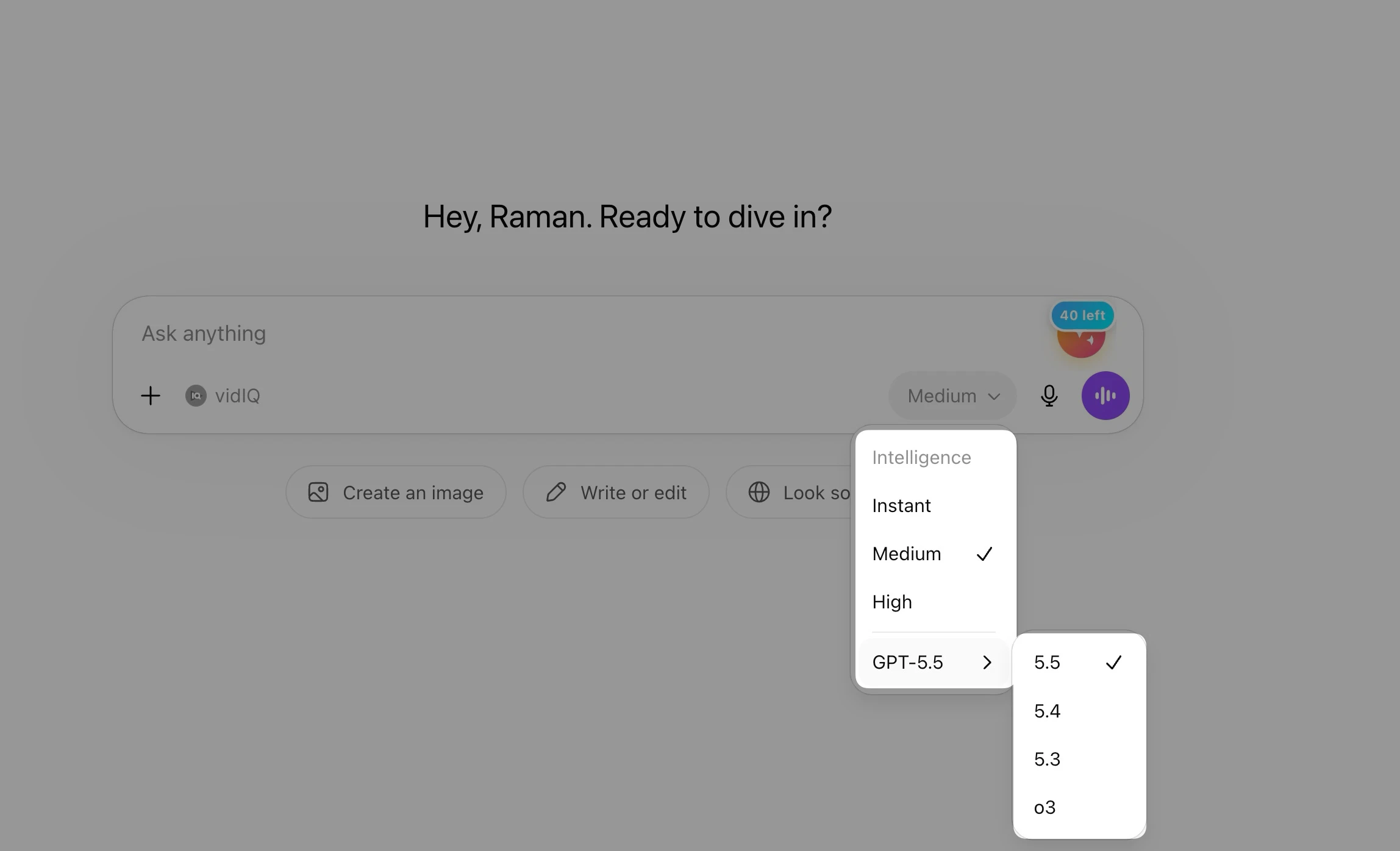
The core product is simple: open a chat, type, get an answer. Under the hood, ChatGPT now runs on OpenAI's GPT-5.6 and GPT-6 families. I break down who gets which model in the lineup section below.
ChatGPT operates as a standalone product that works independently of any search engine or productivity suite. Its neutrality across platforms is a genuine advantage for users who work across Microsoft 365, Notion, Salesforce, and other non-Google tools. That same independence means it does not have direct access to your inbox or your Google Drive by default.
OpenAI's plans now run from Free and Go ($8) to Plus ($20) and three Pro tiers at $100, $200 and $500 a month. Business is $20 per user per month billed annually ($25 monthly), and Enterprise adds SCIM, audit logs and data residency controls.
Google Gemini: Google's Answer to the AI Revolution
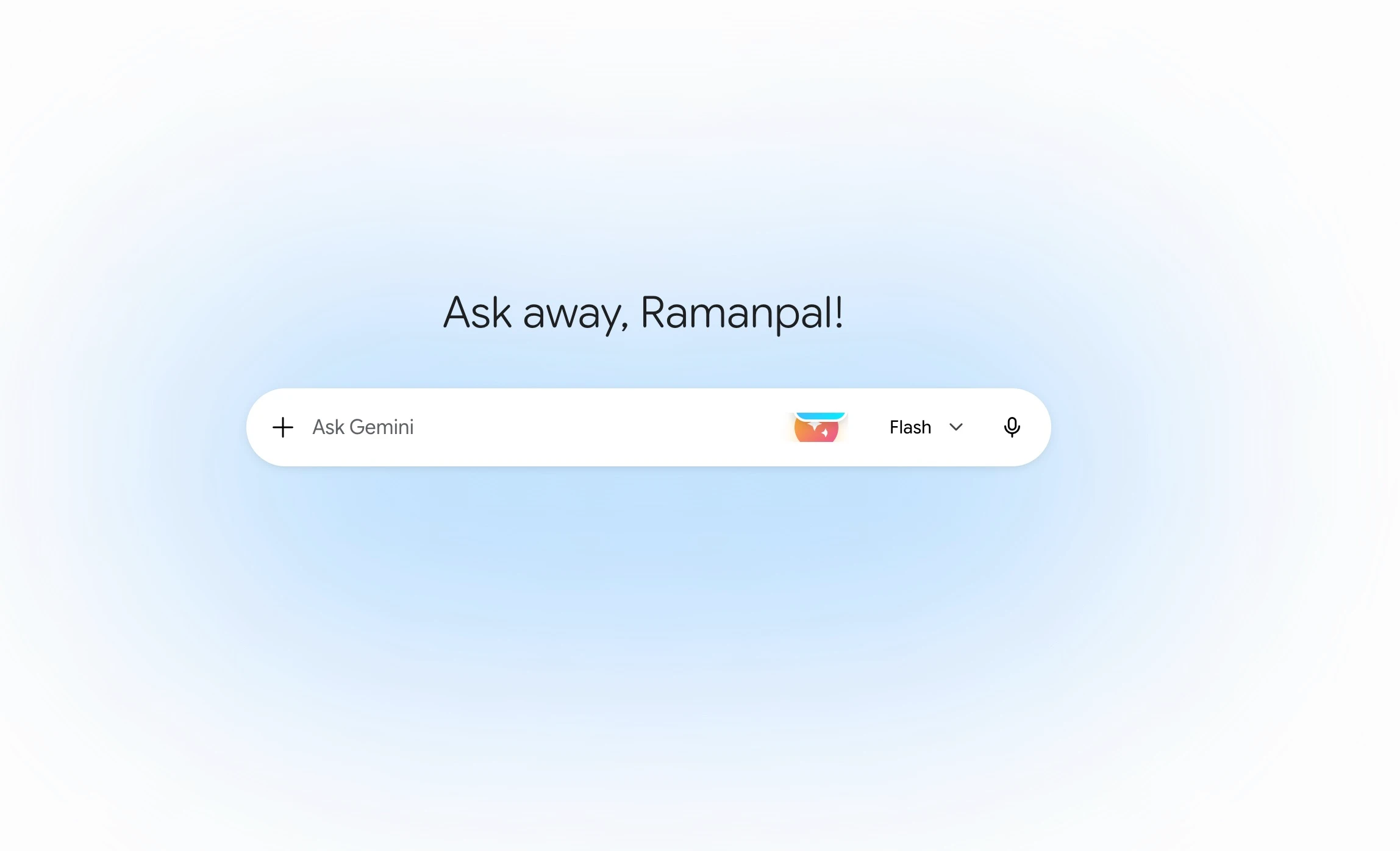
Google launched Bard in February 2023 as its answer to ChatGPT, then renamed it Gemini in February 2024. The rebrand was deliberate. Gemini isn't just a chatbot. It's the AI layer across Google's products, from Search to Maps to Workspace to Android.
Today Gemini powers AI Mode in Google Search, Gemini in Gmail, Docs and Sheets, Gemini Notebook, and the Gemini app on Android, iOS, Mac and, since September 10, Windows.
Google DeepMind built Gemini from the ground up as a natively multimodal model. This means it processes text, images, audio, and video as a single unified system rather than bolting modalities together after the fact. That architectural difference shows in how Gemini handles mixed-media inputs like a recorded meeting with a slide deck attached.
Google's pricing strategy is also notable. Since January 2025, Gemini AI features are bundled into all Google Workspace Business and Enterprise plans at no extra charge. For organizations already paying for Workspace, Gemini Pro is effectively free.
Model Lineups Compared (October 2026)
This is the section that went stale fastest, so I rebuilt it from OpenAI's and Google's own pages. Here's who gets which model inside the apps right now.
| App | Model | Who gets it |
|---|---|---|
| ChatGPT | GPT-5.6 Luna | Default for Free and Go users |
| ChatGPT | GPT-5.6 Sol (Instant plus thinking levels) | Paid plans. Plus gets Medium and High thinking, Pro gets every level |
| ChatGPT | GPT-6 Pro (powered by GPT-6 Astra) | Chat on Pro $100, Pro $200, Business and Enterprise |
| ChatGPT | GPT-6 Astra, GPT-6.1 Sol, GPT-6 Luna | ChatGPT Work and Codex, depending on plan |
| Gemini | 3.6 Flash, plus varying access to 3.1 Pro | Free (per Google's plan page) |
| Gemini | 3.8 Flash | Google AI Pro and Ultra |
| Gemini | 3.1 Pro | Fuller access on paid plans |
| Gemini | Deep Think | Google AI Ultra only |
| Gemini | Gemini 4 Argon | Not in the app yet (trusted cyber defenders only) |
ChatGPT's Current Models (2026)
OpenAI now names models by family and size: Astra is the most capable, Sol is the middle tier, and Luna is the efficient one.
GPT-6 Astra is OpenAI's flagship. The API lists a 1,050,000-token context window, 128,000 max output tokens and pricing of $10 per million input tokens and $50 per million output tokens.
In ChatGPT, Astra powers GPT-6 Pro in regular Chat on the Pro, Business and Enterprise plans, according to OpenAI's help center. On Plus, you get Astra-family models inside ChatGPT Work and Codex rather than in Chat.
GPT-6.1 Sol is the cheaper option. OpenAI describes it as "near-Astra performance" at $2 input and $10 output per million tokens. In ChatGPT it's available in Work and Codex, not in Chat.
GPT-5.6 Sol is what most paid users chat with day to day, and GPT-5.6 Luna is the default for Free and Go. One more date to note: GPT-5.5 retires from ChatGPT on October 14, 2026, though it stays in the API.
Gemini's Current Models (2026)
Google organizes Gemini into Flash (speed-first), Pro (balanced capability), and Ultra (maximum capability) tiers across multiple generations.
Google ran three Flash releases in about six weeks. Gemini 3.6 Flash reached all Gemini app users on July 21. 3.7 Flash followed, then Gemini 3.8 Flash on September 2.
Google calls 3.8 Flash its best reasoning and coding model yet "at the same speed and low cost of 3.7." In the consumer app it's available to Google AI Pro and Ultra subscribers, plus AI Mode in Search and Gemini in Sheets. I put it through five builds in my Gemini 3.8 Flash review.
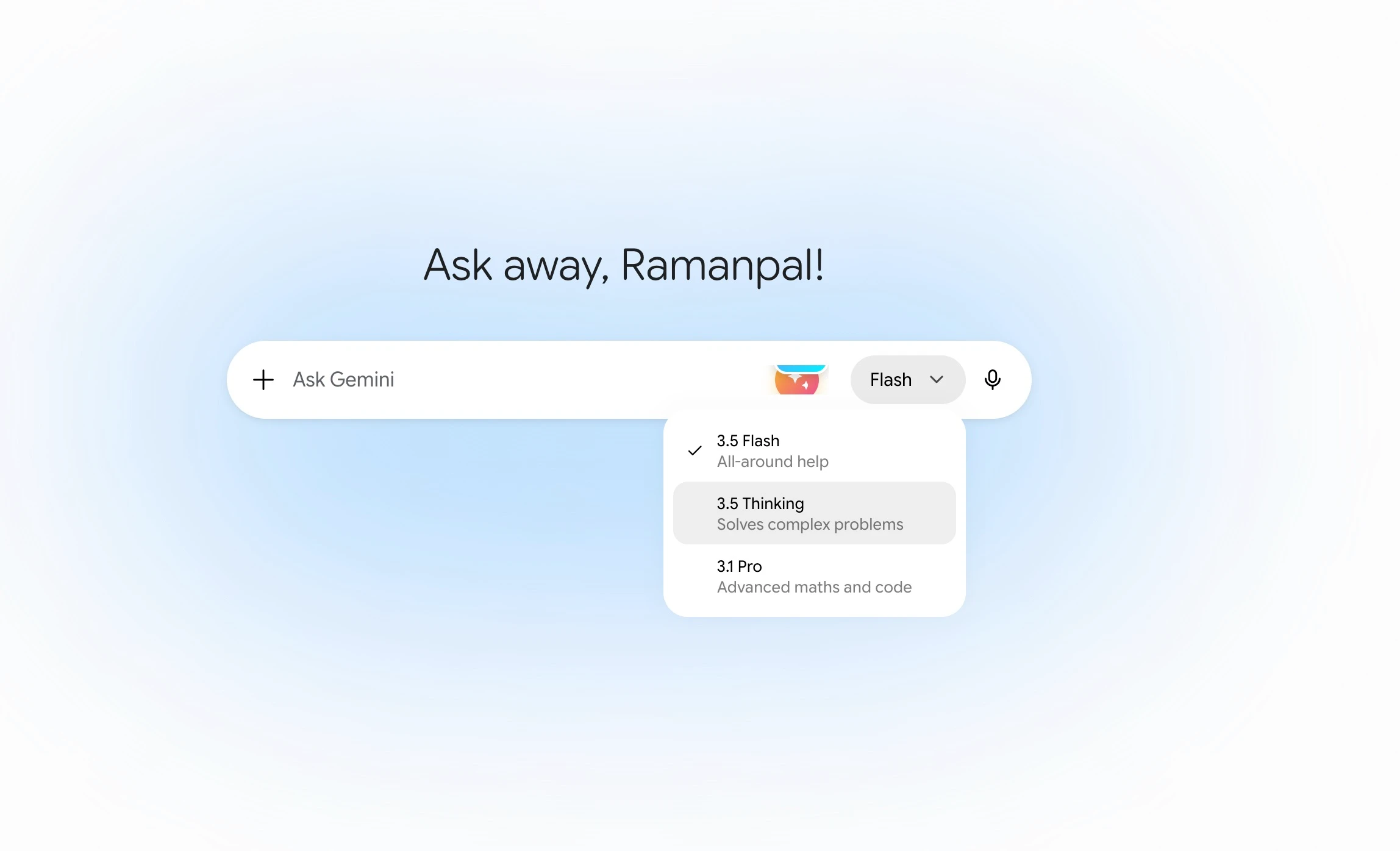
Gemini 3.1 Pro (released February 19, 2026) is still the top Pro model in the app. In the API it costs $2 input and $12 output per million tokens for prompts up to 200K tokens.
Gemini 4 Argon is Google's new frontier model, announced September 30. Right now it's only rolling out to trusted cyber defenders through Google's Fairwind Program, with developers, enterprises and consumers promised access "as soon as possible."
Gemini Nano 2 runs on-device on supported Android phones. It handles summaries, grammar fixes, tone rewrites and image descriptions locally, so nothing leaves the phone. Third-party Android developers can reach it through ML Kit GenAI APIs.
Pricing: Which One Costs More?
Free Tiers
Both platforms have a free tier, but the limits are different.
ChatGPT Free gives you GPT-5.6 Luna, which has been the default for Free and Go users since the week of August 6, 2026, per OpenAI's help center. You don't get GPT-5.6 Sol or GPT-6 Pro.
Gemini Free lists 3.6 Flash, varying access to 3.1 Pro, image generation, Deep Research, Gemini Live, Canvas and Gems on Google's plan page. The in-app context window is 32K tokens without a plan.
One heads-up: XDA reports that from October 9, users without a Google AI plan will be limited to Flash-Lite, and AI Plus will lose Pro. Google's own help page still showed all models for every plan when I checked, so watch this one.
Paid Plans
| Plan | Price | What you get |
|---|---|---|
| ChatGPT Go | $8/month | GPT-5.6 Luna, the same default model as Free |
| ChatGPT Plus | $20/month | GPT-5.6 Sol (Medium and High thinking), ChatGPT Work and Codex |
| ChatGPT Pro | $100, $200 or $500/month | GPT-6 Pro in Chat, every thinking level, Dots (rolling out, not in the EEA, UK or Switzerland) |
| ChatGPT Business | $20/user/month annual ($25 monthly) | Admin controls, SSO, no training on business data by default |
| Google AI Plus | $4.99/month | 2x free limits, 128K context, video generation, 400 GB storage |
| Google AI Pro | $19.99/month | 4x free limits, 1M context, 3.8 Flash, Gemini Spark (select countries), 5 TB storage, Jules |
| Google AI Ultra | $99.99 or $199.99/month | 5x or 20x Pro limits, Deep Think, first access to advanced features, 20 TB+ storage, YouTube Premium |
Sources: OpenAI pricing, OpenAI help center, Google AI plans and Gemini limits. US prices.
The $20 vs $19.99 gap is a rounding error. If you only want one tool, price isn't the deciding factor at this tier.
At the low end, Google AI Plus at $4.99 is the cheapest paid AI plan from either company, and it includes video generation. ChatGPT Go at $8 is the closest match.
At the top, the shapes differ. Google AI Ultra bundles Deep Think, 20 TB of storage and YouTube Premium.
ChatGPT Pro is about raw model access: GPT-6 Pro in Chat, Dots, and on the $500 tier, Astra Ultrafast. For a single user, Dots starts on the $100 Pro tier, while Gemini Spark already comes with the $19.99 AI Pro plan.
API Pricing for Developers
For developers, the price gap that used to favor Gemini has mostly closed at the middle tier.
GPT-6.1 Sol costs $2 input and $10 output per million tokens. Gemini 3.1 Pro costs $2 and $12. That's basically a wash. GPT-6 Astra sits well above both at $10 and $50.
At the budget end, Gemini still wins. Gemini 3.8 Flash costs $0.75 input and $3.75 output per million tokens through December 31, 2026, then $1.50 and $7.50.
Watch the long-prompt surcharges on both sides. OpenAI's 1M-token models charge 2x input and 1.5x output once a prompt passes 272K tokens. Gemini 3.1 Pro charges more above 200K tokens.
What About Benchmarks?
This post used to have a big benchmark table comparing GPT-5 with Gemini 2.5 Pro. Neither is a current flagship anymore, so I cut it instead of leaving you with stale numbers.
The newest scores are mostly vendor-reported. Google says Gemini 4 Argon sets a new state of the art on DeepSWE v1.1 at 77.9%, but you can't use Argon in the Gemini app yet.
For the models you can actually use, my own tests are more useful than headline charts. In my Gemini 3.8 Flash review, it lost clearly to Claude Opus 5 on hard builds. In my Claude Opus 5.5 vs GPT-6 Astra test, Opus won four of five rounds.
I did re-run one same-prompt test through the API in October (it's further down), but one prompt isn't a benchmark.
So I'm still calling raw intelligence a toss-up and judging on features, price and fit.
Key Features Face-Off
Here is how the main features stack up as of October 2026.
| Feature | ChatGPT | Gemini | Winner |
|---|---|---|---|
| Image generation | ChatGPT Images, on every plan including Free | Nano Banana 2, with Nano Banana Pro for redos | Tie |
| Video generation | None since Sora shut down (April 2026) | Gemini Omni on Google AI plans | Gemini |
| Document editing | Writing and code blocks inside chat (Canvas was removed in May 2026) | Canvas, on every plan, with one-click export to Docs | Gemini |
| Voice | Advanced Voice | Gemini Live, now built into chat | ChatGPT |
| Web search | Built-in search | Google Search grounding, triggered automatically | Gemini |
| Memory | Memory you can view and edit | Saved info, past-chat personalization, memory import | ChatGPT |
| Data analysis | Python sandbox with file downloads | Code execution plus Google Sheets | Tie |
| Deep Research | Yes | Yes, including the free tier | Tie |
| Agents | Dots (Pro $100 and up, Business Premium, Enterprise) and ChatGPT Work | Gemini Spark (AI Pro and Ultra) and Chrome auto browse | Gemini |
| Context window in the app | Varies by plan and model | 32K free, 128K Plus, 1M Pro and Ultra | Gemini |
| Custom assistants | GPTs, moving to plugins | Gems, moving to skills | Tie |
| Connectors | Large plugin and app library | Google apps plus Connected Apps (including MCP tools) | ChatGPT |
| Desktop apps | Mac and Windows | Mac and Windows | Tie |
| On-device AI | None | Gemini Nano on Android | Gemini |
Some features need a paid plan on both sides, and availability varies by country.
Image Generation
ChatGPT Images works on every plan, including Free. OpenAI's Images in ChatGPT help page says it's available on all tiers, with Images with thinking on Plus, Pro and Business. Free users just hit the usage limits sooner.
It handles photorealistic shots and text inside images well, and it supports transparent backgrounds. It also keeps characters consistent across prompts.
Gemini uses Nano Banana 2 for image generation, and it's on the free plan too. Google's plan page lists Nano Banana Pro for redoing images on paid plans.
Text inside images is a strength here. Both apps generate images right in the conversation without switching modes.
Test this yourself:
"Create a photorealistic image of a Tokyo coffee shop at night. Neon signs in Japanese, rain on the pavement reflecting the lights. Include a chalkboard sign that reads 'Open 24 Hours.' Cinematic, shot on 35mm film."
ChatGPT
Gemini
Winner: Tie. Both produce professional-grade output. ChatGPT has a slight edge on stylistic range and character consistency, while Nano Banana 2 is stronger on text accuracy. Test with your own use case before choosing.
Video Generation
ChatGPT has no built-in video generation. OpenAI shut down the Sora app in April 2026, and no ChatGPT plan includes a video tool right now.
Gemini has Gemini Omni. Google rolled it out on May 19 to all Google AI subscribers aged 18 and over, and it blends text, photos and video into new clips you can edit by chatting. I covered it in my Gemini Omni video editing guide and Omni 1.1 Flash review.
Test this yourself (Gemini, paid plan):
"Generate a 10-second video of a sunrise over snow-capped mountain peaks. Include the sound of wind and distant birds. Cinematic, slow zoom in, golden hour lighting."
Winner: Gemini. ChatGPT has no video generation since Sora shut down, so Gemini Omni is the only option across the two.
Document Editing: Writing Blocks vs Gemini Canvas
This one changed since I first wrote this post. OpenAI removed Canvas, the side-panel editor, from GPT-5.5 Instant and GPT-5.5 Thinking at the end of May 2026 (The Decoder covered it).
In its place, ChatGPT now puts drafts and code into writing blocks and code blocks right inside the chat. You click Edit on the block and change it in place. Canvas isn't listed on OpenAI's current plan pages either.
Gemini Canvas is still a separate editor, and it's on every plan, including free. Its big perk is one-click export to Google Docs, so if your work lives in Google Workspace you skip the copy-paste step.
Test this yourself:
"Open a Canvas and help me write a client proposal for an AI automation consulting project. I need an executive summary, a scope of work section, a 3-tier pricing table, and a closing paragraph. The target is a mid-market B2B company."
Funny thing: when I sent this prompt to ChatGPT in June, it didn't open a Canvas at all. It gave me an inline writing block with an Edit button, which you can see in the screenshot below.
ChatGPT
Gemini
Winner: Gemini, if you want a real side-by-side editor and a document that ends up in Google Docs. ChatGPT's writing blocks are fine for quick drafts, but they live inside the chat thread.
Voice Mode
ChatGPT Advanced Voice (GPT-Realtime-2, available on Plus and above) delivers full-duplex real-time conversation. It responds with natural pacing, handles mid-sentence interruptions gracefully, and modulates tone based on context, shifting from professional to casual depending on how you speak. It supports 10 languages with comparable naturalness across all of them.
Desktop: ChatGPT desktop app (macOS and Windows) supports Advanced Voice at the same quality level as the web interface.
Gemini Live is now built right into chat, so you can switch between talking and typing. It can pull in your connected apps and show things like maps and weather cards while you talk. In my experience it still has less emotional range than ChatGPT's voice.
Test this yourself:
Switch to voice mode and say: "Let's do a mock interview. You are a senior product manager at a top tech company. Start the interview by asking me to walk you through a product I have built and the decisions I made."
ChatGPT
Gemini
Winner: ChatGPT for how natural the conversation feels. Gemini is the better pick if you want your Google apps and live info pulled into a voice chat.
Mobile App: Video Mode
Both apps can now look through your camera, so this gap has mostly closed.
ChatGPT handles video in two ways. On web and desktop (Plus and up), you can upload a video file and ask ChatGPT to describe it, answer questions about it or summarize it. On the iOS and Android apps, open voice mode, tap "+" and choose Live video to chat about what your camera sees, like in the example below.
Gemini has video mode on mobile and web. On mobile, tap the camera icon and switch to live video. Gemini looks at what your camera sees and answers spoken questions about it. You can also upload recorded videos, and Gemini can identify objects, read on-screen text and describe what's happening.
This matters for real-world tasks: analyzing a product before buying in-store, reviewing a room before renovation, understanding a physical repair job, or getting live coaching during an activity.
Test this yourself:
ChatGPT (web): Click the attachment button, upload a video file, and ask: "Summarize what happens in this video and list every product or object you can identify."
Gemini (mobile): Open Gemini, tap the camera icon, switch to live video, point at your desk and say: "Look at my setup and tell me three specific changes I could make to improve ergonomics and productivity."
ChatGPT
Gemini
Winner: Tie. Both handle uploaded video and live camera chat on mobile. Use whichever app is already on your phone.
Web Search and Real-Time Data
ChatGPT has web search built in. It surfaces recent information well and cites sources, though sometimes you need to switch search on yourself.
Desktop: The search tool runs identically on web and desktop. You may need to toggle search mode on manually for some queries.
Gemini uses Google Search grounding automatically. When a question needs current data, it runs its own searches, pulls the results together and cites sources inline, without you toggling anything. It also supports Google Maps grounding for location questions.
Test this yourself:
"What are the three biggest AI product announcements from the last 7 days? Include the company name, what was announced, and one sentence on why it matters. Cite your sources with links."
ChatGPT
Gemini
Winner: Gemini. Search is part of how it answers, not an add-on, and the Maps support makes it the stronger pick for anything current or local.
Memory and Personalization
ChatGPT has the more visible memory system. It remembers facts about you across chats, and you can view, edit or delete individual memories from Settings > Personalization. Projects add workspaces with their own files and instructions.
Desktop: ChatGPT desktop app syncs memory across devices, identical to the web version.
Gemini can save info you ask it to remember, use your past chats to personalize answers, and even import memories and chat history from other AI apps. You can manage saved info in settings. Notebooks add project workspaces backed by your documents.
Test this yourself:
"Remember this: I am a founder of a B2B SaaS company in the HR tech space, I prefer responses in bullet points, and my primary goal this quarter is growing from $500K to $2M ARR. Now, what are the three most important things I should focus on this month?"
Winner: ChatGPT for visibility and control. Gemini has caught up on features, and its memory import is handy if you're switching over.
Code Interpreter and Data Analysis
ChatGPT Code Interpreter (Plus+) runs Python in a sandboxed environment. Upload CSV, Excel, or JSON files and ask ChatGPT to analyze, clean, chart, and export results. It generates matplotlib and seaborn charts, runs statistical calculations, and lets you download output files. For non-developers, it is the most accessible path to data analysis without writing code.
Desktop: The full Code Interpreter runs identically in the ChatGPT web and desktop apps.
Gemini code execution (Pro+) offers a comparable Python sandbox with one practical advantage: tighter integration with Google Sheets and Drive. Connect a Google Sheet directly to the conversation and ask Gemini to analyze or update it without file downloads or uploads.
Test this yourself:
"Here is monthly revenue data: Jan $42,000, Feb $38,500, Mar $51,200, Apr $63,700, May $58,900, Jun $71,300. Create a bar chart, calculate month-over-month growth rate for each period, and tell me the best and worst performing month."
Winner: Tie. ChatGPT Code Interpreter is more polished for standalone file analysis. Gemini wins for teams that work natively in Google Sheets. Both handle core data analysis tasks equally well.
Deep Research
ChatGPT Deep Research (Plus+) runs multi-step autonomous research. It generates a research plan, executes dozens of web searches, reads full articles, cross-references sources, and delivers a structured report with inline citations. Research runs take 5 to 30 minutes depending on topic depth.
Desktop: Deep Research runs identically in the web and desktop apps.
Gemini Deep Research (on the free tier too) works the same way but pulls sources through Google Search, which tends to surface more recent results. Reports export to Google Docs in one click. For news, science and business topics, Gemini's sourcing is usually more current.
Test this yourself:
"Run a deep research report on the competitive landscape of AI coding assistants in 2026. Cover the top 5 tools, their pricing, key differentiators, and which developer profile each is best suited for."
Winner: Tie. Both produce high-quality cited reports. Gemini has fresher sourcing via Google Search. ChatGPT's output structure is marginally cleaner. Use whichever plan you already pay for.
Context Window
The old version of this post said ChatGPT was limited to 128K tokens. That's no longer a fair summary.
On the API side, GPT-6 Astra, GPT-6.1 Sol and GPT-5.6 Sol all list a 1,050,000-token context window. Inside the ChatGPT app, the window depends on your plan and the model you pick, and I couldn't confirm OpenAI's current in-app numbers from its own pages, so I'm not quoting one.
Google publishes its in-app limits plainly: 32K tokens without a plan, 128K on AI Plus, and 1M on AI Pro and Ultra. Google says 1M tokens is roughly 1,500 pages of text or 30,000 lines of code.
Test this yourself:
Paste the full text of a long report or dense document (50+ pages), then ask: "Summarize this document section by section. After the summary, identify any internal contradictions and list every specific claim that would benefit from a cited source."
Winner: Gemini, if you pay for AI Pro. It's the only one of the two with a published 1M-token window inside the app.
Workspace and Productivity Integration
ChatGPT connects to Microsoft 365 (SharePoint, Teams, Outlook, OneDrive) and a long list of other apps like Notion, Canva and Adobe through plugins and connectors. Some of the Microsoft connections need an admin to set them up on work plans.
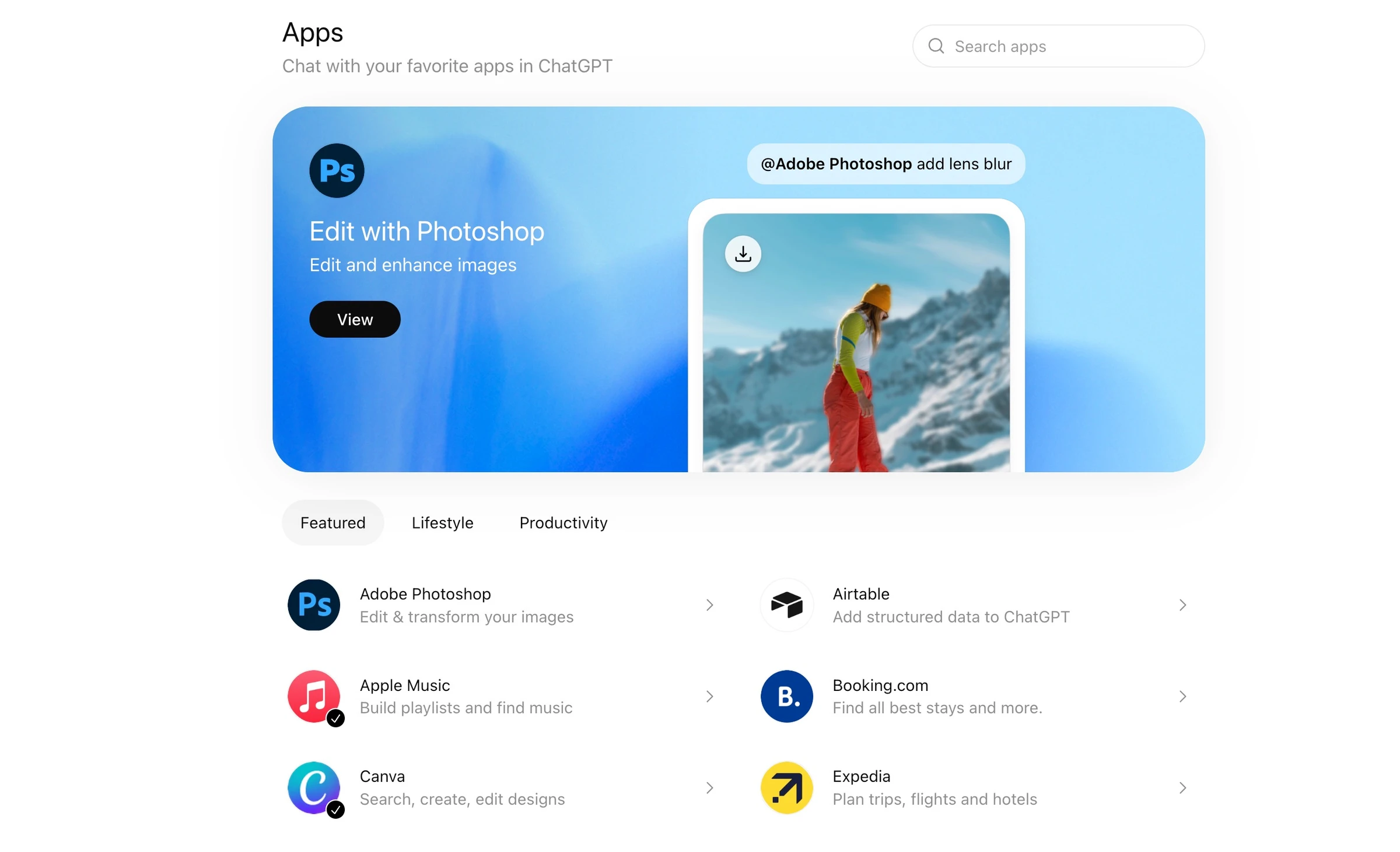
The ChatGPT desktop app (macOS) can also read files from local folders you authorize.
Gemini integrates natively with Google Workspace at no extra cost for Business and Enterprise subscribers. Workspace Intelligence (launched April 22, 2026) lets Gemini read simultaneously across Gmail, Drive, Docs, Sheets, Calendar, and Chat, cross-referencing email threads with calendar events and draft documents in a single query. Google reports Sheets data population is "9x faster than manual entry" with this feature. Individual consumers can also connect Gmail and Drive via Gemini Extensions.
Test this yourself (Gemini with Workspace connected):
"Look at my Gmail from the last two weeks and find every email that mentions a deadline or deliverable. Create a prioritized to-do list sorted by due date."
Winner: ChatGPT for breadth, because its connector library is much bigger. If your work lives in Google Workspace, Gemini is the better fit.
Custom AI: GPTs and Plugins vs Gems and Skills
Both companies are changing how custom assistants work, so this category is in flux.
OpenAI is moving custom GPTs to plugins. A plugin can bundle skills (instructions) and apps (connections to other services). Its migration guide says custom GPTs will eventually be retired, and that custom actions don't carry over automatically.
Google is doing something similar. On September 30 it rolled skills into Gemini chat and said skills "will soon replace Gems," with your Gems migrated automatically.
Test this yourself:
"Create a custom AI that acts as a senior B2B growth marketer. Every time I share a piece of content, it should review it and give specific, actionable feedback on conversion rate, messaging clarity, and SEO value. Start by reviewing this headline: [paste your headline]."
If you still use GPTs, here are our 13+ best custom GPTs.
Winner: Tie. Both are moving to reusable skills. ChatGPT has the bigger library of apps behind its plugins, while Gemini's skills are simpler to set up.
My Prompt Test: Same Question, Re-Run in October
I first ran this test in the apps on June 14, 2026, when ChatGPT was on GPT-5.5. Both apps have moved on since then, so I re-ran the exact same prompt on October 3, 2026.
This time I used the API through OpenRouter, so I could name the exact models. I tested openai/gpt-5.6-sol (what paid ChatGPT users chat with), openai/gpt-6-astra (OpenAI's flagship) and google/gemini-3.8-flash (the model Google AI Pro gets in the Gemini app).
One honest caveat: API answers can differ from what the apps give you. There's no memory, no custom instructions, no web search and no app system prompt. I sent the prompt once to each model, with default settings and no system message.
Test Prompt: "You are a productivity coach. In exactly 5 bullet points, give me your top advice for someone who wants to stop procrastinating and get more done every day. Be specific and actionable, not generic."
This prompt tests three things: instruction-following (exactly 5 bullets), output quality (specific vs generic), and formatting precision.
GPT-5.6 Sol
Five bullets, about 140 words in total. Each tip has a bold label and one or two short sentences. Here's one:
"Start with a 10-minute commitment: Set a timer and work on the most important task for just 10 minutes; when it ends, either continue or take a planned 5-minute break."
The rest covered picking three must-do tasks the night before, scheduled focus blocks, website blockers and a five-minute review at the end of the day. Nothing vague, nothing I'd need to cut.
GPT-6 Astra
Also five bullets, about 150 words. It read a lot like Sol, with very concrete swaps like this one:
"Replace “Do taxes” with “Open last year’s return and gather two income statements.” When you feel resistance, commit only to that first step."
Its other tips were one must-finish task chosen the night before, a 25-minute focus block before checking messages, blocking your two most-visited distracting sites, and a five-minute shutdown review.
Gemini 3.8 Flash
Gemini gave exactly five bullets too, so it followed the format. But it wrote about 290 words, roughly twice as much as either GPT model, and it spent 997 reasoning tokens thinking before it answered. OpenRouter logged zero reasoning tokens for both GPT models.
The advice was specific and a bit more intense. For example:
"Do not open email, Slack, or social media until that single high-leverage block is finished; reactive communication kills proactive execution."
It also leaned on named ideas like Parkinson's Law and "If-Then" trigger scripts. A couple of lines were confident claims with no source, like a "20-second physical barrier" that "disrupts the dopamine loop." I'd trim those before using it.
The June Run, for Reference
Here's what the apps gave me back in June. ChatGPT (GPT-5.5 at the time) wrote five short bullets:
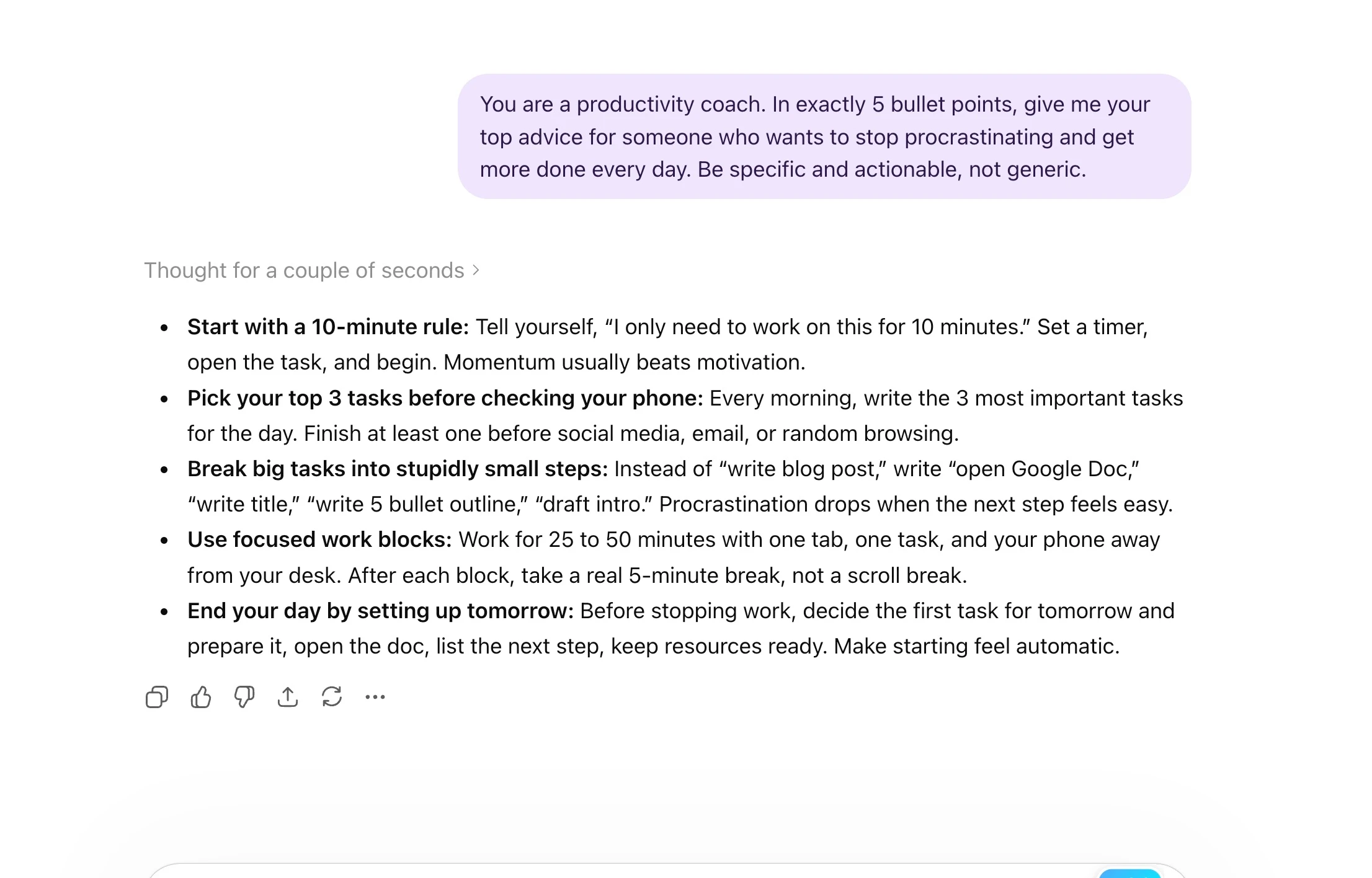
The Gemini app also wrote five bullets, but longer ones built around named methods like the Ivy Lee Method. The screenshot doesn't show which Gemini model answered.
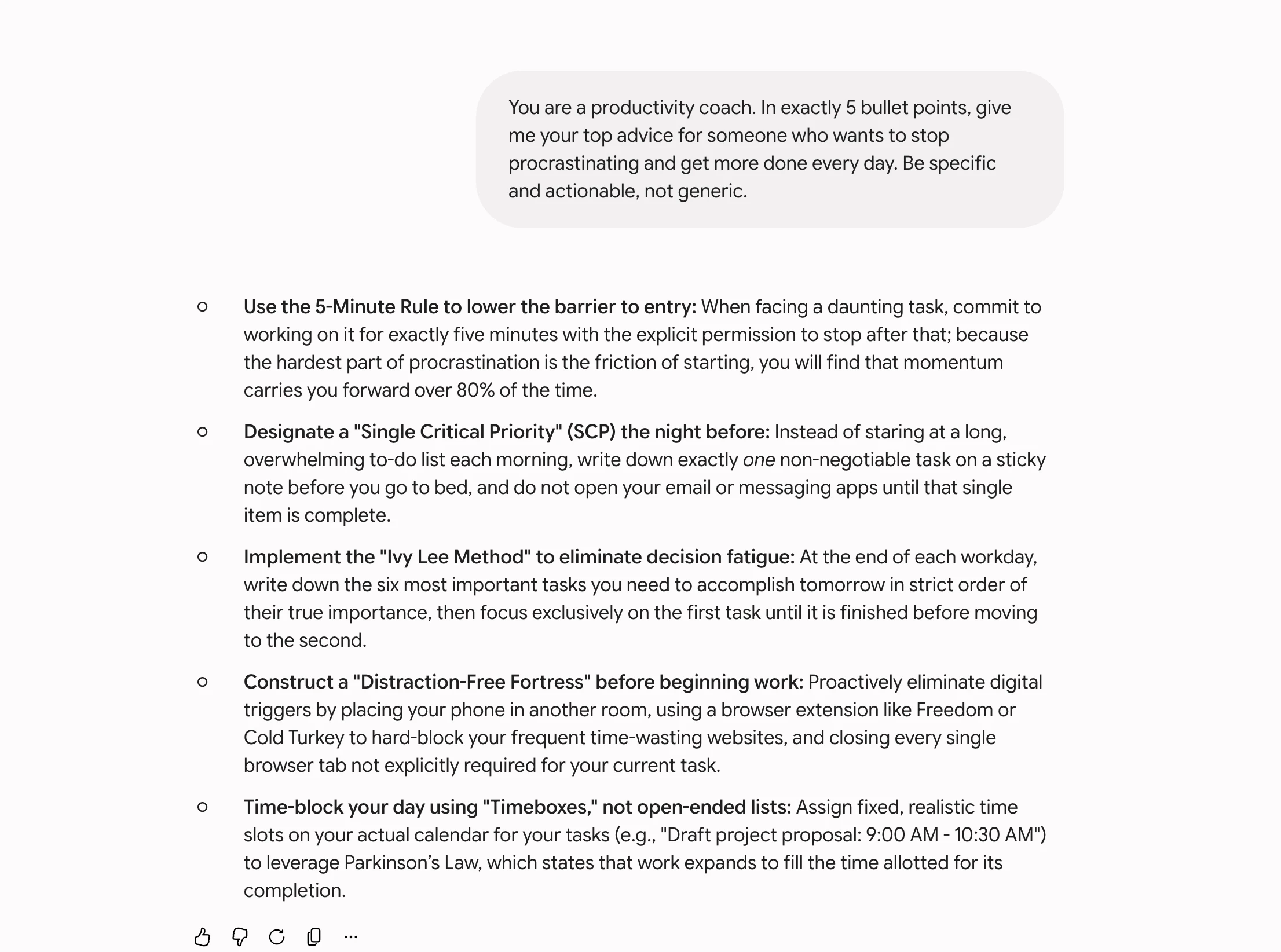
My Verdict
Every model followed the instruction: exactly five bullets, all specific. That part is a tie.
The difference is length and polish. GPT-5.6 Sol and GPT-6 Astra gave tight answers I could use as-is. Gemini 3.8 Flash explained the why behind each tip, which is nice if you want that, but it ran twice as long and needed a quick edit.
That's the same pattern I saw in June. Still, it's one prompt, so treat it as a style check, not a ranking.
ChatGPT vs Gemini for Specific Tasks
Writing and Content Creation
For creative writing, scripts, marketing copy and blog posts, I still lean ChatGPT. Its phrasing is more natural and it holds a tone well. My prompt test (in the apps in June, through the API in October) showed it keeping answers tight.
Gemini produces cleaner first drafts for research reports, technical summaries, and data-heavy documents because it grounds responses in real-time web data. For content where accuracy and currency matter more than tone, Gemini's search grounding gives it a structural edge.
The practical rule: for creative and persuasive writing, choose ChatGPT. For factual, research-based, or current-events writing, choose Gemini.
Coding and Software Development
There isn't a clean, current head-to-head here. ChatGPT gives you GPT-6 Astra and GPT-6.1 Sol in Codex and ChatGPT Work. Gemini gives you 3.8 Flash, plus Google's Jules coding agent and Antigravity on paid plans.
Google pitches 3.8 Flash for "long-horizon coding and autonomous agents" at a low price. In my own builds it was hit and miss, with one excellent app and two broken ones. You can read the details in my 3.8 Flash review.
My advice: if you code every day, try both on your real repo for a week. And look at Claude too, which I compare below.
Research and Information Retrieval
Gemini wins this category. Google Search grounding gives it very fresh information, and Deep Research (on every plan, including free) runs multi-step web research and compiles structured reports. For competitive research, literature reviews and fact-checking, this is what Gemini is built for.
ChatGPT's Deep Research is capable and produces thorough reports. The difference is the search engine underneath. For most research tasks, Google's index and freshness is the deciding factor.
Google Workspace Tasks
This is Gemini's strongest domain. Workspace Intelligence (April 2026) reads across Gmail, Drive, Docs, Sheets, and Calendar simultaneously. You can ask Gemini to "summarize my last 10 emails from this client, pull the relevant attachments from Drive, and draft a follow-up based on the open action items" and it handles that entire workflow natively.
In Sheets, Gemini can populate data from email threads and Drive files in a single prompt. Google states this runs "9x faster than manual entry." In Docs, real-time writing suggestions adjust to your existing document tone. In Slides, a full editable deck generates from your company templates with one prompt.
No ChatGPT integration matches this cross-app context at this depth. For teams on Google Workspace, Gemini Pro at $19.99 is arguably the most valuable AI subscription available in 2026.
Long Document Analysis
Gemini's 1M token context window is the deciding factor for any workflow involving large files.
A long legal contract, a full code repository, an hour of meeting transcripts or a stack of academic papers can go into one Gemini prompt on AI Pro without chunking.
OpenAI's API models also take over a million tokens. If you mostly use the ChatGPT app rather than the API, check your plan's limit before you paste in something huge.
Who Uses These Tools? User Stats in 2026
The scale of both platforms shapes their product direction and support quality.
OpenAI says 1.2 billion people use ChatGPT every week. It's the default AI tool for a lot of students, developers, marketers and support teams, and the API powers thousands of third-party products.
The Gemini app had 950 million monthly active users in Alphabet's Q2 2026 results. On top of that, Gemini runs inside Google Search and Workspace, so plenty of people use it without opening the app.
The two numbers aren't directly comparable (weekly vs monthly users), but they tell you both are mainstream tools with years of support ahead.
The growth paths differ, too. ChatGPT grew from people choosing it directly. Gemini grows by upgrading Google's existing Search and Workspace users to AI, and that shapes what each one builds next.
Agents: Dots vs Gemini Spark
Both companies now sell AI that works for you in the background, not just chat.
ChatGPT Dots is an always-on agent powered by GPT-6 Astra. It has its own cloud computer and browser, keeps working when your laptop is off, and you can message it in ChatGPT, Slack or Teams. I've been using one for link outreach, and I wrote it all up in my OpenAI Dots guide.
The catch is price. OpenAI's Dots page lists it for Pro $100, $200 and $500 users (18+, outside the EEA, UK and Switzerland), plus Business Premium and Enterprise, where an admin has to switch it on. It's still rolling out gradually, and Plus isn't on that list.
Gemini Spark is Google's 24/7 personal agent. It launched in beta for Google AI Ultra in May, then reached Google AI Pro ($19.99) in the US in late July (9to5Google) and more than 160 other countries from July 30 (Google).
Google's Spark help page now lists a Google AI Pro or Ultra plan, age 18+, a personal Google account and Keep Activity switched on. It's not available in the EEA, Nigeria, Switzerland or the UK.
Google AI Pro and Ultra also include Chrome auto browse, which completes web tasks for you inside Chrome.
Test this yourself:
"Go to ProductHunt.com and find the top 3 products launched this week in the AI category. Return the product name, tagline, upvote count, and a one-sentence summary of what each does."
Winner: Gemini. Spark gives you a 24/7 agent on a $19.99 plan, while Dots needs at least the $100 Pro plan (or a business seat).
Dots does have real perks, like Slack and Teams messaging and GPT-6 Astra under the hood. If you already pay for ChatGPT Pro, it's worth trying. Just note that Spark needs Keep Activity on, which matters for the privacy settings below.
Privacy: Who Trains on Your Chats?
Both apps can use your chats to improve their models by default, and both let you say no. The details differ.
ChatGPT
Gemini
Winner: Tie. ChatGPT's single toggle is easier to understand. Gemini's 72-hour rule is clear, but the three-year review window is worth knowing before you paste in anything sensitive.
ChatGPT vs Gemini vs Claude vs Copilot
If you're shopping for one AI subscription, these four come up most. Here's how they line up on price and focus (US prices, October 2026).
| ChatGPT | Gemini | Claude | Microsoft Copilot | |
|---|---|---|---|---|
| Free plan | Yes (GPT-5.6 Luna) | Yes (3.6 Flash, 32K context) | Yes (Sonnet and Haiku) | Yes (free Copilot app) |
| Main paid plan | Plus, $20/month | Google AI Pro, $19.99/month | Pro, $20/month ($17 billed yearly) | Microsoft 365 Premium, $19.99/month |
| Top tier | Pro, up to $500/month | Ultra, $99.99 or $199.99/month | Max, from $100/month | Microsoft 365 Pro, $99.99/month |
| Flagship models | GPT-6 Astra, GPT-5.6 Sol | Gemini 3.8 Flash, 3.1 Pro | Fable 5.1, Opus 5.5, Sonnet 5.5 | Models selected by Microsoft |
| Where it shines | Writing, voice, connectors | Google apps, search, video, Spark agent | Claude Code, long agentic work | Word, Excel, PowerPoint and Outlook |
Sources: Claude pricing, Claude models, Copilot plans, plus the OpenAI and Google pages linked above.
If you already pay for Microsoft 365, Copilot is the easy add-on. If you write code or run long tasks, Claude is worth a trial; my Claude Opus 5.5 review covers it, and our Claude Prompt Generator helps you write prompts for it.
Choose ChatGPT If...
Choose Gemini If...
Frequently Asked Questions
Is Google Gemini better than ChatGPT?
Neither wins everything. ChatGPT is my pick for writing, voice and third-party connectors. Gemini is better for Google Workspace, search-grounded research, video generation, long documents on AI Pro and a 24/7 agent (Spark) on a $19.99 plan. The right choice depends on your work and the tools you already use.
Can I use Google Gemini for free?
Yes. Google's plan page lists 3.6 Flash, varying access to 3.1 Pro, Deep Research, Canvas and Gems on the free tier, with a 32K-token context window. XDA reports free users will be limited to Flash-Lite from October 9, 2026. The 1M-token window needs Google AI Pro at $19.99 a month.
Which AI is better for coding?
There's no fair, current head-to-head yet. ChatGPT gives you GPT-6 Astra and GPT-6.1 Sol in Codex. Gemini gives you 3.8 Flash at a low price, plus Jules and Antigravity on paid plans. If you code daily, test both on your own repo, and try Claude too.
Is ChatGPT better than Gemini for writing?
For most writing, yes. When I re-ran my five-bullet test in October through the API, GPT-5.6 Sol and GPT-6 Astra both gave tight answers I could use as-is. Gemini 3.8 Flash followed the format too, but wrote about twice as much, which can suit study notes or research summaries.
Which AI chatbot has the biggest context window?
Inside the apps, Gemini publishes the clearest number: 1M tokens on Google AI Pro and Ultra (32K free, 128K on AI Plus). OpenAI's API models list 1,050,000 tokens, but ChatGPT's in-app window depends on your plan and model.
What is the difference between Google AI Pro and ChatGPT Plus?
They cost $19.99 and $20 a month. Google AI Pro gives you Gemini 3.8 Flash, 3.1 Pro, a 1M-token window, Gemini Omni video, the Gemini Spark agent (select countries), 5 TB of storage and Jules. ChatGPT Plus gives you GPT-5.6 Sol with Medium and High thinking, plus ChatGPT Work and Codex. Pick Pro if you live in Google apps, Plus for writing and connectors.
Do ChatGPT and Gemini train on my chats?
By default both can use your chats to improve their models. In ChatGPT, turn off "Improve the model for everyone" in Data controls or use Temporary Chat. In Gemini, turn off Keep Activity or use a temporary chat. Note that Gemini keeps chats picked for human review for up to three years.
Final Thoughts
Gemini vs ChatGPT in 2026 isn't a story with one winner. ChatGPT is better for writing, voice and connecting to the rest of your tools.
Gemini is better for real-time research, Google Workspace, video, very long documents and, now, a 24/7 agent on the $20 plan.
If you write a lot or build with OpenAI's tools, start with ChatGPT Plus at $20. If your team runs on Google Workspace, you need that 1M-token window or you want Spark, go with Google AI Pro at $19.99.
Better still, test both free tiers on your real tasks for a week, not on example prompts. Let your actual work decide.
You Don't Have to Pick One
Plenty of people keep both open: ChatGPT for drafting, Gemini for anything that touches Google. The trick is writing prompts that suit each one.
Our free ChatGPT Prompt Generator and Gemini Prompt Generator turn a rough idea into a structured prompt for each app.
If you want ready-made prompts instead, the Prompter plan gives you 29,000+ prompts and 1,200+ Gen AI prompts for $49 one time, with lifetime access.