Chrome Extension
I built this list because I got tired of scrolling through prompt roundups that give me one lazy line like "write a marketing email" and call it a prompt. That is not a prompt. That is a wish.
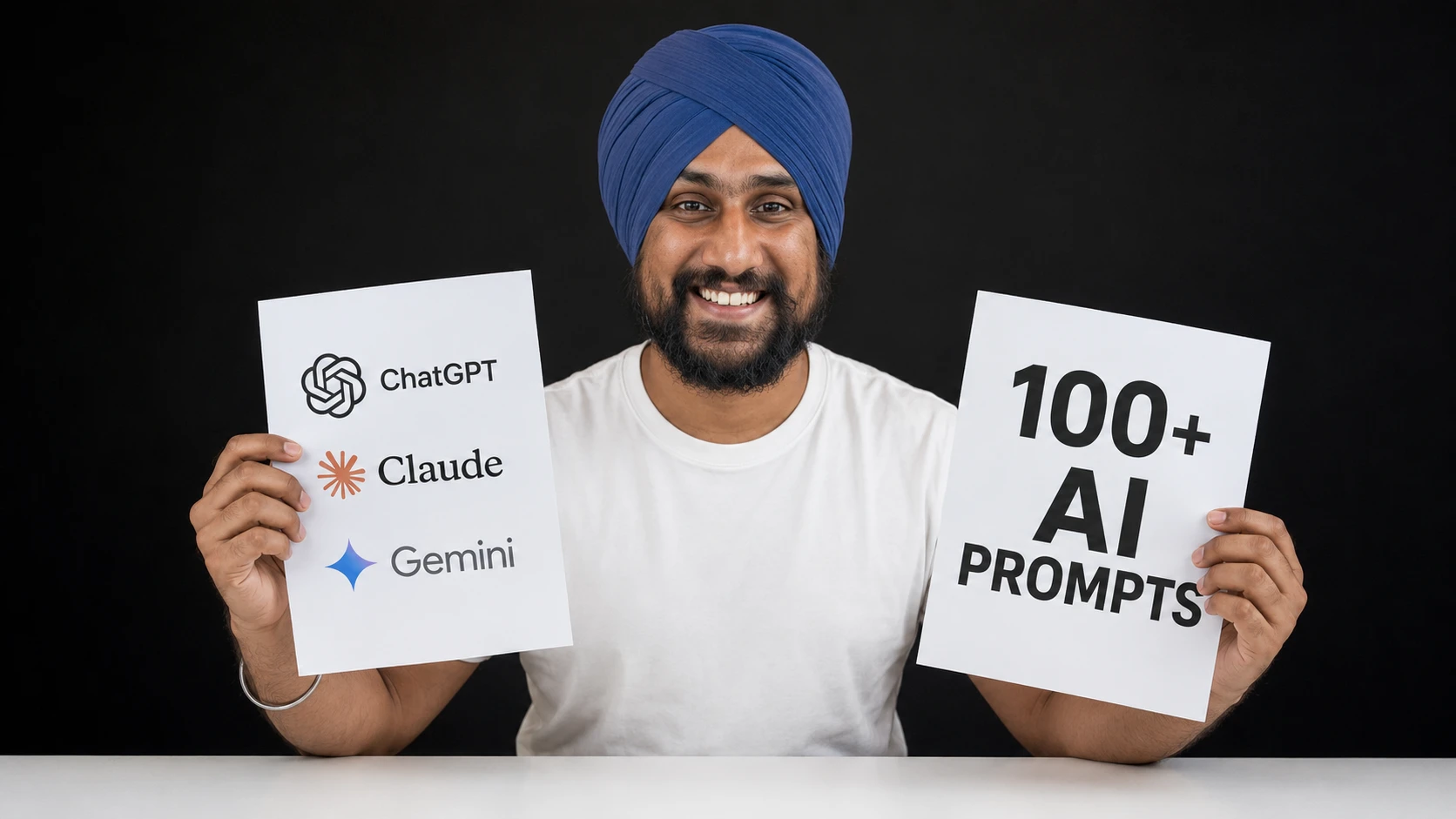
In this guide, I hand you 108 AI prompt examples. You get 10 one-line starter prompts, 7 examples of the main prompt types, and 91 detailed prompts for marketing, business, image generation and SEO.
Every detailed prompt uses bracket placeholders so you can drop in your own details, and each one is tagged with the platform I'd run it on: ChatGPT, Gemini, Claude, Claude Projects, Custom GPTs, n8n, Claude Code or Codex.
10 Simple AI Prompt Examples For Beginners
If you're brand new to AI, start here. These are short, plain prompts you can paste into ChatGPT, Gemini or Claude right now and get something useful back.
These work, but they're the bare minimum. The more context you add, the better the answer gets, and that's what the rest of this guide is about.
AI Prompt Examples By Type
Most good prompts fall into a handful of types. Here's one short example of each, so you can see the difference and mix them together later.
Role-Based Prompt
You tell the AI who to be, so it answers with that person's knowledge and tone.
You are a friendly personal trainer. Build me a 20-minute home workout for a beginner with no equipment.
Instructional Prompt
You give a clear, direct task with specific rules about what to do.
Write a product description for a stainless steel water bottle. Keep it under 80 words, mention that it keeps drinks cold for 24 hours, and end with a call to action.
Contextual Prompt
You hand the AI the background it needs, so the answer fits your real situation instead of a generic one.
I run a small bakery in a college town. Most of my customers are students on a budget, and my slowest day is Tuesday. Suggest 5 promotions to bring more people in on Tuesdays.
Structured Output Prompt
You tell the AI exactly what shape the answer should take, like a table, a list or JSON.
Compare Notion, Trello and Asana for a 5-person team. Return a table with these columns: tool, best for, free plan limits, biggest downside.
Zero-Shot Prompt
You ask for the task with no examples at all and let the model figure out the format on its own.
Classify the sentiment of this review as positive, neutral or negative: "The delivery was late, but the product is great."
Few-Shot Prompt
You show the AI a few examples of what you want first, and it copies the pattern.
Turn these features into benefits.

Feature: 10-hour battery
Benefit: Get through a full workday without hunting for a charger.

Feature: Waterproof case
Benefit: Take it to the pool or beach without worrying.

Feature: [enter your feature here]
Benefit:
Chain-Of-Thought Prompt
You ask the AI to work through the problem step by step before it gives the final answer.
A store sells notebooks at 3 for $5. I need 14 notebooks. What's the cheapest way to buy them and how much will I pay? Work through it step by step, then give the final answer on its own line.
One honest note: newer reasoning models already think before they answer. OpenAI's own guidance says telling them to "think step by step" is unnecessary, and suggests trying prompts without examples first. So I use chain-of-thought and few-shot mostly with faster, non-reasoning models.
In practice, I mix these. Most of the detailed prompts below are role-based, contextual and structured all at once.
Sources: OpenAI API documentation, prompt engineering, OpenAI, reasoning best practices, Wei et al., Chain-of-Thought Prompting Elicits Reasoning in Large Language Models
Key Takeaways
[enter your topic here], so I can copy it, fill in my own details, and run it immediately on any platform.How I Structured Every Prompt In This List
I did not want to hand you generic one-liners, so I built every prompt in this guide around the structure OpenAI lays out in its own prompt engineering documentation. OpenAI recommends breaking a prompt into distinct parts: an identity or role for the AI to adopt, clear instructions for what it should do, context or reference material to ground its answer, and examples when the format matters.
Anthropic's prompt engineering guidance for Claude follows a similar philosophy from a different angle. Anthropic frames good prompting as a software-style loop: define what a successful output looks like, give the model the context it needs to get there, then iterate based on what comes back, rather than trying to write one perfect mega-prompt on the first attempt.
I pulled both approaches into a single format for this list. Every prompt below tells the AI who to be, what to do, what background information it needs, and what format I expect the output in. I left the specific details as bracket placeholders, written like [enter your product name here] or [paste your target audience here], so I can swap in my own information every time I reuse the prompt.
Every prompt in this guide sits in a code block so you can copy it in one click. Fill in the brackets, delete anything that doesn't apply to you, and send it.
Sources: OpenAI Help Center, prompt engineering best practices for ChatGPT, OpenAI API documentation, prompt engineering, Anthropic, prompt engineering best practices
Which AI Platform Should I Use For Each Job?
I get asked this constantly, so let me settle it here before I hand you the prompts. Different platforms are built for different jobs, and running the wrong prompt on the wrong platform wastes my time and yours.
| Platform | What I use it for | Why it fits |
|---|---|---|
| ChatGPT | Fast, general-purpose drafting: marketing copy, business documents, keyword brainstorming, image generation | Broad training data, native image generation, huge plugin and Custom GPT ecosystem |
| Gemini | Multimodal analysis (video, audio, documents), live Google Search grounding, Google Workspace integration | Natively reads video and audio, pulls live search results, sits inside Docs, Sheets, and Gmail |
| Claude | Long, nuanced writing: proposals, brand voice work, detailed analysis | Strong at holding tone and following layered instructions across a long response |
| Claude Work | Recurring work that needs the same background context every time: brand guidelines, SOPs, pricing sheets, historical financials | Persistent project knowledge means I stop re-explaining my business in every new chat |
| Custom GPTs | Repeatable, on-brand assistants for a team: SEO audit bots, SOP assistants, branded content generators | One-time setup locks in tone, formatting, and reference files for everyone who uses it |
| n8n | Scheduled and multi-step automation: syncing data between apps, auto-posting content, recurring reports | Connects hundreds of apps and runs on triggers without me lifting a finger |
| Claude Code | Autonomous coding tasks: writing scripts, refactoring code, building small internal tools, writing tests | Plans, edits multiple files, runs tests, and iterates until the code actually works |
| Codex | Cloud-sandboxed coding tasks: scheduled dev jobs, PR generation, issue triage | Clones a repo, writes code, runs the test suite, and opens a pull request on its own |
Now let's get into the prompts. I organized them into four sections: marketing, business, images and SEO. Jump to whichever one solves your problem today, or read straight through.
25 Marketing And Social Media Prompts
Marketing is where most people start with AI, and it is also where most people stop too early because their first prompt was too vague. I broke this section into content marketing, social media, email marketing, ad copy, and brand positioning, so I can find exactly what I need fast.
Content Marketing
1. Blog Topic Generator
I use this when my content calendar is empty and I need ideas that actually match what my audience searches for, not just what sounds smart to me.
You are an experienced content strategist for [enter your industry or niche here]. My target audience is [describe your target audience here], and they typically struggle with [list 2-3 pain points here]. Generate 15 blog post topic ideas that would genuinely help this audience, organized into three categories: beginner-level educational content, mid-funnel comparison or how-to content, and bottom-funnel content that supports a buying decision. For each topic, include a suggested headline and the primary search intent behind it (informational, comparison, or transactional).
Platform: ChatGPT, for fast, broad topic brainstorming.
2. SEO-Informed Content Calendar
I run this once a quarter to plan out what I am publishing and why, instead of picking topics the night before.
Act as a content marketing manager building a 3-month content calendar for [enter your company or brand name here] in the [enter your industry here] space. My main content pillars are [list 3-4 content pillars here], and my primary keyword targets are [paste your keyword list here]. Build a week-by-week calendar that assigns one piece of content per week, maps each piece to a pillar and target keyword, and suggests the content format (blog post, video, guide, case study). Present this as a table with columns for week, title, pillar, keyword, and format.
Platform: ChatGPT, for structured calendar output.
3. Repurpose One Post Into Five Formats
I write one solid piece of content and then use this prompt to stretch it across every channel I run instead of starting from scratch each time.
Here is a piece of content I already published: [paste your blog post, video transcript, or article here]. Repurpose this single piece into five different formats: a 5-tweet thread for X, a LinkedIn post under 200 words, a short newsletter blurb with a call to action, a carousel outline for Instagram with 6 slides, and a 60-second video script. Keep the core message consistent across all five, but adjust the tone and structure to fit each platform's norms.
Platform: Claude, for handling a long input and restructuring it accurately across formats.
4. Long-Form Content Outline Builder
I use this before I write anything longer than 1,500 words, because a strong outline saves me from rewriting the whole draft later.
I am writing a long-form guide on [enter your topic here] for an audience of [describe your target audience here]. The goal of this piece is [state your goal, for example: rank for a keyword, generate leads, establish authority]. Build a detailed outline with an introduction hook, 5-7 H2 sections, H3 subpoints under each section, and a suggested closing call to action. For each H2, note what specific question or subtopic it needs to answer so I do not repeat myself across sections.
Platform: Claude Projects, so I can keep my brand voice and past content examples loaded as reference material every time I outline something new.
5. Customer Success Story From Raw Notes
I run this after every good customer call, while the details are still fresh, instead of letting the story die in my notes app.
Here are my raw notes and quotes from a customer interview: [paste your interview notes, quotes, or transcript here]. Turn this into a customer success story following this structure: a one-sentence hook that states the outcome, a short section on the customer's situation before using [enter your product or service name here], a section on what they did or how they used it, a results section with any specific numbers mentioned, and a closing customer quote. Keep the tone authentic and avoid marketing buzzwords.
Platform: Claude, for turning messy, unstructured notes into a coherent narrative.
Marketing content is only half the job. The other half is where that content actually lives, and for most brands, that is social media.
Social Media
6. Scroll-Stopping Caption Generator
I use this whenever I have a photo or video ready to post and a blank caption box staring back at me.
Write 5 caption options for a [enter platform here, for example Instagram or TikTok] post about [describe your post topic or what the image/video shows here]. My brand voice is [describe your brand voice here, for example playful, direct, expert]. Each caption should open with a hook in the first line since that is what shows before the "more" cutoff, include a short body that adds value or personality, and end with a call to action that fits [enter your specific goal here, for example driving comments, saves, or link clicks].
Platform: ChatGPT, for quick caption variations.
7. Short-Form Video Script Writer
I use this before filming anything for Reels, TikTok, or Shorts, because a script with a real hook beats winging it every time.
Write a 30-45 second short-form video script about [enter your topic here] for [enter platform here]. Structure it as: a hook in the first 2 seconds that creates curiosity or calls out the viewer's problem, a body section broken into scene-by-scene beats with what to say and what to show on screen, and a closing line with a call to action. My target viewer is [describe your target viewer here]. Keep sentences short enough to say naturally on camera.
Platform: Claude, for structured scene-by-scene scripting.
8. Hook And Thumbnail Text Ideation
I run this before publishing anything on YouTube, because the hook and thumbnail decide whether anyone clicks at all.
Generate 10 hook options and 10 matching thumbnail text options for a video titled [enter your working video title here] about [describe what the video covers here]. Hooks should be spoken lines for the first 5 seconds of the video. Thumbnail text should be 3-5 words maximum, punchy, and legible at a small size. Pair each hook with a thumbnail text option that reinforces the same curiosity angle.
Platform: ChatGPT, for rapid-fire idea generation.
9. Platform-Specific Hashtag Strategy
I use this to stop guessing at hashtags and actually match what is discoverable on each platform.
Build a hashtag strategy for a post about [enter your topic here] on [enter platform here]. Recommend a mix of 3 broad/high-volume tags, 4 medium-competition niche tags, and 3 highly specific long-tail tags related to [enter your specific niche or product category here]. Explain briefly why each tag is included and avoid banned or shadowbanned tags if you are aware of any for this topic.
Platform: Gemini, for grounding suggestions in current platform trends through live search.
10. Competitor Reel/Video Breakdown
I use this to reverse-engineer why a competitor's video is performing well before I try something similar.
I am uploading a video from a competitor in [enter your industry here]. Analyze the hook used in the first 3 seconds, the pacing and cuts throughout, any text overlays and when they appear, the call to action used, and the likely reason this video is performing well. Then suggest how I could apply the same structural pattern to a video about [enter your topic here] without copying it directly.
Platform: Gemini, because it can read the uploaded video directly instead of working from a text description of it.
11. Social Content Calendar By Platform
I use this to plan a full month of posts in one sitting instead of scrambling daily.
Build a 4-week social media content calendar for [enter your brand name here] across [list the platforms you post on here]. My content pillars are [list 3-4 pillars here]. For each week, assign a specific post idea per platform, note the content format (photo, carousel, video, text post), and flag which posts should promote [enter your current offer, launch, or campaign here].
Platform: Custom GPTs, so the calendar format and brand pillars stay locked in every time my team runs this.
Now let's move from what to post to how to reach people directly through their inbox.
Email Marketing
12. Welcome Sequence Builder
I use this every time I launch a new lead magnet or opt-in, so new subscribers get a real introduction instead of silence.
Write a 4-email welcome sequence for new subscribers who just signed up for [enter your lead magnet, newsletter, or offer here]. My brand voice is [describe your brand voice here]. Email 1 should deliver on the promise of the signup and set expectations. Email 2 should share a quick win or useful tip related to [enter your topic here]. Email 3 should tell a short brand or founder story that builds trust. Email 4 should introduce [enter your product or service here] with a clear, low-pressure call to action. Include a subject line for each email.
Platform: Claude Projects, so the sequence stays consistent with my brand voice guide across every email I generate later.
13. Subject Line A/B Variant Generator
I run this before every send because subject lines make or break open rates.
Generate 10 subject line variations for an email about [describe the email content or offer here]. Include a mix of angles: 3 that use curiosity, 3 that state a clear direct benefit, 2 that use urgency or scarcity, and 2 that ask a question. Keep each one under 60 characters so it does not get cut off on mobile. Flag which 2 you would test against each other first and why.
Platform: ChatGPT, for fast variation generation.
14. Cart Abandonment / Win-Back Sequence
I use this to recover revenue that would otherwise just disappear.
Write a 3-email cart abandonment sequence for a customer who added [enter your product name here] to their cart but did not complete checkout. Email 1 sends within an hour as a simple reminder with no discount. Email 2 sends the next day and addresses a likely objection such as [enter a common objection here, for example price or shipping time]. Email 3 sends 3 days later with a limited-time incentive of [enter your discount or incentive here]. Keep the tone helpful, not pushy.
Platform: Claude, for handling the objection-handling nuance in email 2.
15. Newsletter Roundup Drafting
I use this every week to turn a pile of links into something people actually want to read.
I am sending a weekly newsletter for [enter your brand or publication name here]. Here are the links and updates I want to include: [paste your list of links, headlines, or updates here]. Write a newsletter draft with a short personal intro, then a roundup section that briefly summarizes each item in 1-2 sentences with why it matters to my reader, and a closing line that includes [enter your call to action here].
Platform: ChatGPT, for quick weekly turnaround.
16. Cold Outreach Personalization At Scale
I use this when I have a list of prospects and need personalized openers without spending all day writing them one by one.
Here is a list of prospects with their name, company, and one fact about each: [paste your prospect list here]. Write a personalized one-sentence opener for each prospect that references the specific fact I provided, then follows with a 2-sentence pitch for [enter your product or service here] and a soft call to action. Keep the tone conversational, not salesy.
Platform: n8n, so this can pull from my CRM automatically and merge the output into a live outreach sequence instead of a one-time copy-paste job.
Content and email get people interested. Paid ads get in front of people who have never heard of me at all.
Ad Copy
17. Google Search Ads Copy Generator
I use this to get inside Google's character limits without losing my message.
Write Google Search Ads copy for [enter your product or service here] targeting the keyword [enter your target keyword here]. Generate 5 headline options, each under 30 characters, and 3 description options, each under 90 characters. Focus on [enter your main selling point or offer here] and include a clear call to action in at least 2 of the descriptions.
Platform: ChatGPT, for fast, constraint-aware copy generation.
18. Meta Ads Copy Variations
I use this to build out A/B test variants without repeating the same angle five times.
Write 5 sets of Meta Ads primary text and headline pairs for [enter your product or service here], targeting [describe your target audience here]. Each set should use a different angle: one pain-point-led, one benefit-led, one social-proof-led, one curiosity-led, and one offer-led. Keep primary text under 125 characters before the "see more" cutoff, and headlines under 40 characters.
Platform: ChatGPT, for angle-based copy variation.
19. Landing Page Copy Builder
I use this before launching any new offer so the page actually converts instead of just describing the product.
Write landing page copy for [enter your product or service name here], targeting [describe your target audience here]. Structure it as: a hero headline and subheadline that state the core benefit, 3-4 benefit sections each with a short headline and 2-sentence explanation, an objection-handling section addressing [list 1-2 common objections here], a short social proof section, and a closing call-to-action section. Keep the tone [describe your desired tone here].
Platform: Claude, for holding the full page structure and tone consistently across a long output.
20. Competitor Ad Library Teardown
I use this to see what a competitor is actually spending money to say before I plan my own campaign.
Here are screenshots or descriptions of ads currently running from a competitor, [enter competitor name here]: [paste ad descriptions, copy, or screenshots here]. Break down the messaging angle each ad uses, the offer structure, and any patterns across all of them. Then suggest 3 ways I could differentiate my own ad messaging for [enter your product or service here] instead of copying their approach directly.
Platform: n8n, to pull fresh ads from a competitor's ad library on a schedule and feed them into this analysis automatically.
Everything above depends on one thing holding it together: a brand that sounds like itself no matter who is writing.
Brand And Positioning
21. Brand Voice Guide Creator
I run this once and then reuse the output as a reference document for every prompt after it.
Help me build a brand voice guide for [enter your brand name here]. My brand is [describe your brand in a few sentences, including personality and values here]. Generate: a list of 5 voice traits with a one-sentence definition of each, a "say this, not that" table with 5 examples of on-brand versus off-brand phrasing, a list of words and phrases to avoid, and 3 sample sentences showing the voice in action for a social post, an email, and a product description.
Platform: Claude Projects, so this becomes the permanent reference file every future prompt in this project can pull from.
22. Customer Persona Builder
I use this before any new campaign to make sure I am writing to a real person, not a vague idea of one.
Build a detailed customer persona using this raw data: [paste survey responses, interview notes, or customer data here]. Include: a name and short bio, demographic details, their main goals related to [enter your product category here], their biggest frustrations or objections, where they spend time online, and 3 direct quotes or paraphrased quotes that capture how they talk about this problem.
Platform: Claude, for synthesizing qualitative data into a coherent persona.
23. Competitor Messaging Teardown
I use this to find the gap competitors are leaving open instead of copying their exact positioning.
Here is the homepage copy and core messaging from a competitor, [enter competitor name here]: [paste their homepage copy or messaging here]. Break down their primary value proposition, their target audience based on the language they use, and their apparent positioning angle. Then help me draft a differentiated positioning statement for [enter your brand name here] that avoids directly overlapping with theirs.
Platform: Gemini, when I need to pull and analyze a competitor's live website content directly through search.
24. Tagline And Value Proposition Brainstorm
I use this at the start of any rebrand or new product launch, before anything else gets written.
Generate 15 tagline options for [enter your brand or product name here], which does [describe what your product or brand does here] for [describe your target audience here]. Include a mix of angles: 4 benefit-led, 4 emotional, 3 category-defining, 2 playful, and 2 direct/no-nonsense. Keep each tagline under 8 words.
Platform: ChatGPT, for high-volume creative brainstorming.
25. Content Brief Template For Freelancers
I use this every time I hand off a piece of content to a freelance writer, so I stop getting drafts that miss the point.
Create a content brief template for freelance writers working on [enter your brand or publication name here] content. The brief should include fields for: target keyword and search intent, target audience, required word count, tone and style notes, 3 must-include points or facts, competitor articles to reference, and a call to action for the piece. Fill in one example brief using this topic: [enter a sample topic here].
Platform: Custom GPTs, so every writer on my team pulls from the same locked brief format automatically.
Marketing gets people to notice a business. What I cover next is what keeps that business running once they show up.
22 Business Prompts
Business prompts cover the unglamorous work that actually keeps a company alive: strategy documents, operations, finance, hiring, sales, and customer support. I split this section the same way I would split a leadership meeting agenda.
Strategy
26. SWOT Analysis Generator
I run this before any major decision so I am not just going with my gut.
Act as a business strategist. Build a SWOT analysis for [enter your company or product name here] operating in [enter your industry or market here]. Base the strengths and weaknesses on this context about my business: [describe your business, team, or product here]. Base the opportunities and threats on the current state of the [enter your industry here] market. Present the analysis as a 2x2 table, then add a short paragraph on the single biggest opportunity and the single biggest threat I should prioritize.
Platform: ChatGPT, for a fast, structured first pass.
27. Market Entry Feasibility Analysis
I use this before deciding whether a new market is worth the investment or just a distraction.
I am considering entering [enter the new market, region, or segment here] with [enter your product or service here]. Here is what I know about my current business and this new market: [paste your notes, research, or data here]. Analyze the feasibility of this move by covering: market size and demand signals, likely competitors already there, regulatory or logistical barriers, and the resources this would require from my team. End with a clear go, wait, or no recommendation and why.
Platform: Claude, for holding a longer, more nuanced analysis together without losing the thread.
28. Competitive Landscape Analysis
I keep this updated every quarter so I am never blindsided by a competitor move.
Build a competitive landscape analysis for [enter your industry or category here]. My company is [enter your company name here] and my main competitors are [list your competitors here]. For each competitor, summarize their positioning, their apparent target customer, their pricing approach if known, and one clear strength and one clear weakness. Close with where I see white space that none of them are covering.
Platform: Claude Projects, so I can keep updating this same document quarter over quarter with prior research already in context.
29. Business Model And Pricing Strategy Brainstorm
I use this whenever I am second-guessing how I charge for something.
I run a business that does [describe what your business does here] and currently charges [describe your current pricing model here]. Here is context on my costs, margins, and customer base: [paste relevant details here]. Brainstorm 4 alternative pricing or business model structures I could test, such as tiered, usage-based, subscription, or bundled pricing. For each option, note the likely upside, the likely risk, and what would need to change operationally to support it.
Platform: ChatGPT, for broad brainstorming across multiple pricing models.
Strategy sets the direction. Operations is what makes sure the day-to-day actually runs without me holding every piece together myself.
Operations
30. Standard Operating Procedure Writer
I use this every time I catch myself explaining the same process out loud for the third time.
Write a Standard Operating Procedure document for the process of [enter the process name here] at [enter your company name here]. Here are the raw steps as I currently do them: [paste your rough notes or steps here]. Format the SOP with a purpose statement, a list of tools or access required, numbered step-by-step instructions, common mistakes to avoid, and who is responsible for this process. Write it so a new hire could follow it with no prior context.
Platform: Custom GPTs, so this becomes a repeatable internal SOP assistant trained on my company's actual documents.
31. Meeting Transcript To Action Items
I run this immediately after every meeting so decisions do not disappear into a group chat nobody rereads.
Here is a raw transcript from a meeting: [paste your meeting transcript here]. Turn this into structured meeting notes with three sections: key decisions made, action items with a clear owner and deadline for each, and open questions that still need an answer. Keep the summary under 300 words and skip small talk or tangents that do not affect outcomes.
Platform: Gemini, since it plugs directly into Google Meet and Docs where most of my meeting recordings already live.
32. Process Mapping Documentation
I use this to spot the bottleneck I already suspect exists but have not proven yet.
Help me map out the process for [enter the process name here] at my company. Here is how it currently works, step by step: [describe the current process here]. Identify every handoff point between people or teams, flag any step that seems redundant or could be automated, and suggest a simplified version of the process with fewer total steps if possible.
Platform: Claude, for tracking a multi-step process without losing details along the way.
33. Vendor Comparison Summary
I use this before signing any new contract so the decision is documented, not just remembered.
I am comparing vendors for [enter the type of service or product here]. Here is what I know about each option: [paste details on each vendor, including pricing, features, and any notes here]. Build a comparison table with columns for price, key features, contract terms, and any red flags. End with a recommendation on which vendor to choose and the single biggest reason why.
Platform: ChatGPT, for quick comparison formatting.
Operations keeps the business moving. Finance tells me whether it is actually moving in the right direction.
Finance
34. Budget Variance Analysis
I run this every month-end so surprises in the numbers do not stay surprises for long.
Here is my budget versus actual spending for [enter the time period here]: [paste your budget and actual numbers here]. Analyze the variances by category, flag any category that is more than 10% over or under budget, and write a short narrative explaining likely causes for the three biggest variances. Suggest one action item for each flagged category.
Platform: Claude Projects, so historical budget data stays loaded and this month's numbers can be compared against real trend context.
35. Financial Projections Assistant
I use this when I am putting together projections and want a sanity check on my assumptions before I present them.
Help me build a 12-month financial projection for [enter your company or product name here]. Here are my current numbers and assumptions: [paste your revenue, costs, growth rate, and any other assumptions here]. Build a month-by-month projection covering revenue, costs, and net income, and flag any assumption in my inputs that looks unrealistic or needs a sensitivity check.
Platform: Gemini, since it can work directly inside a Google Sheet with my existing financial model.
36. Expense Report Anomaly Review
I run this before approving expense reports so I catch outliers before they become a pattern.
Here is a list of expense report line items: [paste your expense data here]. Review this list and flag any entries that look unusually high compared to the others, any duplicate charges, and any category that seems to be trending up over time. Summarize the flags in a short list with the specific line item and why it stood out.
Platform: ChatGPT, for a quick first-pass review.
37. Plain-Language Financial Statement Explainer
I use this before board meetings so non-finance stakeholders actually understand what they are looking at.
Here is a financial statement: [paste your income statement, balance sheet, or cash flow statement here]. Explain this in plain language for a non-finance audience. Cover: what the top-line numbers mean, whether the trend is positive or negative compared to the prior period, and the 3 most important takeaways a non-finance stakeholder should walk away with.
Platform: Claude, for translating technical numbers into clear plain-language explanation.
Finance tells the story of the business. Hiring decides who gets to write the next chapter of it.
Human Resources
38. Job Description Writer
I use this every time I open a new role so I stop reusing a job description from three years ago.
Write a job description for a [enter the role title here] position at [enter your company name here]. This role will be responsible for [describe the core responsibilities here], and the ideal candidate has experience in [list required skills or experience here]. Structure the description with a short company blurb, a responsibilities section, a requirements section split into required versus nice-to-have, and a closing paragraph on our culture or benefits.
Platform: ChatGPT, for quick, well-structured drafting.
39. Interview Question Bank Generator
I use this so every candidate for the same role gets asked comparable questions instead of whatever I think of on the spot.
Generate an interview question bank for a [enter the role title here] candidate. Create 5 questions to assess technical or role-specific skills, 5 behavioral questions using a situation-task-action-result format, and 3 questions to assess culture fit with [enter your company values here]. For each question, note what a strong answer would include.
Platform: Custom GPTs, so the same interview framework is available to every hiring manager on my team.
40. Performance Review Draft Assistant
I use this to make sure reviews are fair and specific instead of vague and rushed.
Help me draft a performance review for [enter the employee's role or name here]. Here are my notes on their performance this period: [paste your notes, examples, or feedback here]. Structure the review with a summary of strengths backed by specific examples, one or two growth areas framed constructively, and 2-3 concrete goals for the next period. Keep the tone honest but supportive.
Platform: Claude Projects, so prior review cycles and our performance rubric stay loaded as context every time.
41. Employee Onboarding Checklist Creator
I use this so new hires get a consistent first week no matter who is managing them.
Create a 30-60-90 day onboarding checklist for a new [enter the role title here] at [enter your company name here]. Include specific tasks, tools to get access to, and people to meet in each phase. Add a short welcome message a manager could send on day one that sets expectations for the first week.
Platform: Custom GPTs, for a reusable, on-brand onboarding assistant.
Hiring builds the team. Sales is what proves the business has customers who will actually pay for what that team builds.
Sales
42. Cold Outreach Sequence Generator
I use this to build a full sequence instead of sending one email and hoping.
Write a 4-touch cold outreach sequence for reaching out to [describe your target prospect here] about [enter your product or service here]. Touch 1 is a short, personalized email. Touch 2 is a follow-up 3 days later that adds a new piece of value or proof. Touch 3 is a short breakup-style email 5 days after that. Touch 4 is a final check-in a week later. Keep each email under 100 words.
Platform: ChatGPT, for fast sequence drafting.
43. Sales Proposal / RFP Response Writer
I use this to keep proposals from taking an entire day to put together.
Help me write a sales proposal for [enter the prospect company name here], who is interested in [enter what they are considering buying here]. Here is context on their needs and our past conversations: [paste your notes here]. Structure the proposal with an executive summary, a section on their specific challenge, our proposed solution, pricing, and a clear next step. Match the tone to a professional but not overly formal register.
Platform: Claude Projects, so pricing sheets, case studies, and brand voice stay loaded for every proposal I generate.
44. Objection-Handling Script Builder
I use this to prepare for the objections I already know are coming.
Build an objection-handling script for [enter your product or service here]. Here are the objections I hear most often: [list common objections here]. For each objection, write a short response that acknowledges the concern, reframes it, and moves the conversation forward without sounding defensive or scripted.
Platform: ChatGPT, for quick, iterative script drafting.
Sales closes the deal. Customer service decides whether that customer ever buys from me again.
Customer Service
45. Support Ticket Response Templates
I use this to build a library of responses my team can personalize instead of writing from scratch every time.
Write 5 support ticket response templates for common issues related to [enter your product or service here]. Cover: a delayed response apology, a how-to walkthrough for [enter a common task here], a refund or return policy explanation, a bug report acknowledgment, and a general thank-you-for-your-patience template. Leave placeholders for the customer's name and specific details.
Platform: Custom GPTs, so my whole support team pulls from the same on-brand templates.
46. De-escalation Script Builder
I use this before a difficult call so I walk in with language ready instead of improvising under pressure.
Help me prepare for a difficult customer conversation about [describe the situation here]. The customer is frustrated because [describe why they are upset here]. Write 3 opening lines that acknowledge their frustration without being defensive, 2 phrases to use if they escalate further, and one way to close the conversation that leaves them feeling heard, even if I cannot fully resolve the issue.
Platform: Claude, for handling the emotional nuance of a de-escalation script well.
47. Customer Complaint Root-Cause Summary
I run this every month so recurring complaints turn into fixed problems instead of a permanent fire drill.
Here is a batch of customer complaints from the past [enter time period here]: [paste your complaint data or support tickets here]. Group these complaints into themes, count how many fall into each theme, and identify the most likely root cause behind the top 3 themes. Suggest one fix for each root cause that would reduce future complaints of that type.
Platform: n8n, to pull this data automatically from my support tool on a recurring schedule and generate the summary without manual exporting.
Business prompts run on text in, text out. Image prompts play by a different rulebook entirely, so let me walk through that before I hand over the list.
22 Image Generation Prompts
Image prompts do not follow the identity-instructions-context structure I used above. Both OpenAI and Google recommend a different framework for their image models: describe the subject, the style or medium, the composition and framing, the lighting, the color palette, the camera angle, the aspect ratio, and any text that needs to appear in the image. I built every prompt below around that structure.
I also want to flag something honestly here. Image models are strong at composition and style, but Google's own guidance notes that small text and factual accuracy in diagrams or infographics still need a manual check before I publish anything. I always review generated images before they go anywhere public-facing, and I treat any text baked into an image as a first draft, not a final asset.
Sources: OpenAI Developers Cookbook, GPT image models prompting guide, Google Blog, prompting tips for Nano Banana Pro, Google Cloud Blog, ultimate prompting guide for Nano Banana
Product And Ecommerce
48. Studio Product Photography
I use this when I need a clean product shot and do not have a photo studio handy.
Generate a studio product photography image of [enter your product name and description here]. Style: clean commercial product photography, similar to a premium ecommerce listing. Composition: product centered, shot from a slight three-quarter angle. Background: seamless [enter background color here] backdrop with a soft shadow beneath the product. Lighting: soft, even studio lighting with a subtle highlight on the product's main feature. Aspect ratio: 1:1 square. Avoid any text or logos overlaid on the image.
Platform: ChatGPT or Gemini, both handle clean product renders well.
49. Lifestyle Product-In-Use Shot
I use this to show a product in context instead of floating on a blank background.
Generate a lifestyle photograph showing [enter your product name here] being used by [describe the person or setting here]. Style: natural, editorial lifestyle photography, not overly staged. Setting: [describe the environment here, for example a bright kitchen, an outdoor cafe, a home office]. Lighting: natural window light or golden-hour outdoor light, whichever fits the setting. Camera: shot as if with a 50mm lens, shallow depth of field with the product in sharp focus. Aspect ratio: [enter your desired aspect ratio here, for example 4:5 for Instagram].
Platform: Gemini, for its stronger handling of realistic lighting and lifestyle composition.
50. Packaging Design Concept
I use this to visualize packaging ideas before committing to an actual design agency mockup.
Generate a packaging design concept for [enter your product name here], a [describe the product category here]. Style: [describe your desired aesthetic here, for example minimalist, bold and colorful, vintage-inspired]. Show the packaging as a 3D mockup sitting on a plain surface with soft studio lighting. Include the brand name [enter your brand name here] prominently on the front panel, using a [describe font style here] typographic style. Color palette: [enter your brand colors here].
Platform: Gemini, since it can drape artwork and text onto a 3D packaging surface while keeping realistic lighting and texture.
51. Before/After Comparison Visual
I use this to visually prove a transformation instead of just describing it in words.
Generate a single before-and-after comparison image split into two halves. Left half: [describe the "before" state here]. Right half: [describe the "after" state here]. Style: clean, consistent lighting and framing across both halves so the comparison feels fair and credible. Add a subtle divider line down the center. Aspect ratio: 1:1 or 4:5 for social sharing.
Platform: ChatGPT, for straightforward split-composition generation.
Product visuals sell the thing itself. What comes next is everything that gets someone to notice the product exists in the first place.
Social And Ad Creative
52. Branded Social Post Graphic
I use this when I need a quote or stat graphic that still looks like it came from my brand.
Generate a social media graphic for [enter platform here] featuring the text "[enter your headline or quote text here]." Style: [describe your brand's visual style here, for example bold sans-serif typography on a solid color background]. Color palette: [enter your brand colors here]. Layout: text centered or left-aligned with generous white space, no clutter. Aspect ratio: [enter platform-specific ratio here, for example 1:1 for Instagram feed or 9:16 for Stories].
Platform: Custom GPTs, so the visual style stays locked to my brand guidelines every time I generate one of these.
53. Ad Creative Variation Set
I use this to get multiple visual directions for the same ad without briefing a designer five separate times.
Generate 3 distinct ad creative concepts for [enter your product or service here], each targeting the message "[enter your core ad message here]." Concept 1: product-focused with a clean background. Concept 2: lifestyle-focused showing the product in use. Concept 3: bold text-led design with the headline as the dominant visual element. Keep the color palette consistent across all three: [enter your brand colors here]. Aspect ratio: [enter your ad platform's required ratio here].
Platform: n8n, to batch-generate this variation set automatically across every ad size I need and push the outputs straight into my ad platform folder.
54. Email Campaign Banner
I use this to make sure every campaign email has a header graphic instead of just plain text.
Generate an email header banner for a campaign about [enter your campaign or offer here]. Style: [describe your desired style here]. Include the text "[enter your headline text here]" prominently. Dimensions should work as a wide banner, approximately 600 pixels wide. Color palette: [enter your brand colors here]. Keep the design simple enough to load fast and not overwhelm the email body below it.
Platform: ChatGPT, for quick single-asset generation.
55. Event Or Trade Show Banner Design
I use this ahead of any event so the booth or virtual page actually looks finished.
Generate a banner design for [enter your company name here] to use at [describe the event here, for example a trade show booth or virtual event page]. Include the company name, the tagline "[enter your tagline here]," and visual elements related to [describe your product or industry here]. Style: [describe your desired style here]. Aspect ratio: [enter your required banner dimensions here].
Platform: Gemini, for handling text-heavy banner layouts cleanly.
56. Multi-Aspect-Ratio Resize Of One Creative
I use this to take one approved creative and stop manually resizing it for every placement.
Here is my approved creative concept: [describe the original creative in detail, or reference the image being edited here]. Resize and adapt this same creative into the following formats while keeping the core visual and message consistent: a 1:1 square for social feed, a 9:16 vertical for Stories and Reels, and a 16:9 horizontal for display ads. Adjust the composition for each ratio so nothing important gets cropped out.
Platform: Gemini, for native multi-ratio resizing, or n8n if I need this automated across dozens of placements at once.
A brand's ads change every month. What does not change as often is the identity underneath all of them.
Brand Identity
57. Logo Concept Exploration
I use this early in a rebrand to see directions fast before involving a designer for the final polish.
Generate 4 logo concept directions for [enter your brand name here], a company that does [describe what your company does here]. Concept 1: a wordmark using clean, modern typography. Concept 2: a simple geometric icon paired with the brand name. Concept 3: an abstract symbol that represents [describe a core brand value or theme here]. Concept 4: a combination mark blending an icon and wordmark. Color palette: [enter your brand colors here]. Keep all concepts simple enough to work at a small size.
Platform: Gemini, for its stronger text rendering when a wordmark needs to actually read correctly.
58. Brand Icon Or Mark System
I use this to build out a consistent set of icons instead of one-off pieces that do not match.
Generate a set of 6 icons for [enter your brand or product name here] representing these concepts: [list 6 concepts or features here]. Style: [describe your icon style here, for example line icons, filled icons, duotone]. Keep the stroke width, corner radius, and overall style completely consistent across all 6 icons. Color palette: [enter your brand colors here]. Background: transparent.
Platform: Gemini, for maintaining visual consistency across a full set of generated assets.
59. Brand Mascot Or Character Design
I use this when a brand needs a recurring character instead of just a static logo.
Design a brand mascot character for [enter your brand name here], a company in the [enter your industry here] space. The character should feel [describe the desired personality here, for example friendly, energetic, trustworthy]. Style: [describe the art style here, for example flat vector illustration, 3D rendered, hand-drawn]. Show the character in a neutral standing pose facing forward, with a simple color palette of [enter your brand colors here].
Platform: Gemini, for character consistency across multiple generated poses and scenes later.
60. Branded Quote Or Testimonial Card
I use this to turn a good customer quote into something worth sharing.
Generate a testimonial graphic featuring this quote: "[enter your customer quote here]," attributed to [enter customer name and title/company here]. Style: [describe your brand's visual style here]. Layout: quote text as the dominant element, attribution in smaller text below, subtle brand mark in a corner. Color palette: [enter your brand colors here]. Aspect ratio: 1:1 for social sharing.
Platform: Custom GPTs, so this template stays consistent every time a new testimonial comes in.
Identity assets get reused for years. Editorial visuals get used once, but I still need them to look intentional every single time.
Content And Editorial
61. Blog Or Article Header Image
I use this so every published post has a real header instead of a generic stock photo.
Generate a header image for a blog post titled "[enter your article title here]," which covers [briefly describe the article topic here]. Style: [describe your desired style here, for example modern editorial illustration, abstract conceptual, photographic]. Composition: wide format with visual interest concentrated slightly off-center so text can overlay one side if needed. Color palette: [enter your brand colors here]. Aspect ratio: 16:9.
Platform: ChatGPT or Gemini, both handle conceptual editorial imagery well.
62. Custom Illustration For Landing Page
I use this when stock photography feels too generic for a specific page.
Generate a custom illustration for a landing page about [enter your product or offer here]. Style: [describe your desired illustration style here, for example flat design, isometric, line art]. The illustration should visually represent [describe the concept or process here]. Color palette: [enter your brand colors here]. Keep the composition simple enough to sit beside a headline and body text without feeling cluttered.
Platform: Gemini, for clean conceptual illustration generation.
63. Icon Set For Feature Sections
I use this so every feature on a page gets a matching visual instead of a wall of text.
Generate a set of icons representing these product features: [list your features here]. Style: [describe your desired icon style here]. Keep line weight, sizing, and color treatment identical across all icons so they read as one cohesive set when placed side by side on a page. Background: transparent.
Platform: ChatGPT, for quick, consistent icon sets.
64. Infographic With Data And Text
I use this to turn raw numbers into something people will actually stop and read.
Generate an infographic presenting this data: [paste your data points or statistics here]. Structure: a headline at the top stating the core insight, 3-4 data points each with a number, a short label, and a simple supporting icon, arranged in a clean vertical or grid layout. Color palette: [enter your brand colors here]. Keep all numbers and labels exactly as provided, since I will manually verify accuracy before publishing.
Platform: Gemini, for its stronger combined text-and-diagram rendering, with a manual fact-check pass afterward since image models can misrender small text or numbers.
Editorial visuals support one piece of content. The last group here supports the whole brand experience at once.
Advanced And Multi-Format Visuals
65. Website Hero Image
I use this for any new landing page or homepage refresh.
Generate a hero image for the homepage of [enter your company or product name here], which does [describe what your company does here]. Style: [describe your desired style here]. Composition: leave clear negative space on the [enter left or right here] side for a headline and call-to-action button to overlay. Color palette: [enter your brand colors here]. Aspect ratio: 16:9 wide format.
Platform: ChatGPT or Gemini, depending on whether the style leans photographic or illustrated.
66. Presentation Slide Visual
I use this so my slide decks stop looking like they were built at midnight.
Generate a background visual for a presentation slide about [enter your slide topic here]. Style: [describe your desired style here, for example minimal corporate, bold and modern]. Keep the design subtle enough that text can be legible when overlaid in the center or along one edge. Color palette: [enter your brand colors here]. Aspect ratio: 16:9.
Platform: Custom GPTs, so every slide in a deck pulls from the same consistent visual template.
67. Storyboard Frames For A Video Concept
I use this to pitch a video idea visually before committing budget to actually filming it.
Generate a 4-frame storyboard for a video concept about [enter your video concept or ad idea here]. Frame 1: the opening hook shot. Frame 2: the problem or setup. Frame 3: the product or solution in action. Frame 4: the closing call-to-action shot. Style: [describe your desired visual style here]. Keep the same character or product consistent across all 4 frames.
Platform: Gemini, for maintaining character and scene consistency across a sequence of related images.
68. Localized Or Translated Marketing Visual
I use this to adapt one visual for multiple markets without starting from scratch each time.
Here is my original marketing visual concept: [describe the original image or paste a description of it here]. Adapt this same visual for a [enter target market or language here] audience, translating any in-image text into [enter target language here] while keeping the layout, composition, and color palette identical to the original.
Platform: Gemini, for its stronger multilingual in-image text rendering.
69. Team Or About-Page Avatar Graphic
I use this for an About page when real headshots are not available or consistent yet.
Generate a stylized avatar-style graphic for a team member on our About page. Style: [describe your desired style here, for example flat illustrated avatar, geometric abstract portrait]. Keep the background a solid [enter background color here] so all team avatars look consistent as a set when placed together. Aspect ratio: 1:1.
Platform: ChatGPT, for consistent, quick avatar-style generation.
Want to run prompts like these across a bunch of image and video models in one place? I built OpenField, a desktop app where you bring your own API key and pay the model providers directly.
Images get attention. SEO is what makes sure people find the content in the first place, months and years after I hit publish.
22 SEO Prompts
I want to be honest about a limitation before I hand these over. ChatGPT and Claude generate keyword ideas and content structure from language patterns, not live search-volume data, so I treat these prompts as directional thinking partners, not a replacement for a real keyword tool like Google Search Console or Ahrefs. Where a prompt benefits from live search grounding, I flagged Gemini instead.
Keyword Research And Clustering
70. Seed Keyword Expansion
I use this to turn one keyword idea into a full list I can then check against real search data.
I sell [enter your product or service here] and my seed keyword is [enter your seed keyword here]. Generate 25 related keyword ideas, grouped into three categories: informational keywords someone would search before knowing about my product, comparison keywords someone would search while evaluating options, and transactional keywords someone would search when ready to buy. For each keyword, note the likely search intent in one word.
Platform: ChatGPT, for broad keyword idea generation.
71. Search Intent Classification
I run this before writing anything, so I am not building transactional content for an informational keyword.
Here is a list of keywords: [paste your keyword list here]. Classify each keyword by search intent: informational, navigational, commercial investigation, or transactional. For each one, note what type of content would best match that intent, such as a blog post, comparison page, or product page.
Platform: Claude, for handling a longer keyword list without losing consistency.
72. Keyword Clustering Into Pillars
I use this to turn a messy exported keyword list into an actual content plan.
Here is a large keyword list exported from my keyword research tool: [paste your keyword list here]. Group these keywords into topic clusters, with one pillar topic per cluster and the related keywords listed underneath each pillar. Suggest a working title for the pillar page and note which keywords in each cluster could support standalone supporting articles instead of being folded into the pillar page.
Platform: Claude Projects, for handling a large pasted file and keeping it available for future clustering sessions.
73. Live SERP And People Also Ask Scan
I use this right before writing so I know exactly what is already ranking and what questions people are actually asking.
Search for the current top-ranking results and "People Also Ask" questions for the keyword [enter your target keyword here]. Summarize what the top 5 ranking pages have in common in terms of format and content covered, list the "People Also Ask" questions you find, and note any content gap none of the top results are addressing well.
Platform: Gemini, for live Google Search grounding instead of relying on training data alone.
Keyword research tells me what to target. A content brief turns that target into something a writer can actually execute.
Content Briefs And Outlines
74. Full Content Brief Generator
I use this before assigning any article, whether I am writing it myself or handing it off.
Build a content brief for an article targeting the keyword [enter your target keyword here]. Include: 3 headline options, a suggested word count based on typical top-ranking content for this topic, a meta description under 155 characters, a full outline with H2 and H3 headers, and 3 internal linking opportunities from my existing content on [enter your site topic areas here].
Platform: ChatGPT, for fast, structured brief generation.
75. Competitor-Informed Content Outline
I use this to build an outline that actually covers what is already working, plus what is missing.
Search for the top 5 ranking pages for the keyword [enter your target keyword here]. Analyze what subtopics and sections each one covers, then build a content outline for my own article that covers everything the top results address plus at least one subtopic none of them cover well. Note the source of the gap you identified.
Platform: Gemini, for live browsing of actual competitor pages instead of a generic outline.
76. Reusable Branded Brief Template
I use this so every brief that comes out of my process looks the same, no matter who requests it.
Create a standardized content brief template for [enter your brand or publication name here]. The template should have fields for target keyword, search intent, target audience, required word count, tone and style notes, required subtopics to cover, and internal linking requirements. Fill in one example using the topic [enter a sample topic here] so I can see the template in action.
Platform: Custom GPTs, so this exact template is available to anyone on my team requesting a brief.
A brief gets content written. On-page optimization makes sure that content is actually structured to rank once it is live.
On-Page Optimization
77. Title Tag Variant Generator
I use this to stop guessing which title will actually get clicked in the search results.
Generate 8 title tag options for a page targeting the keyword [enter your target keyword here]. The page is about [describe the page content here]. Keep each title under 60 characters, include the target keyword naturally, and vary the angle across options: some benefit-led, some number-led, some question-based.
Platform: ChatGPT, for rapid variation generation.
78. Meta Description Batch Generator
I use this when I have a batch of URLs that all need descriptions written at once.
Here is a list of page titles and topics: [paste your list of page titles or URLs with brief topic notes here]. Write a meta description for each one, under 155 characters, that includes the likely target keyword and a reason to click, such as a benefit or a specific detail.
Platform: ChatGPT, for handling a batch efficiently.
79. Header Structure Audit And Rewrite
I use this on older content that reads fine but is not structured for how people actually scan a page.
Here is the current header structure of a page: [paste your H1, H2, and H3 headers here]. Audit this structure for topical clarity and logical flow. Flag any header that is vague, any section that seems out of order, and any missing header that should exist based on the target keyword [enter your target keyword here]. Provide a rewritten header structure.
Platform: Claude, for careful structural analysis.
80. Existing Page Copy Rewrite For Keyword Alignment
I use this to update old content without making it sound like it was rewritten by a robot.
Here is my existing page copy: [paste your current page copy here]. Rewrite this to better target the keyword [enter your target keyword here] while keeping my existing brand voice and not losing any of the original value or information. Note which specific sentences you changed and why.
Platform: Claude Projects, so my brand voice guide stays loaded and the rewrite does not drift from it.
On-page work fixes what a visitor sees. Technical SEO fixes what a search engine sees, and that half is often invisible until something breaks.
Technical SEO
81. JSON-LD Schema Markup Generator
I use this to add structured data without hand-coding it from a reference doc every time.
Generate JSON-LD schema markup for a [enter schema type here, for example Article, FAQ, Product, or LocalBusiness] page. Here are the relevant details: [paste your page details, such as title, author, date, price, or FAQ questions and answers here]. Output valid JSON-LD wrapped in a script tag, following Google's recommended structured data format.
Platform: Claude Code, for generating and validating code-accurate structured data.
82. Sitemap Crawl Script For Broken Or Orphaned URLs
I use this to catch structural issues a manual click-through would take hours to find.
Write a script that crawls the sitemap at [enter your sitemap URL here], checks each URL for its HTTP status code, and flags any broken links, redirect chains, or URLs that return an error. Output the results as a CSV with columns for URL, status code, and issue type.
Platform: Claude Code, for writing and running the actual crawl script.
83. Robots.txt Review And Rewrite
I use this whenever I suspect crawl budget is being wasted on pages that do not matter.
Here is my current robots.txt file: [paste your robots.txt content here]. Review this for any rules that might be blocking pages I actually want indexed, any missing disallow rules for pages I do not want crawled such as admin or checkout pages, and suggest a cleaned-up version with a short explanation of each change.
Platform: Codex, for handling the file review and rewrite as a discrete coding task.
84. Automated Technical Audit Script
I use this to run recurring health checks without manually clicking through every page.
Write a script that checks a list of URLs for common technical SEO issues: missing title tags, missing meta descriptions, missing H1 tags, and page load time. Here is my list of URLs to check: [paste your URL list here]. Output the results as a summary table flagging which URLs have which issues.
Platform: Codex, for building and scheduling the audit script as a recurring job.
85. SEO Audit Assistant For Ad Hoc Questions
I use this as a standing resource whenever a question comes up mid-project instead of searching for an answer from scratch.
Act as an SEO audit assistant for [enter your website or brand name here]. I will ask you specific technical and on-page SEO questions about my site. When I describe an issue, walk me through how to diagnose it, what the likely cause is, and the specific fix, referencing SEO best practices. Here is my first question: [enter your specific SEO question here].
Platform: Custom GPTs, for a standing, reusable SEO assistant trained on my site's context.
Technical SEO keeps a site healthy. None of it matters if the content on that site quietly goes stale and nobody notices.
Content Refresh And Decay
86. Content Decay Identification
I run this quarterly to catch pages that used to perform before they fall too far.
Here is a Google Search Console export showing traffic and ranking data over the past 12 months for my pages: [paste your GSC export or data here]. Identify pages that show a clear downward trend in clicks or rankings over the past 6 months. Rank the top 10 decaying pages by how much traffic they have lost, and suggest whether each one needs a content refresh, a technical fix, or a full rewrite.
Platform: Claude, for analyzing a larger dataset and prioritizing it clearly.
87. Scheduled Content-Decay Alert Report
I use this so I do not have to remember to manually check for decay every month.
Set up a recurring monthly workflow that pulls traffic and ranking data from Google Search Console, compares it to the prior month, flags any page with a drop of more than 15% in clicks, and sends a summary report to [enter your preferred destination here, for example Slack or email].
Platform: n8n, for the scheduled pull, comparison, and alert delivery.
Fixing my own content is half the job. Knowing what a competitor is doing better is the other half.
Competitor Content Gap Analysis
88. Competitor Content Gap Comparison
I use this before rewriting a page so the update actually closes a real gap instead of guessing.
Here is my page on [enter your topic here]: [paste your page content or URL here]. Compare this against the top 3 ranking competitor pages for the same keyword. Identify subtopics, entities, or questions the competitors cover that my page does not, and suggest specific sections I should add to close the gap.
Platform: Gemini, for live browsing of the actual competitor pages.
89. Multi-URL Domain Gap Report
I use this when I want a bigger-picture view of an entire competitor's content strategy, not just one page.
Here is a list of URLs from a competitor's site, [enter competitor domain here]: [paste your list of competitor URLs or topics here]. Compare this against my own site's content on the same general topics: [describe your existing content coverage here]. Build a gap report showing which topics they cover that I do not, organized by priority based on how central each topic seems to their strategy.
Platform: Claude Projects, for holding a larger multi-URL comparison in context across a longer research session.
Competitor research shows me what to build next. Internal linking makes sure everything I have already built actually supports it.
Internal Linking
90. Internal Linking Recommendation Generator
I use this to stop leaving orphaned pages that never get discovered through my own site.
Here is a list of my site's URLs and their main topics: [paste your URL and topic list here]. Recommend internal linking opportunities by identifying which pages should link to which other pages based on topical relevance. For each recommendation, suggest the anchor text to use and note if any page currently has very few internal links pointing to it.
Platform: Claude, for reasoning through topical relationships across a full site structure.
The last piece of SEO is the one most people avoid entirely: actually asking someone else to link to me.
Link Building
91. Backlink Outreach Email Drafts
I use this to send outreach that does not read like the fiftieth templated pitch in someone's inbox.
I want to reach out to [enter target website or contact name here] about [describe the outreach angle here, for example a broken link I found, a guest post pitch, or a resource page addition]. Here is relevant context: [paste details about the opportunity or content being pitched here]. Write a short outreach email under 120 words that is specific to this site, states the value clearly, and does not sound like a mass template.
Platform: ChatGPT, for quick, personalized outreach drafting.
If you want to check whether ChatGPT, Claude, Gemini and Perplexity can actually see your site, I built RanknestAI for that. It's a desktop SEO and GEO audit tool that runs on your own API keys.
SEO gets me found. Automation stops me from repeating the work above by hand.
AI Automation Prompts
I used to keep 22 automation prompts on this page, for n8n workflows, reporting, CRM tasks and agentic coding in Claude Code and Codex. They got big enough to deserve their own guide.
You'll find all of them, with the platform I'd run each one on, in my 22 AI automation prompts guide.
That closes out all 91 detailed prompts across marketing, business, images and SEO. Before I wrap up, here are the questions I get asked most about prompts like these.
Frequently Asked Questions (FAQs)
What is the best AI prompting framework to follow?
I follow the framework OpenAI lays out in its own documentation: give the AI a clear identity or role, specific instructions, relevant context, and examples when the format matters. Anthropic recommends a similar loop for Claude: define what success looks like, provide context, and iterate based on the output rather than expecting perfection on the first try.
Which AI platform should I use for marketing tasks?
For most marketing writing, I reach for ChatGPT or Claude first. I switch to Gemini when the task involves analyzing a video, image, or live search result, and I use Claude Projects or Custom GPTs when I need the same brand voice and reference material applied consistently across many prompts over time.
How do I write a good image generation prompt?
I structure every image prompt around subject, style or medium, composition, lighting, color palette, camera angle, and aspect ratio, following the frameworks Google and OpenAI publish for their own image models. I always review the output for small text errors or factual inaccuracies before publishing anything generated.
Can ChatGPT or Claude replace real SEO tools?
No, and I do not treat them that way. ChatGPT and Claude generate keyword and content ideas from language patterns, not live search-volume data. I use them for structuring, brainstorming, and drafting, and I still rely on a dedicated keyword tool or Google Search Console for actual ranking and volume numbers.
What's the difference between zero-shot, few-shot and chain-of-thought prompting?
A zero-shot prompt asks for the task with no examples. A few-shot prompt shows the AI a couple of examples first so it copies the pattern. A chain-of-thought prompt asks it to reason step by step before answering. Newer reasoning models already think on their own, so I try zero-shot first and add examples only when the output misses the format I want.
Do I need a paid plan to use these prompts?
No. Every prompt in this guide works on a free ChatGPT, Gemini or Claude account. A few platform features I mention, like Claude Projects, Custom GPTs, Claude Code or Codex, may need a paid plan depending on what you use and how much.
Final Thoughts
I built this list the way I wish someone had built it for me: real prompts with real context, not one-liners that leave you guessing. Every bracket placeholder is there so you can make each prompt yours in seconds.
Copy the prompts that solve a problem you actually have this week. Skip the rest until you need them. That's the whole point of a library like this, and it's what I built at scale on promptslove.com.
If these prompts helped, I have 29,000+ more prompts and ready-made automations in the members library, covering every category here and dozens more. Get access here.