Chrome Extension
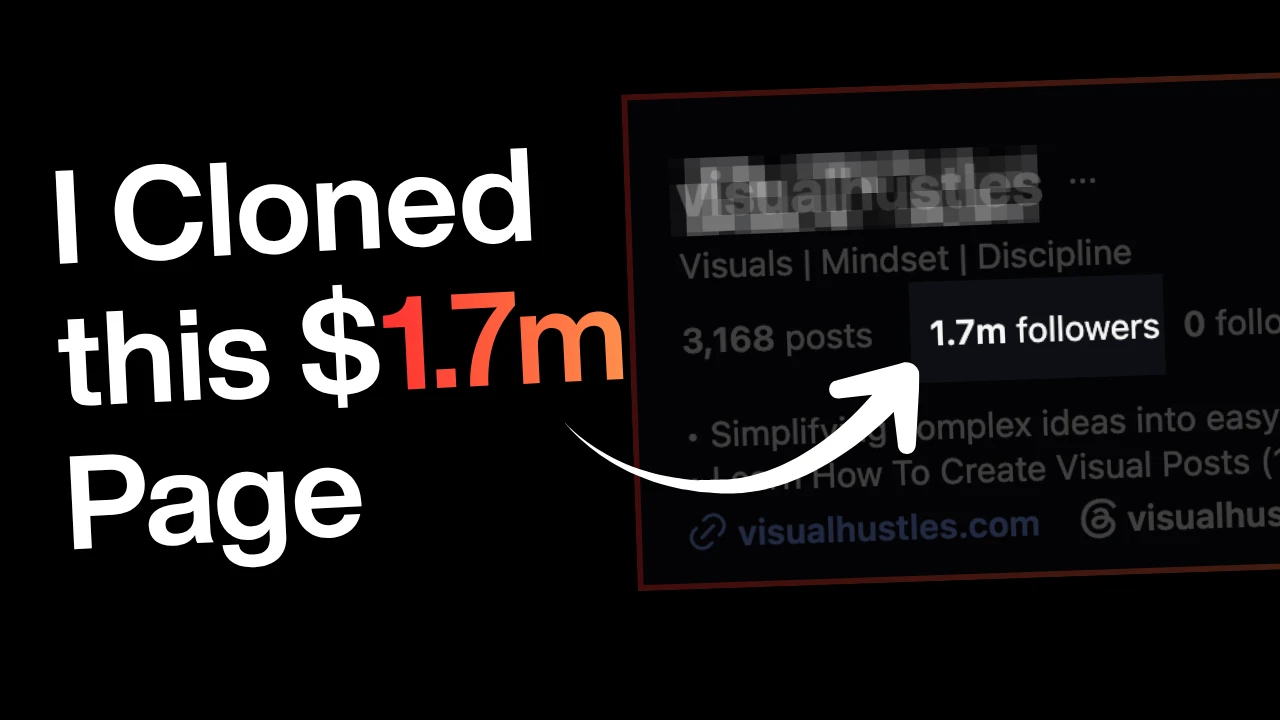
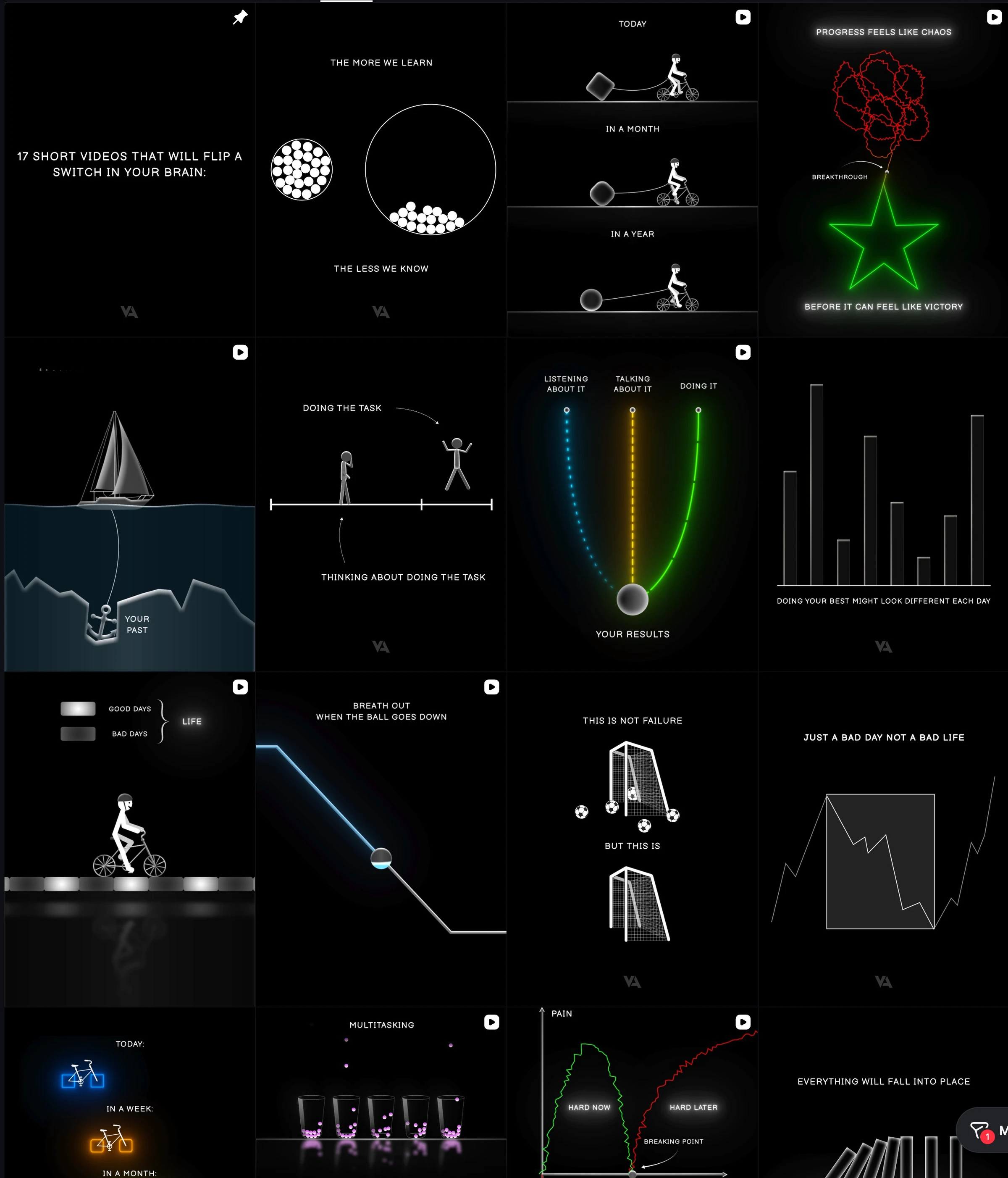
Visual Hustles has 1.7 million Instagram followers and Value Animate has 254 thousand. Both post simple visuals about mindset and discipline, and both pitch a course on making them in their bios. In this guide I show you how I make that style of content with the Motion Graphics Claude Skill, ChatGPT and Claude Opus 5.5, using one prompt and one follow-up question. You get my setup steps, my prompt templates and the rules I recommend so you copy the format and never the content.
Key Takeaways
The Instagram Pages I Want You to Study
Two pages show this style well. The numbers below come from their public profiles on 8 October 2026.
| Visual Hustles | Value Animate | |
|---|---|---|
| Followers | 1.7M | 254K |
| Posts | 3,168 | 957 |
| Bio theme | Visuals, mindset, discipline | Animations, mindset, discipline |
| Bio line | Simplifying complex ideas into easy to understand visuals | Discipline, but make it animated |
| Offer in the bio | Pitches a course on creating visual posts (the bio says 1,000+ students) | Pitches a course on creating viral animations, with a Gumroad link |
What About the Sponsored Posts?
In my video I said profiles like these make thousands from sponsored posts. I cannot see their invoices, so here is what I can check.
One 2026 influencer rate guide puts the median price per post at $2,400 for accounts with 100K to 500K followers and $18,000 for accounts above 1M. The guide says the medians come from 274 creators it spoke with and does not explain how it picked them. Treat those numbers as a rough guide and not as a promise.
If you take sponsored posts, tell your audience about the relationship. The FTC's endorsement guidance says influencers must clearly disclose their relationship with a brand.
What This Visual Style Looks Like
On screen in my video you can see stick figures, motivational visuals, the 8-8-8 rule and psychological visuals. The 8-8-8 idea splits a day into eight hours of work, eight of recreation and eight of rest. Robert Owen coined that slogan in 1817, so the content takes an old idea and gives it a clean visual.
Now look at the visuals I generated. Each one sets two ideas against each other.
| Concept I generated | The contrast it shows |
|---|---|
| Jumping between five projects | Five projects against staying with one |
| Keep swinging, sharpen the swing | Effort against better method |
| Smart work versus hard work | Two ways to spend the same hours |
| Keep pushing, plan the route | Motion against direction |
| Small steps every day | Daily steps against one giant leap |
| Too busy to sharpen | Staying busy against stopping to sharpen |
| Yes to everything | Saying yes to everything against saying yes only to what matters |
That pattern is the part worth copying. One contrast per visual keeps the idea easy to read in a second.
The format is a contrast, a simple drawing and a short line of text. Anyone can reuse that structure with their own ideas.
Copy the Format, Not the Content
I say "clone" in my video. Read that as cloning the structure of a page that works, and never its artwork, characters or captions.
This matters more now. On 30 April 2026 Instagram announced that accounts which regularly repost other people's content, or mainly share others' work as photos and carousels, are no longer eligible for recommendations. Reels already had that protection. Posts from those accounts drop out of recommendations, including the feed and the Discover tab, although people who already follow them still see the posts.
Yahoo Tech's report adds Instagram's definition of original work: content you wholly created or that reflects your unique perspective. It also says accounts can regain eligibility by making most of their posts, carousels and Reels original over a 30-day period.
Here is how I apply that.
| Copy this | Do not copy this |
|---|---|
| The contrast structure (this versus that) | Another page's exact drawings or characters |
| The pacing of a short visual | Another page's captions and quotes |
| The theme lane (mindset, discipline, focus) | Screenshots of their posts, even with credit |
| The light and dark theme idea | Their watermark or logo |
| The habit of posting a series | A reposted video with a speed change |
TechCrunch's summary of the update says screenshots of someone else's post do not count as original even when you credit the username, and low-effort changes such as a watermark or a speed change do not count either.
The Motion Graphics Kit: Three Tools in One Place
Here is the Motion Graphics PRO kit I use in the video. The page describes three tools that work together.
| Tool | What it does | Where you open it |
|---|---|---|
| Motion Graphics PRO (Claude skill) | You type /promptslove-motion-gfx, answer a few rounds of questions, approve a storyboard and get a finished MP4 | Get the skill |
| Motion Graphics Prompt Generator | Takes a topic, transcript or product URL and writes an 8-part script and a master prompt | Open the generator |
| Motion Graphics Cheatsheet | Breaks my Claude Motion Reel 2026 into 8 parts with fill-in prompts and 184 keywords with live previews | Open the cheatsheet |
According to the product page, the skill includes:
Those numbers come from my own page. I list them so you know what the kit covers, and you can check them against the page yourself.
Do You Need After Effects or Code?
No. The page says you chat with Claude. The skill asks its questions, shows a brief and a storyboard, and renders the video from code for you.
If your AI tool cannot render video, the page says you still get a single-file HTML preview that you can play and screen-record, or a prompt pack that renders anywhere the skill is installed.
Set Up the Skill in Claude, Step by Step
Here is the setup I follow. It takes a few minutes.
If you use ChatGPT, OpenAI's documentation says standalone skills work in the ChatGPT desktop app, while skills bundled in plugins also work on web and mobile. You pick a skill by typing @. That page covers building skills and does not describe uploading a zip, so follow the install notes that come with the skill for ChatGPT. My product page lists ChatGPT, Claude Code, Claude Desktop, claude.ai, Cursor, Gemini CLI, OpenCode, Devin, Antigravity and Codex as places the skill works, because it uses the open Agent Skills format.
My Image Workflow in ChatGPT
In my video I made the still visuals in ChatGPT. The prompt has five fields, and you fill them in once.
Here is a template with those same fields. It is my own wording and not the exact prompt from the video, so copy it and replace the brackets.
Act as a visual storyteller. Analyze my text and generate a minimalist motivational comparison video.
MY IDEA/TEXT: one is dwelling with different project and one is focusing on one only
FORMAT: 4:5
COLOR THEME: dark
EXACT TEXT TO PRESERVE: [Optional]
First identify:
• The core life lesson.
• The less helpful action and the more helpful action.
• One simple visual metaphor that makes the difference obvious.
Then generate the image using these guidelines:
COMPOSITION
Use two clearly separated scenes: the less helpful approach on the left and the more helpful approach on the right. Repeat the same character, goal, scale, and setting. Change the action and its resulting progress. Compare choices and habits.
VISUAL LANGUAGE
Use flat illustrations, simple white human figures, clean outlines, and familiar objects such as stairs, plants, bridges, ladders, or paths. Choose the metaphor that best fits my idea. Make the action explain the lesson; color alone should not carry the meaning.
Keep one main metaphor, generous empty space, and consistent line thickness. Create one finished image.
TEXT
Use short labels of 2–5 words per scene and one takeaway of no more than 10 words. Use clear sans-serif typography readable on a phone. Preserve any exact text I specify. Do not invent quote attributions.
COLOR THEMES
Dark: background #080B0F; figures and text #F4F2EA; less helpful action #EF7D7A; helpful action #74C9AE.
Light: background #F7F3EA; figures and text #18222D; less helpful action #C95050; helpful action #247A60.
Apply custom colors if provided. Use accent colors sparingly.
FINISH
Avoid decorative clutter, photorealism, heavy shadows, logos, and watermarks. Do not add unsupported statistics or guarantees.
Briefly explain your chosen comparison and metaphor, then generate the finished visual.
make dark
ChatGPT researched the idea and showed me a first image: jumping between five projects against staying with one project. Then I asked it to go deeper. It suggested its top five topics and created all five images.
Here are the result I got;
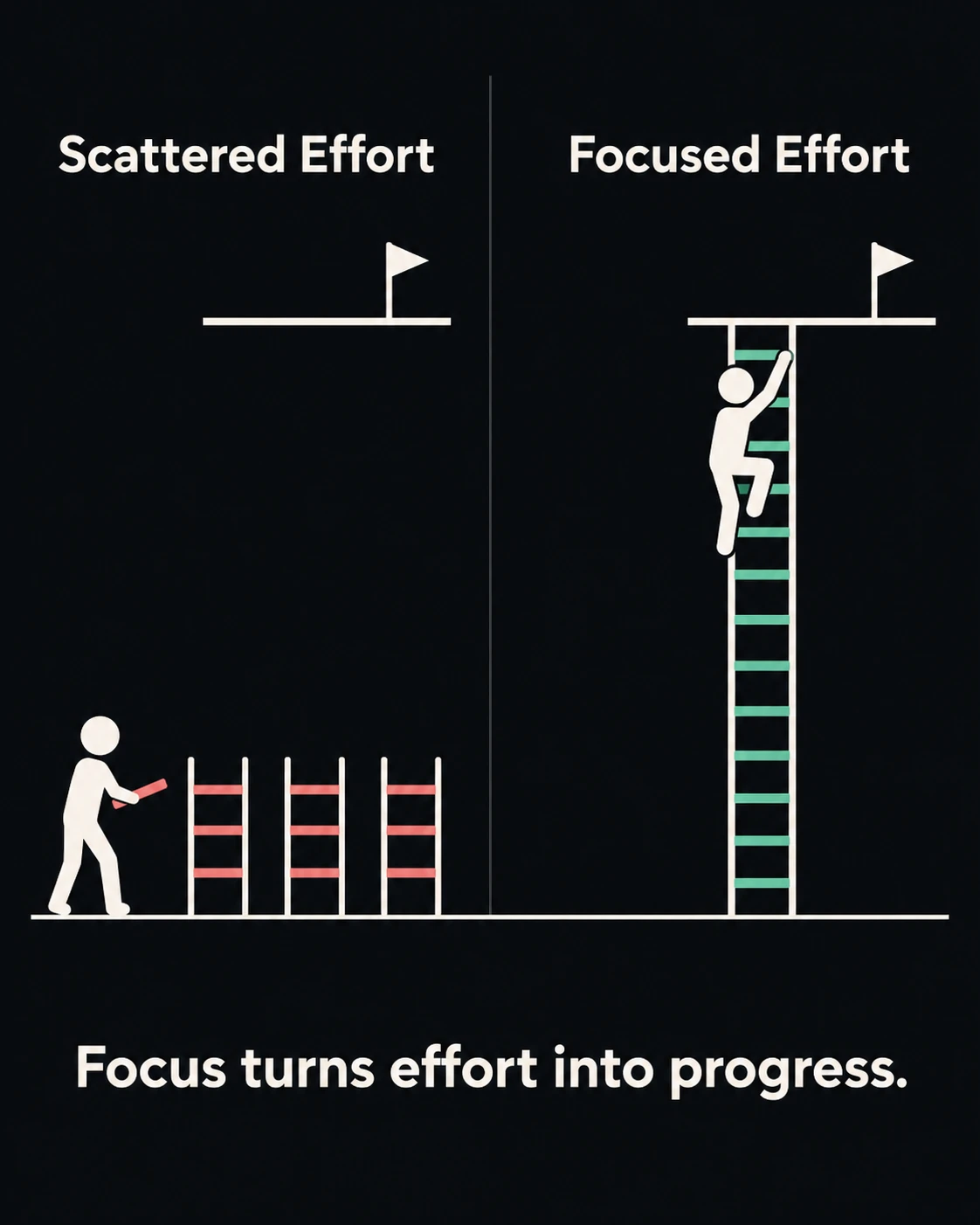
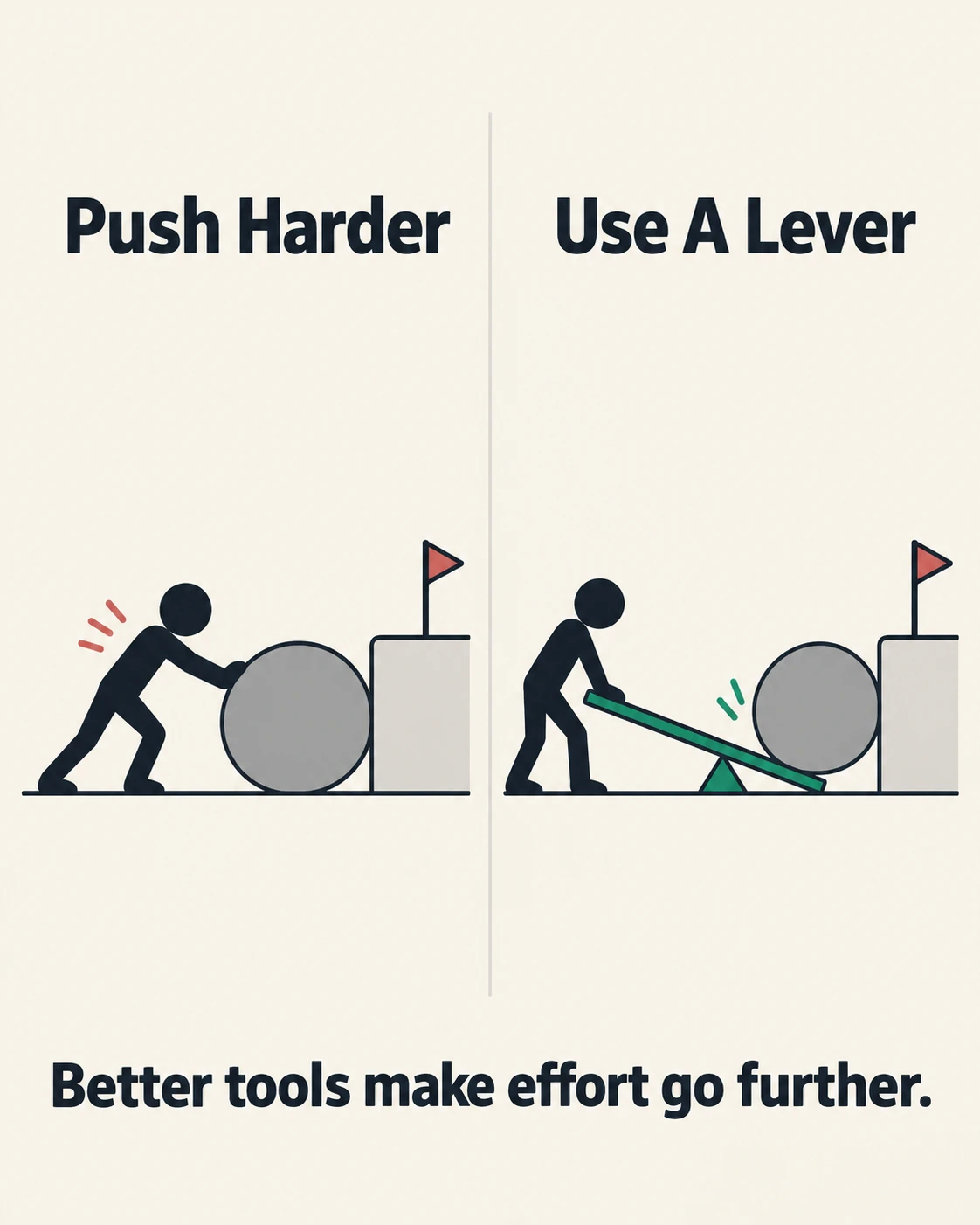
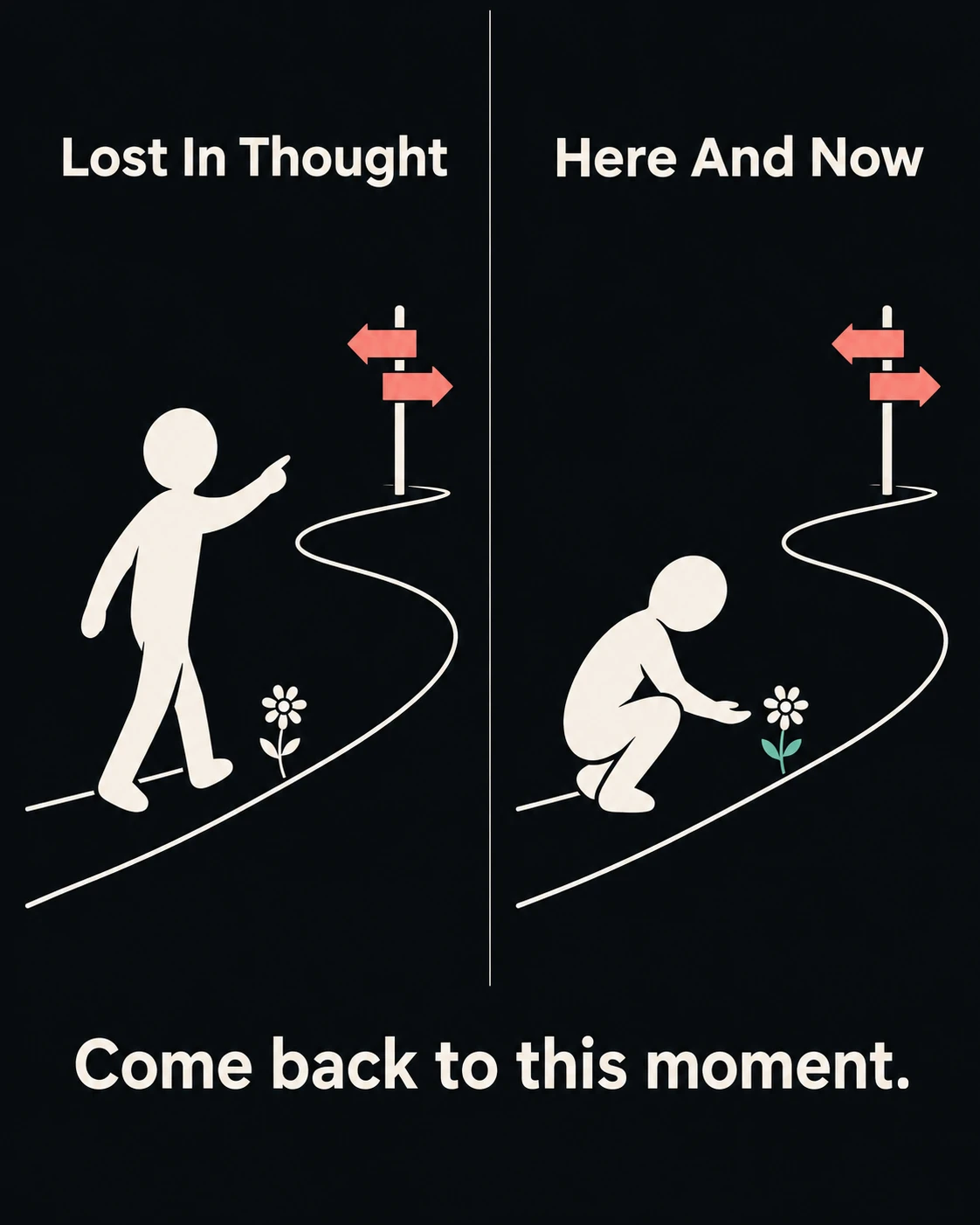
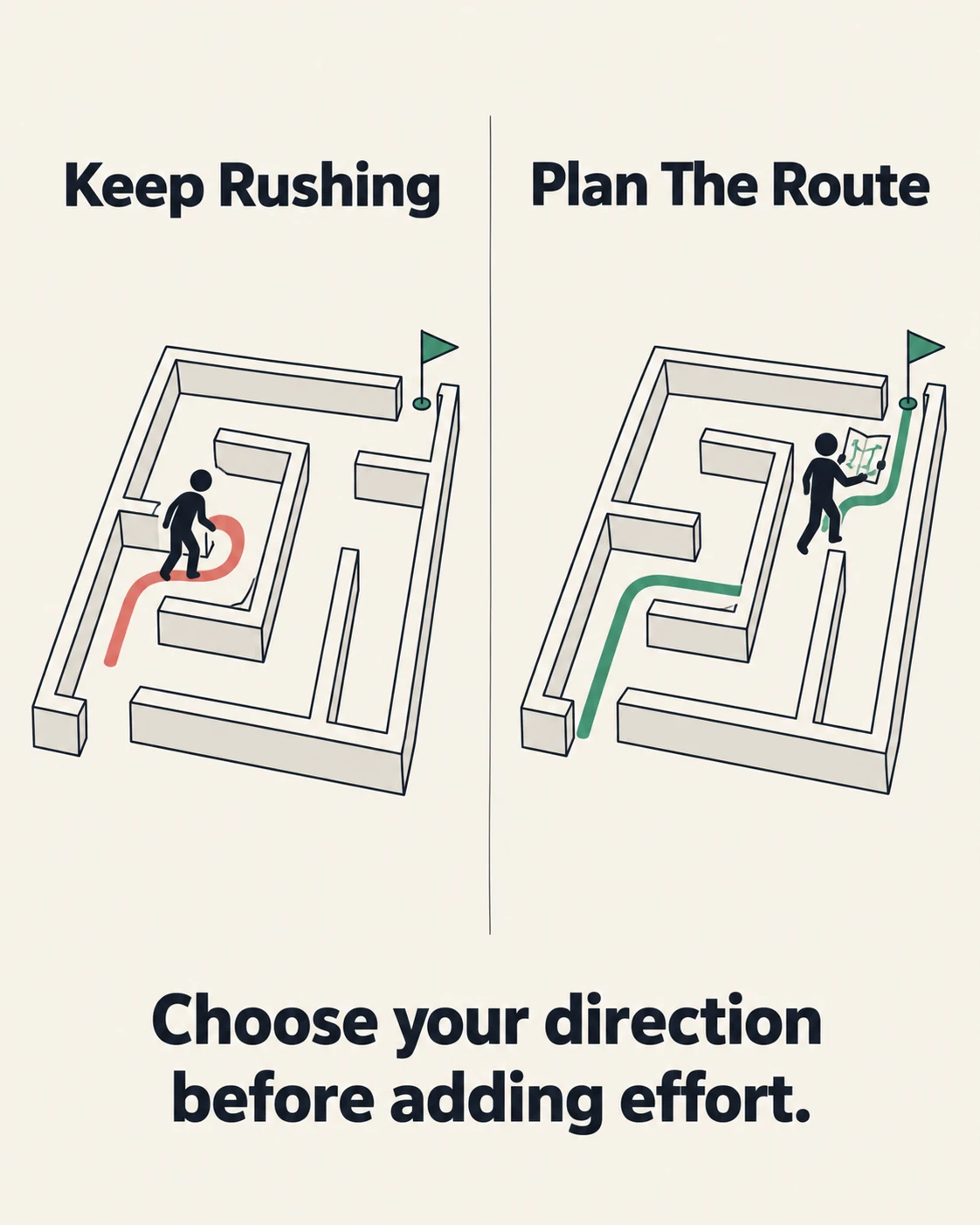
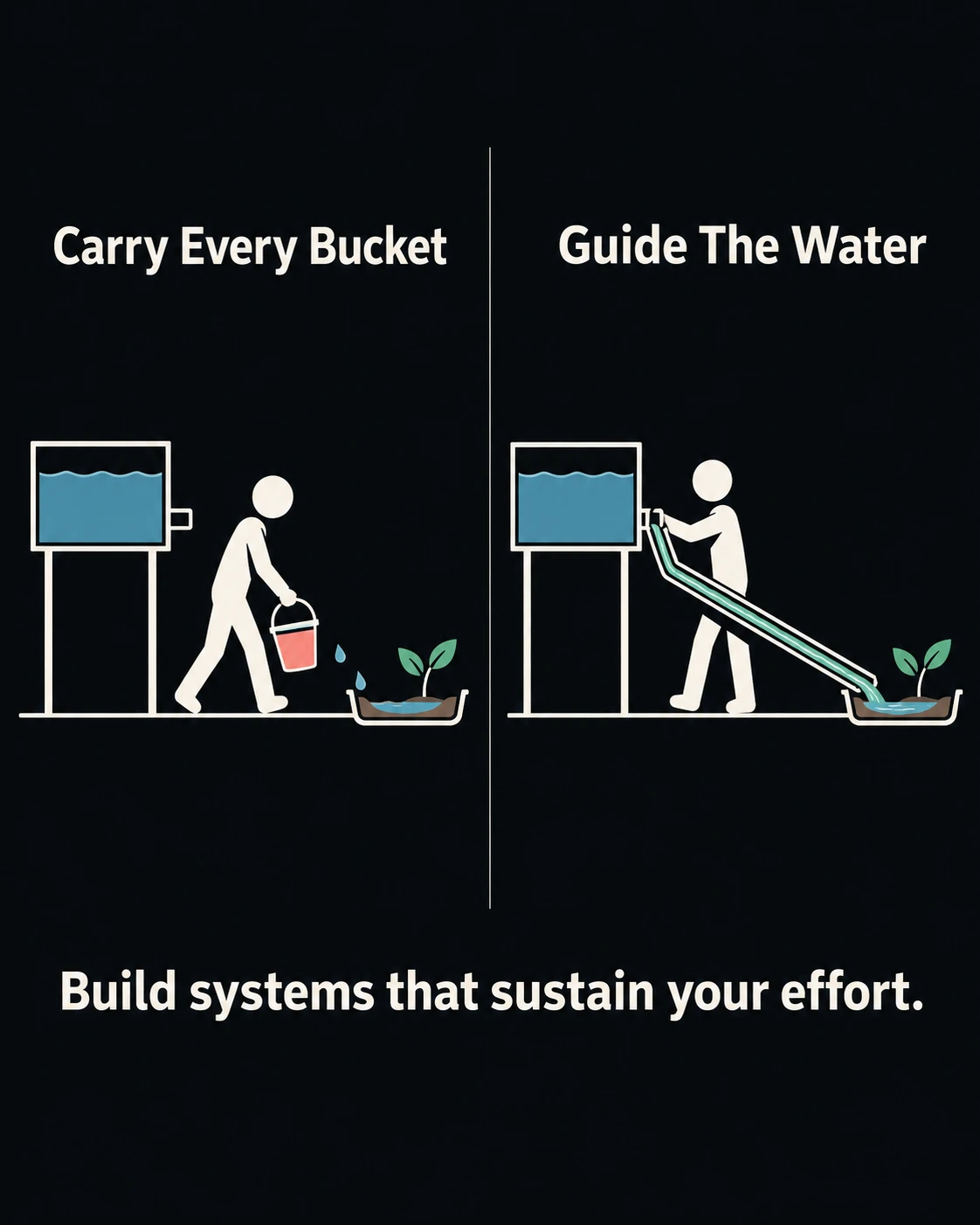
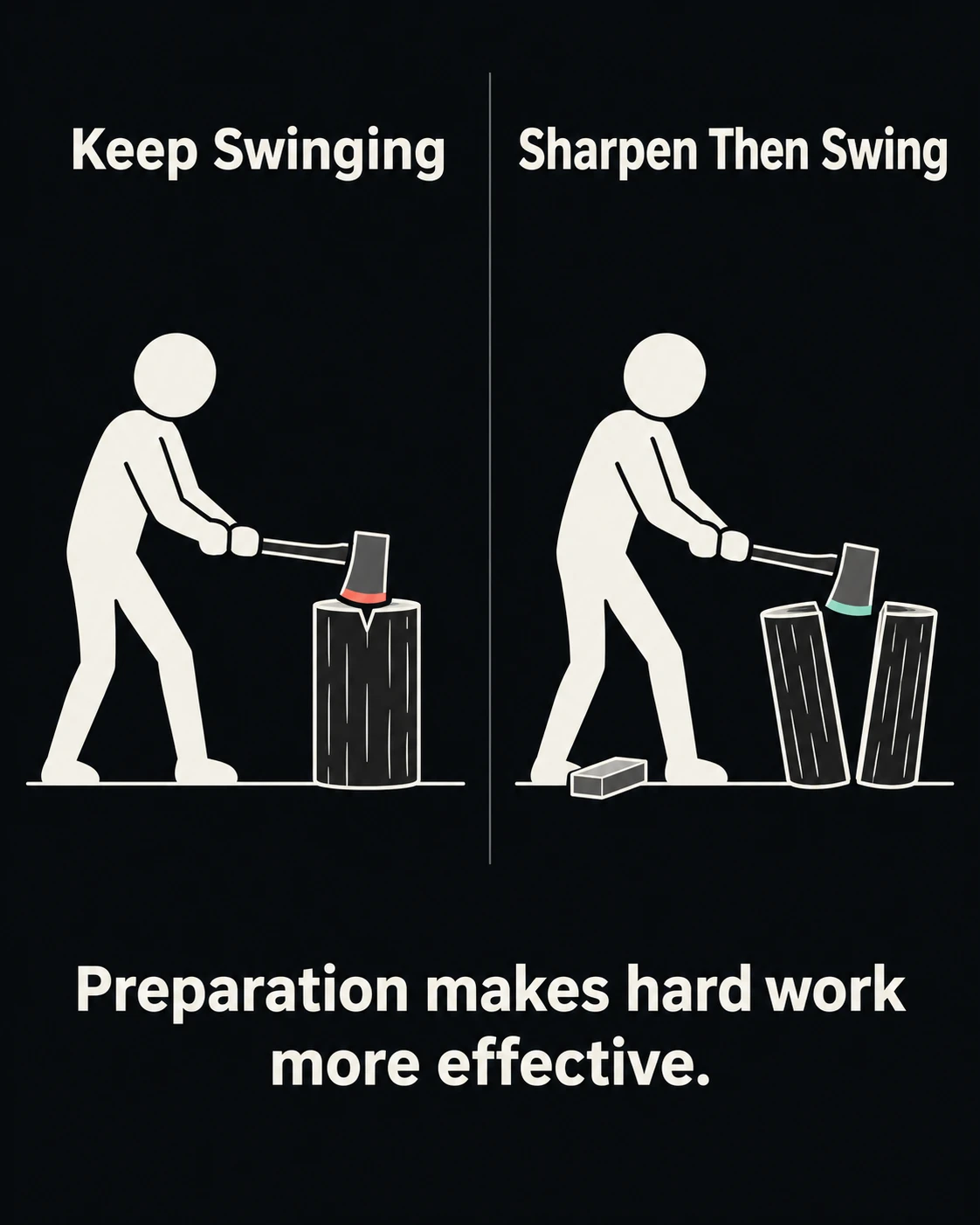
Use this follow-up, again in my own wording, to repeat the trick.
Suggest five more ideas in the same style, then create all five images.
Make light.
I also made a light version and a dark version, which gives you two looks to test.
My Video Workflow in Claude With Opus 5.5
For the videos I use Claude with the Motion Graphics PRO skill. The page describes the flow in four steps.
| Step | What happens |
|---|---|
| Ask | You type the command and describe the video. You can attach screenshots, a logo, an SRT or a CSV |
| Brief card | Claude asks up to three short rounds of questions, then shows a brief. You reply "go" or edit any line |
| Storyboard | You get a beat sheet and three still frames. You give notes by scene number and only that scene changes |
| Render | You get a finished MP4, a contact sheet and the project file |
My first run produced the core concept video. Then I typed one short follow-up.
Suggest me five more ideas....

[Sign up to unlock the full prompt]
Here are the results;
I loved all five ideas Claude gave me, and it built all five videos. Watching that run, my mind was blown.
The videos covered small steps every day against one giant leap, being too busy to sharpen, and saying yes to everything against saying yes only to what matters. You can add music too, and the skill's page says it generates a beat-synced soundtrack for you.
Which Claude Model Should You Use?
I used Claude Opus 5.5 for the videos, and Sonnet 5.5 works too.
What About Usage Limits?
I run a Claude Max 20x account, which Anthropic's Max plan help page lists at $200 per month. That page says session limits reset every five hours and that Anthropic may apply weekly and monthly caps at its discretion. It also says the number of messages you get depends on message length, attachment size, conversation length and the model you use, and that usage limits apply across both Claude and Claude Code.
On my 20x account, a run barely registers against my weekly limit. Your limits will differ, so start with one video and watch your usage before you plan a week of posts.
Use the Prompt Generator and Cheatsheet to Level Up
The skill makes videos. The generator and the cheatsheet make your ideas sharper before you start.
The Prompt Generator
You drop in a topic, a transcript or a product URL. An agent writes the 8-part script, picks the moves and hands you a render-ready master prompt.
| Setting | Options |
|---|---|
| Length | 6, 15, 30 or 60 seconds |
| Aspect ratio | 16:9, 9:16, 1:1 or 4:5 |
| Move library | 184 motion moves |
Instagram now allows Reels of up to three minutes, announced on 18 January 2025. Every generator length sits well inside that limit. Short visuals read fast, so start with the 15 second option.
The Cheatsheet
The cheatsheet breaks the Claude Motion Reel 2026 into eight reusable parts: intro, kinetic type, shape and morph, dimension, generative, interface, rhythm montage and contact. Each part has a fill-in master prompt. The 184 keywords come with live previews, so you see the move before you name it in a prompt.
Here are four example keywords from the cheatsheet, with my plain-English reading of each. The live previews show the exact move.
| Keyword | What it does on screen |
|---|---|
| Kinetic type | The words are the main visual and carry the motion |
| One word per beat | One word appears on each beat of the music |
| Scramble or decode | Random characters resolve into the word |
| Accent period | A full stop used as a visual accent, like the one in the reel's intro lockup |
Name the move in your prompt and Claude knows what to animate. Here is a prompt that stacks three of them.
/promptslove-motion-gfx
Make a [15] second vertical motivational animation.
Concept: [YOUR CONTRAST, FOR EXAMPLE "small steps every day vs one giant leap"]
Style: stick figure, [DARK OR LIGHT] theme
Text to keep word for word: [YOUR LINE]
Moves: kinetic type, one word per beat, accent period
Show me the brief card first, then the storyboard.
A 7-Day Plan to Start Your Own Page
This plan is a suggestion and not a guarantee. I built it from the workflow above.
| Day | What you do |
|---|---|
| 1 | Pick one lane (focus, habits, money mindset) and write 10 contrasts in your own words |
| 2 | Set up the skill and run one test video |
| 3 | Make five images in ChatGPT, one dark and one light version of each |
| 4 | Ask Claude for five more ideas and build the videos |
| 5 | Edit every line of text so it sounds like you |
| 6 | Post one image and one video, and reply to every comment |
| 7 | Open Instagram Insights and compare each post with your own recent median |
Change one thing at a time after week one. If you change the lane, the theme and the posting time together, you will not know which change worked.
Mistakes to Avoid
What You Get With Motion Graphics PRO
I made Motion Graphics PRO so you can go from an idea to a finished video by chatting. The page says it covers:
You can sign up here and see the current plans on the pricing page. My page says the motion kit sits inside the membership, so check which plan includes it before you buy.
Frequently Asked Questions (FAQs)
What is a Claude skill and how do I install one?
A skill is a package of specialized knowledge and workflows that Claude loads when your task calls for it. In claude.ai you upload the skill as a zip under Settings, then Capabilities, and switch it on. Code execution and file creation must be enabled, and skills need a Pro, Max, Team or Enterprise plan.
Do I need After Effects or coding skills to make motion graphics with Claude?
No. The Motion Graphics PRO page says you chat while the skill asks questions, shows a brief and a storyboard, and renders the video from code. You review and approve each step.
Does the Motion Graphics skill work in ChatGPT?
My product page lists ChatGPT among the supported tools because the skill uses the open Agent Skills format. OpenAI's documentation says standalone skills work in the ChatGPT desktop app and plugin-bundled skills also work on web and mobile. You pick a skill by typing @. If your tool cannot render video, the page says you still get a single-file HTML preview you can screen-record, or a prompt pack. Test one short video first.
Is the music royalty free, and is there a watermark?
The page says every soundtrack is generated and not sampled, so there is nothing to license, and videos render without a watermark. An on-screen credit appears only if you opt in. Check the page for the current wording before you publish client work.
Can I copy another Instagram page's style without hurting my reach?
Copy the structure and make your own content. Instagram's April 2026 update removed accounts that mainly repost others' work from recommendations. A contrast format with your own drawings and your own text is original work.
Should I use Opus 5.5 or Sonnet 5.5 for the videos?
I used Opus 5.5 because it is Anthropic's strongest Opus model for agentic coding, and the skill renders video from code. Sonnet 5.5 also works and suits quicker, well-scoped tasks. Pick the one that fits your plan limits.
Final Thoughts
Two pages with 1.7 million and 254 thousand followers show that simple contrast visuals about mindset and discipline can build an audience. Do not copy their art. Copy the structure, add your own ideas and make the visuals fast with one skill. Start today: sign up, upload Motion Graphics PRO into Claude, and run your first contrast idea as a 15 second video.