Chrome Extension
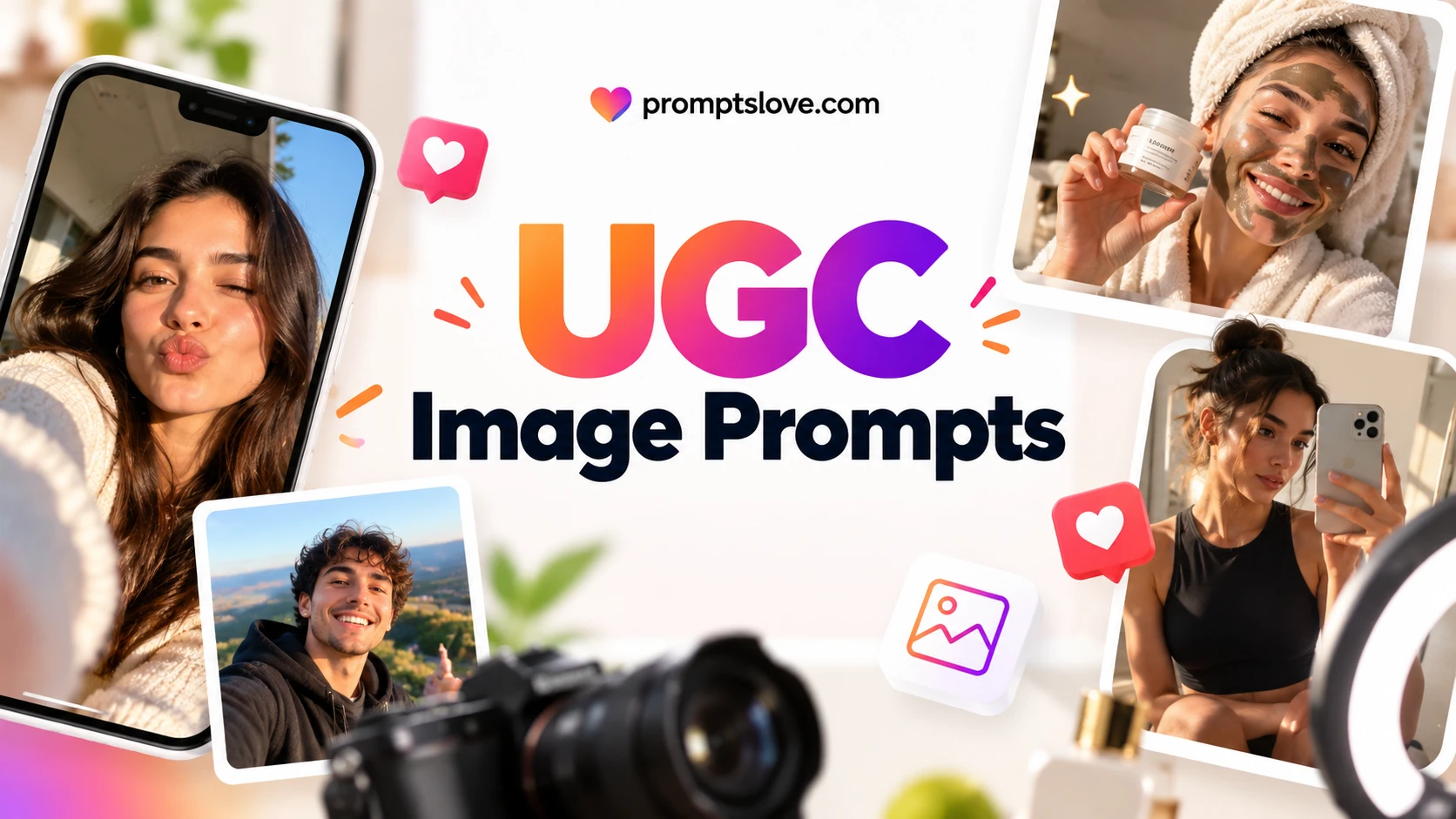
ChatGPT UGC image prompts turn a few lines of text into photos that look like a customer took them on a phone. OpenAI says people create more than 3 billion images every week across ChatGPT Images and its GPT Image API models, so access to the tool is no longer the hard part.
The hard part is control: the right text on the bottle, the same person across a set and no fake customer anywhere. I read the top results, tested the master template and four more prompts in ChatGPT and built 50 fillable prompts for selfies, product shoots, unboxing, routines, food, fashion, local business, apps and photo edits.
Key Takeaways
What UGC Image Prompts Are (and What They Are Not)
UGC means user generated content: photos, videos and reviews that real customers and creators make. A UGC image prompt asks ChatGPT for a picture with the visual habits of that content. Think of a bathroom mirror selfie, a hand holding a bottle, a crumpled tissue paper unboxing or a messy desk with a laptop.
The key point is that UGC style is a visual look. It is not evidence that a real person bought, used or liked anything. ChatGPT said the same thing when I asked it for a research overview: the style can be recreated, but a genuine testimonial or purchase cannot be manufactured.
I sort these prompts into three jobs, and each job has its own rules.
The fourth job, an invented customer who "loves" your product, is the one I will not write a prompt for. The rules section below explains why.
Grab 1200+ Gen AI Prompts and Generators here;
What the Top Results Teach and Miss
I searched Google for the exact keyword on 28 October 2026 and read the pages that opened: The Ai Impact, UGC Maker, Aiville, OpenAI's launch post and Metricsmule from page 1, plus SIA Design from page 2. I also asked ChatGPT and Gemini the same research question. Reddit's thread on this topic blocked my browser, so I used only its search snippet.
What they get right
Four ideas repeat across the good pages, and I built them into my template.
The Ai Impact also has a tip I use in every prompt: if ChatGPT answers with text, add "Create this as an image." My prompts open with "Create an image." for the same reason.
What they miss
I found seven gaps. Each one shaped a section of this article.
| Gap in the pages I read | What I did about it |
|---|---|
| No full set of fillable prompts. The Ai Impact has 30 prompts, but each one needs "this exact product" and none has brackets to fill. | I wrote 50 prompts with [BRACKETS] and a list of options inside each one. |
| No prompts for people without a product, and no method for keeping a character steady. | Prompts 1 to 8 are people first, and the setup prompts S2 and S3 lock a character and a style. |
| No niche prompts for food, fashion, local business, real estate or apps. | Families E to H cover them. |
| No UGC guide I read names ChatGPT Images 2.5 or its new features. UGC Maker names Image 2. | Every prompt targets Images 2.5. |
| Compliance gets one line at best. One of UGC Maker's sample prompts prints a customer style testimonial about skin results on the image. | I wrote a rules section first and left testimonial prompts out. |
| No troubleshooting for plastic skin, drifting labels or text that comes back wrong. | The fix table near the end covers eight problems. |
| No tool you can reuse after you close the page. | I explain the four promptslove generators I built for this job. |
Metricsmule, which I also read, is mostly about video prompts for other tools plus a paid community, so it does not compete with an image guide. Aiville's page showed only one short comment when I opened it.
What ChatGPT and Gemini said
ChatGPT framed UGC style as a visual look and not proof of a real customer experience. It gave a nine slot formula (subject, action, environment, camera, composition, lighting, texture, imperfections, constraints), a seven step workflow and 12 sample prompts. Its main warning was "controlled naturalism": too much blur, noise and mess makes an image look as fake as too little.
Gemini framed the topic as an anti studio look that fights ad fatigue, and it cited The Ai Impact and UGC Maker. It listed privacy, consent, trademark and artifact risks. Neither tool gave a conversion figure, and ChatGPT told me it found no proven claim that AI made UGC converts better, so I make no performance promise in this article.
The Rules I Follow Before I Generate Anything
These five rules come first because they decide which prompts I write. I am not a lawyer, so treat this section as a checklist to review with one before you run ads.
Rule 1: Never invent a customer
The FTC's Consumer Reviews and Testimonials Rule took effect on 21 October 2024. Under 16 CFR 465.2(a), a business must not write, create or sell a review or testimonial that materially misrepresents that the reviewer exists, that they used the product or what their experience was. The rule's definition of a consumer review includes purported consumers, and the FTC said it can seek civil penalties against knowing violators.
An invented woman holding your serum next to a caption that says she bought it and loved it is the situation this rule describes. So I write invented people only as concept art, with no claim that they bought, used or liked anything.
Rule 2: Label realistic AI people and keep the metadata
Platforms now ask you to say when a realistic person is AI generated. TikTok said on 24 November 2025 that creators must label realistic AI generated content, and it uses creator labels, detection models and C2PA Content Credentials to apply its own labels. Meta renamed its "Made with AI" label to "AI info" in July 2024 and applies it from industry shared signals or when you disclose.
OpenAI says its image tools add C2PA metadata and invisible watermarking. Google Merchant Center says lifestyle images made with generative AI must keep embedded metadata such as IPTC DigitalSourceType, so do not strip it. These are dated posts and help pages, so check each platform's current ad policy before you publish.
Rule 3: Never use a real person's face without permission
Every prompt in the people sections uses an invented adult. Prompts 30 and 46 edit a real photo, and they work only when the person in that photo gave you written permission for that exact use. Both Gemini and ChatGPT listed likeness and privacy as a risk, and I agree: a friendly photo from a customer is not a license to restyle their face in an ad.
If you want pictures of yourself, my guide to ChatGPT prompts for pictures of yourself covers that case.
Rule 4: Check the product against the real thing
Image models drift on labels, caps, colors and counts. In my own unboxing test, the model repeated my label text on the carton, which I never asked for. I caught it because I checked every extra.
Compare each image with the real product before it goes live. If the label is not exact, composite the real packaging or add the logo in an editor, which is what ChatGPT and Gemini both advise. Never show the product doing something it cannot do.
Rule 5: No claims, results or before and after you cannot back up
ChatGPT flagged supplements, health, weight loss, financial services and skincare transformations as the higher risk categories. My routine prompts ask for no visible results, no text overlays and no health claims. You add prices, offers and legal lines later, outside the image.
What I will not write
I will not write prompts for fake reviews, star ratings, fake before and after photos, invented customers presented as real buyers, or real people who did not agree. If you need one of those, this article is the wrong place, and a real customer photo with real permission will serve you better anyway.
12 Best Practices for ChatGPT UGC Image Prompts
I pulled these from OpenAI's image prompting guide, the pages I read, ChatGPT's and Gemini's answers and my own tests. OpenAI's guide is marked archived and was written for the GPT Image 2 era, so I treat it as general guidance for Images 2.5.
1. Describe a moment, not a product
"A woman holds a serum" gives you an ad. "A woman checks the label in her bathroom on a Tuesday morning" gives you a photo. Start every prompt with the place, the time and what the person is doing.
2. Name the phone and the photo type
OpenAI's guide says to include "photorealistic" and notes that phrases like "real photograph" or "phone photo" help. I open every prompt with "Photorealistic ... photo that looks like an unedited picture taken on a recent iPhone." The guide also says lens numbers are read loosely, so I use camera words for framing and not for optics.
3. Keep the order: scene, subject, details, constraints
OpenAI recommends that order, and it also says to state the intended use. My slot template follows it, with UGC slots added for camera, light and real details.
4. Ask for real texture, then stop
The guide says to ask for visible natural texture such as pores and worn materials, and to avoid words that suggest studio polish. ChatGPT added a warning I agree with: too much blur, noise, blemish and mess looks as artificial as too little. I list two or three small imperfections and no more.
5. Control hands and gaze
For people, OpenAI says to specify body framing, gaze direction and how they interact with objects. I always say where the eyes look and which hand holds the product. "Looks at the phone screen, not at the lens" is the phrase I use to steer away from the ad stare.
6. Put label text in quotes and say what else must not appear
The guide says to put literal text in quotes, spell unusual brand names letter by letter and use medium or high quality for small text. My one line test returned a blank label. My structured test, which quoted the label and said "No other text on the bottle," returned the exact words in 3 of 3 images, and the sign in my shopfront test (prompt 35) came back exact too.
7. Add a KEEP line and an AVOID line
KEEP names what must not change, such as label text. AVOID names what must not appear, such as beauty filters, extra fingers, watermarks and other brand names. OpenAI's editing advice uses the same idea: change only one thing and restate what stays the same.
8. Anchor real products with a real photo
ChatGPT, Gemini and The Ai Impact all say to upload a real product photo for a real product. I tested with an invented product and text only, so I cannot show you that result. For a real item, upload the photo first and tell ChatGPT to treat it as the exact reference.
9. Change one variable at a time
Change the light or the room or the outfit, not all three. One change per run tells you which words did the work, and ChatGPT's workflow says the same. Prompts F1 to F3 near the end are built for this.
10. Add logos, prices and disclaimers after
Image models still make small text errors, and OpenAI lists text rendering as a limit. Put offers, prices and legal lines on top in an editor. This also keeps promises about the product out of the generated picture.
11. Inspect before you publish
Check hands, teeth, earrings, hair, reflections, label text, liquid levels and where fingers touch the product. ChatGPT's own review list covers those points. Prompt Q1 below turns the list into a prompt you can run on any image.
12. Stay in one chat for a set
The Ai Impact says a set stays more consistent when you build it in one chat. My own test showed the limit: in a follow up inside the same chat, the label held but the face changed. So treat a chat as helpful, not as a guarantee, and expect small drifts in faces.
The Master UGC Prompt: 10 Slots You Fill
Every prompt in the library uses the same ten slots: FORMAT, SCENE, SUBJECT, CAMERA, LIGHT, REAL DETAILS, PRODUCT, TEXT, KEEP and AVOID. Learn this one and you can read, edit and rebuild any prompt below.
Here is the empty template. Copy it, then replace each [BRACKET] with one option or your own words.
Create an image. Photorealistic [RATIO: 4:5 vertical | 9:16 vertical | 1:1 square | 16:9 horizontal] photo that looks like an unedited picture taken on [PHONE: a recent iPhone | a recent Android phone] and posted by [POSTER: a regular customer | a small business owner | a friend].

SCENE: [PLACE and TIME OF DAY]. [2 OR 3 ORDINARY OBJECTS]. Nothing staged.
SUBJECT: an invented [PERSON: woman | man] in [DECADE: their 20s | their 30s | their 40s | their 50s], [HAIR and OUTFIT]. [ACTION: holds the product near their chin | shows the product to the camera | checks the product label] and looks at [WHERE THE EYES GO], not posing for an ad.
CAMERA: [CAMERA POSITION: front camera selfie at arm's length | rear camera shot taken by a friend | top down shot from 40 cm above], [ANGLE: slightly tilted | at eye level], [WHAT MUST BE IN FRAME].
LIGHT: [LIGHT: soft window light from the left | overcast daylight | warm lamp light in the evening], no flash, no studio lighting.
REAL DETAILS: [TEXTURES: visible skin texture and pores | creased fabric | fingerprints on glass], [2 SMALL IMPERFECTIONS: a few flyaway hairs | slightly uneven framing].
PRODUCT: [SIZE, COLOR, MATERIAL and SHAPE of the product].
TEXT: [The label reads exactly "LINE ONE" on the first line and "LINE TWO" on the second line. No other text anywhere. | No readable text anywhere.]
KEEP: [WHAT MUST STAY EXACTLY AS WRITTEN: the label text exactly as written].
AVOID: beauty filter, airbrushed skin, extra fingers, text overlays, watermark, any other brand names, [YOUR OWN AVOID LIST].
The exact prompt I ran
This is the filled version I ran in ChatGPT on 28 October 2026. It is 1,068 characters long. In the test, the label text sat inside the PRODUCT line. The template above splits it into its own TEXT line so you can reuse it, and I have not run that split version.
Create an image. Photorealistic 4:5 vertical photo that looks like an unedited picture taken on a recent iPhone and posted by a regular customer.

SCENE: a small apartment bathroom in the morning. A grey towel on the counter, a hair clip, a half-full glass of water. Nothing staged.
SUBJECT: an invented woman in her late 20s, dark hair in a loose bun, white cotton T-shirt. She holds the product up near her chin and looks at the phone screen, not posing for an ad.
CAMERA: front-camera selfie at arm's length, slightly tilted, face and product both in frame.
LIGHT: soft window light from the left, no flash, no studio lighting.
REAL DETAILS: visible skin texture and pores, a few flyaway hairs, slightly uneven framing.
PRODUCT: a 30 ml matte sage-green glass dropper bottle with a plain white label. The label reads exactly "DEWLINE" on the first line and "Barrier Serum" on the second line. No other text on the bottle.
KEEP: the label text exactly as written.
AVOID: beauty filter, airbrushed skin, extra fingers, text overlays, watermark, any other brand names.
DEWLINE and its serum are invented. The woman is invented too. I compared that prompt with a lazy one: "Create an image: a UGC style photo of a woman holding a skincare serum bottle, realistic, authentic" (17 words).
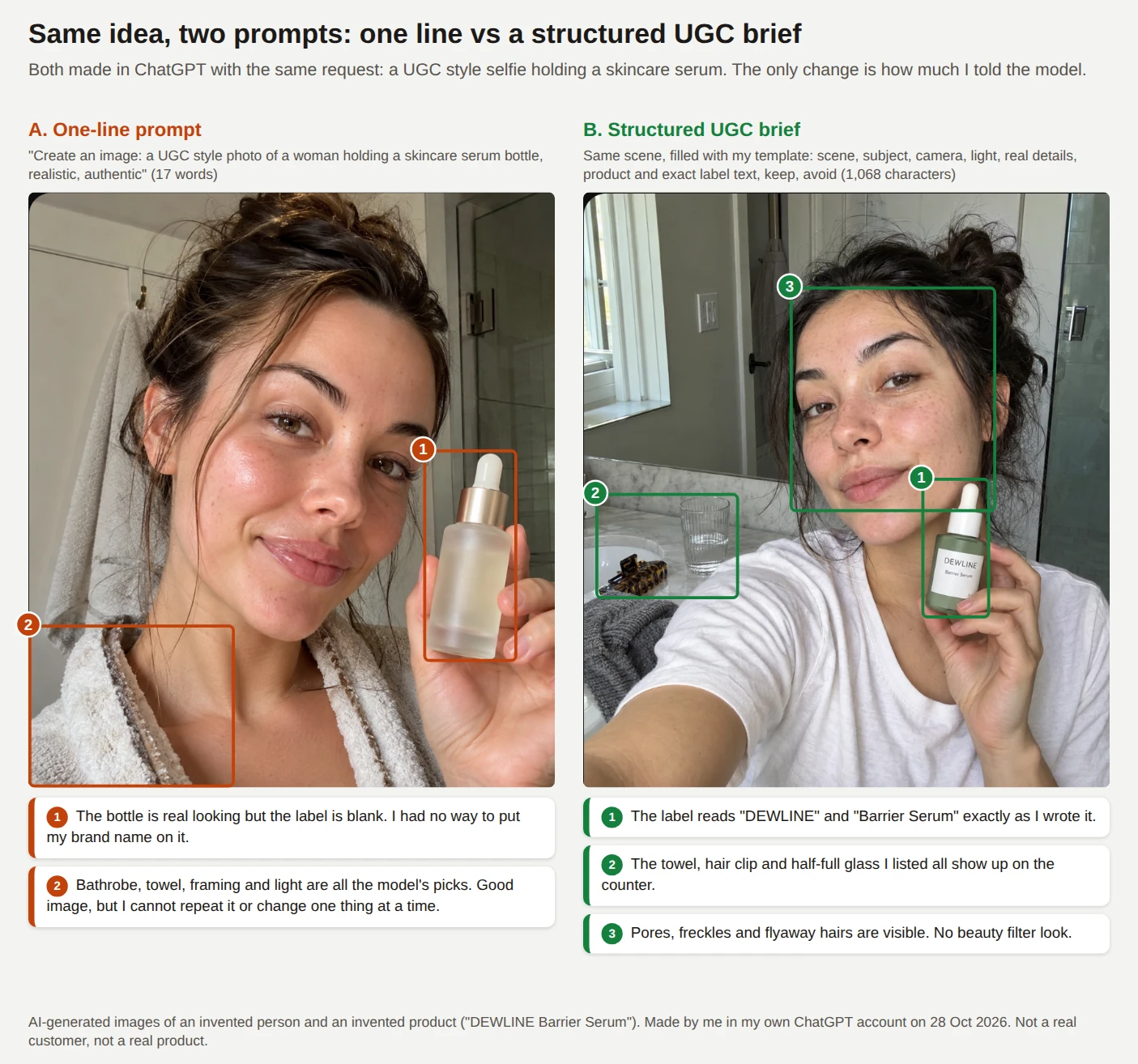
I then asked for the same woman and bottle from a friend's rear camera in the same chat, and ran a separate top down unboxing from the same slot structure in a new chat.
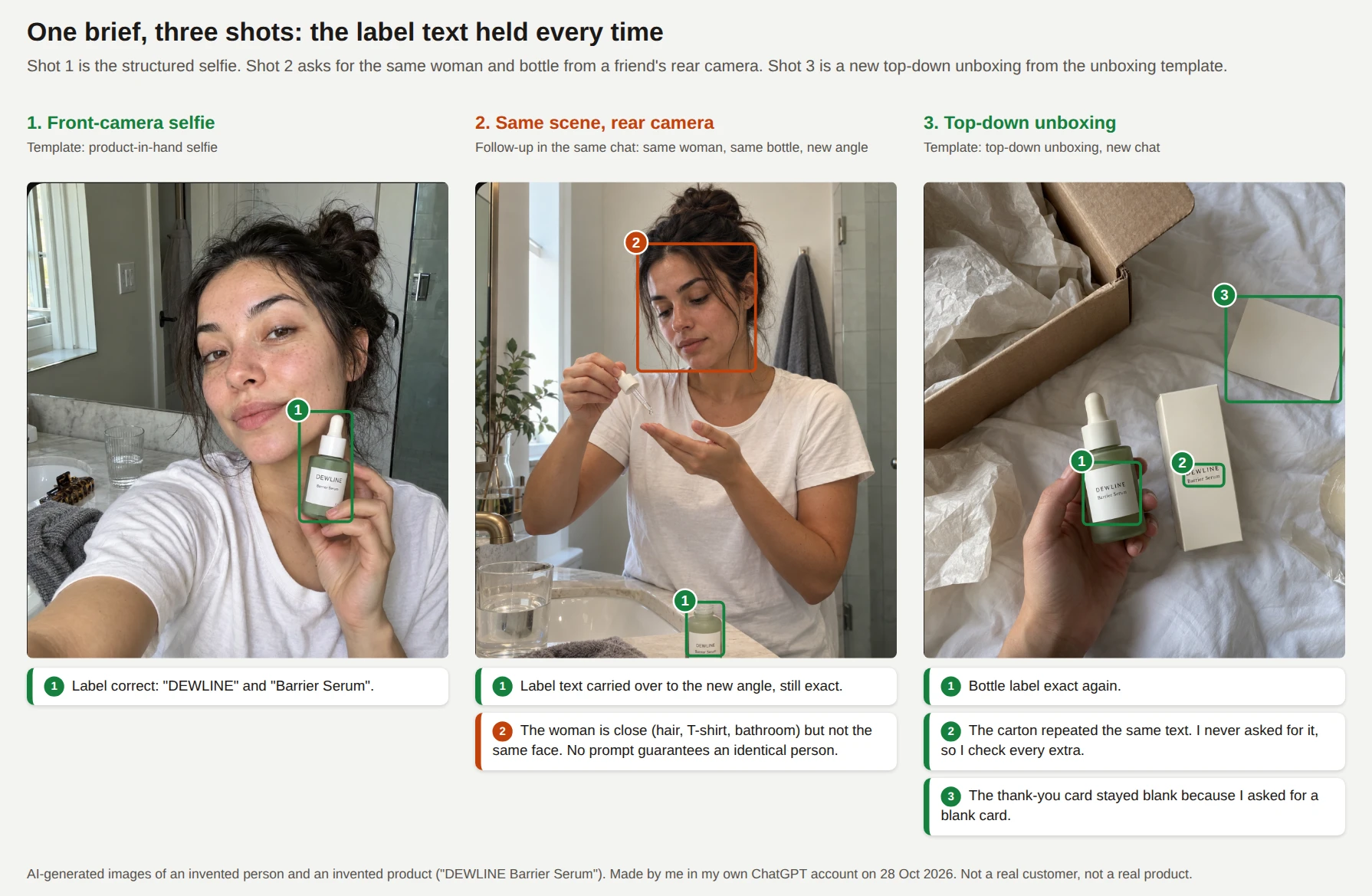
Figure 2. Three shots. The label text held in all three. The woman's face did not stay the same in the follow up, and the carton in the unboxing repeated text I never asked for.
The slot dictionary
| Slot | What you decide | Example | Why it is there |
|---|---|---|---|
| FORMAT | Ratio, phone and who posted the photo | 4:5 vertical iPhone photo posted by a regular customer | States the intended use and the phone look, as OpenAI's guide advises |
| SCENE | Place, time and 2 or 3 everyday objects | Small bathroom, morning, grey towel, hair clip | Everyday objects keep the room from looking staged |
| SUBJECT | Invented person, outfit, action and gaze | Woman in her late 20s holds the bottle and looks at her phone | Gaze and hand action remove the ad stare |
| CAMERA | Device position, angle and what stays in frame | Front camera at arm's length, slightly tilted | Controls viewpoint without relying on lens numbers |
| LIGHT | Source and direction | Soft window light from the left, no flash | Names the light so the model does not default to studio light |
| REAL DETAILS | Texture and 2 small imperfections | Pores, flyaway hairs, uneven framing | Asks for texture without overdoing mess |
| PRODUCT | Size, color, material and shape | 30 ml matte sage green glass dropper bottle | Gives the model a concrete object to draw |
| TEXT | Exact words and where they sit | Label reads "DEWLINE" then "Barrier Serum" | Quotes tell the model the words are literal |
| KEEP | What cannot change | The label text exactly as written | Protects the detail you care about, in new shots and edits |
| AVOID | What must not appear | Beauty filter, extra fingers, watermark | Blocks the usual stray extras |
How to fill a bracket
Every UGC Image Use Case in One Table
This table lists the use cases I found across the pages I read, ChatGPT's 50 case taxonomy and my own list. The Prompts column shows where each family sits in the library. The risk column is my own judgment and not legal advice.
| Family | Use cases | Prompts | Risk |
|---|---|---|---|
| A. Selfies and portraits | Front camera selfie, mirror selfie, car passenger seat, gym, golden hour, travel, group of three, candid shot by a friend | 1 to 8 | Medium. Realistic invented people need an AI label |
| B. Product in hand and shoots | Selfie with product, hand only, point of view, product on a surface, detail close up, what is in my bag, side by side, shelfie | 9 to 16 | Medium. Check every label |
| C. Unboxing | Top down, doorstep, what is in the box, first look with hands | 17 to 20 | Medium. Do not imply a real delivery or a real order |
| D. Routines and demos | Skincare at the sink, makeup or haircare, kitchen gadget, home workout, desk setup | 21 to 25 | High for skincare and fitness. Show no results |
| E. Fashion and jewelry | Outfit check, flat lay, jewelry close up, shoe or bag detail, try on edit | 26 to 30 | Medium. The try on edit needs permission |
| F. Food and drink | Cafe table, home meal from above, takeout, dish close up | 31 to 34 | Low to medium. The dish must match what you serve |
| G. Local business, travel and real estate | Shopfront concept, salon interior, hotel room concept, virtual staging | 35 to 38 | High. Never misrepresent a real place |
| H. Apps, software and services | Phone with a blank app screen, laptop with a blank screen, learner at a laptop | 39 to 41 | Medium. Add the real screenshot yourself |
| I. Social formats | Story or Reel cover, carousel cover, paused video frame, YouTube thumbnail | 42 to 45 | Medium |
| J. Edits of real photos and honest reviews | Relight a customer photo, swap a background, remove clutter, studio photo to phone look, real review quote card | 46 to 50 | Low with permission and true text. High if you alter a review |
Platform sizes ChatGPT suggested, which I treat as starting points and not as engagement guarantees: Instagram feed 4:5, Stories and Reels covers 9:16, TikTok 9:16, Facebook 4:5 or 1:1, Pinterest 2:3, Shopify 1:1 and YouTube thumbnails 16:9.
Setup Prompts: Lock Your Product, Character and Style First
Run these three prompts once at the start of a chat if you plan to make a set of images. S1 and S3 make no image. They tell ChatGPT what to hold steady for every image after them, and S2 makes one reference image. I have not run S1, S2 or S3, so treat all three as starting points and read each reply before you continue.
S1. Product anchor (upload your product photo with it)
Use this when the product is real. Upload at least one clear photo of the front, and a second photo of the label if you have one.
I am uploading a photo of my real product. Treat it as the exact reference for every image in this chat.

PRODUCT NAME: [PRODUCT NAME]
WHAT IT IS: [PRODUCT TYPE: skincare bottle | mug | handbag | gadget | jar | box | shoe]
SIZE: [SIZE and A COMPARISON: 30 ml, about the length of a thumb | 350 ml, a regular mug]
COLOR AND MATERIAL: [COLOR and MATERIAL]
TEXT ON THE PRODUCT: it reads exactly "[TEXT LINE ONE]" and "[TEXT LINE TWO]".
MUST NOT CHANGE: shape, proportions, colors, text, logo position, cap or lid.
RULES: Do not add claims, ingredients, badges, awards or extra text to the product. Do not show the product doing anything it cannot do.

Reply with a five line description of the product as you will draw it, then wait for my first image request.
Read ChatGPT's five line description before you go on. If a detail is wrong, fix it now, because every later image inherits it.
S2. Invented character sheet
Use this when you want the same invented person across several images. The sheet gives you an approved reference image and a short written description to paste into later prompts.
Create an image. A plain reference photo of an invented adult for my internal use. Photorealistic, three quarter view, neutral grey wall, soft even light, no flash.

CHARACTER: an invented [PERSON: woman | man] in [DECADE: their 20s | their 30s | their 40s | their 50s] with [FACE SHAPE and SKIN TONE], [HAIR: color, length and style], [GLASSES or NO GLASSES], and one small distinct feature: [FEATURE: a freckled nose | a small mole on the left cheek | a gap between the front teeth].
WARDROBE: [TOP], [BOTTOM], [ACCESSORIES].
EXPRESSION: relaxed and neutral.
REAL DETAILS: visible skin texture, natural hair.
TEXT: No readable text anywhere.
AVOID: any resemblance to a real person or a celebrity, beauty filter, watermark.
After you approve the image, send this line:
Call this person "my creator". In every later image I ask for in this chat, "my creator" means this same invented person: same face, hair and build. I will give you the outfit and the scene each time.
ChatGPT's own answer warned that no prompt guarantees identical faces across unrelated generations, and my follow up test agreed: the label held but the face drifted.
So reuse the approved image as a reference, repeat the written description and expect to regenerate when a face drifts.
S3. Style lock
This prompt fixes the photo style so that you do not repeat it in every request.
Style lock for this chat. Every image I ask for here is [RATIO: 4:5 vertical | 9:16 vertical | 1:1 square] and looks like an unedited photo taken on [PHONE: a recent iPhone | a recent Android phone] and posted by a regular customer. Natural light only, no flash, no beauty filter, visible skin texture, slightly uneven framing. No text, logos or watermarks unless I give exact words in quotes. Every person is an invented adult. Confirm in one sentence, then wait for my first image request.
If you use S3, you can shorten the FORMAT line in the library prompts. I keep the full line anyway, because a prompt that stands alone survives a copy into a new chat.
The Library: 50 Fillable UGC Image Prompts
Each text to image prompt below opens with "Create an image." so ChatGPT does not answer with text. The edit prompts (30, 38 and 46 to 49) open with "Edit the" and need your photo uploaded with them.
Every [BRACKET] is a choice. Pick one option or write your own, then delete the brackets and the pipe symbols. Every person in a text to image prompt is an invented adult.
I tested five of the 50 prompts in ChatGPT with invented details filled in: prompts 9, 17, 31, 35 and 39. I also tested follow up F1. The results sit under each tested prompt, and the exact filled version of prompt 9 sits in the master section above.
The other 45 are untested. The image prompts use the same ten slots, and the edit prompts use a "change only this, keep everything else" structure, so run each one once and check it with Q1 before you rely on it.
Family A: Selfies and Portraits (Prompts 1 to 8)
These eight prompts have no product. They work for creator mood boards, persona concepts, landing page concept art and ad angle tests. Label the results as illustrations when you publish them.
1. Front camera selfie at home
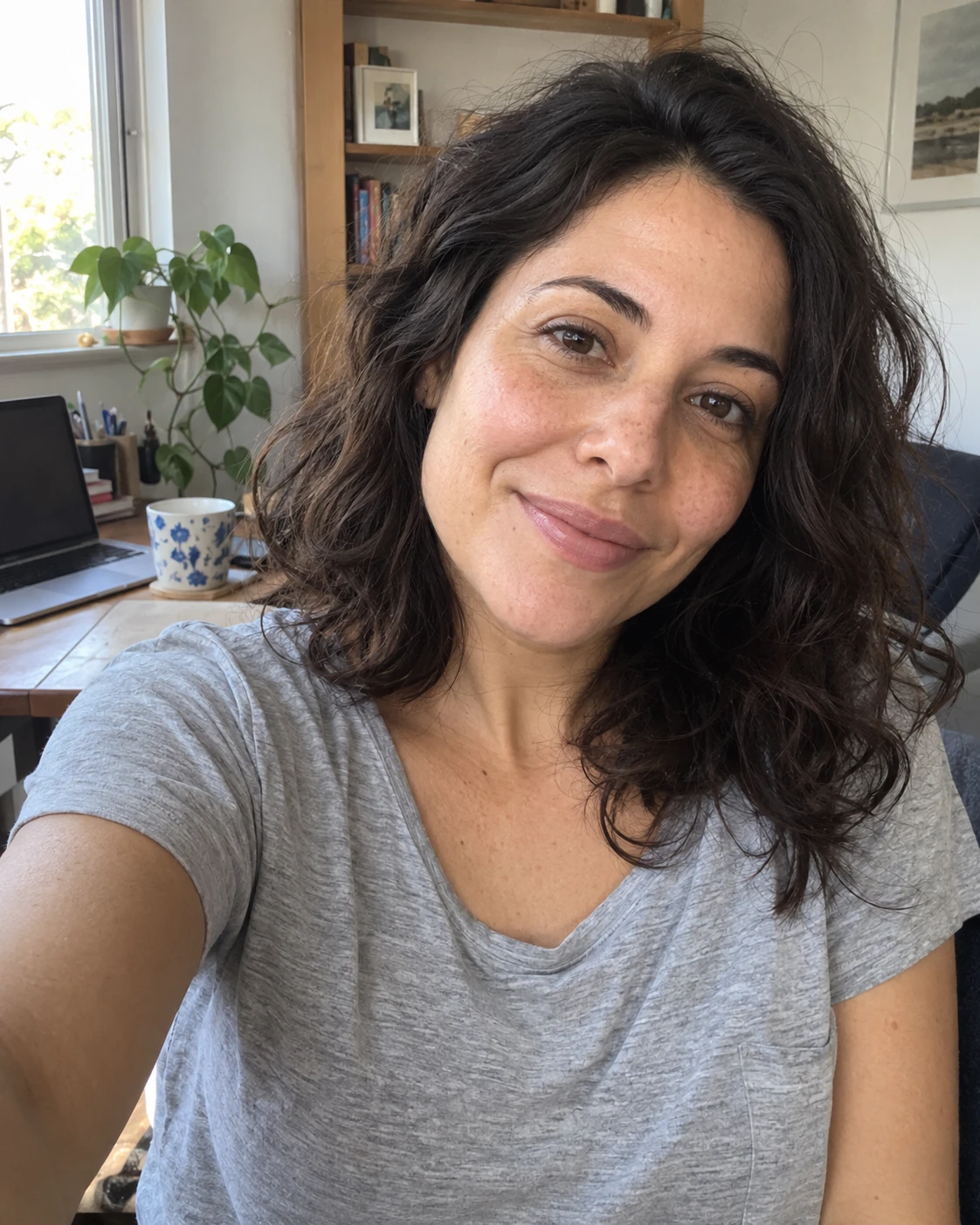
Create an image. Photorealistic [RATIO: 4:5 vertical | 9:16 vertical | 1:1 square] selfie that looks like an unedited front camera photo from a recent iPhone.

SCENE: a [ROOM: living room | kitchen | bedroom | home office] in the [TIME: morning | afternoon | evening]. [2 OR 3 ORDINARY OBJECTS: a mug, a laptop, a plant]. Nothing staged.
SUBJECT: an invented [PERSON: woman | man] in [DECADE: their 20s | their 30s | their 40s | their 50s], [HAIR and OUTFIT]. [EXPRESSION: relaxed smile | mid laugh | calm and focused], looking at the phone screen, not at an ad camera.
CAMERA: front camera selfie at arm's length, slightly tilted, head and shoulders in frame.
LIGHT: [LIGHT: soft window light from the left | overcast daylight | warm lamp light], no flash.
REAL DETAILS: visible skin texture, [2 SMALL IMPERFECTIONS: flyaway hairs | creased collar | slightly uneven framing].
TEXT: No readable text anywhere.
KEEP: the face natural and unretouched.
AVOID: beauty filter, airbrushed skin, extra fingers, watermark, studio lighting, any resemblance to a real person.
2. Mirror selfie
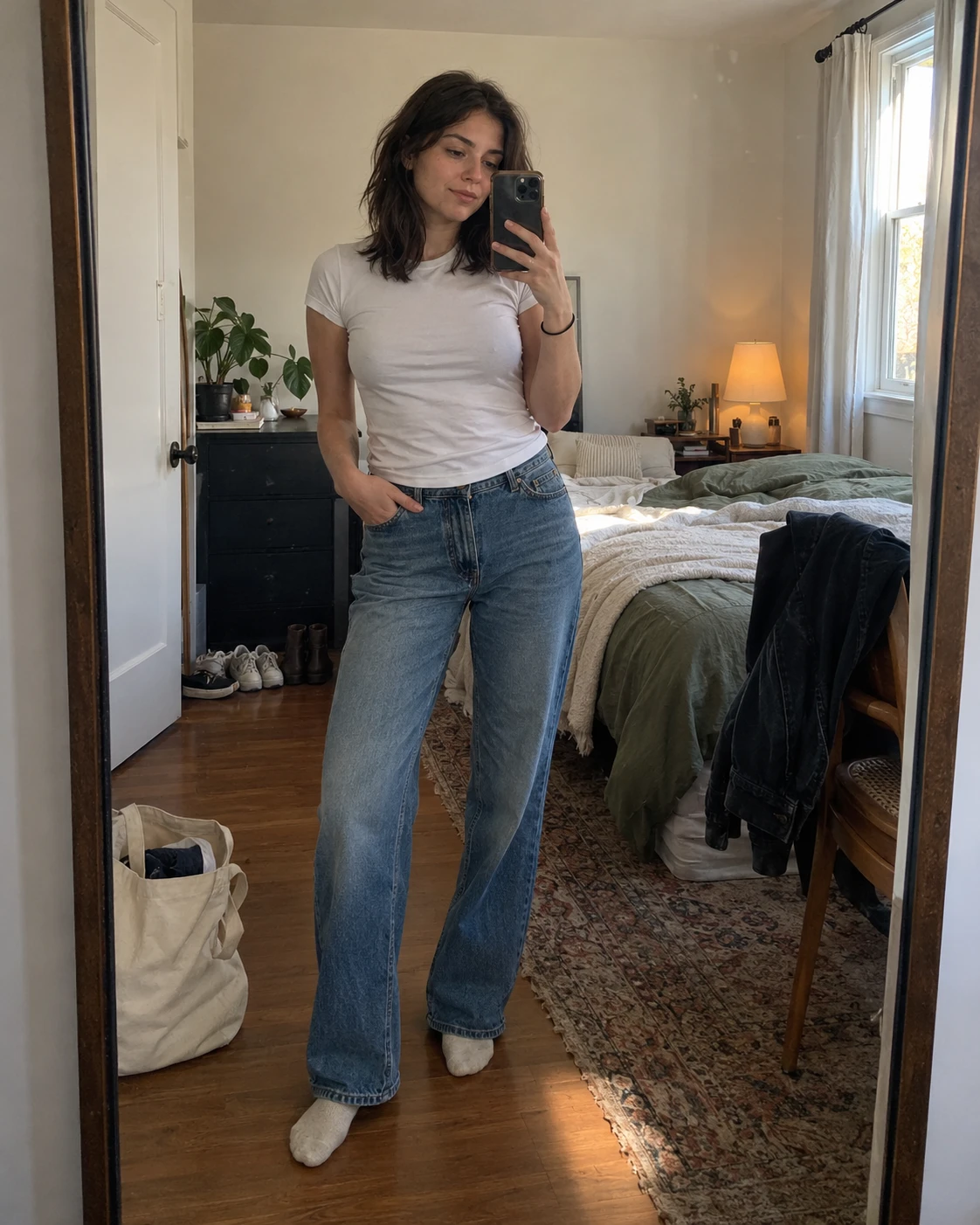
Create an image. Photorealistic 4:5 vertical mirror selfie that looks like an unedited photo from a recent iPhone.

SCENE: a [PLACE: bedroom | hallway | fitting room | bathroom] with a [MIRROR: full length | wall | bathroom] mirror. [2 OR 3 ORDINARY OBJECTS: shoes by the door, a lamp, a chair with a jacket]. Nothing staged.
SUBJECT: an invented [PERSON: woman | man] in [DECADE: their 20s | their 30s | their 40s | their 50s], wearing [OUTFIT]. One hand holds the phone in front of the chest and the person looks at the screen.
CAMERA: rear camera pointed at the mirror, the phone visible in the reflection, full body in frame, slightly off center.
LIGHT: [LIGHT: daylight from a window on the right | warm ceiling light], no flash.
REAL DETAILS: a few creases in the clothes, a small smudge on the mirror, [1 MORE: a bag on the floor | a towel on a hook].
TEXT: No readable text anywhere.
KEEP: the reflection matching the person: same outfit, same pose, one phone.
AVOID: duplicate people, warped mirror edges, extra fingers, beauty filter, watermark, logos on clothing.
3. Car passenger seat selfie
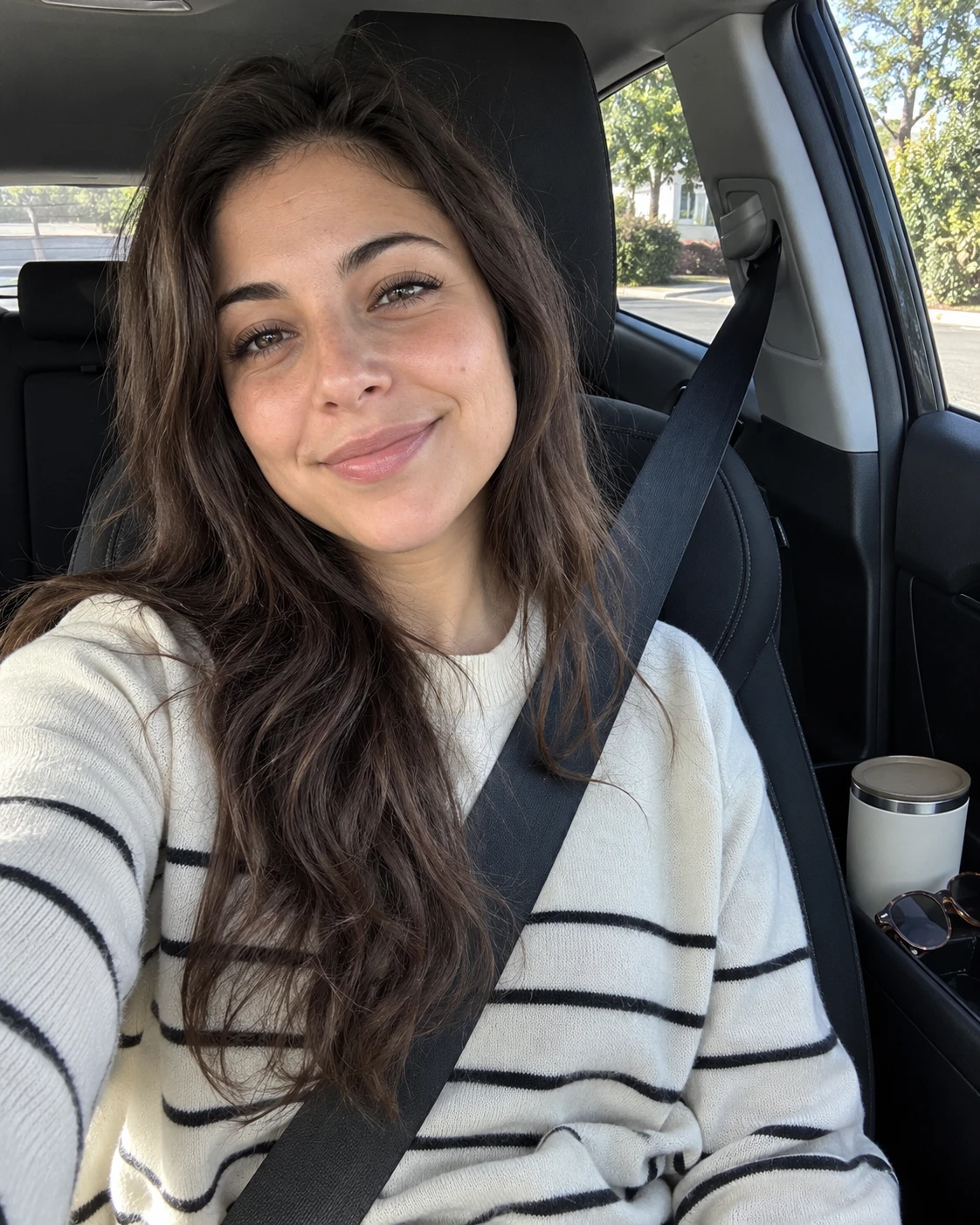
Create an image. Photorealistic [RATIO: 9:16 vertical | 4:5 vertical] selfie that looks like an unedited front camera photo from a recent iPhone.

SCENE: the passenger seat of a [CAR: small hatchback | family SUV | sedan] parked on a [PLACE: quiet street | parking lot | driveway] in the [TIME: morning | midday | late afternoon]. [2 OR 3 ORDINARY OBJECTS: a coffee cup in the holder, sunglasses on the dashboard, a seat belt across the chest]. Nothing staged.
SUBJECT: an invented [PERSON: woman | man] in [DECADE], [HAIR and OUTFIT], wearing the seat belt, [EXPRESSION], looking at the phone screen.
CAMERA: front camera selfie at chest height, the car window visible behind, head and shoulders in frame.
LIGHT: daylight through the windshield with [SHADE: soft shade | bright sun] on one side of the face, no flash.
REAL DETAILS: visible skin texture, [2 SMALL IMPERFECTIONS: hair caught in the seat belt | slightly squinting eyes].
TEXT: No readable text anywhere.
KEEP: a plain interior with no dashboard screen content.
AVOID: license plate text, car brand logos, beauty filter, extra fingers, watermark.
4. Gym selfie
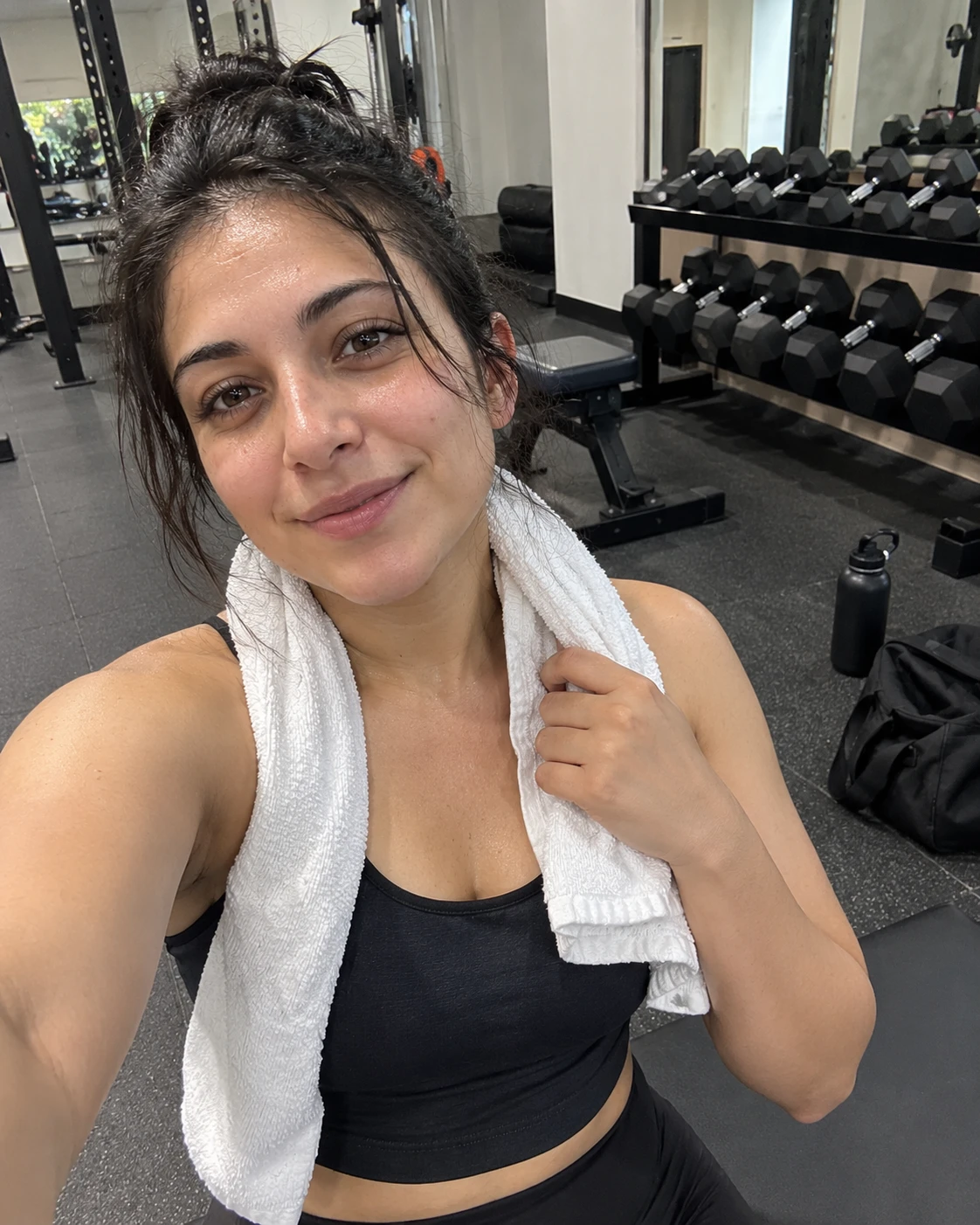
Create an image. Photorealistic 4:5 vertical selfie that looks like an unedited front camera photo from a recent iPhone.

SCENE: a [GYM: small local gym | home garage gym | hotel gym] with [EQUIPMENT: a rack of dumbbells | a bench | a yoga mat]. [2 OR 3 ORDINARY OBJECTS: a water bottle without a logo, a towel, a gym bag]. Nothing staged.
SUBJECT: an invented [PERSON: woman | man] in [DECADE], wearing [WORKOUT OUTFIT without logos], [ACTION: wiping the neck with a towel between sets | resting on a bench | tying a shoe], looking at the phone screen.
CAMERA: front camera selfie at arm's length, upper body in frame.
LIGHT: bright overhead gym light, no flash.
REAL DETAILS: light sweat on the forehead, slightly damp hair, natural skin texture.
TEXT: No readable text anywhere.
KEEP: a normal, unposed body. No exaggerated muscles.
AVOID: before and after framing, progress claims, logos on clothing, beauty filter, extra fingers, watermark.
5. Golden hour portrait outdoors
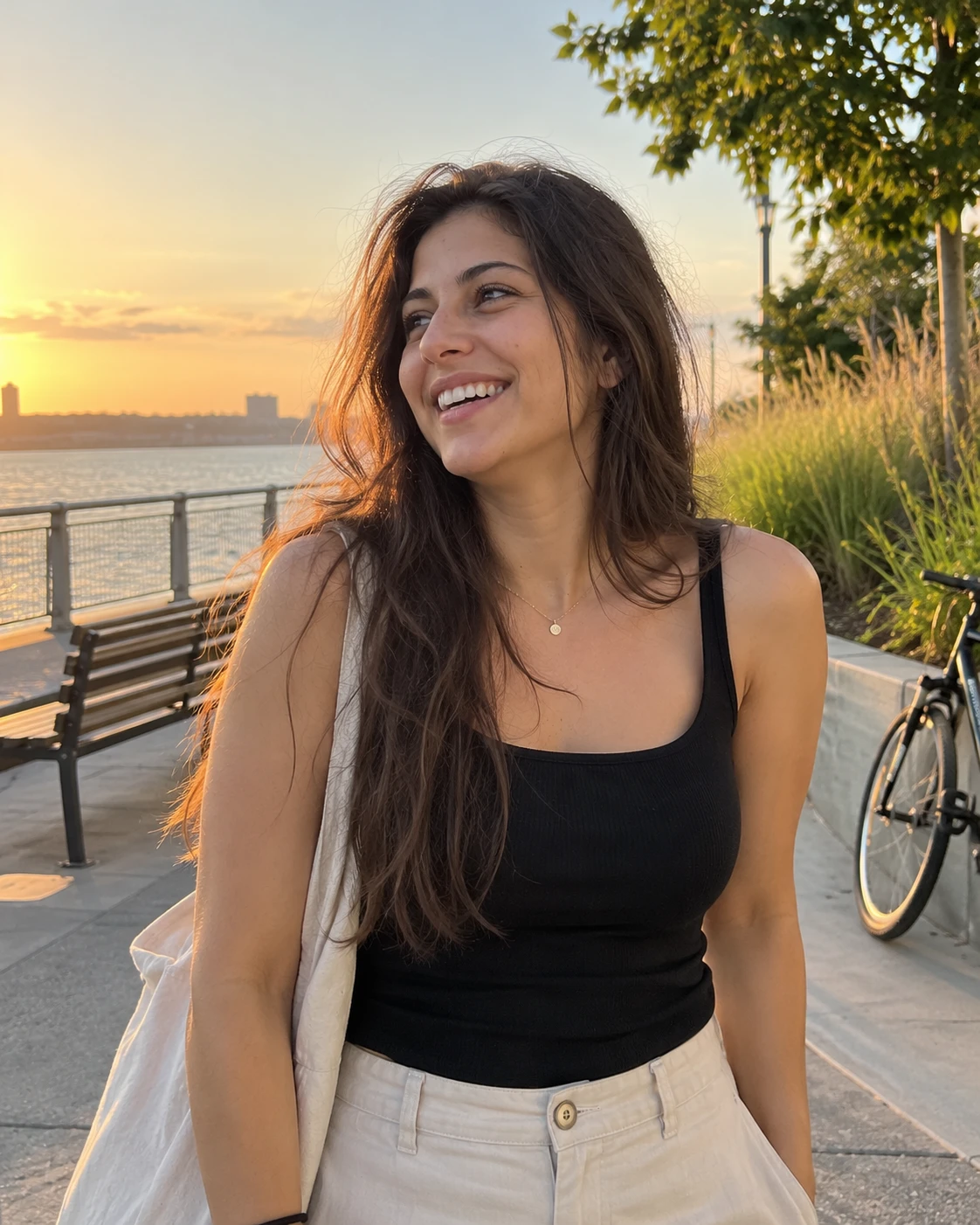
Create an image. Photorealistic 4:5 vertical portrait that looks like an unedited photo a friend took on the rear camera of a recent iPhone.

SCENE: a [PLACE: city street | park path | beach boardwalk | rooftop] about an hour before sunset. [2 OR 3 ORDINARY DETAILS: a bicycle against a wall, a bench, long grass]. Nothing staged.
SUBJECT: an invented [PERSON: woman | man] in [DECADE], [HAIR and OUTFIT], laughing and looking at [WHAT THEY LOOK AT: a friend off camera | the ground | the horizon], not at the camera.
CAMERA: rear camera from about 1.5 metres away, waist up, at eye level.
LIGHT: warm low sun from the left with soft shadows on the face, no flash.
REAL DETAILS: windblown hair, visible skin texture, slightly uneven framing.
TEXT: No readable text anywhere.
KEEP: natural skin tones with no orange filter look.
AVOID: beauty filter, airbrushed skin, lens flare effects that hide the face, watermark, extra fingers.
6. Travel selfie
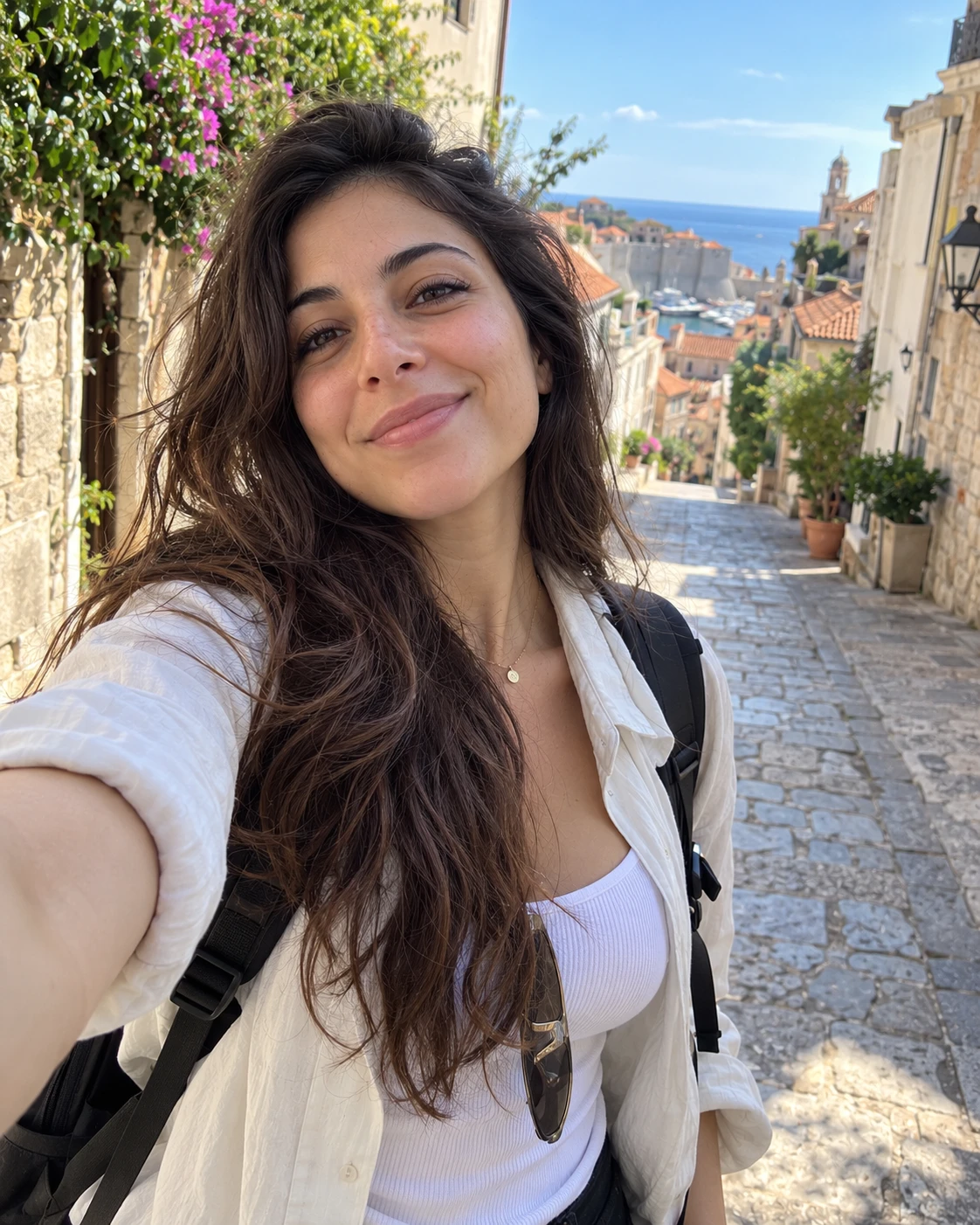
Create an image. Photorealistic [RATIO: 4:5 vertical | 9:16 vertical] selfie that looks like an unedited front camera photo from a recent iPhone.

SCENE: a [TRAVEL SETTING: old town street | beach | train platform | hotel balcony | airport gate] on a [WEATHER: sunny | overcast | rainy] day. [SETTING DETAILS: tiled rooftops | palm trees | cobblestones | a rolling suitcase]. Nothing staged.
SUBJECT: an invented [PERSON: woman | man] in [DECADE], [TRAVEL OUTFIT], wearing [BAG: a small backpack | a crossbody bag], [EXPRESSION: tired but happy | excited | calm].
CAMERA: front camera selfie at arm's length, tilted slightly, the setting visible behind the shoulder.
LIGHT: [LIGHT: natural daylight | soft overcast light], no flash.
REAL DETAILS: visible skin texture, slightly windblown hair, a strap crossing the shoulder.
TEXT: No readable text anywhere, including signs and posters.
KEEP: an ordinary scene that does not claim a specific real place.
AVOID: readable signs, brand logos, beauty filter, extra fingers, watermark.
7. Group of three
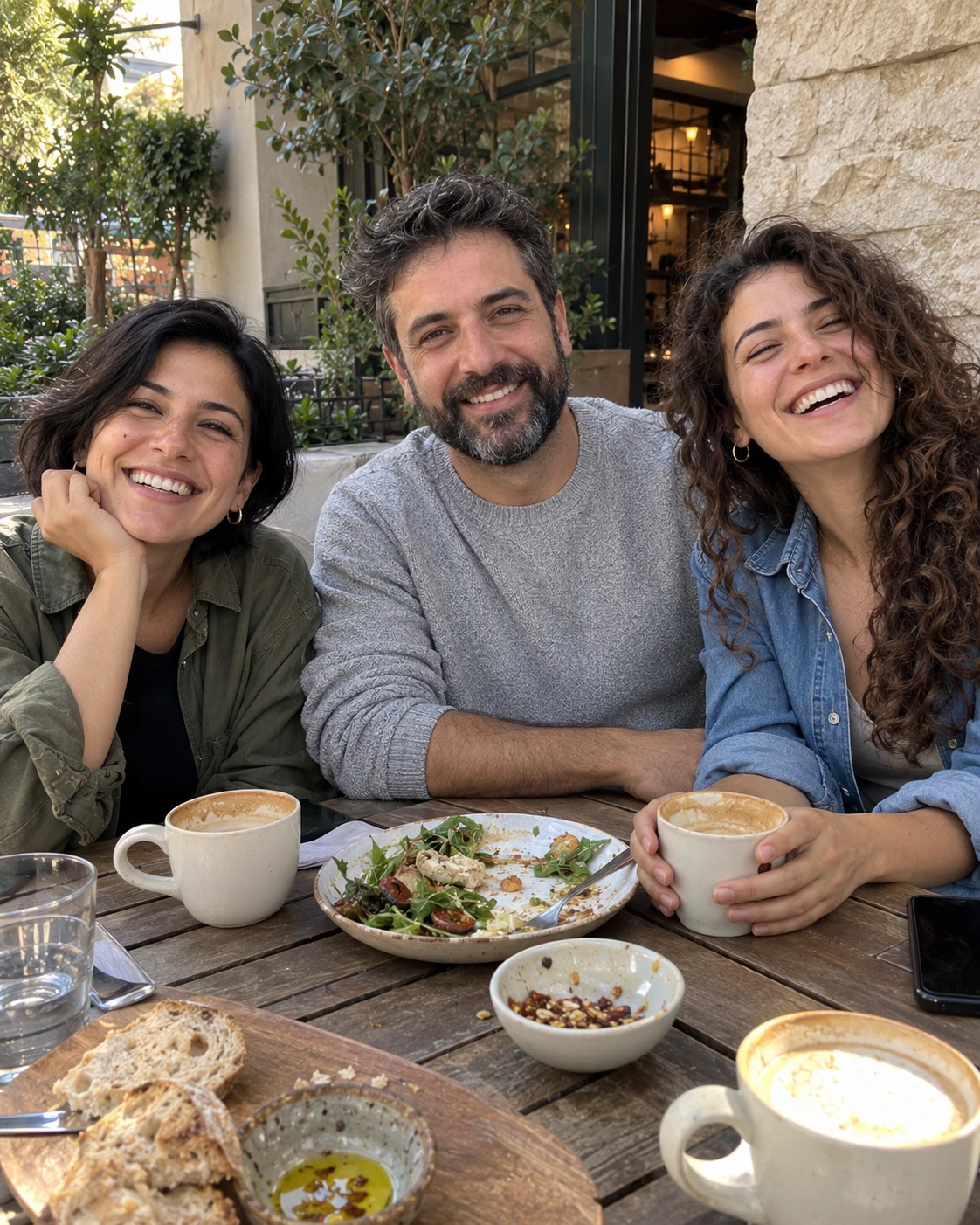
Create an image. Photorealistic [RATIO: 4:5 vertical | 1:1 square] group photo that looks like an unedited picture a friend took on a recent iPhone.

SCENE: a [PLACE: cafe patio | living room sofa | park bench | kitchen table]. [2 OR 3 ORDINARY OBJECTS: shared plates, a blanket, coffee cups]. Nothing staged.
SUBJECT: three invented adults with clearly different faces: [PERSON 1: a woman in her 30s, short black hair, green jacket], [PERSON 2: a man in his 40s, beard, grey sweater], [PERSON 3: a woman in her 20s, curly hair, denim shirt]. They sit close and [ACTION: laugh at something off camera | share one plate | look at one phone].
CAMERA: rear camera from about 2 metres, all three faces and all visible hands in frame, slightly off center.
LIGHT: [LIGHT: soft daylight | warm evening light], no flash.
REAL DETAILS: visible skin texture on all three faces, a few flyaway hairs, natural clothing creases.
TEXT: No readable text anywhere.
KEEP: exactly three people, each with five fingers on each visible hand.
AVOID: a fourth person, merged faces, extra limbs, identical faces, beauty filter, watermark.
8. Candid shot by a friend
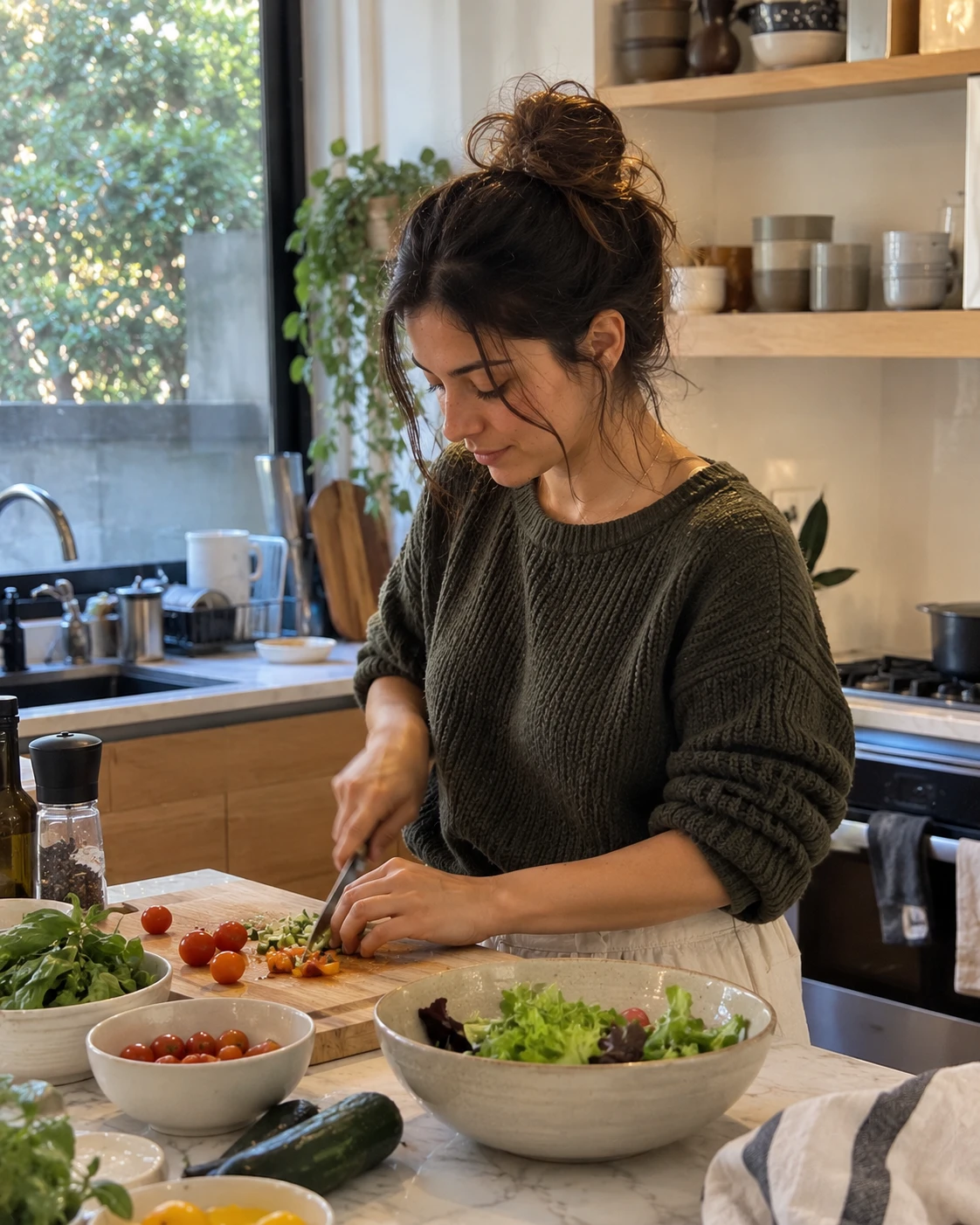
Create an image. Photorealistic 4:5 vertical candid photo that looks like a friend caught a moment on a recent iPhone. The person does not look at the camera.

SCENE: a [PLACE: home kitchen | balcony | living room | garage]. The person is [ACTIVITY: cooking | repotting a plant | assembling a bookshelf | painting a wall]. [2 OR 3 ORDINARY OBJECTS: tools, a bag of soil, a mixing bowl]. Nothing staged.
SUBJECT: an invented [PERSON: woman | man] in [DECADE], [HAIR and OUTFIT], focused on the task and looking at [THE TASK], not at the camera.
CAMERA: rear camera from about 2 metres, a little off angle, slight motion blur on one hand.
LIGHT: [LIGHT: window light | daylight outdoors | warm room light], no flash.
REAL DETAILS: a smudge on the clothes, visible skin texture, slightly uneven framing.
TEXT: No readable text anywhere.
KEEP: natural, unposed body language.
AVOID: eye contact with the camera, a smile held for the photo, beauty filter, extra fingers, watermark.
Family B: Product in Hand and Product Shoots (Prompts 9 to 16)
These eight prompts put your product in a believable setting. For a real product, upload your photo and use S1 first, then check every label against the real item.
9. Product in hand, face selfie
This is the bracket version of the prompt I ran, and it is the one I tested with the DEWLINE example.
Create an image. Photorealistic [RATIO: 4:5 vertical | 9:16 vertical] photo that looks like an unedited picture taken on a recent iPhone and posted by a regular customer.

SCENE: a [PLACE: small apartment bathroom | kitchen | bedroom | desk] in the [TIME: morning | afternoon | evening]. [2 OR 3 ORDINARY OBJECTS: a grey towel, a hair clip, a half full glass of water]. Nothing staged.
SUBJECT: an invented [PERSON: woman | man] in [DECADE], [HAIR and OUTFIT]. They hold the product up near the chin and look at the phone screen, not posing for an ad.
CAMERA: front camera selfie at arm's length, slightly tilted, face and product both in frame.
LIGHT: [LIGHT: soft window light from the left | overcast daylight], no flash, no studio lighting.
REAL DETAILS: visible skin texture and pores, a few flyaway hairs, slightly uneven framing.
PRODUCT: [SIZE, COLOR, MATERIAL and SHAPE of the product].
TEXT: The label reads exactly "[TEXT LINE ONE]" on the first line and "[TEXT LINE TWO]" on the second line. No other text on the product.
KEEP: the label text exactly as written.
AVOID: beauty filter, airbrushed skin, extra fingers, text overlays, watermark, any other brand names.
10. Hand only holding the product
Create an image. Photorealistic [RATIO: 4:5 vertical | 1:1 square] close photo that looks like an unedited picture taken on a recent iPhone and posted by a regular customer.

SCENE: a [PLACE: kitchen counter | bathroom | desk | park bench] softly out of focus behind the hand. Nothing staged.
SUBJECT: one adult hand with [SKIN TONE], [NAILS: short bare nails | short neutral polish], holding the product between thumb and fingers. No face in frame.
CAMERA: rear camera at about 25 cm from the product, slightly tilted, the product label facing the camera.
LIGHT: [LIGHT: soft window light from the left | overcast daylight], no flash.
REAL DETAILS: visible skin lines on the knuckles, a tiny scratch on one nail, natural finger shape.
PRODUCT: [SIZE, COLOR, MATERIAL and SHAPE of the product].
TEXT: The label reads exactly "[TEXT LINE ONE]" and "[TEXT LINE TWO]". No other text.
KEEP: five fingers, a natural thumb and the label text exactly as written.
AVOID: extra fingers, glossy plastic skin, rings with logos, nail art with text, watermark.
11. First person point of view
Create an image. Photorealistic [RATIO: 9:16 vertical | 4:5 vertical] first person photo, as if the viewer holds the product toward their own eyes, taken on a recent iPhone.

SCENE: a [PLACE: living room sofa | kitchen | car | park]. [2 OR 3 ORDINARY OBJECTS visible beyond the hands]. Nothing staged.
SUBJECT: no face. Two adult forearms and hands in [SLEEVES: a plain sweater | a short sleeve shirt] hold the product toward the camera.
CAMERA: first person view from eye level, the product about 30 cm from the lens, the label readable.
LIGHT: [LIGHT: soft window light | warm lamp light], no flash.
REAL DETAILS: natural skin texture on the hands, a small crease in the sleeve, background slightly out of focus.
PRODUCT: [SIZE, COLOR, MATERIAL and SHAPE of the product].
TEXT: The label reads exactly "[TEXT LINE ONE]" and "[TEXT LINE TWO]". No other text.
KEEP: the label text exactly as written and five fingers on each hand.
AVOID: a visible face, extra fingers, text overlays, watermark, any other brand names.
12. Product on a surface
Create an image. Photorealistic [RATIO: 4:5 vertical | 1:1 square] photo that looks like an unedited picture taken on a recent iPhone and posted by a regular customer. No person.

SCENE: the product on a [SURFACE: bathroom shelf | kitchen counter | bedside table | desk | picnic blanket] in the [TIME: morning | afternoon | evening]. Beside it: [3 ORDINARY OBJECTS: a folded towel, a plant, a phone charger]. Nothing staged.
CAMERA: rear camera at [ANGLE: eye level with the surface | slightly above at 30 degrees], the product a little off center, the background out of focus from distance.
LIGHT: [LIGHT: soft window light from the left | overcast daylight], no flash.
REAL DETAILS: a few water drops or dust specks on the surface, slightly uneven framing.
PRODUCT: [SIZE, COLOR, MATERIAL and SHAPE of the product].
TEXT: The label reads exactly "[TEXT LINE ONE]" and "[TEXT LINE TWO]". No other text anywhere.
KEEP: the label text exactly as written.
AVOID: studio backdrop, glossy reflections, text overlays, watermark, any other brand names.
13. Detail close up
Create an image. Photorealistic close up photo taken with a recent iPhone, posted by a regular customer.

SCENE: [PLACE: a kitchen counter | a bathroom shelf | a desk]. Nothing staged.
SUBJECT: [DETAIL: the label | the cap and neck | the texture of the product | the stitching | the zipper pull] of the product, filling most of the frame. No person.
CAMERA: rear camera about 10 cm from the product, slightly angled, the focus point on [FOCUS POINT: the label text | the stitching | the surface texture].
LIGHT: [LIGHT: soft window light from the left | soft daylight], no flash.
REAL DETAILS: tiny fingerprints or dust, natural material texture, one small scuff.
PRODUCT: [SIZE, COLOR, MATERIAL and SHAPE of the product].
TEXT: The visible text reads exactly "[TEXT LINE ONE]" and "[TEXT LINE TWO]". No other text.
KEEP: the text exactly as written and the real material finish.
AVOID: smoothed plastic textures, text overlays, watermark, any other brand names.
14. What is in my bag
Create an image. Photorealistic [RATIO: 4:5 vertical | 1:1 square] top down photo that looks like an unedited picture taken on a recent iPhone and posted by a regular customer. No person.

SCENE: the contents of a bag laid out on a [SURFACE: bed | desk | floor | car seat]. Nothing staged.
ITEMS: the product plus [5 TO 7 ORDINARY ITEMS: keys, a plain lip balm, an earbuds case, a notebook, sunglasses, a wallet].
CAMERA: rear camera straight down from about 60 cm, all items fully in frame.
LIGHT: [LIGHT: soft window light | overcast daylight], no flash.
REAL DETAILS: one item slightly overlapping another, a crumpled receipt with no readable text, uneven spacing.
PRODUCT: [SIZE, COLOR, MATERIAL and SHAPE of the product].
TEXT: Only the product shows readable text: "[TEXT LINE ONE]" and "[TEXT LINE TWO]". Every other item has no readable text.
KEEP: the product clearly visible and its text exactly as written.
AVOID: logos or brand names on the other items, text overlays, watermark, extra items that look like products for sale.
15. Honest side by side
This prompt shows your product beside a plain, unbranded alternative. It makes no claim that yours is better, and it keeps the two items equal in scale and light.
Create an image. Photorealistic [RATIO: 1:1 square | 4:5 vertical] photo of two items side by side on a [SURFACE: kitchen counter | desk | table], that looks like an unedited picture taken on a recent iPhone. No person.

LEFT ITEM: [YOUR PRODUCT: SIZE, COLOR, MATERIAL and SHAPE].
RIGHT ITEM: a [GENERIC ALTERNATIVE: plain unbranded bottle | plain mug | generic charger] of the same type and size, with no logos and no text.
CAMERA: rear camera from the front at eye level, both items fully in frame, evenly spaced.
LIGHT: soft [LIGHT: window light | overcast daylight] hitting both items equally, no flash.
REAL DETAILS: a few dust specks and one small reflection on the surface.
TEXT: The left item's label reads exactly "[TEXT LINE ONE]" and "[TEXT LINE TWO]". The right item has no text.
KEEP: both items at the same scale and the same light.
AVOID: arrows, ticks, crosses, rankings, claims, text overlays, watermark, any other brand names.
16. Shelfie
Create an image. Photorealistic 4:5 vertical photo that looks like an unedited picture taken on a recent iPhone and posted by a regular customer. No person.

SCENE: a [SHELF: bathroom shelf | bookshelf | kitchen shelf | bar cart] in a lived in home. The product stands among [6 TO 8 ORDINARY ITEMS: books, a candle without a label, a small plant, a mug, a photo frame with no readable photo].
CAMERA: rear camera at eye level, slightly off center, the product at eye level and a little forward of the other items.
LIGHT: [LIGHT: soft window light from the side | warm lamp light], no flash.
REAL DETAILS: items of different heights, one book leaning, a little dust on the shelf.
PRODUCT: [SIZE, COLOR, MATERIAL and SHAPE of the product].
TEXT: The product label reads exactly "[TEXT LINE ONE]" and "[TEXT LINE TWO]". No readable text on the other items.
KEEP: the product easy to find and its text exactly as written.
AVOID: logos or brand names on the other items, studio lighting, text overlays, watermark.
Family C: Unboxing (Prompts 17 to 20)
Unboxing images imply that someone ordered and received a package. Use these as illustrations of the product and its packaging, never as proof of a real order, and show only what really ships.
17. Top down unboxing
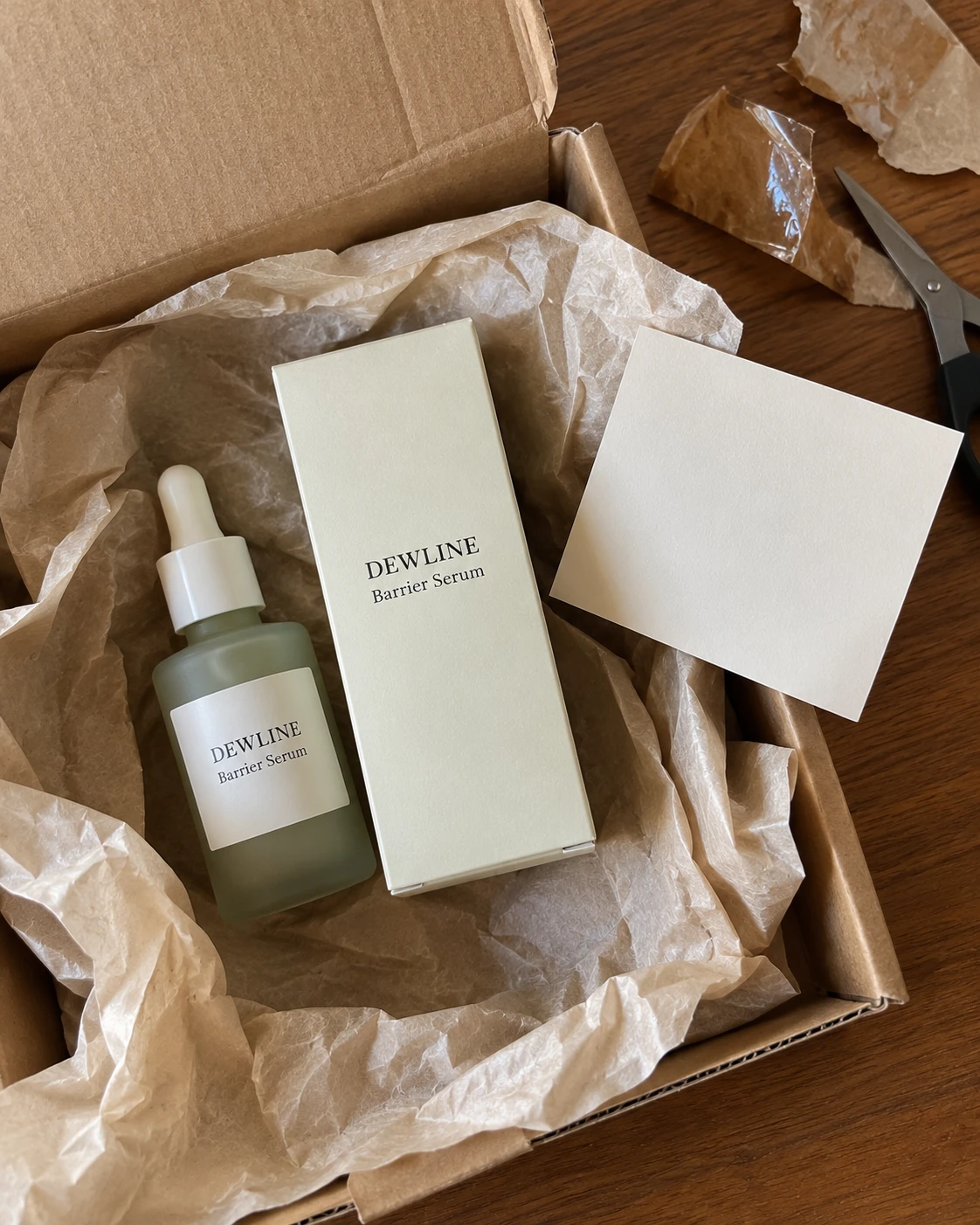
This is a bracket version of the unboxing prompt I ran in a new chat with the DEWLINE example. I reworded it slightly to fit the template, so a filled version will not match my test word for word.
Create an image. Photorealistic 4:5 vertical top down photo that looks like an unedited picture take...

[Sign up to unlock the full prompt]
In my run, the label text held. The carton repeated that text, which I had not asked for, and the card stayed blank as I had asked. That is why Rule 4 says to check every extra.
18. Doorstep delivery
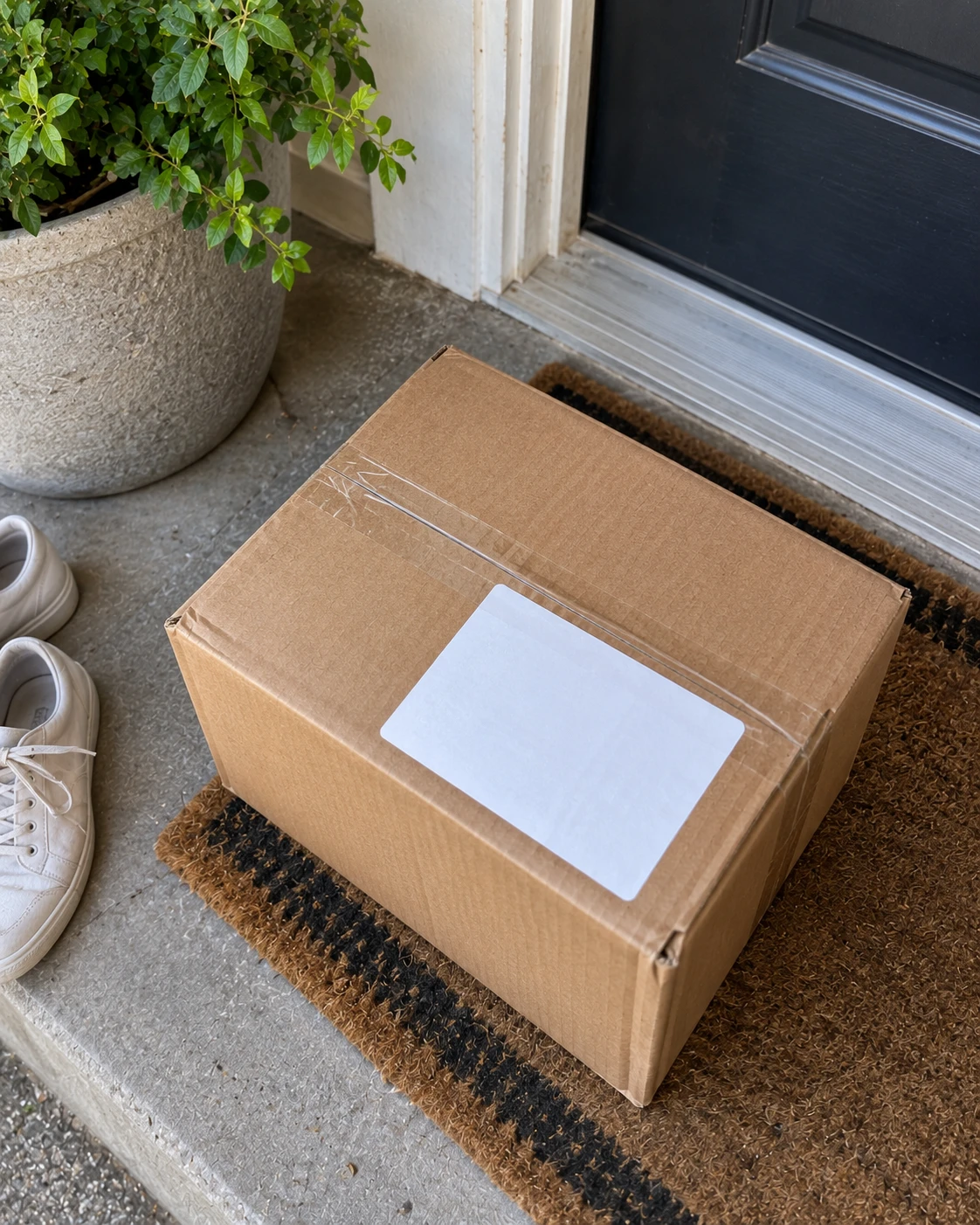
Create an image. Photorealistic 4:5 vertical photo that looks like an unedited picture taken on a re...

[Sign up to unlock the full prompt]
19. What is in the box
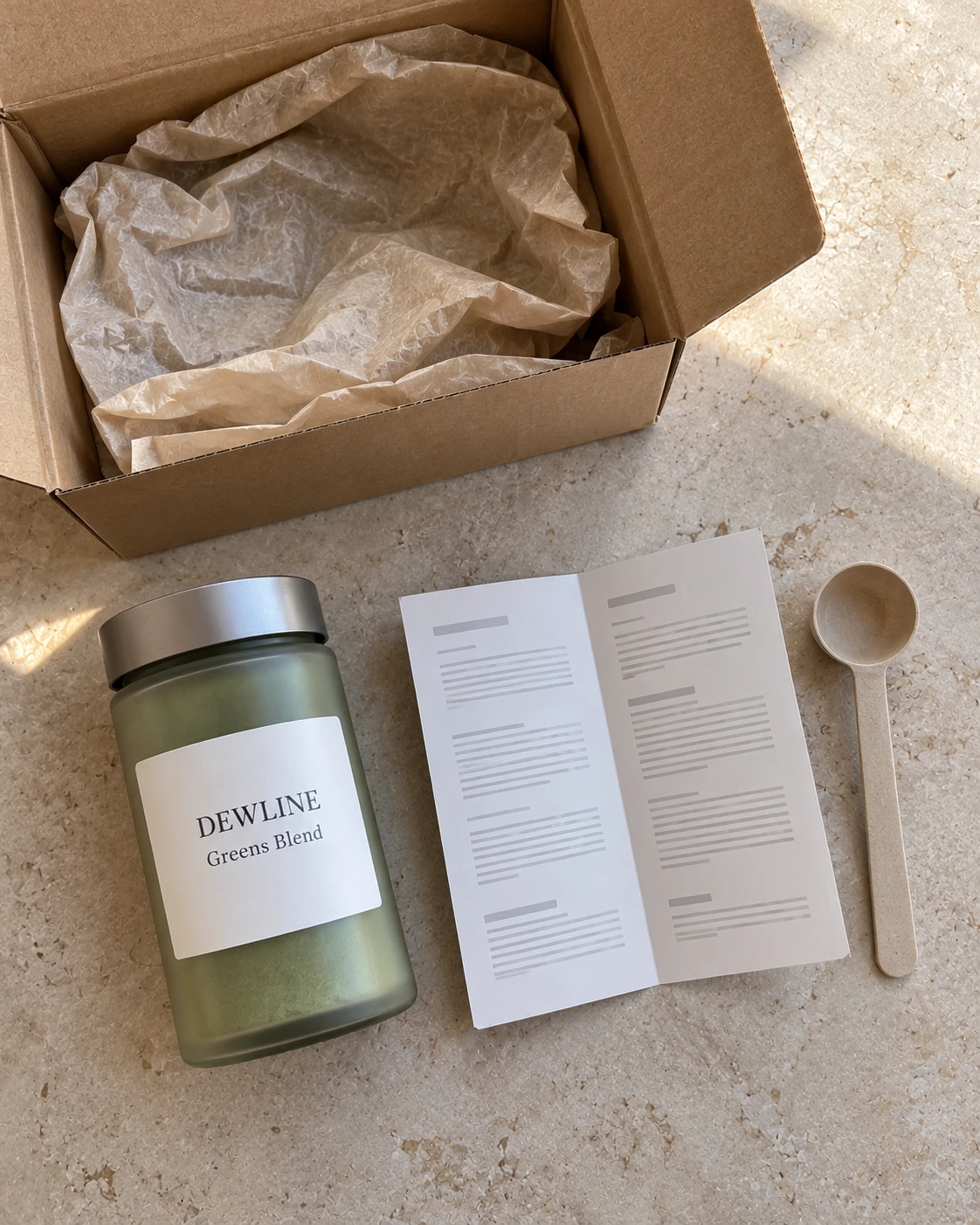
Create an image. Photorealistic 4:5 vertical top down photo of an opened box and its contents, that ...

[Sign up to unlock the full prompt]
20. First look with hands
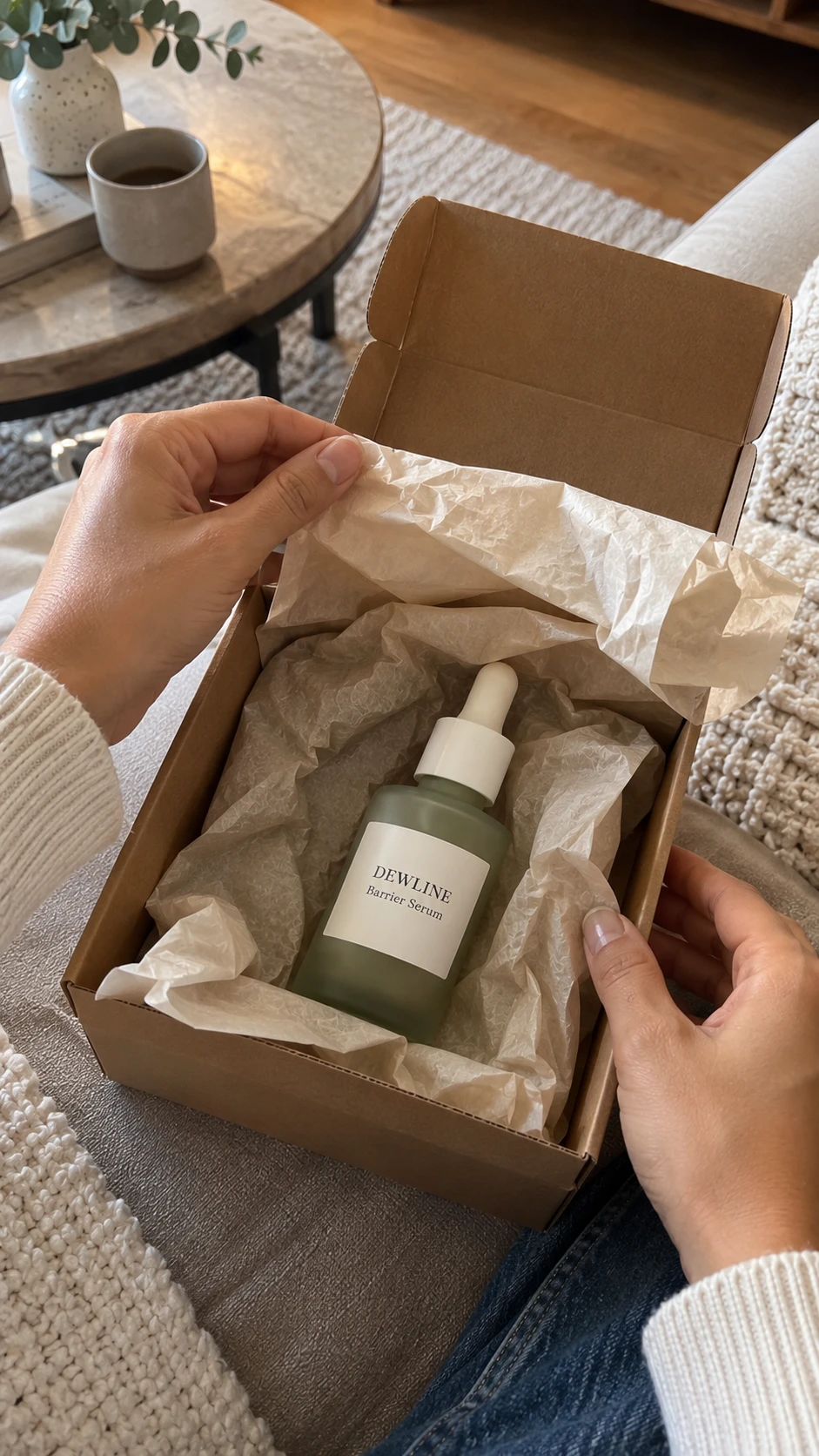
Create an image. Photorealistic 9:16 vertical photo that looks like an unedited picture taken on the...

[Sign up to unlock the full prompt]
Family D: Routines and Demos (Prompts 21 to 25)
Routine images carry the most risk in this guide, because viewers read them as proof that a product works. Every prompt here asks for no visible results, so the picture shows a moment and not an outcome.
21. Skincare at the sink
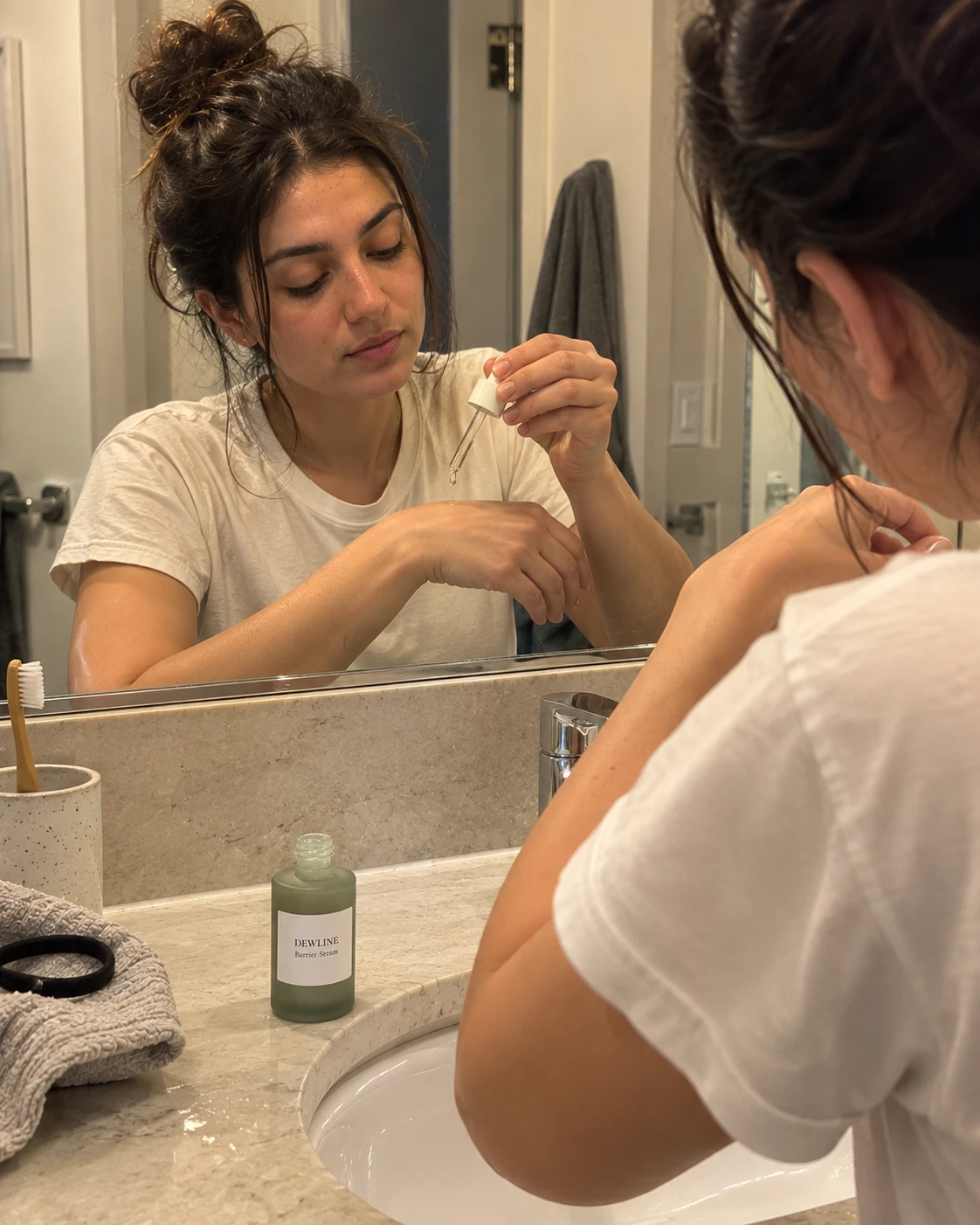
Create an image. Photorealistic 4:5 vertical photo that looks like an unedited picture taken on a recent iPhone and posted by a regular customer.

SCENE: a small bathroom sink in the [TIME: morning | evening]. [2 OR 3 ORDINARY OBJECTS: a hand towel, a toothbrush in a cup, a hair tie]. Nothing staged.
SUBJECT: an invented [PERSON: woman | man] in [DECADE], [HAIR and OUTFIT], [ACTION: pressing two drops from a dropper onto the back of the hand | smoothing cream along one cheek | patting a toner pad on the forehead], looking at the mirror.
CAMERA: rear camera held by the person or placed on the counter, three quarter view, face and product in frame.
LIGHT: [LIGHT: soft window light | warm bathroom light], no flash.
REAL DETAILS: visible skin texture and pores, a few water drops on the counter, natural redness near the nose.
PRODUCT: [SIZE, COLOR, MATERIAL and SHAPE of the product].
TEXT: The label reads exactly "[TEXT LINE ONE]" and "[TEXT LINE TWO]". No other text anywhere.
KEEP: the label text exactly as written and ordinary, unretouched skin.
AVOID: before and after framing, glowing or glass skin effects, visible results, beauty filter, claims, text overlays, watermark.
22. Makeup or haircare at the mirror
Create an image. Photorealistic 4:5 vertical photo that looks like an unedited picture taken on a recent iPhone and posted by a regular customer.

SCENE: a [PLACE: bedroom vanity | bathroom mirror | hallway mirror] with [2 OR 3 ORDINARY OBJECTS: a hairbrush, a small plant, a scrunchie on the counter]. Nothing staged.
SUBJECT: an invented [PERSON: woman | man] in [DECADE], [HAIR and OUTFIT], [ACTION: brushing out damp hair | applying [PRODUCT TYPE: mascara | lip color | hair oil] | sectioning hair with a clip], looking at the mirror.
CAMERA: rear camera over the shoulder, the face visible in the mirror, the product in the hand.
LIGHT: [LIGHT: soft window light | warm vanity bulbs], no flash.
REAL DETAILS: visible skin texture, a few flyaway hairs, one half used product on the counter.
PRODUCT: [SIZE, COLOR, MATERIAL and SHAPE of the product].
TEXT: The label reads exactly "[TEXT LINE ONE]" and "[TEXT LINE TWO]". No other text anywhere.
KEEP: the label text exactly as written and a natural reflection that matches the person.
AVOID: before and after framing, perfect shine effects, beauty filter, extra fingers, text overlays, watermark.
23. Kitchen gadget in use
Create an image. Photorealistic [RATIO: 4:5 vertical | 9:16 vertical] photo that looks like an unedited picture taken on a recent iPhone and posted by a regular customer.

SCENE: a home kitchen counter during [MEAL: breakfast | dinner prep | baking]. [2 OR 3 ORDINARY OBJECTS: a cutting board, a bowl of [INGREDIENT], a dish towel]. Nothing staged.
SUBJECT: an invented [PERSON: woman | man] in [DECADE], [HAIR and OUTFIT], using the product to [ACTION: slice | blend | pour | whisk], looking at the food, not at the camera.
CAMERA: rear camera from the side at counter height, the person's hands and the product in frame.
LIGHT: [LIGHT: soft window light | warm ceiling light], no flash.
REAL DETAILS: a few crumbs, a damp cloth, a small splash mark, natural skin texture.
PRODUCT: [SIZE, COLOR, MATERIAL and SHAPE of the gadget, and what it really does].
TEXT: The gadget shows exactly "[TEXT ON GADGET]" or no text. No other text anywhere.
KEEP: the gadget doing only what it really does, and the same shape and size as the real product.
AVOID: impossible functions, magic effects, extra fingers, text overlays, watermark, any other brand names.
24. Home workout equipment
Create an image. Photorealistic 4:5 vertical photo that looks like an unedited picture taken on a recent iPhone and posted by a regular customer.

SCENE: a [PLACE: living room | spare room | garage] floor with [EQUIPMENT: resistance bands | a yoga mat | adjustable dumbbells | a jump rope]. [2 OR 3 ORDINARY OBJECTS: a water bottle without a logo, a towel, a phone on a stand]. Nothing staged.
SUBJECT: an invented [PERSON: woman | man] in [DECADE], wearing [WORKOUT OUTFIT without logos], [ACTION: mid stretch | holding a pose | resting after a set], looking at [WHERE THE EYES GO].
CAMERA: rear camera from 2 metres away on a phone stand, full body in frame.
LIGHT: [LIGHT: daylight from a window | warm room light], no flash.
REAL DETAILS: a light flush on the cheeks, slightly damp hair, a creased mat.
PRODUCT: [SIZE, COLOR, MATERIAL and SHAPE of the equipment].
TEXT: No readable text anywhere.
KEEP: an ordinary, unposed body and the equipment's real shape.
AVOID: progress claims, before and after framing, exaggerated muscles, logos on clothing, text overlays, watermark, extra limbs.
25. Desk setup
Create an image. Photorealistic [RATIO: 4:5 vertical | 16:9 horizontal] photo that looks like an unedited picture taken on a recent iPhone and posted by a regular customer.

SCENE: a home desk by a window in the [TIME: morning | afternoon]. [3 ORDINARY OBJECTS: a notebook, a mug, a small plant, a cable]. The monitor and laptop screens are off or show a plain dark screen. Nothing staged.
SUBJECT: [PERSON: no person | an invented adult whose hands rest on the keyboard, no face visible].
CAMERA: rear camera from a standing position at desk height, slightly off center, the product in the middle third.
LIGHT: soft [LIGHT: window light | evening lamp light], no flash.
REAL DETAILS: a few crumbs, a tangled cable, a sticky note with no readable words.
PRODUCT: [SIZE, COLOR, MATERIAL and SHAPE of the product: a laptop stand | a mouse | a desk lamp | headphones].
TEXT: The product shows exactly "[TEXT ON PRODUCT]" or no text. Screens show no readable text.
KEEP: the product's real shape and ports, and a believable desk scale.
AVOID: readable screen content, logos on other devices, text overlays, watermark, any other brand names.
Family E: Fashion and Jewelry (Prompts 26 to 30)
Fashion and jewelry images sell on fit, color and finish, so they carry a product accuracy risk. Compare every garment, stone, metal tone and logo against the real item before you publish.
26. Outfit mirror check
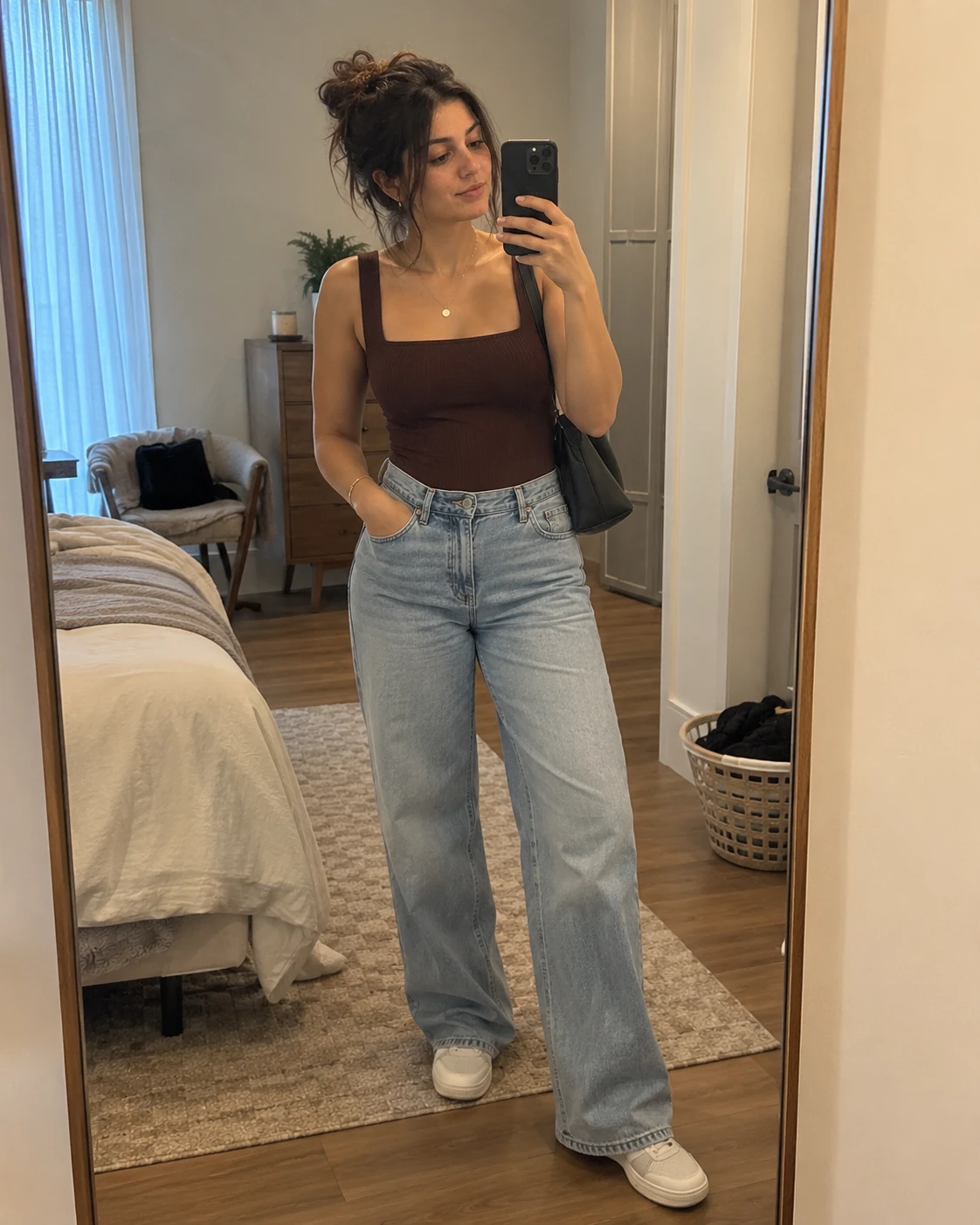
Create an image. Photorealistic 4:5 vertical mirror photo that looks like an unedited picture taken on a recent iPhone and posted by a regular customer.

SCENE: a [PLACE: bedroom | hallway | fitting room] with a full length mirror. [2 OR 3 ORDINARY OBJECTS: shoes by the door, a laundry basket, a bag on a chair]. Nothing staged.
SUBJECT: an invented [PERSON: woman | man] in [DECADE], wearing [GARMENT: color, cut, length and fabric], [BOTTOM and SHOES], [ACCESSORIES]. One hand holds the phone at chest height, the weight on one leg, looking at the phone screen.
CAMERA: rear camera pointed at the mirror, full body in frame, slightly off center.
LIGHT: [LIGHT: daylight from a window | warm ceiling light], no flash.
REAL DETAILS: natural fabric creases, one slightly twisted strap or hem, a smudge on the mirror.
PRODUCT: the [GARMENT] must show its real cut, color and length: [DETAILS: neckline, sleeve length, hem, pattern].
TEXT: No readable text anywhere.
KEEP: the garment's color, cut and length exactly as written, and a reflection that matches the person.
AVOID: logos on clothing, warped mirror edges, extra fingers, beauty filter, watermark.
27. Flat lay outfit
Create an image. Photorealistic 4:5 vertical top down photo that looks like an unedited picture taken on a recent iPhone and posted by a regular customer. No person.

SCENE: an outfit laid out on a [SURFACE: bed with plain white sheets | wooden floor | rug]. Nothing staged.
ITEMS: [TOP], [BOTTOM], [SHOES], [BAG or HAT], [ONE SMALL ACCESSORY: a belt | sunglasses | a scarf], laid out in the shape of a person.
CAMERA: rear camera straight down from about 1 metre, every item fully in frame.
LIGHT: [LIGHT: soft window light | overcast daylight], no flash.
REAL DETAILS: natural fabric creases, one sleeve slightly folded, uneven spacing between items.
PRODUCT: the featured item is [FEATURED ITEM: color, fabric, cut and pattern].
TEXT: No readable text anywhere, including tags and labels.
KEEP: the featured item's color and cut exactly as written.
AVOID: logos, readable tags, text overlays, watermark, any other brand names.
28. Jewelry close up
Create an image. Photorealistic close up photo that looks like an unedited picture taken on a recent iPhone and posted by a regular customer.

SCENE: [PLACE: a window seat | a bathroom counter | outdoors in shade]. Nothing staged.
SUBJECT: [WEARING: a hand with a ring | an ear with an earring | a neck with a pendant | a wrist with a bracelet], an adult with natural skin texture, no full face in frame.
CAMERA: rear camera about 15 cm from the jewelry, slightly angled, focus on the jewelry.
LIGHT: [LIGHT: soft window light | open shade daylight], no flash.
REAL DETAILS: visible skin texture, a small crease at the knuckle or neck, a few fine hairs, slight dust on the metal.
PRODUCT: [METAL TONE: gold tone | silver tone | rose gold tone] [JEWELRY TYPE], [STONE and SHAPE or NO STONE], [SIZE in mm].
TEXT: No readable text anywhere, including hallmarks.
KEEP: the metal tone, stone color and shape exactly as written.
AVOID: exaggerated sparkle, plastic looking skin, extra fingers, text overlays, watermark, any brand names.
29. Shoe or bag detail
Create an image. Photorealistic [RATIO: 4:5 vertical | 1:1 square] photo that looks like an unedited picture taken on a recent iPhone and posted by a regular customer.

SCENE: [PLACE: an entryway floor | a park bench | a cafe chair | a car trunk]. [2 ORDINARY OBJECTS: a doormat, a jacket]. Nothing staged.
SUBJECT: [FRAMING: a hand holding the bag by its handle | a foot wearing the shoe, lower legs only | the item resting on the floor], no face in frame.
CAMERA: rear camera from about 40 cm, three quarter view, focus on [DETAIL: the stitching | the buckle | the sole edge | the zipper].
LIGHT: [LIGHT: soft window light | overcast daylight], no flash.
REAL DETAILS: a small scuff, natural material grain, slight creasing at the bend.
PRODUCT: [ITEM: color, material, hardware color and shape].
TEXT: No readable text anywhere, including inside labels.
KEEP: the item's color, material, hardware and shape exactly as written.
AVOID: logos, brand names, glossy plastic textures, extra fingers, text overlays, watermark.
30. Try on edit
Edit the images I uploaded.

Image 1: a photo of [PERSON: me | a person who gave me written permission to use this photo for this purpose].
Image 2: a photo of [GARMENT: color, cut and fabric] on a plain background.

Change only the clothing: dress the person in Image 1 in the garment from Image 2, keeping the garment's real color, cut, length and pattern. Keep everything else the same: the face, hair, skin texture, body shape, pose, hands and background.

The result must look like an unedited phone photo with the same light as Image 1.
TEXT: No readable text anywhere.
AVOID: changing the face, smoothing the skin, changing the body shape, logos, text overlays, watermark.
Family F: Food and Drink (Prompts 31 to 34)
Food images set an expectation about what the customer will eat. List the real ingredients in each prompt, so that the picture matches the plate you serve.
31. Cafe table
Create an image. Photorealistic 4:5 vertical photo that looks like an unedited picture taken on a recent iPhone and posted by a regular customer.

SCENE: a small table in a [PLACE: neighborhood cafe | bakery | rooftop terrace] in the [TIME: morning | afternoon]. A [DRINK: iced coffee | flat white | matcha latte | fruit tea] in a plain cup with no logo and a [FOOD: croissant | slice of cake | toast with avocado] on a small plate. [2 OR 3 ORDINARY OBJECTS: a phone, a napkin, a paper straw]. Nothing staged.
SUBJECT: one adult hand holding [WHAT: the cup | a fork | the phone] at the edge of the frame. No face.
CAMERA: rear camera at about 45 degrees above the table, slightly off center, the background softly out of focus from distance.
LIGHT: [LIGHT: soft window light | open shade daylight], no flash.
REAL DETAILS: crumbs, a few drops of condensation, a small coffee ring on the table, natural food texture.
PRODUCT: [DRINK and FOOD, with the real ingredients: for example, espresso, oat milk, ice | butter croissant].
TEXT: No readable text anywhere, including the menu and the cup.
KEEP: only the drink and food listed.
AVOID: logos, cup brand names, steam effects that look painted, text overlays, watermark, extra fingers.
I ran prompt 31 with an iced coffee, a butter croissant, a phone, a napkin and a paper straw. The image showed every item on that list, a plain cup, no readable text and no logos, plus crumbs and condensation. It looked like a real phone photo, and I made no changes to the prompt afterward.
32. Home meal from above
Create an image. Photorealistic 4:5 vertical top down photo that looks like an unedited picture taken on a recent iPhone and posted by a regular customer.

SCENE: a kitchen table in the [TIME: afternoon | evening]. A [MEAL: bowl of pasta | tray of roasted vegetables | rice dish | salad] on a plain plate, with a [SIDE: bread basket | glass of water | bowl of sauce]. [2 OR 3 ORDINARY OBJECTS: cutlery, a folded napkin, a salt shaker]. Nothing staged.
SUBJECT: one adult hand lifting a fork toward the plate. No face.
CAMERA: rear camera straight down from about 50 cm, plate slightly off center.
LIGHT: [LIGHT: soft window light | warm evening lamp light], no flash.
REAL DETAILS: a few crumbs, a sauce drip at the plate edge, natural food color and texture.
PRODUCT: [MEAL with the real ingredients, as served].
TEXT: No readable text anywhere.
KEEP: only the ingredients listed: [LIST OF INGREDIENTS].
AVOID: ingredients not on the list, glossy plastic looking food, text overlays, watermark, extra fingers.
33. Takeout on the couch
Create an image. Photorealistic [RATIO: 4:5 vertical | 9:16 vertical] photo that looks like an unedited picture taken on a recent iPhone and posted by a regular customer.

SCENE: a living room sofa in the evening with [TAKEOUT: two paper containers | a pizza box | a paper bag and a foil tray] on a coffee table. [2 OR 3 ORDINARY OBJECTS: a remote, a blanket, a glass of water]. Nothing staged.
SUBJECT: one adult hand holding [CHOPSTICKS | a fork | a slice]. No face.
CAMERA: rear camera from the sofa at about 40 degrees above the food.
LIGHT: warm lamp light and a little screen glow, no flash.
REAL DETAILS: open lids, a few crumbs, a napkin crumpled on the table, natural food texture.
PRODUCT: [DISH with the real ingredients, as served].
TEXT: The containers and the bag are plain and show no logos and no readable text.
KEEP: only the dishes listed.
AVOID: restaurant logos, brand names, delivery app screens, text overlays, watermark, extra fingers.
34. Dinner dish close up
Create an image. Photorealistic 4:5 vertical photo that looks like an unedited picture taken on a recent iPhone and posted by a regular customer.

SCENE: a restaurant table in the evening with a [DISH NAME] on a [PLATE: plain white | dark ceramic] plate. [2 OR 3 ORDINARY OBJECTS: a water glass, cutlery, a small candle]. Nothing staged.
SUBJECT: the dish, filling most of the frame. No person.
CAMERA: rear camera at about 45 degrees above, about 30 cm from the plate, focus on [FOCUS: the main protein | the sauce | the garnish].
LIGHT: warm restaurant lighting from above and the side, no flash.
REAL DETAILS: natural sauce pooling, a few crumbs, a fork mark in the sauce, natural food color.
PRODUCT: [DISH: exact ingredients and portion as served on your menu].
TEXT: No readable text anywhere.
KEEP: only the ingredients listed and a realistic portion size.
AVOID: ingredients you do not serve, oversized portions, glossy plastic looking food, text overlays, watermark.
Family G: Local Business, Travel and Real Estate (Prompts 35 to 38)
These prompts carry the highest risk in the guide, because a viewer may take the picture as a real place. Use prompts 35 to 37 only as concept art that you label as an illustration. If you want an image of your real shop, room or property, use your own photo and edit it with prompts in Family J.
35. Shopfront concept
Create an image. Photorealistic 4:5 vertical photo that looks like an unedited picture taken on a recent iPhone by a passerby. This is an illustration of an invented shop, not a real place.

SCENE: the front of an invented [SHOP TYPE: bakery | flower shop | barber shop | bookshop | bike repair shop] on a [STREET: quiet side street | busy high street | small town square] in the [TIME: morning | late afternoon]. [2 OR 3 ORDINARY OBJECTS: a bicycle against the wall, a chalkboard stand with no readable text, a potted plant]. Nothing staged.
SUBJECT: no person, or [PEOPLE: one distant passerby with a face too small to read].
CAMERA: rear camera from across the street at eye level, the whole shopfront in frame, slightly off center.
LIGHT: [LIGHT: soft morning light | warm late afternoon light], no flash.
REAL DETAILS: a small scuff on the door, a window reflection, a few leaves on the pavement.
TEXT: The shop sign reads exactly "[SIGN TEXT]". No other readable text anywhere.
KEEP: the sign text exactly as written.
AVOID: real brand logos, real street names, readable phone numbers, text overlays, watermark.
I ran prompt 35 with an invented bakery called "Oakhill Bakery" on a quiet side street. The sign text came back exact, the chalkboard stand stayed blank, and the bicycle and potted plant I listed were there. The picture looked more like a professional photographer's shot than a passerby's phone photo, so add one or two more imperfections or use a flatter light if you want a casual look. Treat any shop name you use as a name to check, because an invented name can match a real business.
36. Salon or studio interior with no people
Create an image. Photorealistic [RATIO: 4:5 vertical | 16:9 horizontal] photo that looks like an unedited picture taken on a recent iPhone. This is an illustration of an invented interior, not a real place. No person.

SCENE: the inside of an invented [BUSINESS: hair salon | yoga studio | nail studio | tattoo studio | co working space] in the [TIME: morning | afternoon]. [3 ORDINARY OBJECTS: a chair, a counter, a shelf with plain bottles, a plant]. Nothing staged.
CAMERA: rear camera from the doorway at about 1.5 metres height, wide angle look, slightly off center.
LIGHT: [LIGHT: daylight from large windows | warm ceiling lights], no flash.
REAL DETAILS: a little clutter at the counter, scuffs on the floor, items of different heights.
TEXT: No readable text anywhere.
KEEP: an ordinary, believable room scale.
AVOID: logos, brand names, mirrors showing people, impossible architecture, text overlays, watermark.
37. Hotel or rental room concept
Create an image. Photorealistic 4:5 vertical photo that looks like an unedited picture a guest took on a recent iPhone. This is an illustration of an invented room, not a real property. No person.

SCENE: an invented [ROOM: hotel room | holiday apartment | cabin bedroom | hostel dorm] with [FEATURES: a double bed with white linen | a small desk | a window with a city view | a wooden wardrobe]. [2 OR 3 ORDINARY OBJECTS: a suitcase on the floor, a pair of slippers, a lamp]. The room is in the [TIME: morning | late afternoon].
CAMERA: rear camera from the doorway at about 1.4 metres height, the whole bed and window in frame.
LIGHT: daylight from the window, warm bedside lamp on, no flash.
REAL DETAILS: slightly rumpled bedding, a luggage strap on the floor, a curtain not fully straight.
TEXT: No readable text anywhere.
KEEP: an ordinary room scale that does not promise more than the real room offers.
AVOID: luxury features you do not have, a view you do not have, logos, text overlays, watermark.
38. Virtual staging of a real room (upload your photo)
Virtual staging adds furniture that is not in the room. Say so wherever the image appears, and never change the structure of the room. I did not run this prompt.
Edit the photo I uploaded. It shows an empty [ROOM: living room | bedroom | dining room | office] in a real property.

Change only this: add [FURNITURE: a sofa, a coffee table, a floor lamp and a rug] in a [STYLE: simple modern | warm minimal | Scandinavian] style, placed realistically on the floor with believable scale and shadows.

Keep everything else the same: walls, windows, doors, floor, ceiling, light fixtures, outlets, room size and perspective. Match the existing daylight.

TEXT: No readable text anywhere.
AVOID: changing the room's structure, adding windows or views that do not exist, hiding damage, changing the floor, text overlays, watermark.
When you publish, add a visible line such as "Virtually staged" next to the image.
Family H: Apps, Software and Services (Prompts 39 to 41)
Image models still make mistakes with small text, and OpenAI lists text rendering as a limit. So these prompts ask for blank screens, and you add your real screenshot afterwards in an editor or a design tool.
39. Phone with a blank app screen
Create an image. Photorealistic [RATIO: 4:5 vertical | 9:16 vertical] photo that looks like an unedited picture taken on a recent iPhone and posted by a regular customer.

SCENE: a [PLACE: cafe table | desk | sofa arm | train seat] in the [TIME: morning | afternoon]. [2 OR 3 ORDINARY OBJECTS: a coffee cup, a notebook, a pen]. Nothing staged.
SUBJECT: one adult hand holding a smartphone toward the camera at a slight angle. No face.
CAMERA: rear camera from about 40 cm, the phone filling about a third of the frame, the screen facing the lens.
LIGHT: [LIGHT: soft window light | overcast daylight], no flash.
REAL DETAILS: fingerprints on the phone edge, natural skin texture, a slight reflection on the screen.
PRODUCT: a smartphone with a plain [COLOR: black | white | grey] case.
TEXT: The phone screen is a solid, completely blank [COLOR: white | dark grey] rectangle with no icons and no words. No other text anywhere.
KEEP: a blank screen so that I can place my real screenshot on it later.
AVOID: invented app interfaces, logos, notification text, lookalike designs of well known branded products, text overlays, watermark, extra fingers.
I ran prompt 39 with a coffee cup, a notebook and earbuds. The phone screen came back solid white with no icons or words, so a real screenshot can go on top in an editor. The earbuds looked like a well known brand's design even though no logo showed, so I replaced them in the template with a pen and added "lookalike designs of well known branded products" to AVOID. I have not rerun the changed version.
40. Laptop with a blank screen at a desk
Create an image. Photorealistic [RATIO: 4:5 vertical | 16:9 horizontal] photo that looks like an unedited picture taken on a recent iPhone and posted by a regular customer.

SCENE: a home or small office desk in the [TIME: morning | afternoon]. [3 ORDINARY OBJECTS: a mug, a notebook, a plant, a wireless mouse]. Nothing staged.
SUBJECT: [PERSON: no person | an invented adult seen from behind and from the side, face not visible, hands on the keyboard].
CAMERA: rear camera from the side at desk height, the laptop screen facing the camera at a slight angle.
LIGHT: [LIGHT: soft window light | warm lamp light], no flash.
REAL DETAILS: a few crumbs, a tangled cable, a sticky note with no readable words.
PRODUCT: a laptop with a plain silver or dark grey body and no logo.
TEXT: The laptop screen is a solid, completely blank rectangle. No readable text anywhere.
KEEP: a blank screen so that I can place my real screenshot on it later.
AVOID: invented software interfaces, logos, notification text, text overlays, watermark.
41. Learner at a laptop (illustration)
Use this for course, coaching or tutoring pages as an illustration. Do not caption it as a real student, and do not attach a quote or a result to it.
Create an image. Photorealistic 4:5 vertical photo that looks like an unedited picture taken on a recent iPhone. This is an illustration of an invented learner, not a real student.

SCENE: a [PLACE: kitchen table | library desk | sofa with a lap tray | bedroom desk] in the [TIME: afternoon | evening]. [2 OR 3 ORDINARY OBJECTS: a notebook with blank pages, a water bottle, headphones]. Nothing staged.
SUBJECT: an invented [PERSON: woman | man] in [DECADE], [HAIR and OUTFIT], focused on the laptop screen, one hand writing in the notebook.
CAMERA: rear camera from the side at about 1 metre, the person's profile and the laptop's back in frame, the screen not visible.
LIGHT: [LIGHT: soft window light | warm lamp light], no flash.
REAL DETAILS: visible skin texture, a pen in hand, a slightly crooked stack of books.
TEXT: No readable text anywhere, including notebook pages.
KEEP: an ordinary study moment with no result shown.
AVOID: certificates, grades, scores, income claims, logos, text overlays, watermark, extra fingers.
Family I: Social Formats (Prompts 42 to 45)
These prompts leave space on purpose. You add the headline, price or caption in an editor, because image models still make small text errors.
42. Story or Reel cover with caption space
Create an image. Photorealistic 9:16 vertical photo that looks like an unedited picture taken on a recent iPhone and posted by a regular customer, made as a Story or Reel cover.

SCENE: [PLACE and MOMENT: a kitchen counter at breakfast | a desk in the afternoon | a park bench at sunset]. [2 OR 3 ORDINARY OBJECTS]. Nothing staged.
SUBJECT: [SUBJECT: an invented adult doing an everyday action | the product on a surface], placed in the lower two thirds of the frame.
LAYOUT: keep the top third calm and empty, such as a plain wall, sky or blurred area, so that I can add a caption later.
CAMERA: rear camera at [ANGLE: eye level | slightly above], the subject slightly off center.
LIGHT: [LIGHT: soft window light | overcast daylight | warm lamp light], no flash.
REAL DETAILS: natural texture, a few ordinary imperfections, slightly uneven framing.
PRODUCT: [SIZE, COLOR, MATERIAL and SHAPE of the product, or NONE].
TEXT: The product label reads exactly "[TEXT LINE ONE]" and "[TEXT LINE TWO]", or no readable text anywhere.
KEEP: the top third empty.
AVOID: any caption, headline, subtitle, text overlay, watermark, any other brand names.
43. Carousel slide 1
Create an image. Photorealistic 4:5 vertical photo that looks like an unedited picture taken on a recent iPhone and posted by a regular customer, made as the first slide of a carousel.

SCENE: [PLACE: a bright kitchen | a desk by a window | a bathroom shelf | a cafe table]. [2 OR 3 ORDINARY OBJECTS]. Nothing staged.
SUBJECT: [SUBJECT: the product | an invented adult holding the product | a hand holding the product], placed on the [SIDE: left | right] two thirds of the frame.
LAYOUT: keep the other third plain and calm so that I can add a headline later.
CAMERA: rear camera at eye level, slightly off center.
LIGHT: [LIGHT: soft window light | overcast daylight], no flash.
REAL DETAILS: natural texture, a few ordinary imperfections.
PRODUCT: [SIZE, COLOR, MATERIAL and SHAPE of the product].
TEXT: The product label reads exactly "[TEXT LINE ONE]" and "[TEXT LINE TWO]". No other text anywhere.
KEEP: the plain third empty and the label text exactly as written.
AVOID: headline text, arrows, badges, text overlays, watermark, any other brand names.
44. Paused video frame of an invented creator
This frame looks like a paused talking head video. It is a concept frame for storyboards and pitch decks. Do not caption it with a quote that suggests the person bought or used anything.
Create an image. Photorealistic 9:16 vertical frame that looks like a paused moment from a phone video of an invented creator talking to the camera. This is an illustration, not a real person and not a review.

SCENE: a [PLACE: bedroom desk | living room | kitchen] with [2 OR 3 ORDINARY OBJECTS: a lamp, a bookshelf, a plant]. Nothing staged.
SUBJECT: an invented [PERSON: woman | man] in [DECADE], [HAIR and OUTFIT], mid sentence with the mouth slightly open, one hand gesturing, eyes on the lens.
LAYOUT: leave the bottom fifth empty so that I can add captions later.
CAMERA: front camera at eye level, phone propped up, head and shoulders in frame.
LIGHT: [LIGHT: soft window light from the left | warm lamp light], no flash.
REAL DETAILS: visible skin texture, a few flyaway hairs, slightly uneven framing.
TEXT: No readable text anywhere.
KEEP: a neutral speaking moment with no product claim.
AVOID: subtitles, text overlays, testimonial captions, beauty filter, extra fingers, watermark.
45. YouTube thumbnail
Create an image. Photorealistic 16:9 horizontal photo that looks like an unedited picture taken on a recent iPhone, made as a video thumbnail.

SCENE: a [PLACE: desk | kitchen | garage workbench | living room]. [2 OR 3 ORDINARY OBJECTS]. Nothing staged.
SUBJECT: an invented [PERSON: woman | man] in [DECADE], [HAIR and OUTFIT], on the left third of the frame, with a [EXPRESSION: curious | focused | amused] look at [THE OBJECT: a product | a plate | a screen that is turned away from the camera].
LAYOUT: keep the right third plain and calm so that I can add a title later.
CAMERA: rear camera at eye level from about 1.5 metres, slightly off center.
LIGHT: [LIGHT: soft window light | warm room light], no flash.
REAL DETAILS: visible skin texture, a few flyaway hairs, natural clothing creases.
PRODUCT: [PRODUCT DETAILS or NONE].
TEXT: No readable text anywhere.
KEEP: the right third empty.
AVOID: shocked faces held for effect, arrows, circles, text overlays, watermark, any other brand names.
Family J: Edits of Real Photos and Honest Reviews (Prompts 46 to 50)
These prompts start from a real photo that you own or have permission to use. They are the lowest risk way to get a UGC look, because the person and the product are real. I did not run these five prompts.
46. Relight a real customer photo (upload the photo)
Use this only when the person in the photo gave you written permission for this edit and this use.
Edit the photo I uploaded. It shows [WHO: a customer | a team member | me], who gave written permission for this edit.

Change only the lighting: make it [LIGHT: soft window light from the left | even daylight | warm evening light].

Keep everything else exactly the same: the face, expression, skin texture, hair, pose, clothing, the product and its label text, and the background. Do not smooth the skin.

AVOID: changing the face, beauty filter, new objects, text overlays, watermark.
47. Swap the background of a product photo (upload the photo)
Edit the photo I uploaded of my real product. Replace only the background with [BACKGROUND: a kitchen counter | a bathroom shelf | a wooden desk | a park bench], softly out of focus and lit by [LIGHT: soft window light from the left | overcast daylight].

Keep the product exactly the same: shape, proportions, color, label text, cap, edges and its real shadow. Match the light direction to the new background.

TEXT: The label reads exactly "[TEXT LINE ONE]" and "[TEXT LINE TWO]". No other text anywhere.
AVOID: changing the product, adding claims or badges, text overlays, watermark, any other brand names.
48. Remove clutter (upload the photo)
Remove clutter, not facts. Do not remove damage, defects or anything else a viewer needs to see to judge the product or the place fairly.
Edit the photo I uploaded. Remove only these things: [ITEMS TO REMOVE: the power cable | the pile of mail | the bag on the chair]. Fill each gap with what would naturally be behind it.

Keep everything else exactly the same: the people, the product, the label text, the light and the framing.

AVOID: removing damage or defects, changing any face, adding new objects, text overlays, watermark.
49. Studio photo to phone photo look (upload the photo)
Edit the photo I uploaded of my real product on a studio background. Recreate it as an unedited phone photo: place the same product in [SCENE: a bathroom shelf in the morning | a kitchen counter | a desk by a window] with [2 OR 3 ORDINARY OBJECTS: a towel, a plant, a mug]. Make it [RATIO: 4:5 vertical | 1:1 square].

Keep the product exactly the same: shape, proportions, color, label text, cap and finish.

LIGHT: [LIGHT: soft window light from the left | overcast daylight], no flash, no studio lighting.
REAL DETAILS: a few dust specks on the surface, slightly uneven framing.
TEXT: The label reads exactly "[TEXT LINE ONE]" and "[TEXT LINE TWO]". No other text anywhere.
AVOID: changing the product, glossy studio reflections, text overlays, watermark, any other brand names.
50. Real review quote card with no face
Use this only for a real review that you can show, with the reviewer's permission for any name. For long quotes, set the words in a design tool, because image models still make small text errors.
Create an image. A simple [RATIO: 4:5 vertical | 1:1 square] quote card on a plain [BACKGROUND COLOR: warm white | pale grey | soft green] background with generous margins. No photo of any person.

TEXT: show exactly this text, word for word, in a clean [FONT STYLE: sans serif | serif] typeface, left aligned:
"[PASTE THE REAL REVIEW TEXT, UNEDITED]"
Below it, in smaller type: "[FIRST NAME OR INITIALS OF THE REAL REVIEWER], [SOURCE: review on my website | Google review | email]".
[STARS: Show [REAL RATING] out of 5 stars as simple shapes. | Show no stars.]

KEEP: every word, spelling and punctuation exactly as pasted.
AVOID: extra words, invented names, invented ratings, photos of people, logos, watermark.
Follow Up Prompts: Change One Thing at a Time
Send these in the same chat as the image you want to build on. Each one changes a single thing, and each one restates what must stay the same, because OpenAI's guide says repeated edits drift.
F1. New camera angle
I ran a version of this with the DEWLINE example, and the label text held. The woman's face changed, so check faces on every run.
Same person, same room, same product with the same label text. Now make it a photo taken by a friend on the rear camera, [CAMERA: at eye level | slightly from above | from the side]. [ACTION: She presses two drops onto the back of her hand.]

Keep everything else the same: outfit, hair, room, light and the label text "[TEXT LINE ONE]" and "[TEXT LINE TWO]".
F2. New place
Keep the same person, the same outfit and the same product with the same label text. Change only the place to [NEW PLACE: a kitchen | a bedroom | a balcony | a park bench]. Keep the same light direction: [LIGHT: soft window light from the left]. Keep it an unedited phone photo.
F3. One variable test
Make a new version of the last image. Change only [ONE VARIABLE: the light | the room | the time of day | the outfit color | the camera angle] to [NEW VALUE]. Keep everything else identical, including the person, the product and its label text.
Two Helper Prompts: Fill the Brackets and Check the Image
I have not run either helper prompt, so read their output before you rely on it.
B1. Bracket filler for ChatGPT, Claude or Gemini
This prompt asks a text model to fill the brackets in any library prompt from your product facts. It follows the same safety rules as this article.
You are helping me fill in a UGC image prompt template. I will paste the template and my product facts. Fill every [BRACKET] with one specific choice that fits my product and my audience.

Rules:
1. Keep the slot names and their order.
2. Keep every person invented and adult.
3. Never add reviews, ratings, results, before and after, or claims about what the product does.
4. Copy my label text exactly. If I gave none, write "No readable text anywhere."
5. Keep the AVOID line and add 3 more things that are likely to go wrong for this product.
6. Return only the finished prompt in one code block. After it, list every choice you made that I did not give you.

MY PRODUCT FACTS
Product: [PRODUCT NAME and TYPE]
Size, color and material: [DETAILS]
Exact text on the product: [TEXT or NONE]
Audience: [WHO BUYS IT]
Platform: [Instagram feed | Stories | TikTok | Pinterest | my website]

TEMPLATE
[PASTE THE LIBRARY PROMPT HERE]
Q1. Image check before you publish (upload the image with it)
Review the attached image as a strict editor before I publish it as UGC style content. Answer each point with YES or NO and one line of evidence.

1. Hands: the correct number of fingers and natural joints.
2. Face and teeth: natural, with no warping, and matching ears and earrings.
3. Hair and clothing: no merged strands and no impossible folds.
4. Reflections and shadows: consistent with one light source.
5. Product: shape, color and count match this description: [PRODUCT DETAILS].
6. Text: list every visible word, then say whether it matches this exact text: [EXPECTED TEXT]. List any extra text.
7. Claims: anything that reads as a review, rating, result or before and after.
8. Brands: any logo or brand name that I did not give you.

Finish with PASS or FIX, and the three most important fixes.
ChatGPT can misjudge its own image, so use Q1 as a second pair of eyes and still check the label against the real product yourself.
How to Fix the Eight Most Common UGC Image Problems
| Problem | Likely cause | Fix | What I saw |
|---|---|---|---|
| ChatGPT answers with text and no image | The request did not ask for an image outright | Start with "Create an image." | Temporary Chat blocked image generation for me. Use a regular chat |
| The label is blank or wrong | The prompt did not give the exact words | Quote the words, add "No other text", and set long text in an editor | My one line prompt returned a blank label, and my structured prompt returned the exact words. The shopfront sign was exact too |
| Skin looks plastic | The prompt did not ask for texture | Ask for visible skin texture and pores, and add "beauty filter, airbrushed skin" to AVOID | The structured prompt showed pores and flyaway hairs |
| The image looks too clean or staged | The prompt had no ordinary objects | Add 2 or 3 ordinary objects and "Nothing staged", and avoid words like flawless | My shopfront test looked polished and professional, not casual, so I add more imperfections |
| The image looks too messy or fake grime | Too many imperfections | Keep it to 2 small imperfections | Not tested. ChatGPT warned about overdoing it |
| Hands look wrong | The hand action was vague | Say which hand holds what, and ask for five fingers. Try prompt 10, hand only | Not tested |
| Extra text appears on packaging | The model repeated your text on other surfaces | Add "No other text anywhere" and check every extra | The carton repeated my label text in the unboxing |
| The face changes between shots | No prompt locks a face | Reuse the approved image as a reference, restate the description, and regenerate when it drifts | The face changed in my follow up |
A Seven Step Workflow for a Full UGC Set
This workflow combines ChatGPT's own seven step outline with what my tests showed.
Build These Prompts Faster With the promptslove Generators
I built promptslove.com, so read this section as the maker's recommendation. I checked every free limit below on 28 October 2026, and limits can change.
I tested one of the four generators for this article: the GPT Image 2.5 Prompt Generator. The other three are text prompt builders for ChatGPT, Claude and Gemini. I point you to them for the helper prompts B1 and Q1, which I have not run.
| Generator | Use it for | Free allowance (as I checked) |
|---|---|---|
| GPT Image 2.5 Prompt Generator | Building a structured image prompt from a form | 1 free generation per day, no signup |
| ChatGPT Prompt Generator | Turning B1 and your product facts into a ready prompt for ChatGPT | 1 free generation per 24 hours, no signup |
| Claude Prompt Generator | Building the same helper as a structured XML prompt for Claude | 1 free generation per 24 hours, no signup |
| Gemini Prompt Generator | Building the same helper for Gemini in Markdown or XML | 3 free generations per 24 hours, per its FAQ |
The GPT Image 2.5 Prompt Generator
This is the generator that matches the library. Its form asks for a use case category, subject, action, setting, art style, composition, lighting and mood, aspect ratio and generation mode (Generate, Edit, Multi Turn Edit, Combine or Inpaint). It also has fields for what to preserve, which text to include and which negative constraints to apply. The output follows the same order that OpenAI's guide recommends: scene, subject, details, use case and constraints.
Those fields map onto my ten slots, so you can use the form instead of the template if you prefer clicking to typing.
The tool has no dedicated UGC mode. I picked the Product Photography category, the "iPhone Photo" art style, a close up composition and Single Window Light, then typed the subject, the setting, the exact label text and my negatives. Figure 3 shows what came back.
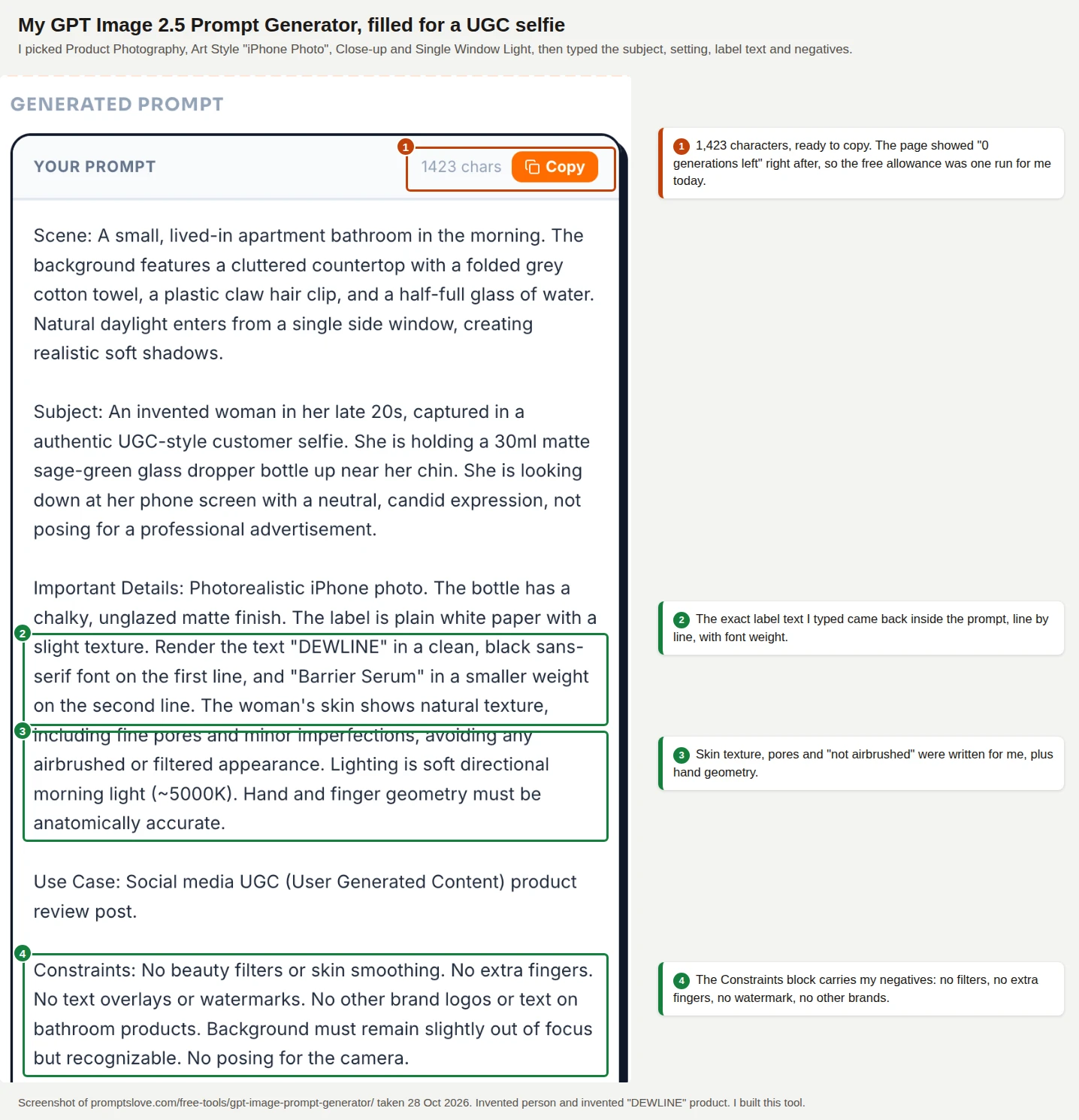
The generator turned my form answers into a 1,423 character prompt with the label text, the skin texture request and a constraints block. I did not run this generated prompt in ChatGPT, so I can show you the prompt and not an image from it.
After that run the page showed "0 generations left," so the free allowance was one run for me that day. Membership removes the limit.
The ChatGPT, Claude and Gemini Prompt Generators
Use these three when you want a text model to do the bracket filling or the image check for you. Paste the B1 task and your product facts into the generator for the model you use, and it builds a structured prompt for that model. The Claude generator writes XML structured prompts, and the Gemini generator offers Markdown or XML. Run Q1 the same way when you want a second opinion on an image.
Go Deeper
My prompt library holds more free prompts. Three posts pair well with this one:
Frequently Asked Questions (FAQs)
What are the best image prompts for ChatGPT?
The best prompts name the scene, the subject, the small real details and the constraints, in that order. For UGC style images, add the phone, the light, a line of exact text in quotes, a KEEP line and an AVOID line. The master template and the 50 prompts above give you that structure, filled with brackets.
How do I give prompts to ChatGPT for image generation?
Open a regular chat, start with "Create an image." and describe the picture in the scene, subject, details and constraints order. Upload a photo when you want ChatGPT to match a real product or an approved character. Then change one thing per follow up, such as the light or the room, and restate what must stay the same.
What are some good prompts for professional product photos?
Professional product photos need the opposite of UGC style: a clean background, controlled light and a clear intended use. OpenAI's guide says to state the intended use, such as an ad or a catalog image, because it sets the level of polish. I focused on UGC style for this article and did not test studio prompts, so start from the Product Photography category in my GPT Image 2.5 generator and check the label text against your real product.
Why does ChatGPT answer with text and not an image?
ChatGPT sometimes answers an image description with text. The Ai Impact suggests asking for the image outright, so every prompt above starts with "Create an image." In my own test, a Temporary Chat blocked image generation, so switch to a regular chat if you see that.
Do I need to label AI generated UGC images?
You usually do when the image shows a realistic person. TikTok said in November 2025 that creators must label realistic AI generated content, and Meta shows an "AI info" label based on industry signals or your own disclosure. Separately, the FTC's rule at 16 CFR 465.2 bars fake reviews and testimonials from people who do not exist, so a label does not make an invented customer review acceptable. Check each platform's current ad policy, and ask a lawyer before you run paid ads.
Can I get the same person in every image?
Not reliably. ChatGPT told me that no prompt guarantees identical faces across unrelated generations, and in my follow up test the label text held but the face changed. Use the S2 character sheet, stay in one chat, reuse the approved image as a reference and regenerate when a face drifts. If you need the exact same real person, edit that person's own photo with written permission.
Final Thoughts
UGC style is a look, and ChatGPT Images 2.5 can make that look from a few lines of text. Control comes from the ten slots: they put the exact label on the bottle, the objects in the room and the limits on what the picture may claim. The rules matter as much as the prompts, because an invented customer who "loves" your product is a legal and trust problem and not a creative choice.
Pick one prompt from the library, fill in your product, run it once and check the result with Q1 and your real product. Then open the GPT Image 2.5 Prompt Generator and build the same prompt from the form. You will then have a template that you have tested on your own product.